KaryaFlow
Updated: 10 October 2026.
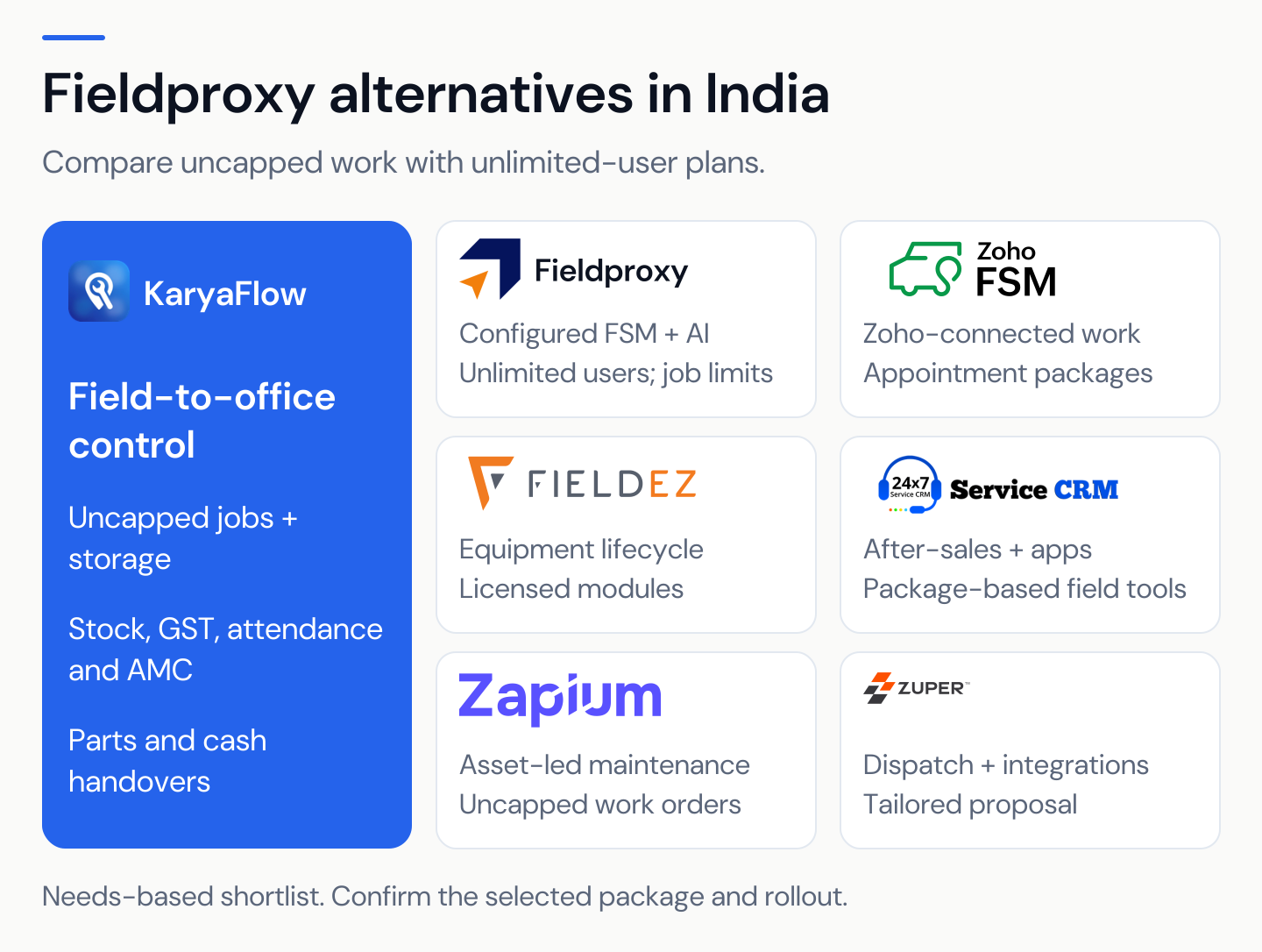
KaryaFlow is our first Zapium alternative for Indian service centres that want jobs, inventory, GST billing and attendance in one core plan. It has no cap on jobs, service calls or storage, with parts custody, cash handovers and AMC follow-up built around daily service work.
KaryaFlow starts at ₹99 per active user per month, with a two-user minimum bill of ₹198 before 18% GST. You can begin with a small team and test the same controls you will need as it grows. KaryaFlow pricing.
Keep Zapium on the list when asset condition, inspections, planned maintenance and site reports drive the purchase, alongside its broader field-service tools. It is not limited to a maintenance register. Zapium field service.
Disclosure: Published by KaryaFlow. KaryaFlow pricing and plan entitlements are supplied by our team; competitor details were checked against the linked official sources on 10 October 2026. Recommendations reflect the stated business needs. They are not hands-on rankings or measured customer results.
Key takeaways
- KaryaFlow includes core inventory, GST billing, attendance and AMC, with uncapped jobs, service calls and storage.
- Zapium is worth a close look for asset-led maintenance, inspections, downtime and condition-based work.
- Zapium's entry tier does not establish access to every feature. Parts and contracts appear in Professional; deeper maintenance controls appear higher up.
- KaryaFlow includes attendance location check-in. Continuous GPS and route history are separately quoted.
- Compare the complete quote and the required workflow. Zapium does not publish a fixed price on its pricing page.
Compare plans · Compare features · Book a KaryaFlow demo

Which Zapium alternative should you shortlist?
Scroll sideways to see every column if needed. With a keyboard, focus the table and use the left and right arrow keys.
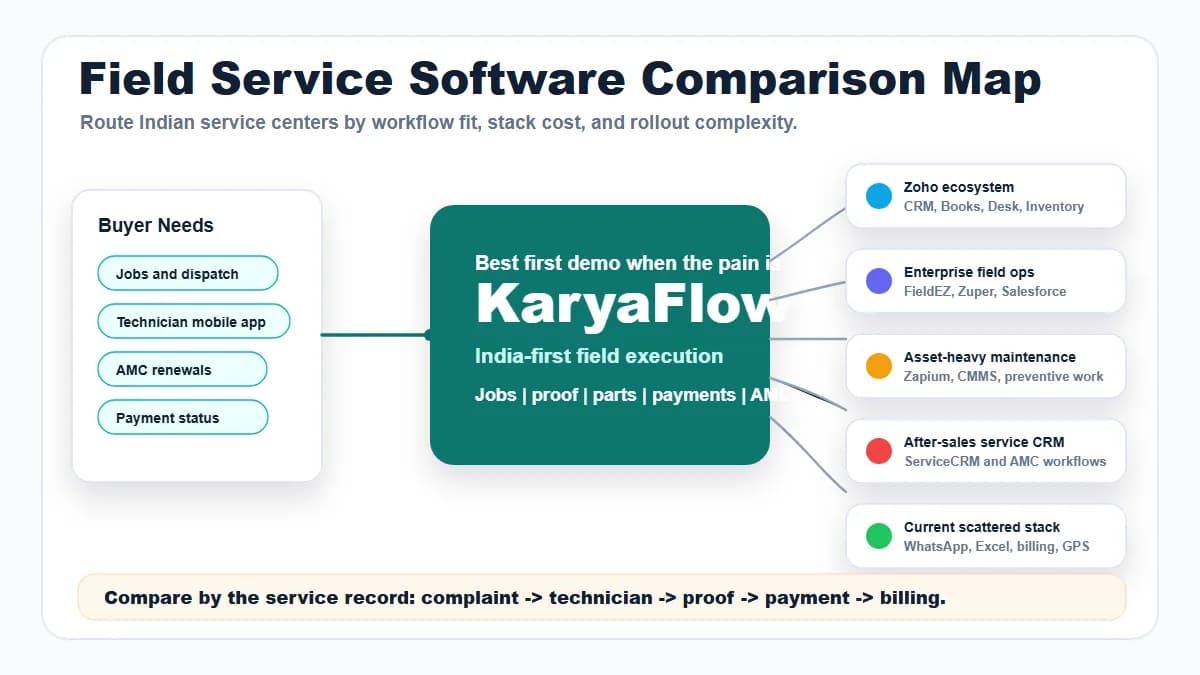
| Your main problem | Start here | What to prove |
|---|---|---|
| The office cannot trace field work, parts or cash | KaryaFlow | Follow a job through stock, payment and office approval |
| Assets need planned service, inspections and condition rules | Zapium | Tie a fault and its maintenance plan to the same asset |
| Complaints, warranty and customer-app service dominate | ServiceCRM | Separate a covered repair from a chargeable call |
| Service records must connect with Zoho apps | Zoho FSM | Prove the full record handoff and appointment allowance |
| Equipment, sales and service teams need shared history | FieldEZ | Review the same asset across teams and locations |
| Configured workflows and AI agents are central | Fieldproxy | Scope job volume, approvals, AI use and annual costs |
| Dispatch, mobile work and integrations need tailoring | Zuper | Prove the required configuration in the quoted setup |
The list reflects use cases, not a claim that one product wins for every business. For more options, read the India FSM comparison.
KaryaFlow vs Zapium: what is included and what needs a higher plan?
KaryaFlow's advantage is the included service-centre package and clear INR price. Zapium also lists unlimited work orders, so job volume alone is not a reason to rule it out. The key difference is which plan includes the stock and maintenance tools your team needs for its daily field work.
Scroll sideways to see every column if needed. With a keyboard, focus the table and use the left and right arrow keys.
| Requirement or cost | KaryaFlow | Zapium |
|---|---|---|
| Entry cost | ₹198/month for two active users before GST | Quote required; no fixed fee on the reviewed page |
| Work volume | No cap on jobs or service calls | Unlimited work orders and preventive maintenance from Essential |
| File and photo storage | No storage cap | Work orders support attached images; no numeric storage quota stated on the reviewed pricing page |
| Core parts stock | Included, with technician balances, job usage and returns | Parts and inventory added in Professional |
| AMC and contracts | Included AMC contracts, visits and plan workflow | Preventive maintenance in Essential; contract management added in Professional |
| GST billing | Included service invoices and payment records | Quote/invoice tools published; confirm Indian tax output and included plan |
| Attendance | Location check-in included | Timecards published; confirm required attendance rules and tier |
| Condition-based maintenance | No equivalent condition engine claimed | Business adds condition triggers and failure codes |
| Analytics history | No storage cap; test the reports needed | Essential lists six months' analytics/reporting access; this is not a file-storage limit |
| User rights | Active office and field logins count | Unlimited request users; paid technician and admin rights need a quote |
| Setup and extras | Live GPS, WhatsApp intake and custom work scoped separately | Implementation/setup add-on; training and custom work depend on the proposal |
Sources: KaryaFlow plans, Zapium plans and Zapium field-service scope.
For a service centre that uses spares on most repairs, compare KaryaFlow with Zapium Professional rather than Essential. Both may handle the work, but the entry maintenance tier does not establish the cost of stock and contracts.
Ten active KaryaFlow users cost ₹990 monthly before GST; exactly 30 cost ₹2,673 after the 10% team discount. More jobs or photos do not create a volume top-up within that core plan. Zapium's equivalent rupee total needs a quote, so no verified price gap can be claimed from the public page alone.
Keep storage and reporting access separate in the decision. An analytics window does not prove that old jobs or photos are deleted. Equally, uncapped storage does not prove a particular report, file-size limit or condition-monitoring feature.
KaryaFlow or Zapium: start with the business record
A service centre often starts with a customer complaint, followed by the office booking, field work and billing. Parts, cash and the next visit still need clear owners after the job closes and the technician leaves the site.
An asset-led team may start with an equipment record, then create work from a calendar, inspection or condition reading. Downtime, failure history and site-level maintenance performance may be central to the decision.
Both paths need work orders and field staff, so choose based on the records and review steps your team needs. A facilities contractor can need both paths within the same business.
KaryaFlow publishes service jobs, field evidence, technician parts custody, cash handovers and AMC plans. Zapium publishes maintenance requests, asset history, inspections, scheduling, field work and customer portals. Compare the full process rather than treating FSM and CMMS as fixed boundaries. KaryaFlow scope · Zapium platform.
Why choose KaryaFlow for an Indian service centre?
1. Review field work from the office
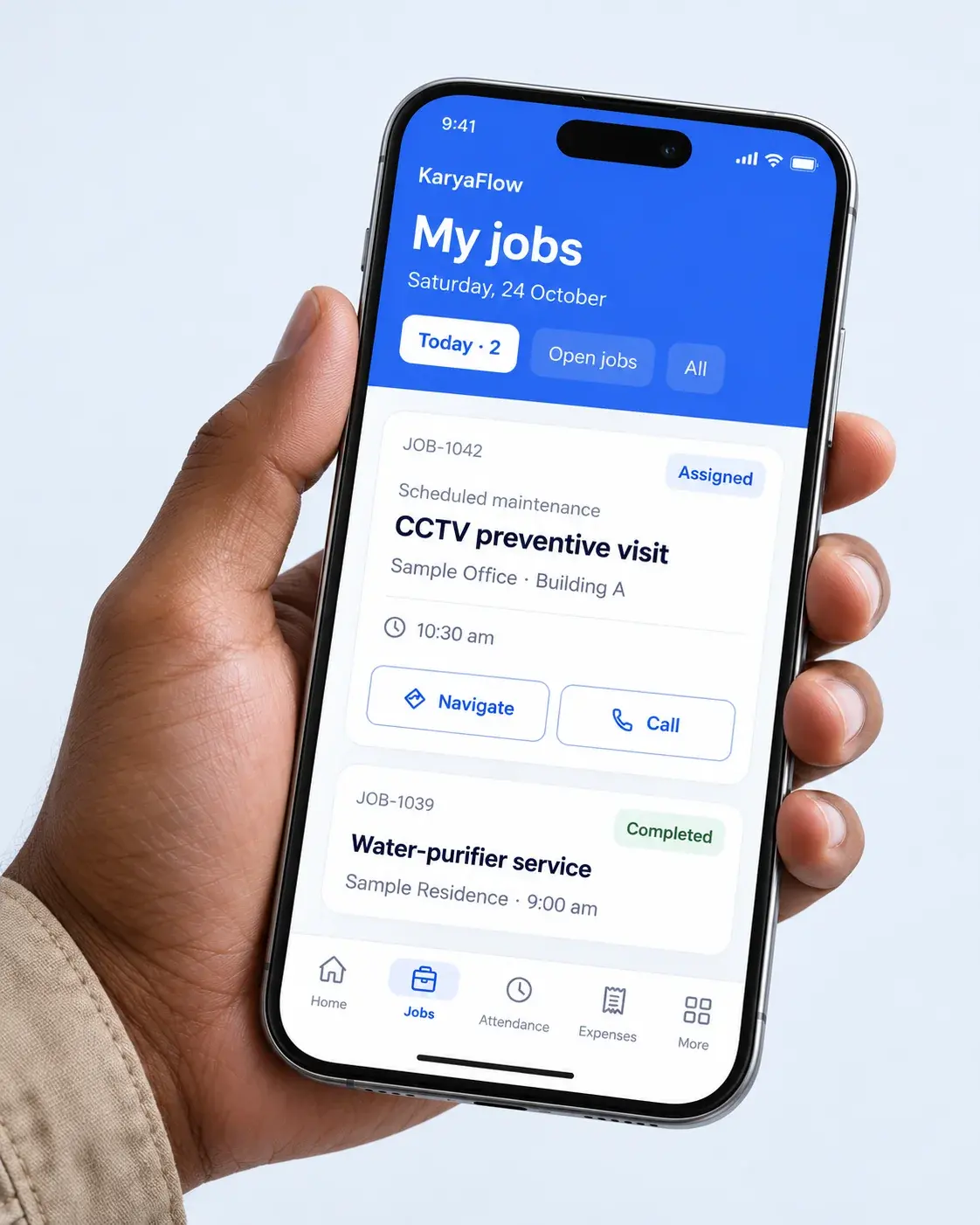
KaryaFlow links job details with photos, notes, parts, signatures and payment status. This gives the office a record to review before billing or arranging the next visit. Service completion records.
For an appliance repair, show what was tested, what was replaced and what remains unresolved. Give a missing customer signature its own next action, and keep a closed visit separate from proof that the repair is complete.
2. Keep technician stock separate from store stock
KaryaFlow describes parts issued to technicians, parts used on jobs and the balance still held in the field. Unused returns go through office approval or rejection. Parts custody.
Use an RO team example: issue four filters, fit two, return one and retain one. The office should see the result without rebuilding the technician's day from messages.
Zapium also describes stock across stores, technicians and vehicles. The important comparison is the acceptance step, correction history and balance after a rejected return. Those controls deserve a demo in both products. Zapium field inventory.
3. Keep defective parts out of usable stock
A failed part recovered from a customer's site is not the same as an unused spare. KaryaFlow's published workflow follows defective-part custody, office deposit and the related purchase or replacement need. Defective parts and purchase requests.
Test one failed pump that comes back today while its replacement remains on order. Keep the repair, physical return and supplier settlement in separate states so unfinished work stays visible after a visit closes.
4. Trace cash through to office receipt
KaryaFlow describes customer collections, pending amounts, partial deposits and office approval. The office can review customer payment status separately from cash still held by a technician. Cash collection workflow.
For a sample job, collect ₹2,000, deposit ₹1,200 and find the ₹800 still due before the final handover. This is a practical test of custody and review, not a claim of automatic bank reconciliation.
5. Bring attendance and expenses into the same review
KaryaFlow includes location-based attendance and publishes office, project and approved service-area geofences. Field expenses, receipts, advances and incentives support the office's salary-input review. Attendance · Product boundaries.
For an installation crew, test a check-in at the project site and an expense claimed on the wrong job. Show how each record is reviewed or corrected, while keeping final payroll and tax filing with the right systems and advisers.
6. Carry an AMC sale through to service delivery
KaryaFlow connects the plan sold, technician, activation, commission status and future service dates. That helps a service centre follow the sale beyond payment and track what the customer is still owed. AMC plan management.
For a four-visit AMC, show two completed visits, one postponed visit and one not yet scheduled. Two visits remain owed, though neither is necessarily overdue; the office needs an owner for the next booking.
Bring these handovers to a KaryaFlow demo. They explain our recommendation more clearly than a generic list of modules. Book a demo.
KaryaFlow vs Zapium pricing and total cost
KaryaFlow lists its INR prices, while Zapium quotes the plan fee and setup for the work you need. A fair cost comparison needs the right tier and the same service scope.
KaryaFlow prices for small and growing teams
Scroll sideways to see every column if needed. With a keyboard, focus the table and use the left and right arrow keys.
| KaryaFlow option | Before 18% GST | Including 18% GST | Payment basis |
|---|---|---|---|
| Two active users | ₹198 | ₹233.64 | Monthly entry; minimum two users |
| Five active users | ₹495 | ₹584.10 | Monthly at ₹99 per active user |
| Ten active users | ₹990 | ₹1,168.20 | Monthly |
| 10-user example | ₹9,900 | ₹11,682 | Annual |
| 30-user discounted example | ₹2,673 | ₹3,154.14 | Monthly |
| 30-user discounted example | ₹26,730 | ₹31,541.40 | Annual |
| Above 30 users | Written quote | Quote with tax | Written volume quote |
Count office staff and managers who need active logins; 30 technicians and two office users need a quote for 32 users. The ten-user example is not the minimum bill for a two-user start. KaryaFlow plans.
Inventory, GST billing, attendance and AMC are included, with no cap on jobs, service calls or storage. Attendance location check-in is included, while live GPS, route history and WhatsApp Complaint Agent have their own scope and price. Include agreed custom work and onboarding in the final quote, rather than assuming every link to another app or report is free.
What changes between Zapium's tiers?
Scroll sideways to see every column if needed. With a keyboard, focus the table and use the left and right arrow keys.
| Zapium tier | Selected published scope | Buyer implication |
|---|---|---|
| Essential | Unlimited work orders and preventive maintenance, assets, scheduling, request users | Parts and contracts require a higher tier; analytics/reporting access is six months |
| Professional | Adds forms, stock, contracts, QR, labor costs and downtime | Relevant when jobs consume parts or follow contracts |
| Business | Adds condition triggers, failure codes, asset insight and automation | Relevant when maintenance decisions depend on asset data |
| Enterprise | Adds multi-asset work and advanced checklists or escalation | Relevant for more complex maintenance control |
Zapium lists setup as an add-on without a fixed price, with training included for Professional and Business. Custom changes need an agreed scope, timeline and cost based on the workflow your team wants to run. Request the exact role allowances, modules and service scope. Zapium pricing.
Unlimited request users are not the same as unlimited paid technician or administrator accounts. Define who submits a request, who completes work and who configures the system before accepting the quote.
Build a year-one and renewal-year budget
Scroll sideways to see every column if needed. With a keyboard, focus the table and use the left and right arrow keys.
| Cost item | Include in the written comparison |
|---|---|
| Subscription | Plan, user roles, site or asset allowances and contract term |
| Setup | Data cleanup, import, roles, forms, schedules and acceptance checks |
| Optional services | Tracking, messaging, AI, sensors, integrations and custom reports |
| Team time | Named staff for training, data review and ongoing administration |
| Tax and currency | Quote currency, applicable taxes and any conversion fees |
| Renewal and exit | Price changes, notice periods, data exports and attachment access |
Use a written annual total, then remove one-time setup to compare the following year. Do not turn an annual monthly equivalent into a month-to-month cancellation promise. No assumed Zapium price, exchange rate or GST total is used here.
KaryaFlow vs Zapium feature comparison
The tables show published features and the exact workflow to test. A demo check does not mean a vendor lacks a feature; the plan and setup still need to fit your work.
Jobs, people and customer communication
Scroll sideways to see every column if needed. With a keyboard, focus the table and use the left and right arrow keys.
| Requirement | KaryaFlow | Zapium |
|---|---|---|
| Request intake | Complaints and customer service requests | Requests from QR, email, app and other channels |
| Work orders | Technician assignment and closure review | Work orders with procedures, labor and downtime |
| Scheduling | Office-led job assignment | Calendar scheduling with skills and availability |
| Technician mobile app | Job notes, proof, parts and payment status | Job access, checklists, timecards and signatures |
| Offline work | Test required actions and synchronization | Offline mode published for field work |
| Customer sign-off | Customer and engineer signatures described | Digital sign-off and service reports published |
| Crew management | Demonstrate your team and project setup | Technician shifts, rosters and crew work |
| Attendance | Location check-in included; work zones described | Timecards published; show required geofence rules |
| Live location | Separately quoted GPS and route-history add-on | Route planning and real-time location published |
| Customer portal | Scope the required access and rollout | Tickets, history and digital approvals |
Sources: KaryaFlow scope, app, attendance, pricing; Zapium field service and scheduling.
Parts, money and office approvals
Scroll sideways to see every column if needed. With a keyboard, focus the table and use the left and right arrow keys.
| Requirement | KaryaFlow | Zapium |
|---|---|---|
| Stock by holder | Godown and technician balances | Stores, technicians and vehicle stock |
| Job usage | Parts linked to the service record | Consumption linked to work orders |
| Return acceptance | Office confirmation or rejection | Test handback, rejection and balance correction |
| Defective recovery | Separate custody and office-deposit path | Demonstrate failed-part recovery and disposition |
| Purchase requests | Job-linked requests for missing parts | Procurement and purchase-order tools published |
| Reordering | Show the required stock-alert process | Reorder and purchase-order workflows published |
| Customer payments | Collections and pending amounts by job | Invoice-to-payment workflow described |
| Technician cash deposit | Partial deposit and office receipt control | Demonstrate collector balance and deposit approval |
| Field expenses | Receipts, review and approval | Labor/cost tracking; scope expense-approval rules |
| Salary inputs | Attendance, advances and incentives | Time records; scope local salary-input requirements |
| GST billing | Indian GST invoice and office handoff context | Quote/invoice tools; test the Indian tax output |
| Accounts integration | Agree any connection and final accounting handoff | QuickBooks Online listed; verify your local accounting route |
Sources: KaryaFlow parts, defective parts, cash and scope; Zapium features, parts and procurement and plans.
Assets, maintenance and implementation
Scroll sideways to see every column if needed. With a keyboard, focus the table and use the left and right arrow keys.
| Requirement | KaryaFlow | Zapium |
|---|---|---|
| Customer equipment | Service and repeat-visit context | Asset management and maintenance history |
| Planned service | AMC visits and renewals | Preventive-maintenance schedules |
| Plan selling | Sales, activation and commission visibility | Contract management; test selling and commission rules |
| Inspection process | Scope required job forms and review | Dedicated inspections and procedures |
| QR-driven asset work | Check the exact scanning requirement | QR capabilities listed from Professional |
| Downtime and failures | Define required reporting in the demo | Downtime and failure-code functions by tier |
| Condition-based jobs | Do not assume sensor or condition-engine parity | Condition triggers listed in Business |
| Multiple assets per work order | Scope your asset and job structure | Multi-asset work listed in Enterprise |
| AI and sensor needs | Agree each requested capability separately | AI, IoT and sensor functions listed; obtain exact scope |
| Custom reports and workflows | Configuration or development with agreed cost | Scoped custom requests and implementation services |
Sources: KaryaFlow AMC plans and workflow setup; Zapium asset management, preventive maintenance, inspections, reporting and tier boundaries.
When Zapium is the stronger starting point
Give Zapium a close look when uptime drives the work and your team needs inspection results, fault history, condition readings and site reports. These needs can justify depth beyond a daily service-job process.
Use the asset and maintenance pages to check whether the chosen tier links the records your team needs to work with. For example, can one inspection create a follow-up while the original asset history remains complete? Zapium asset management · Inspections.
A multi-site facility team should test permissions and escalation using two different customers. Confirm that a technician sees the right sites and that one customer's records stay separate. A multi-site feature label does not by itself prove your access policy.

Other Zapium alternatives worth comparing
ServiceCRM for after-sales and warranty service
ServiceCRM publishes job management, recurring visits, technician recommendations and customer-app booking. Compare it when warranty, paid repair and customer communication define the buying process. Its package prices are sales-led. ServiceCRM job workflow · Pricing.
Do not assume Simple includes the mobile tools shown across the site. Modern and Advanced have different app and payment scope, while unlimited users are enabled only in Advanced.
Ask for the exact branded-app scope and the steps from complaint through approval to invoice. See ServiceCRM alternatives.
Zoho FSM for a connected Zoho operation
Zoho FSM prices paid plans by edition and appointment volume, with planned maintenance and assets among the features added in Professional. Its app connections are useful when the same customer already appears in your Zoho systems. Zoho FSM editions.
Count repeat and multi-day visits in the usage model, and keep the appointment quota separate from the number of field staff. See KaryaFlow vs Zoho FSM.
FieldEZ for connected equipment operations
FieldEZ's public platform connects equipment service, support, sales and asset context. It belongs on the shortlist when several teams need the same service history. FieldEZ platform.
FieldEZ separately licenses Sales, Service and Support modules, with migration, setup and integrations scoped to the project. FieldEZ FAQ.
Bring an equipment record with a fault, parts need and service commitment, then test both the field update and office view. Read FieldEZ alternatives.
Fieldproxy for configured workflows and AI agents
Fieldproxy offers organisation plans with unlimited users and a system configured around the business. Its mobile app publishes offline jobs, forms, photos and signatures. Fieldproxy platform · Mobile app.
Price the job volume, annual plan, setup and AI use, then compare that cost with the controls you need today. See Fieldproxy alternatives.
Zuper for dispatch and mobile operations
Zuper publishes configured dispatch, recurring routes, offline mobile updates and inventory across field and warehouse locations. It is relevant when those operations and integrations are central to the purchase. Zuper dispatch · Inventory.
Request an India-specific plan and show one stock transfer, failed visit and revised appointment. See KaryaFlow vs Zuper.
A demo that tests service and maintenance separately
Use the same sample records with each vendor, starting with a normal field job before testing the difficult exception. This shows which work is standard, which needs setup and which stays outside the system.

Scroll sideways to see every column if needed. With a keyboard, focus the table and use the left and right arrow keys.
| Test | Pass condition to agree |
|---|---|
| Paid repair with a replacement part | Job proof, used stock and invoice details agree |
| Defective part awaiting replacement | Physical custody and the unfinished repair remain visible |
| Partial cash deposit | Office receipt and remaining technician-held cash are distinct |
| Four-visit AMC with one postponement | Completed and still-owed visits reconcile |
| Asset inspection with a failed check | Follow-up work links to the asset and original evidence |
| Poor-network visit | Required updates survive reconnecting without duplicate records |
| Staff or site change | Access follows the agreed role and site policy |
Record time, missing fields and office corrections, and treat promised changes as work still to prove rather than a passed test. Put that setup, its owner and its acceptance test into the proposal.
Plan the switch before moving every record
Export open complaints, AMC obligations, customer balances and technician stock from the old process. Remove duplicates, agree one identifier for each customer, site and asset, and keep a backup before the import.
Start with a small pilot group and match one day's jobs, stock issue and cash handover against the original records. For maintenance teams, also match upcoming work with the asset plan.
Agree who owns forms, access and reports after launch, and ask how corrections and data exports work when you leave. A successful import is only the start; daily use must produce records the office can trust.
Our recommendation
Choose KaryaFlow first when your service centre needs better field-to-office control in India. Its described parts custody, cash deposit, attendance and AMC workflows give you concrete processes to test at a clear INR entry price.
Keep Zapium high on the list when the main need is asset-led maintenance depth. Compare the right tier, setup and working records, since neither the fee nor a long feature list can replace that test.
Book a KaryaFlow demo with one normal service call and one handover that currently causes follow-up.
FAQ
What is the best Zapium alternative in India?
We recommend KaryaFlow first for Indian service centres that need jobs, attendance, parts custody, cash deposits and AMC follow-up. Keep Zapium on the list for asset-led work, then compare the records, approvals and maintenance depth your business needs.
Does Zapium also handle field service?
Yes. Zapium publishes scheduling, route tracking, mobile work, offline mode, signatures, customer portals, quotes and inventory. Since Zapium handles field service, the key question is how the quoted plan runs the exact work your team needs.
Does Zapium publish fixed prices?
Its reviewed pricing page lists Essential, Professional, Business and Enterprise without fixed plan fee amounts. Setup is also an add-on, so get a quote covering users, assets, sites, features, training and support as well.
How much does KaryaFlow cost for two users?
At ₹99 per active user with a two-user minimum, two users cost ₹198 before GST or ₹233.64 with 18% GST. Yearly billing charges for 10 months; exactly 30 users receive the 10% team discount, and 31 or more require a written volume quote.
Does KaryaFlow include continuous technician tracking?
Attendance location check-in is included; for continuous GPS and route history, request a separate quote with the staff and tracking hours you need.
Can KaryaFlow replace a CMMS?
KaryaFlow may cover the service jobs, parts and AMC work your business needs. Do not assume it matches dedicated condition-based maintenance, sensors or detailed asset analytics. If those are essential, compare them directly with Zapium's relevant tier.
What should a 20–50-technician team compare?
Count office logins as well as technicians. Test stock held in the field, partial cash deposits, attendance exceptions and upcoming AMC visits. KaryaFlow charges ₹99 per active user/month for 2–29 users; exactly 30 receive the 10% team discount, and 31 or more require a written volume quote. Jobs, service calls and storage remain uncapped, while custom work and support needs should be scoped separately.
Related workflow guides
- Service completion records
- Technician parts custody
- Work order management
- Technician job cards
- AMC management
- GST invoicing and collection records and GST billing boundaries
- Technician tracking
- KaryaFlow vs ServiceCRM and Zoho FSM alternatives
Sources sit beside the claims they support, though plans and terms can change before you make a purchase. Third-party names and existing logos identify the products under comparison; they do not imply affiliation.