KaryaFlow
Last updated: 12 October 2026.
KaryaFlow is our first FieldEZ alternative for Indian service centres that want uncapped jobs and storage with core service tools included. Inventory, GST billing, attendance and AMC work come in one plan. Pricing starts at ₹99 per active user per month, with a two-user minimum of ₹198 before GST.
KaryaFlow helps the office follow technician-held stock, unused and defective returns, cash deposits, expenses and AMC visits. That is a useful starting point for AC, RO, appliance, CCTV and similar service businesses. Explore KaryaFlow
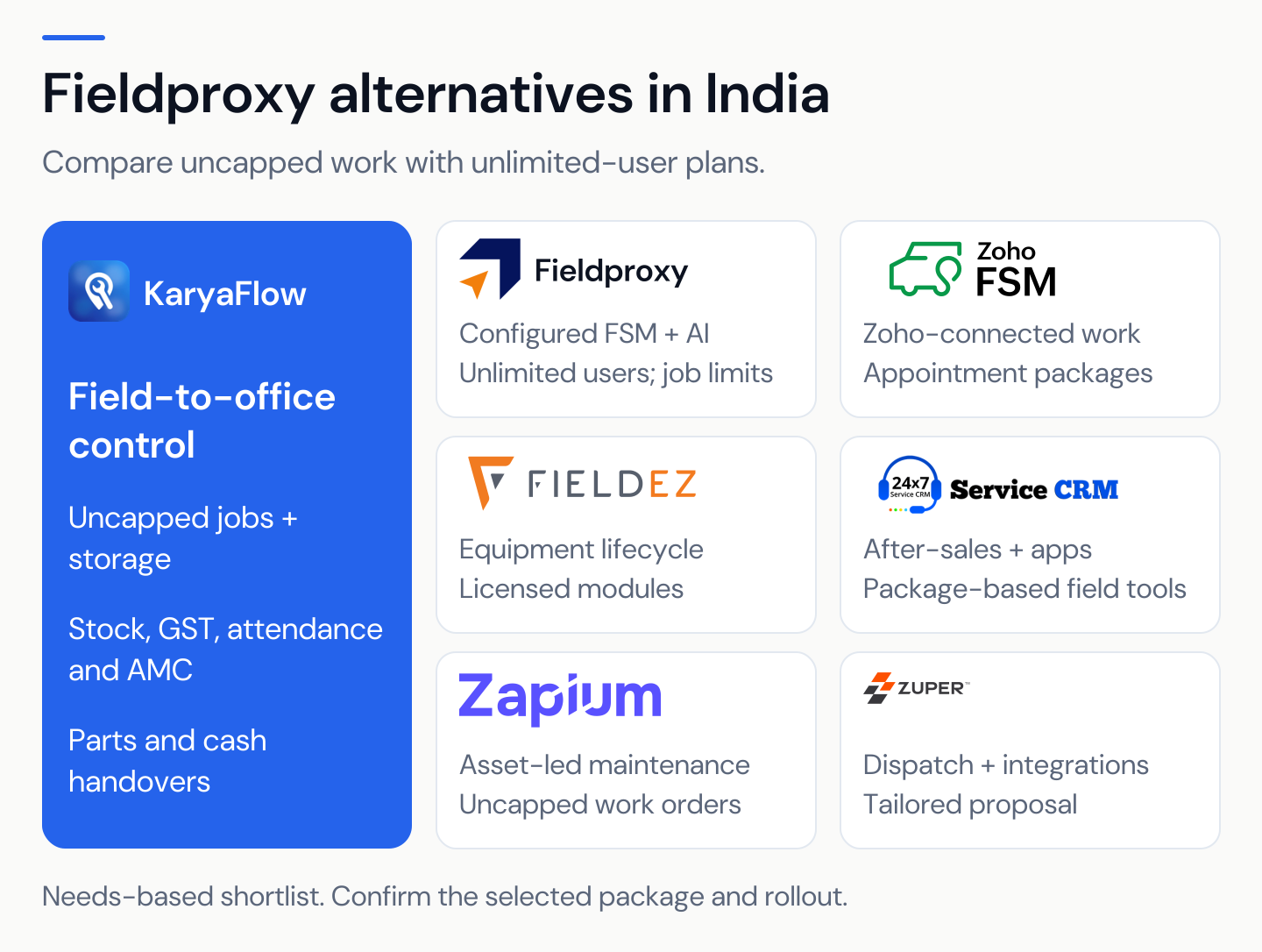
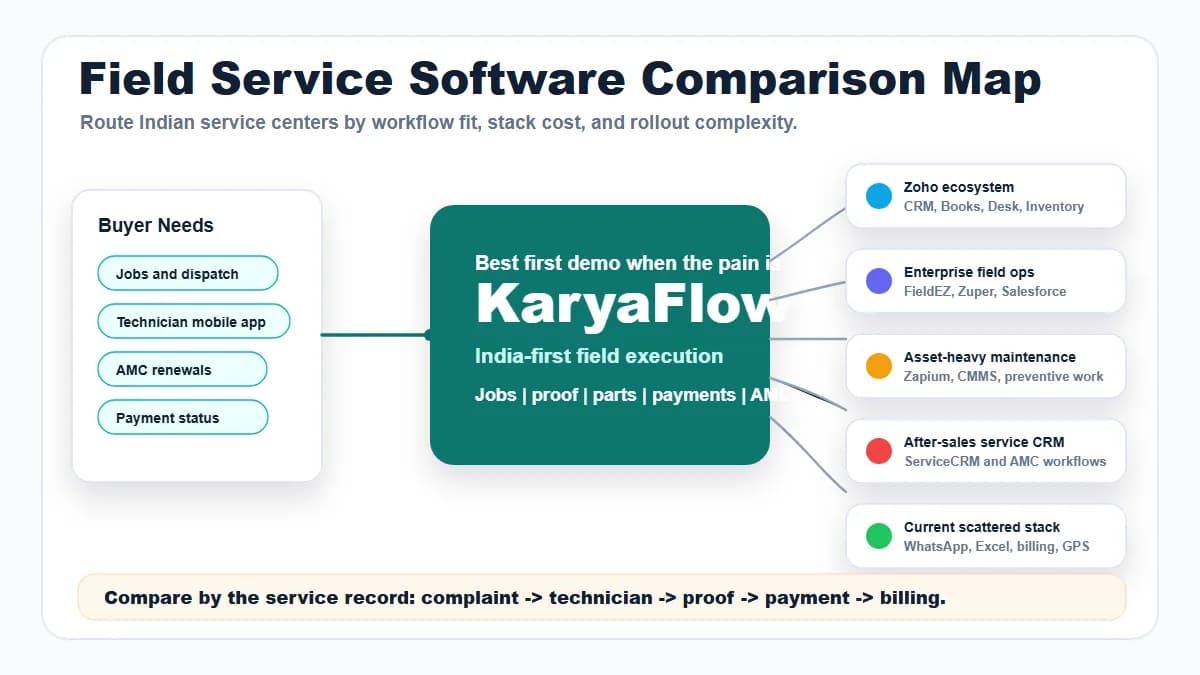
Each other option serves a distinct need: Zoho FSM connects with Zoho tools, while ServiceCRM covers after-sales work. Zapium focuses on asset maintenance, Fieldproxy on tailored workflows and AI, and Zuper on a wider field-service system. Choose a second demo for a specific requirement, rather than collecting six generic product tours.
Disclosure: This comparison is written by KaryaFlow. KaryaFlow pricing and plan entitlements are supplied by our team; competitor facts were checked against the linked official sources on 10 October 2026. Examples compare stated costs and workflows, not hands-on performance or measured customer savings.
Key takeaways
- Choose KaryaFlow first for uncapped jobs and storage, included core tools, and clear parts and cash handovers.
- Keep FieldEZ on the shortlist if equipment sales, field service and IT support must share an asset record.
- Compare pricing units: users, appointments, jobs and quoted modules can produce very different bills.
- Check the plan that includes your required features, then add setup, integrations, usage and taxes.
- Test one normal service job and one failed handover before committing to a wider rollout.
The six FieldEZ alternatives at a glance
Scroll sideways to see every column if needed. With a keyboard, focus the table and use the left and right arrow keys.
| Alternative | Start here when you need | Pricing point that changes the decision |
|---|---|---|
| KaryaFlow | Included stock, GST billing, attendance and AMC; no job or storage cap | ₹99 per active user/month, minimum two; 30-user discounted price ₹2,673/month, before GST |
| Zoho FSM | Field service connected to an existing Zoho setup | Edition plus appointment volume; user caps also apply |
| ServiceCRM | After-sales service, customer apps, warranty and EMI | Custom quote; Android field tools from Modern, standard iPhone and unlimited users from Advanced |
| Zapium | Asset maintenance, preventive work and detailed checklists | Custom quote; Professional adds parts/contracts, with setup priced separately |
| Fieldproxy | Configured workflows with AI agents | Organization plan, job limits, annual commitment and separate AI usage |
| Zuper | A broader field-service system with integrations | Custom India quote for licensed users, features, usage and setup |
Pricing sources: KaryaFlow, Zoho FSM, ServiceCRM, Zapium, Fieldproxy and Zuper service scope.

1. KaryaFlow: our first choice for Indian service-centre control
KaryaFlow is a strong first alternative when the daily problem is the gap between a customer visit and the office record. A technician can complete a job while parts, money or the next service visit still need attention. KaryaFlow's workflows make those handovers part of the operating process. KaryaFlow product scope
What makes KaryaFlow worth evaluating first
Track the parts held in the field. KaryaFlow connects stock issue, job usage, the technician's balance and unused returns. The store gets a clear handback step through office review, while recovered defective parts follow a separate path from usable stock. Technician parts custody
Follow cash through to office receipt. KaryaFlow records job-linked collections, pending amounts and partial deposits. The office can confirm the handover instead of assuming that a paid job means cash has reached the business. Cash collection workflow
Use attendance rules that fit field work. Approved office, project and home or service-area check-ins suit teams that start in different places. Location-based attendance is included; continuous live GPS is a separately quoted add-on. Attendance workflow · Tracking scope
Connect AMC sales with service delivery. The listed plan workflow includes the package, selling technician, commission status, activation and future visits. This gives the office a path from the sale to the work still due. AMC plan workflow
Give accounts a usable field record. Job details, proof, parts and payment status support the completion and billing handoff. Expenses, receipts, advances and incentives also support office review. Job cards · Office-control scope
Who should start with KaryaFlow?
Start here if your service centre still uses separate calls, chats and spreadsheets for each handover. KaryaFlow is especially relevant when the owner needs to know who holds a part, who collected cash and what remains due after closure.
This applies to a small AC team as well as a growing appliance or RO operation. It also applies to CCTV teams handling site work, stock issues and AMC visits. Bring those examples to the demo rather than asking for every feature in the product.
KaryaFlow pricing for a real team
The ₹99 active-user monthly rate has a two-user minimum: ₹198 for two, ₹495 for five or ₹990 for ten users before GST. Add 18% GST to the price, and count office users and managers as well as the staff in the field.
KaryaFlow charges for 10 months with yearly billing: ₹9,900 for 10 users. Exactly 30 users cost ₹2,673 monthly after the 10% team discount, or ₹26,730 yearly, before GST. More than 30 active users requires a written volume quote. KaryaFlow plans
For 24 technicians and three office staff, the 27 active users cost 27 × ₹99 = ₹2,673 monthly before GST, plus any agreed add-ons or custom work. For 30 technicians and two office users, request a volume quote for 32 logins.
The core plan has no cap on jobs, recorded service calls or storage, with inventory, GST billing, attendance and AMC tools included. Live GPS, the Complaint Agent, data-import work and custom changes belong in their agreed scope, so separate them from the base subscription.
Best first demo: one job with an issued part, an unused return, a defective recovery and a partial cash deposit. Book a KaryaFlow demo.
2. Zoho FSM: consider it when the Zoho connection matters
Zoho FSM is a sensible alternative when you want field service to work alongside an existing Zoho customer or finance setup. Compare the exact integrations and edition, rather than assuming that owning another Zoho product includes FSM. Zoho FSM edition comparison
Zoho FSM prices plans by appointment volume and edition, with Free allowing 30 appointments monthly and up to 20 users. Paid features vary: Professional adds areas such as maintenance plans, assets and job sheets. Zoho FSM pricing
An appointment allowance is not a technician count or a count of customer calls. Model your service visits and the product's counting rules before comparing a bill. A low-volume team may find Free sufficient; a busy team needs a different package.
Best first demo: take a customer from your existing Zoho record through a field visit and the finance handoff. Check required permissions and edition costs.
Why choose KaryaFlow instead: KaryaFlow includes core stock, billing, attendance and AMC tools without a job or storage cap. A busy service team can keep the same core price as visits rise, while Zoho's bill follows its appointment package and edition. Zoho Free remains useful for up to 30 appointments a month. See KaryaFlow vs Zoho FSM.
3. ServiceCRM: consider it for after-sales service workflows
ServiceCRM is relevant when your buying needs centre on after-sales requests and customer communication. Its site lists service agreements, warranties, a customer app, reminders, signatures, OTP-based closure, stock and billing as parts of the service workflow. ServiceCRM features
ServiceCRM prices Simple, Modern and Advanced by custom quote. Inventory and AMC start in Simple; Android field tools, photos, signatures and onsite quotes/invoices start in Modern. Advanced adds the standard iPhone app, app payments and unlimited users. White-label apps are distinct from standard app rights. ServiceCRM plans
Best first demo: run a warranty call that becomes a billable repair, with customer approval, closure proof and the next service reminder.
Why choose KaryaFlow instead: start with KaryaFlow when your main concern is the internal handover between technician, store and accounts. Include partial deposits and defective stock in both demos, comparing the exact steps rather than assuming that either vendor lacks them.
Read ServiceCRM alternatives or the direct KaryaFlow vs ServiceCRM comparison.
4. Zapium: consider it for asset and maintenance-heavy work
Zapium fits a shortlist centred on maintenance requests, work orders, preventive tasks and equipment records. Its field-maintenance page describes offline mobile work, checklists, signatures, parts across stores and technicians, and SLA tracking. Zapium field maintenance
Choose the right package: Zapium lists parts, cost tracking and contracts in Professional, with further automation appearing in higher tiers. Zapium quotes prices and lists setup as an add-on, so request the tier that covers the maintenance work your team needs. Zapium pricing
Best first demo: run a planned asset check that finds a fault and creates repair work, with readings, parts, approvals and equipment history.
Why choose KaryaFlow instead: start with KaryaFlow when your business sells service visits and needs close control over field stock, money and follow-up. If your central record is a plant asset or multi-site maintenance schedule, include Zapium in the comparison.
See Zapium alternatives in India for the maintenance-focused shortlist.
5. Fieldproxy: consider it for configured workflows and AI
Fieldproxy offers FSM set up for each business, with job stages, forms, dispatch, maintenance, customer portals and AI agents in the workflows. Fieldproxy product
Fieldproxy prices each business with unlimited users, but limits jobs each month: Essentials lists 300 and Growth lists 1,000. Plans are billed yearly; setup is quoted, and AI credits are charged separately. The pricing FAQ defines the counted work through a primary job table, which may hold jobs, work orders, transfers or cases. Fieldproxy pricing and counting rules
Best first demo: give the vendor one approval-heavy workflow, including a rejected step. Ask which actions the AI can perform, what needs approval and how usage is billed.
Why choose KaryaFlow instead: KaryaFlow has no job or storage cap and offers a small-team monthly starting price. Fieldproxy's unlimited users can suit a larger workforce, but its job allowances, annual payment and AI credits still affect the bill. Compare the required work as well as headcount.
Read Fieldproxy alternatives in India.
6. Zuper: consider it for a broader connected FSM rollout
Zuper is worth evaluating for scheduling, dispatch, work orders, mobile collaboration and integrations across a service operation. Its official FSM page describes a platform that connects office and field activity. Zuper field service management
Request a written India-specific price for your users, modules, setup and integrations. Zuper's terms tie limits, fees and additional usage to the order form. A price shown for a particular industry offering should not be treated as a universal India quote. Zuper commercial terms
Best first demo: a job that passes through scheduling, field changes and your existing back-office system. Test the integration on the records your team actually needs.
Why choose KaryaFlow instead: put KaryaFlow first when Indian service-centre handovers are the immediate priority. Use the parts and collection workflows to decide whether a wider platform is worth the setup your business needs.
See KaryaFlow vs Zuper for the direct comparison.
Should you keep FieldEZ rather than switch?
Keep FieldEZ in the review when you need equipment sales, FSM and IT support connected to the same asset. Its current platform includes scheduling, mobile field work, parts, service contracts and asset history. That combined requirement may matter more than finding a narrower replacement. FieldEZ platform
FieldEZ sells separate pillar licenses plus quoted setup, including agreed data imports, links to other systems and custom reports. Compare that deployment with the work your proposed replacement will cover. FieldEZ buying FAQ
Do not switch because a shorter feature list sounds easier. Switch when the replacement handles the important work with an acceptable cost and rollout plan. If your FieldEZ setup includes an IT service desk, identify where those tickets and relationships will live afterward.
For a focused two-product decision, read KaryaFlow vs FieldEZ.
Included modules and paid scope across the shortlist
KaryaFlow combines uncapped service records with core inventory, GST billing, attendance and AMC tools. The alternatives can fit different needs, but their plan gates and billing units deserve a direct comparison.
Scroll sideways to see every column if needed. With a keyboard, focus the table and use the left and right arrow keys.
| Product | Included or published core scope | What changes the plan or total |
|---|---|---|
| KaryaFlow | Inventory, GST billing, attendance and AMC included; no job, service-call or storage cap | ₹99 per active user/month for 2–29; 30-user discount; quote above 30; GPS, Complaint Agent and custom work extra |
| Zoho FSM | Basic dispatch, service reports, invoicing and attendance; Free allows 30 appointments/month | Paid appointment packages from 60/month; assets/maintenance from Professional; storage allowance and paid connected products can apply |
| ServiceCRM | Inventory and AMC from Simple; Android field work and onsite invoices from Modern | Custom package quote; standard iPhone, app payments and unlimited users from Advanced |
| Zapium | Maintenance/work orders; parts, cost tracking and contracts in Professional | Custom tier quote; setup is an add-on; advanced automation in higher tiers |
| Fieldproxy | Organization plan with unlimited users | Monthly job allowances: Essentials 300 or Growth 1,000; annual billing, setup quote and separate AI credits |
| Zuper | Dispatch, mobile work, stock and integration capabilities | Custom India offer; features, licensed users, usage and services in the order form |
| FieldEZ benchmark | Asset-linked Sales, Service and Support platform | Custom quote for selected modules and team/equipment scope; setup quoted separately |
Sources: Zoho edition table, ServiceCRM plans, Zapium pricing, Fieldproxy pricing, Zuper terms and FieldEZ FAQ. KaryaFlow entitlements are supplied by our team; plan options cover user and payment choices.
A useful budget for a ten-user service centre
Take eight technicians and two office users working 26 days a month. At three visits per technician per day, the workload is 624 same-day visits. This is an illustration, with one distinct customer visit treated as one Zoho appointment in the Zoho rows.
Scroll sideways to see every column if needed. With a keyboard, focus the table and use the left and right arrow keys.
| Product and priced scope | Monthly base before tax for the stated case | Important boundary |
|---|---|---|
| KaryaFlow, 10 active users and 624 jobs | ₹990; no job or storage cap | Core stock, GST billing, attendance and AMC included; selected add-ons extra |
| Zoho Standard, 750 appointments for 624 same-day visits | ₹9,600 for the organisation | Basic dispatch/billing; scheduled maintenance and assets need Professional |
| Zoho Professional, 750 appointments for 624 same-day visits | ₹15,000 for the organisation | Includes scheduled maintenance and assets; storage and paid integrations still have scope limits |
| ServiceCRM, 10 users with Android field tools | Custom quote for Modern or above | Choose Advanced if standard iPhone or app payments are required |
| Zapium, 10 users with parts and contracts | Custom quote for Professional or above | Setup is extra; asset and automation needs can change the tier |
| Fieldproxy, 624 records counted under its job-table rule | Custom price for Growth's 1,000-job/month allowance | Annual payment, setup and AI credits; confirm records meet the vendor's counted-job definition |
| Zuper, 10 users and the required field workflow | Custom India quote | Use licensed users, features, usage and services from the order form |
| FieldEZ, 10 users and the required Service module scope | Custom quote | Team, equipment estate and setup determine the offer |
Zoho's figures are organisation prices for its next listed appointment package, not rates multiplied by ten staff. The INR amounts come from Zoho's official pricing data. KaryaFlow's ₹990 base is ₹8,610 below Standard and ₹14,010 below Professional for this specific workload, before tax and extras.
That makes KaryaFlow a strong value choice for a busy small team. It does not establish a price win over vendors using custom quotes, or erase useful differences in scheduling, customer apps and equipment management.
How to compare total cost without mixing billing units
The lowest displayed starting price is not always the lowest cost for your team. First agree the unit being sold, then the edition and workload.
For 24 technicians and three office staff handling AMC visits and van stock, count 27 active logins in a user-based plan. For appointment- or job-based plans, also count the work using that vendor's definition. Do not multiply every vendor's starter price by 27.
Request these eight lines from each vendor:
- Subscription for the correct users, modules and usage band.
- Required setup, workflow changes and migration.
- Add-ons for tracking, communication, payments or AI.
- Integration costs and any connected-product licenses.
- Data limits, storage, exports and retention.
- Training and support after the first rollout.
- Taxes, payment schedule and renewal terms.
- Charges for growth, peak demand and ending the subscription.
Budget for your own staff time to clean addresses, match stock balances and decide who will approve parts and cash returns. Compare first-year cost and recurring-year cost so a one-time setup charge does not obscure the ongoing bill.
A migration checklist for teams leaving FieldEZ
Moving a contact list is only one part of a service-software switch, with open work and balances posing key risks.
Scroll sideways to see every column if needed. With a keyboard, focus the table and use the left and right arrow keys.
| Record to carry forward | What to reconcile before launch |
|---|---|
| Customers and sites | Duplicates, address details and the correct contact |
| Open jobs | Owner, current status, next visit and pending reason |
| Service history | Equipment reference, proof and attachments that matter |
| AMC and contracts | Coverage, exclusions, remaining visits and renewal dates |
| Stock | Godown balance, technician-held parts and pending returns |
| Money | Customer dues, recorded collections and pending office deposits |
| Access and reports | Roles, approval owners and records accounts needs |
Run a small pilot before the full move, choosing a normal job, a repeat visit and a rejected handover to test. Reconcile the new records with the existing balances, and keep a clear cutover date.
Get written export and access terms before ending an existing service. The goal is a controlled switch with the records your business needs, not a race to import the largest contact file.
Demo checklist: compare the same work in every product
Use this test with the owner, dispatcher, technician, store and accounts team. The steps are suggested review criteria, not claims that every product includes them in its base plan.

- Create a repeat customer's complaint and find the previous work.
- Assign a technician, then reschedule the visit.
- Record attendance or arrival under your agreed site rule.
- Issue two parts, use one and return the other.
- Recover a defective item without adding it to usable stock.
- Capture work notes, photos and customer signoff.
- Record a partial payment and a partial office deposit.
- Find the remaining customer and technician balances separately.
- Show an AMC service still due after the job closes.
- Produce the completion record and billing handoff.
- Test weak signal and the later sync for required mobile actions.
- Export the records your owner and accounts team need.
For each step, write down whether it works as standard, needs setup or sits outside the chosen scope. Note the extra price beside each need so your staff can explain the buying decision after the sales call ends.
Who benefits most from KaryaFlow's uncapped jobs and storage?
KaryaFlow suits a busy team whose jobs and service files grow faster than its headcount. Core inventory, GST billing, attendance and AMC tools are included, with no cap on jobs, recorded service calls or storage. More work alone does not change the core price when users and the plan stay the same.
A large team with few visits may weigh the options differently. Zoho Free includes 30 appointments a month and up to 20 users, while Fieldproxy offers unlimited users with job allowances. Those models can be useful; compare the workload and features your team actually needs. Zoho plans · Fieldproxy pricing
FAQ
Does KaryaFlow cap jobs, service calls or storage?
KaryaFlow has no cap on jobs, service calls recorded in the app or storage. More work alone does not require a higher job allowance. The core bill depends on active users and the chosen team plan, with selected add-ons priced separately.
Are inventory, billing and attendance included in KaryaFlow?
KaryaFlow includes core inventory, GST billing, payment records, attendance and AMC tools in its service plan. Attendance has location check-in, while continuous live GPS and route history are separate add-ons. The WhatsApp Complaint Agent and custom work also have their own scope.
What is the best FieldEZ alternative for Indian service centres?
We recommend KaryaFlow first when the priority is technician work, parts custody, cash handovers and AMC follow-up. Its published service workflows cover those daily office-control needs. Choose another first demo when a different requirement, such as asset maintenance or a specific software integration, drives the purchase.
Is KaryaFlow suitable for a small team?
KaryaFlow starts at ₹99 per active user per month with a two-user minimum. Two users cost ₹198 before 18% GST, with office logins included in your count and any optional live tracking priced separately. KaryaFlow pricing
Which alternative should an existing Zoho customer consider?
When the existing Zoho connection matters, test Zoho FSM with the required edition, appointment allowance and links to your other tools. Being a Zoho customer does not remove the need to price the FSM workflow. See the detailed Zoho comparison.
Which alternative should an asset-maintenance team consider?
Include Zapium when preventive work, equipment history and inspection checklists lead the needs. Keep FieldEZ in the comparison if the same equipment record must also support sales or IT support. KaryaFlow remains a strong first choice for service-centre parts, collections and visit follow-through.
Do all FieldEZ alternatives charge per technician?
No. KaryaFlow uses active-user pricing, while Zoho FSM combines the chosen edition with the number of appointments you need. Fieldproxy prices a whole business with job limits and separate AI use, while other options quote the scope you need. Compare the unit and required package before treating any two prices as equivalent.
Is live GPS included in KaryaFlow's base price?
KaryaFlow includes attendance with location check-in, while continuous live GPS and route history are quoted separately for the staff who need them. Ask for the number of technicians and tracking scope you need, especially when only part of the team requires all-day visibility. Tracking terms
What should we migrate first when leaving FieldEZ?
Prioritize active customers and sites, open jobs, AMC obligations, field stock and unpaid or unconfirmed amounts. Check the totals before you switch, and keep the needed history and files so the new system retains the context behind open work.
Our recommendation
Start with KaryaFlow for uncapped jobs and storage, included core modules and a clear service-team budget. Its parts, cash and AMC workflows make it a strong FieldEZ alternative for Indian service centres. Choose another option when its asset model, customer apps, integrations or advanced scheduling answer a need your team will use.
Bring one real job and the handovers that cause the most follow-up. Book a KaryaFlow demo, review pricing, or read the direct KaryaFlow vs FieldEZ comparison.
For a broader category shortlist, see best field service management software in India.
Third-party names and trademarks belong to their owners. KaryaFlow is not affiliated with FieldEZ or the other vendors listed here.