How can technicians collect leads using KaryaFlow?+
A technician opens Field Leads in the mobile app and records the prospect's details and service interest. The current capture screen also has address, notes, proof-photo and next-action fields.
Where does the office see leads collected in the field?+
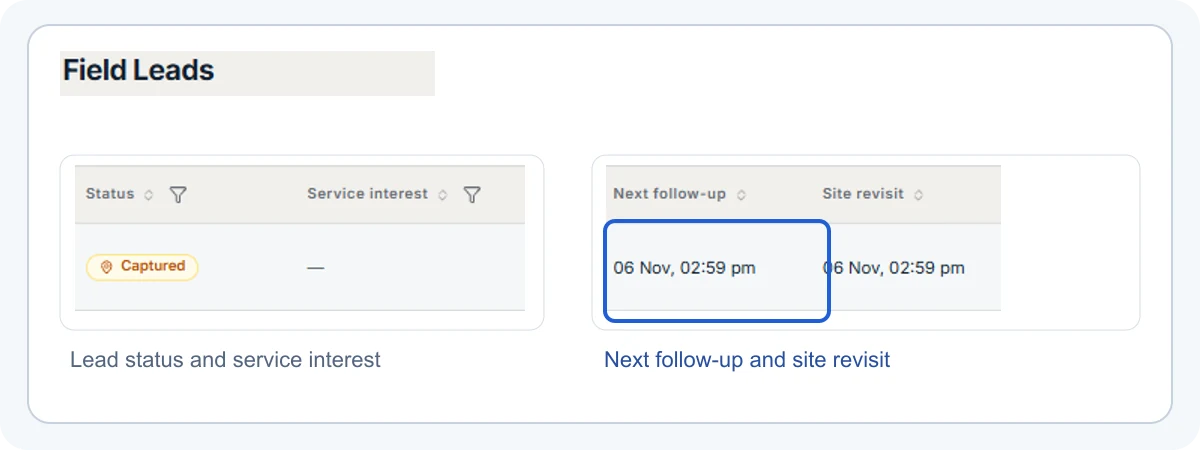
The office sees them in KaryaFlow's Field Leads view, with status, service interest and next follow-up or site-revisit information alongside each entry.
Can the office call a lead or plan another visit?+
Yes. The office can follow up by phone and reschedule a visit when the prospect needs another discussion or site check. The Field Leads view keeps the next action visible.
Can I share a quotation with the customer?+
Yes. Your team can share a customer quotation through WhatsApp or a direct link. KaryaFlow's quotation page explains how the estimate and approved work fit the service workflow.
Can the customer view and accept a quotation through a link?+
Yes. The customer can open the shared link to review and accept the quotation. Your team should still confirm the agreed scope before scheduling the work.
Can the office mark a field lead as won?+
Yes. The office can record a won outcome for the opportunity. The team can then handle the agreed work through its quotation and service job workflow.
Which service businesses can use Field Leads?+
CCTV, appliance, water-purifier, HVAC and other field teams can discover new work while visiting customers. The details differ by trade, but the technician-to-office handoff is similar.
 KaryaFlow