KaryaFlow
CRM exports become manual dispatch work
Owners or managers may receive a large batch of service jobs, export them, then assign work technician by technician. One missed row can become a missed customer.
KaryaFlow helps appliance repair and service center owners manage work from calls, WhatsApp enquiries, website leads, repeat customers, and CRM imports with technician assignment, map visibility, mobile job cards, spare parts, expenses, payments, warranty, and GST-ready billing handoff.
Free setup GST-readyPlans from ₹990/month
Need help with customer enquiries? Explore WhatsApp booking, website chat and follow-up options.
Explore KaryaFlow services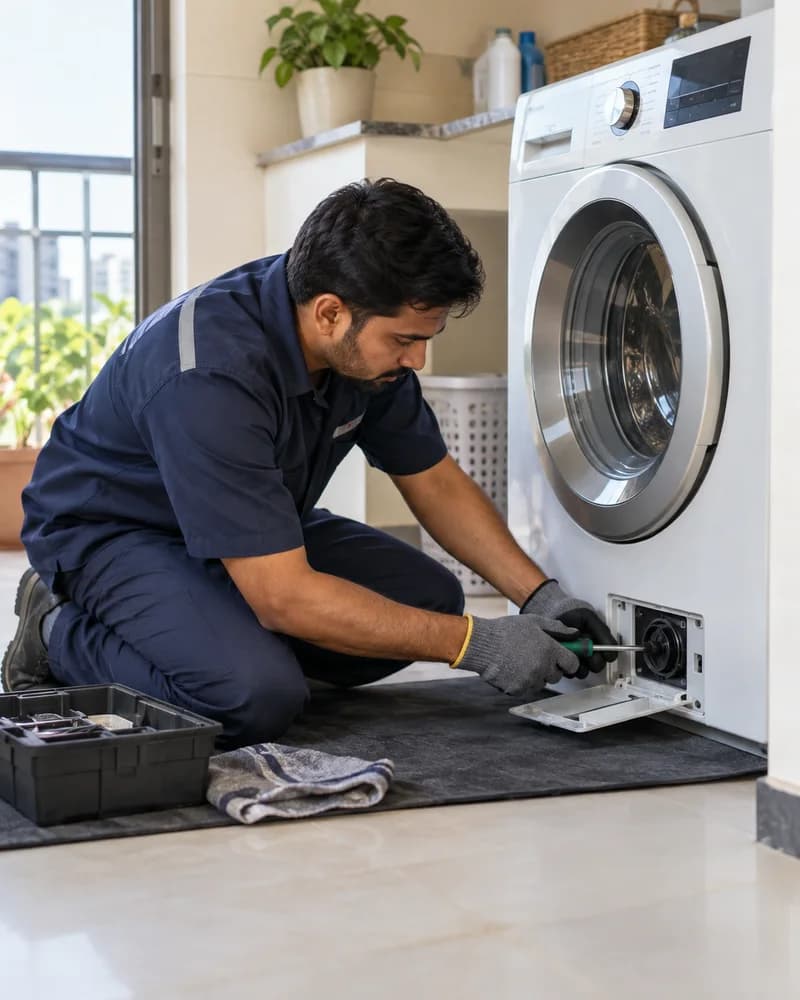
OEM importsfrom Excel and CSV job lists
Assigned jobswith field and office review
1 recordfrom request to salary review
Many appliance service centers receive repair work from company CRMs, ads, calls, WhatsApp, websites, and repeat customers. Once those jobs move into spreadsheets and technician chats, assignment, parts, payment, warranty, and salary data becomes hard to trust.
The appliance repair problem
Owners or managers may receive a large batch of service jobs, export them, then assign work technician by technician. One missed row can become a missed customer.
Dispatchers need to see customer location, technician location, and current job count before assigning AC, chimney, washing machine, refrigerator, or kitchen appliance repair jobs.
Motors, switches, filters, sensors, panels, warranty parts, old returns, and paid parts need to be tied to technician stock, godown stock, and the final job card.
Attendance, leaves, expenses, incentives, advances, cash collections, UPI payments, and job rewards become hard to calculate when they are spread across WhatsApp, Excel, and calls.
Buyer questions
KaryaFlow's account of an anonymous Gujarat appliance service center describes an Excel export from the OEM CRM, bulk job import and assignment, mobile job sheets, job-linked parts and returns, daily expense approvals, salary calculations and advance AMC visit planning. This is a first-party account, not independently audited. Its call and technician ranges are privacy bands, not measured daily ranges or completed-job counts.
Appliance repair management software helps a service center manage repair requests, customer details, technician assignment, mobile job cards, product proof, spare parts, payment status, warranty context, owner review, and GST-ready billing handoff in one workflow. KaryaFlow is built for Indian appliance service teams that want to replace WhatsApp, Excel, paper job cards, and disconnected billing follow-up.
Yes. KaryaFlow supports appliance repair dispatch when jobs come from company CRMs, website leads, repeat customers, calls, or WhatsApp enquiries. The office can create or import jobs, assign the right technician, and track pending, assigned, in-progress, on-hold, cancelled, completed, and closed work from the dashboard.
KaryaFlow gives technicians a mobile job card for the assigned visit. The technician can call the customer, open directions, update job status, capture product photos if required by the owner, answer the configured checklist, record the service given, add parts used, collect customer signature, and mark payment status before closure.
KaryaFlow connects appliance repair jobs with parts usage, expense approvals, attendance, leave, incentives, advances, collections, and salary slip context. That matters because many owners lose time at month end reconstructing what happened from technician chats, Excel rows, cash notes, and memory.
KaryaFlow is a better fit when the appliance business is field-service heavy. Generic repair shop management software may work for counter repairs, but appliance service centers usually need dispatch, technician location, mobile job cards, product photos, spare parts custody, warranty or paid-service logic, payment status, and GST-ready billing handoff.
Use KaryaFlow for AC, chimney, washing machine, refrigerator, water purifier, and kitchen appliance repair workflows where every job needs assignment, proof, parts, payment, and closure.
Everything you need
Create and assign job cards, record service proof and parts used, and keep completion status together.
Live map and route history for tracked technicians, available as an add-on quoted separately.
Track warehouse and technician stock, parts used on jobs, returns, and low-stock alerts.
Attendance with location check-in is included in every plan, alongside leave requests and attendance reports.
Prepare GST invoices and track payment collection against the service job.
Set job incentives, approve fuel and expense claims, and get a monthly salary slip for each technician. GPS-derived km needs the tracking add-on.
Keep AMC contracts with their customers, track visits used and still due, and renew contracts before they lapse.
Log complaints from calls, WhatsApp and walk-ins in one register, turn them into jobs, assign a technician and follow each job to completion with photos, parts used and the customer's signature.
How it works
How appliance repair teams run every job in KaryaFlow. Follow one example job from the first message to the money in hand.
A customer calls or messages on WhatsApp. Log the complaint once and it becomes a job record with the customer’s address and details.
Choose who goes. The job reaches their technician app with the address and the problem to fix.
The technician checks in at the site, notes the work and parts used, and adds photos and the customer’s signature.
Raise a GST-ready invoice and record the cash or UPI collected. The office confirms the money.
Example job. Names, photos, times and amounts are for illustration.
A service center with 30 technicians does not need more WhatsApp groups. It needs one job record per customer visit.
Daily service workflows
Import the job list and assign technicians while keeping the brand's original request reference. Review local job status without treating an Excel handoff as a direct OEM integration.
Keep issued, used and returned parts with the service job. Check warranty context and old-part returns before closing the stock and billing review.
Bring recorded attendance, expenses, advances, deductions and incentives into salary calculation and optional owner review. Calculated salary amounts are distinct from salary payout.
Decision comparison
Every plan includes attendance with location check-in. Continuous live GPS tracking through the day, with route history, is an optional add-on, quoted separately for the technicians who need it.
| Buyer need |  KaryaFlowConnected field execution KaryaFlowConnected field execution | CRMCustomer records | GPS-only tracking appLocation and routes |   Tally/Vyapar + separate toolsAccounting stack Tally/Vyapar + separate toolsAccounting stack |   WhatsApp/Excel/manual registersChats and sheets WhatsApp/Excel/manual registersChats and sheets |
|---|---|---|---|---|---|
| Job dispatch and status | Connected workflow | Often needs an FSM layer | Location only | Separate operational tool | Manual updates |
| Technician mobile app | Included | Depends on product or setup | Tracking app only | Separate app | Chat, calls, or paper |
| Geofence attendance | Location check-in and geofences | Depends on setup | Often available | Separate attendance tool | Manual register |
| Inventory and technician stock | Connected to jobs and technicians | Often needs integration | Outside core scope | Inventory stays separate | Spreadsheet or register |
| Payment status | Connected to the job record | Depends on customization | Outside core scope | Recorded separately | Manual confirmation |
| GST-ready billing handoff | Connected field-to-office workflow | Often needs integration | Outside core scope | Accounting occurs separately | Manual handoff |
| AMC follow-up | Contracts, visits, proof, and renewal context | Depends on setup | Outside core scope | Separate tracker | Calendar or spreadsheet |
| Owner dashboard | Jobs, technicians, parts, and payment visibility | Customer-centric reporting | Location-centric reporting | Split across tools | Manual consolidation |
| India-specific pricing visibility | From ₹990/month for up to 10 users | Varies by provider | Varies by provider | Multiple subscriptions | No software fee |
General category comparison for initial evaluation. Features and commercial terms vary by provider and configuration; verify current product documentation before purchasing.
Also serving
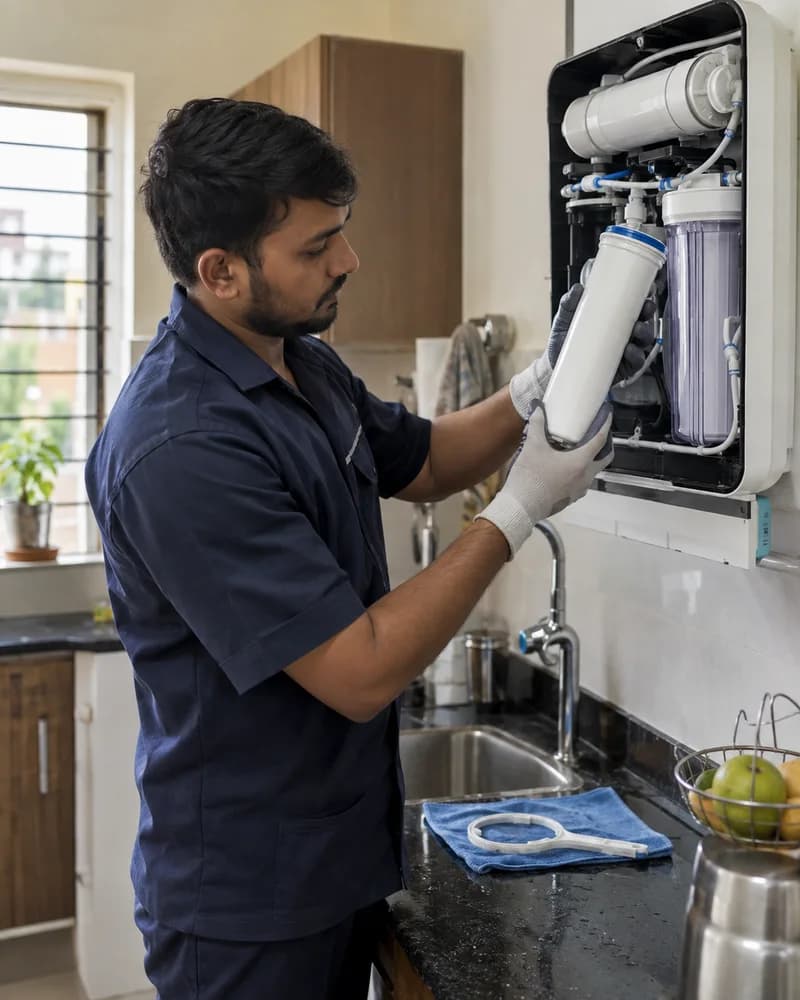
RO job scheduling, AMC visits, service history, and filter inventory
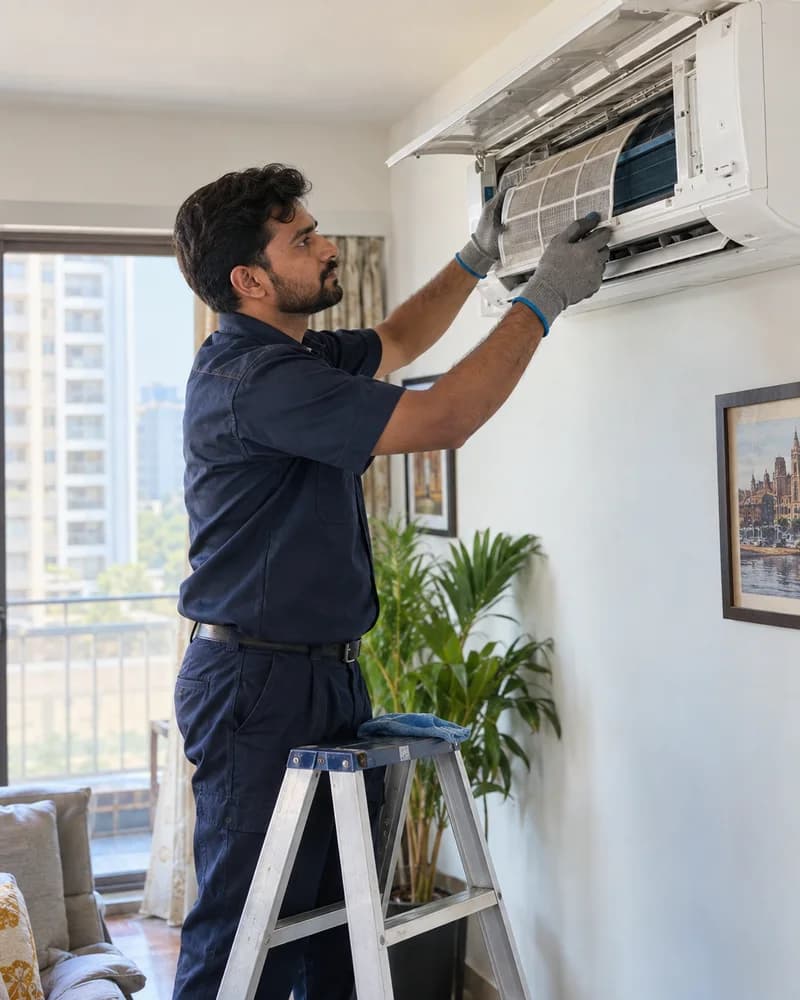
AC installation, repair, AMC management, and refrigerant tracking
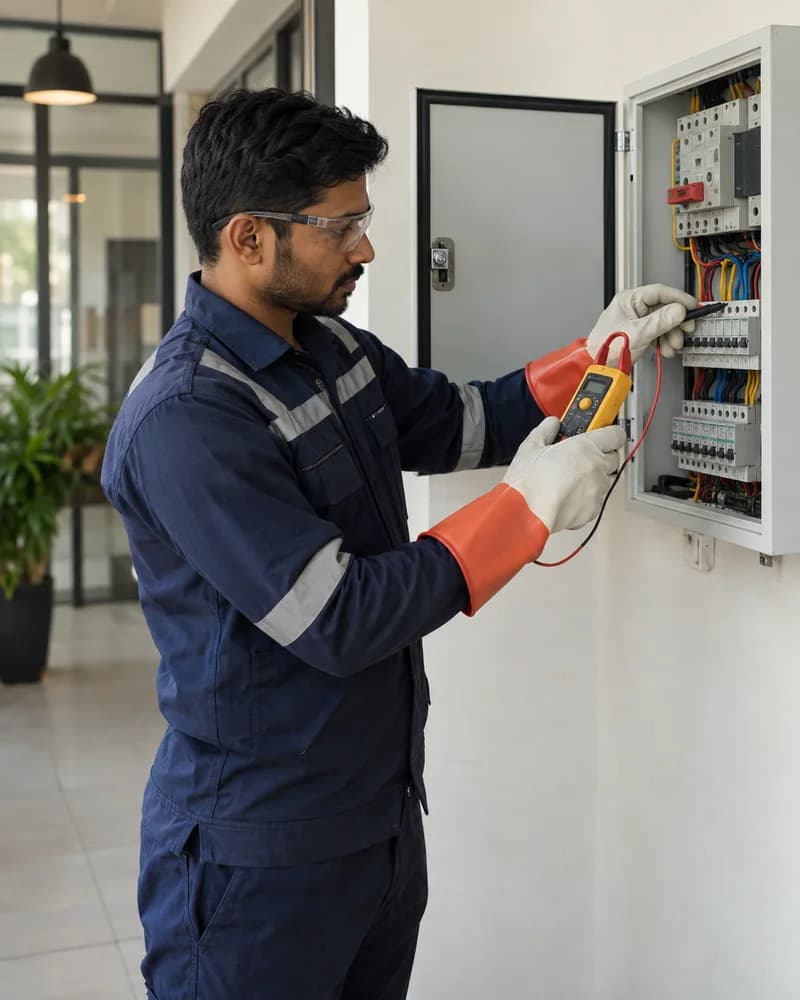
Multi-site crew management, material tracking, and project documentation
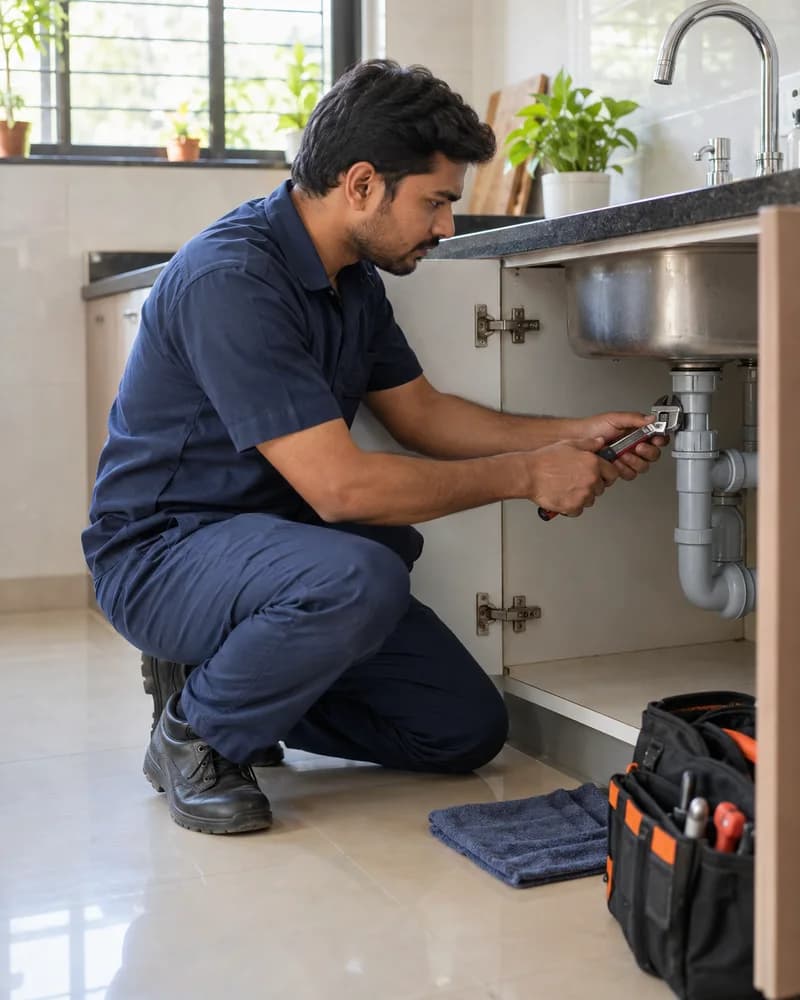
Emergency dispatch, parts tracking, society AMC, and repair documentation
Frequently asked questions
Appliance repair management software helps service centers manage customer service requests, technician assignment, mobile job cards, product details, warranty context, spare parts, payment status, expenses, and GST-ready billing handoff. KaryaFlow is built for Indian appliance service teams that want one tracked job record instead of WhatsApp, Excel, paper job cards, and manual month-end follow-up.
Yes. KaryaFlow can create jobs manually and can bulk import jobs from Excel or CSV. This helps service centers that receive daily work from company CRM exports, then need to assign those jobs to technicians with customer name, mobile number, optional location, service required, and commission or incentive context.
Yes. Technicians can view assigned job cards in the KaryaFlow mobile app, call the customer from the job card, and open the customer location in Google Maps when the location is added. The owner or dispatcher can also review technician location and workload before assigning the job.
Yes. KaryaFlow can track appliance spare parts across godowns, technician stock, assigned job stock, job usage, unused returns, and defective returns. When a technician records parts used in a job card, stock can reduce from the relevant tracked inventory based on the business setup.
Yes. KaryaFlow can connect technician salary review with attendance, paid leave, unpaid leave, overtime, incentives, rewards, approved expenses, advances, cash or UPI collection settlement, and job history. The exact salary rules depend on how the owner configures the workflow.
Use these guides to compare workflows, job cards, technician tracking, AMC visits, inventory, and GST billing before choosing a field service system.
Related guides
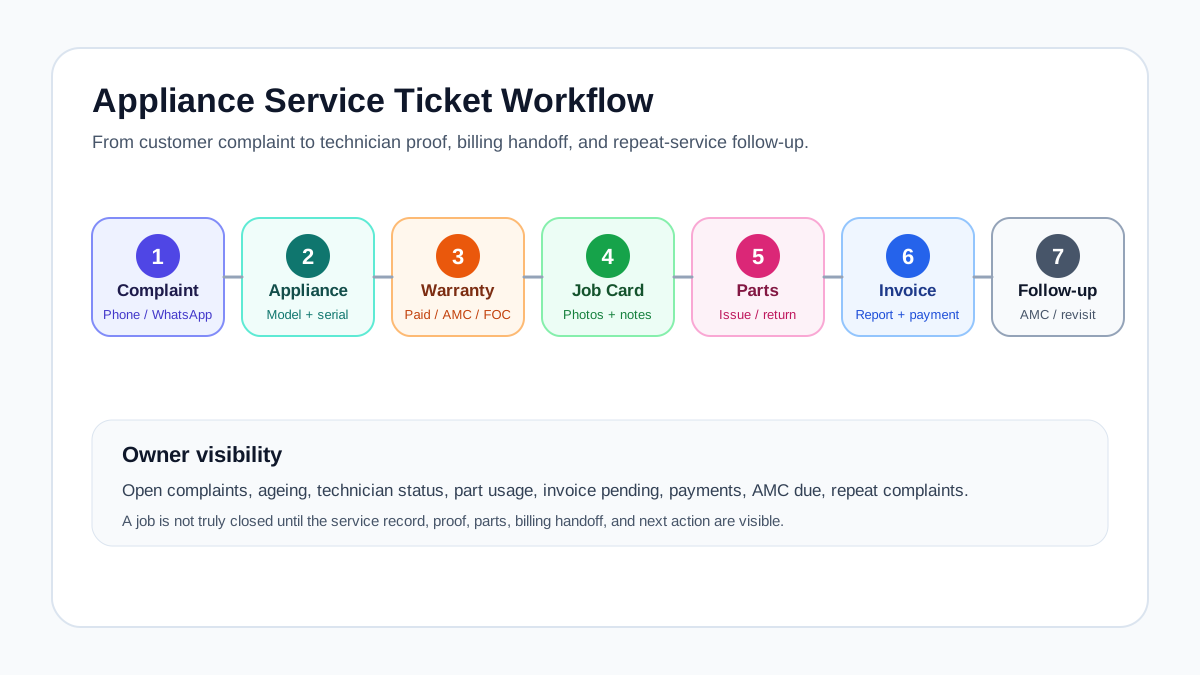
Learn how appliance service center workflow software helps Indian service teams manage complaints, warranty, job cards, spare parts, AMC visits, GST invoice handoff, and technician updates.
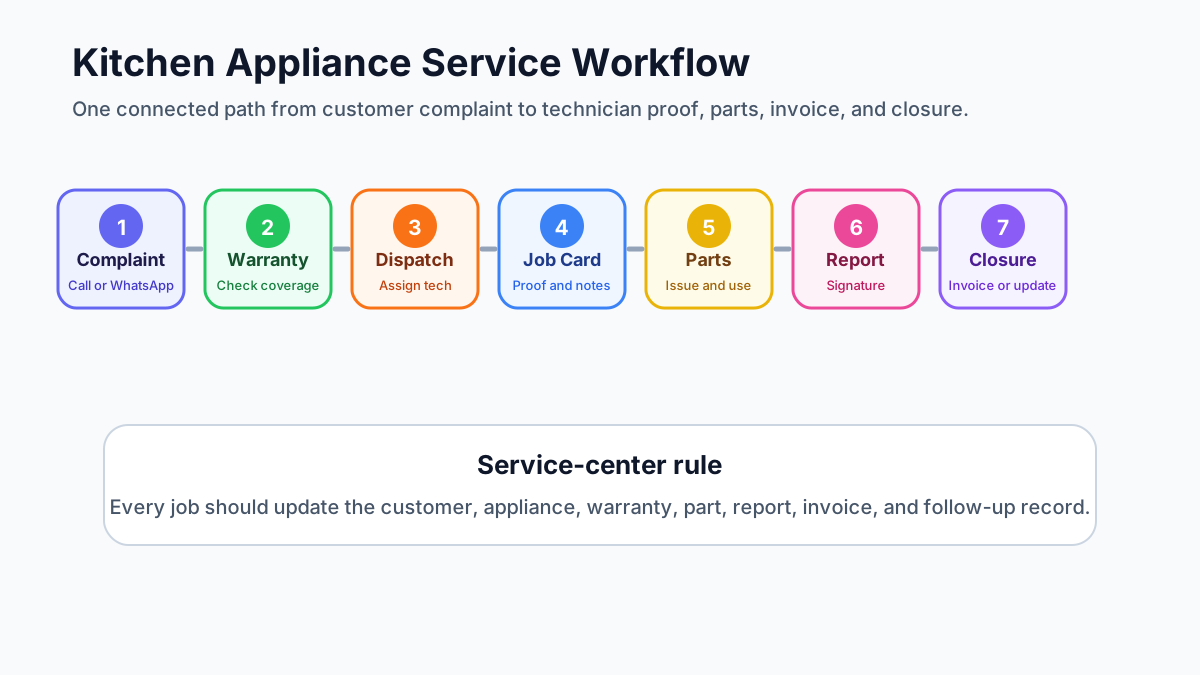
Learn how kitchen appliance service center software helps Indian service teams manage repairs, warranty jobs, spare parts, technician job cards, service reports, GST invoices, and customer updates.
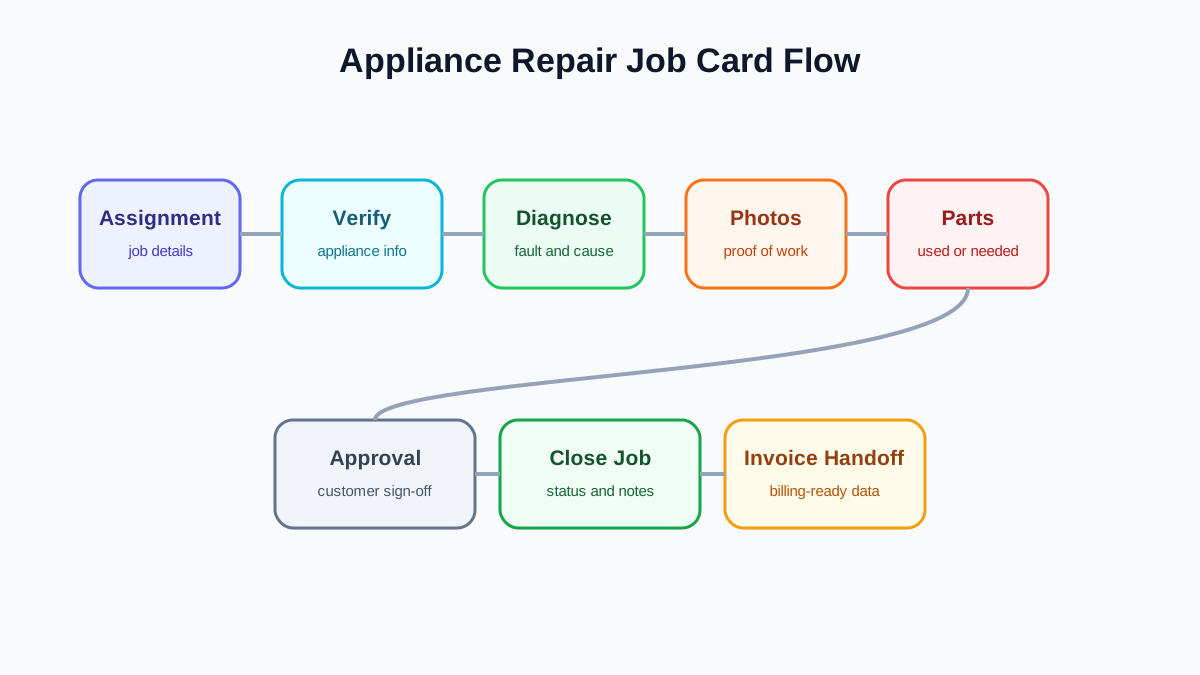
Learn what a job card app for appliance repair technicians should capture: appliance details, fault diagnosis, photos, parts, customer signature, payment notes, and invoice handoff.
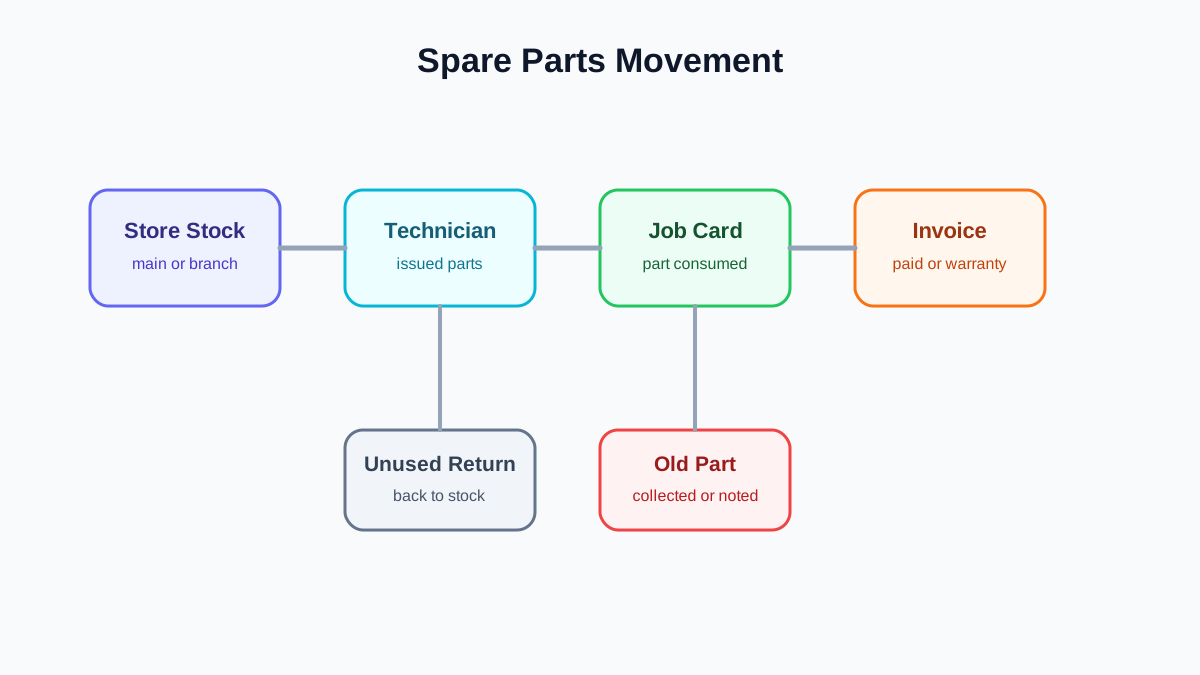
Learn how appliance spare parts inventory software helps service centers track technician stock, parts used in repair jobs, warranty replacements, old-part returns, branch stock, and billing handoff.
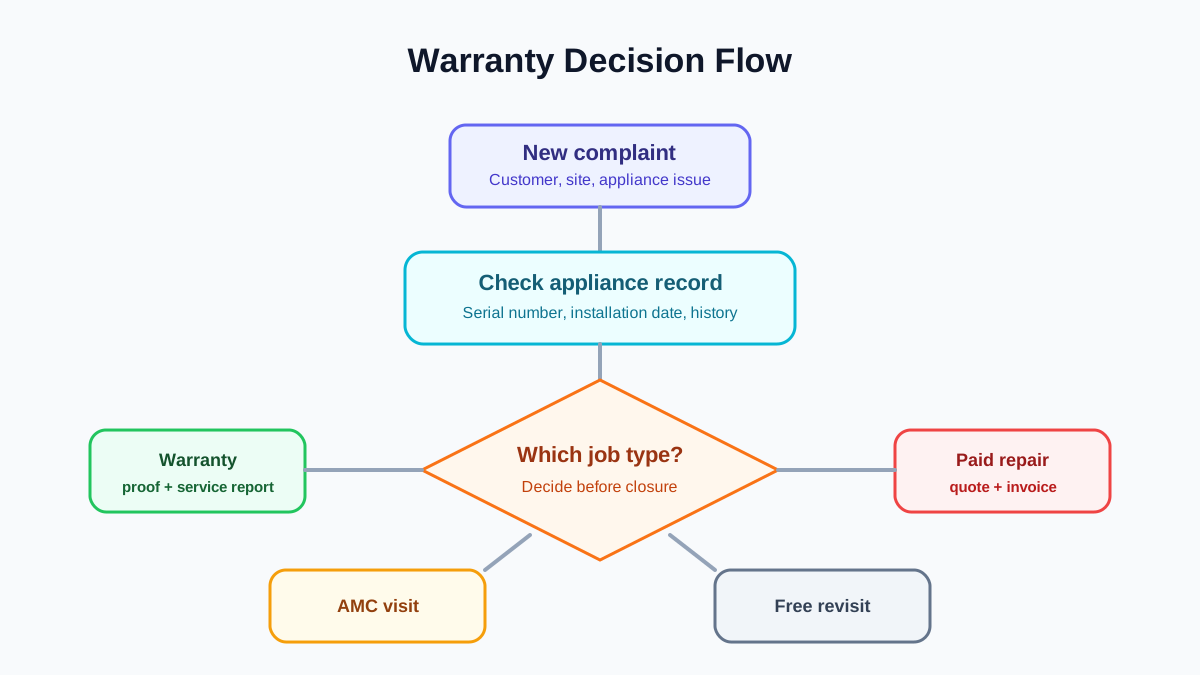
Learn how appliance warranty management software helps service centers track serial numbers, warranty status, technician job cards, replacement parts, service reports, and customer communication.
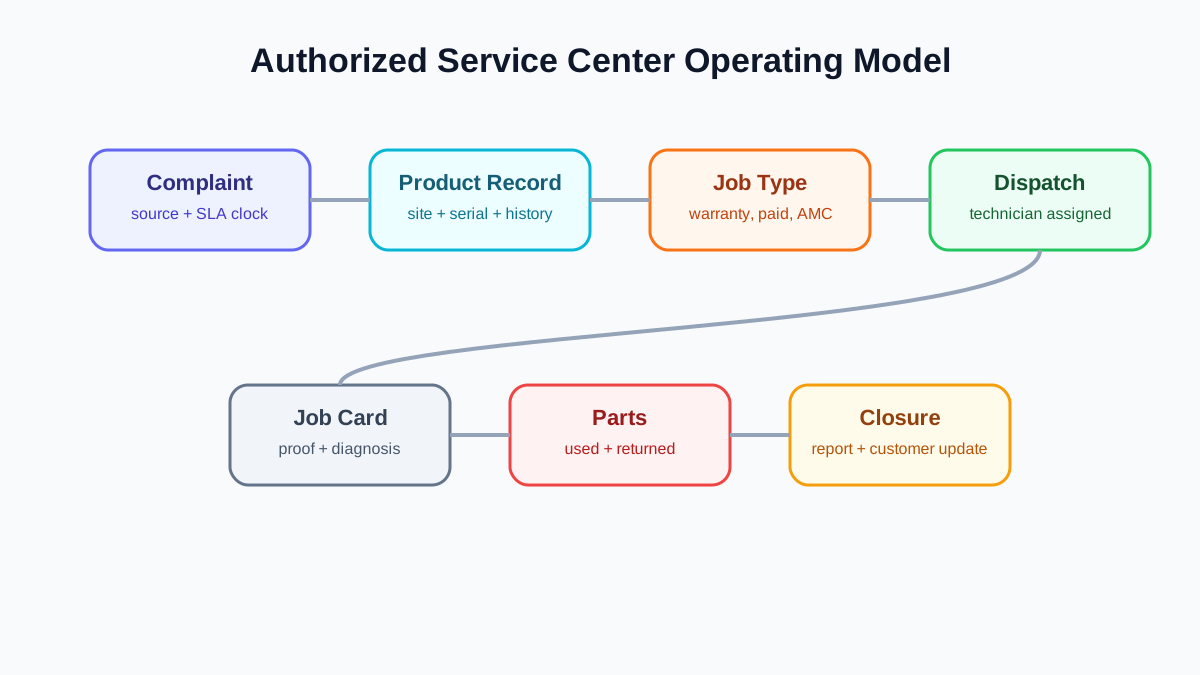
Learn how authorized service center workflow software helps manage complaints, SLA, warranty jobs, technician assignment, spare parts, service reports, customer updates, and closure.
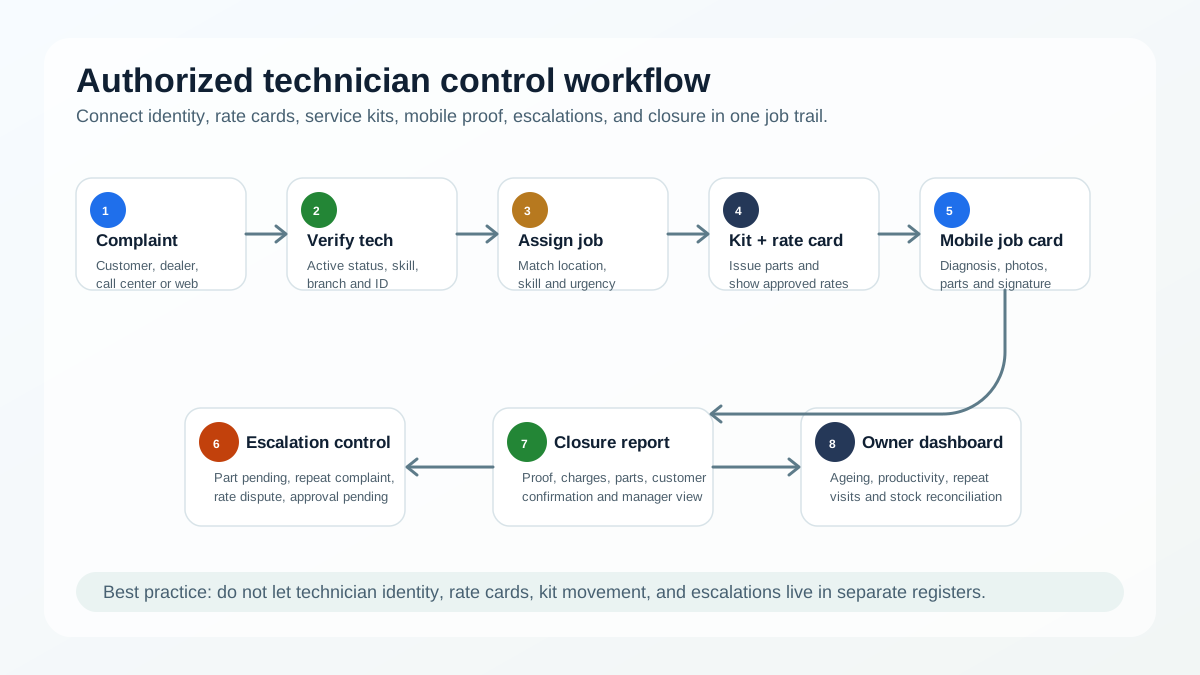
Learn how authorized service centers manage technician ID cards, rate cards, service kits, escalations, job cards, proof, and reports.
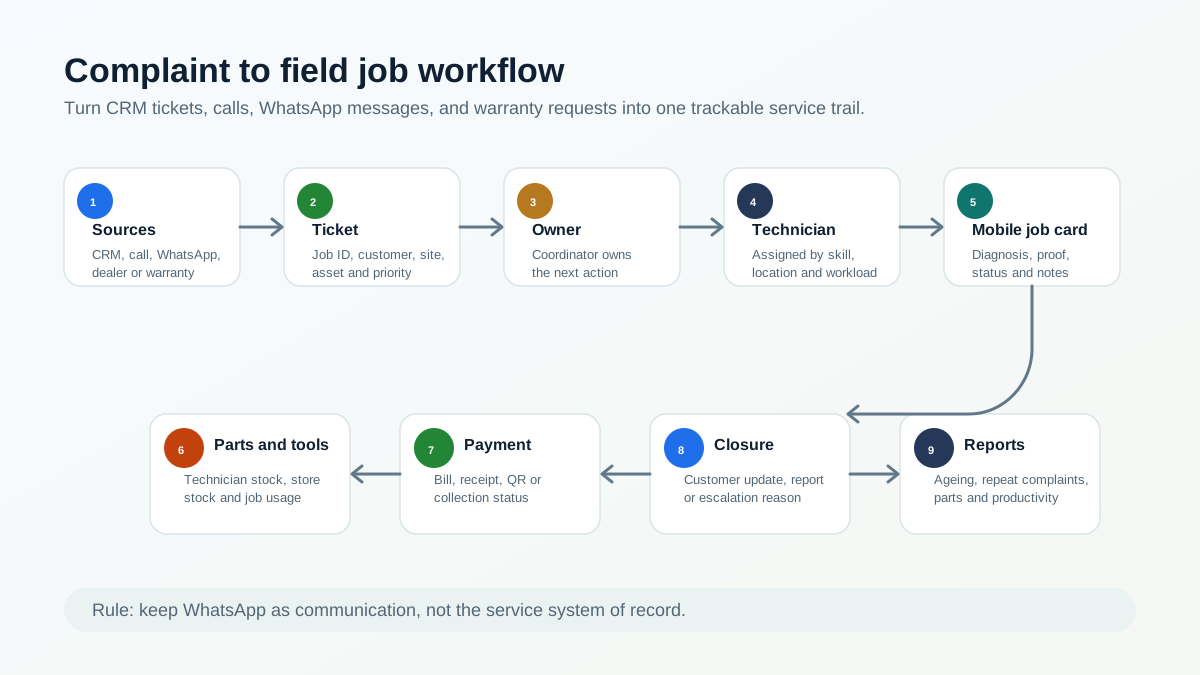
Learn how authorized AC and appliance service centers convert company CRM tickets, customer calls, WhatsApp messages, and warranty complaints into trackable field jobs.
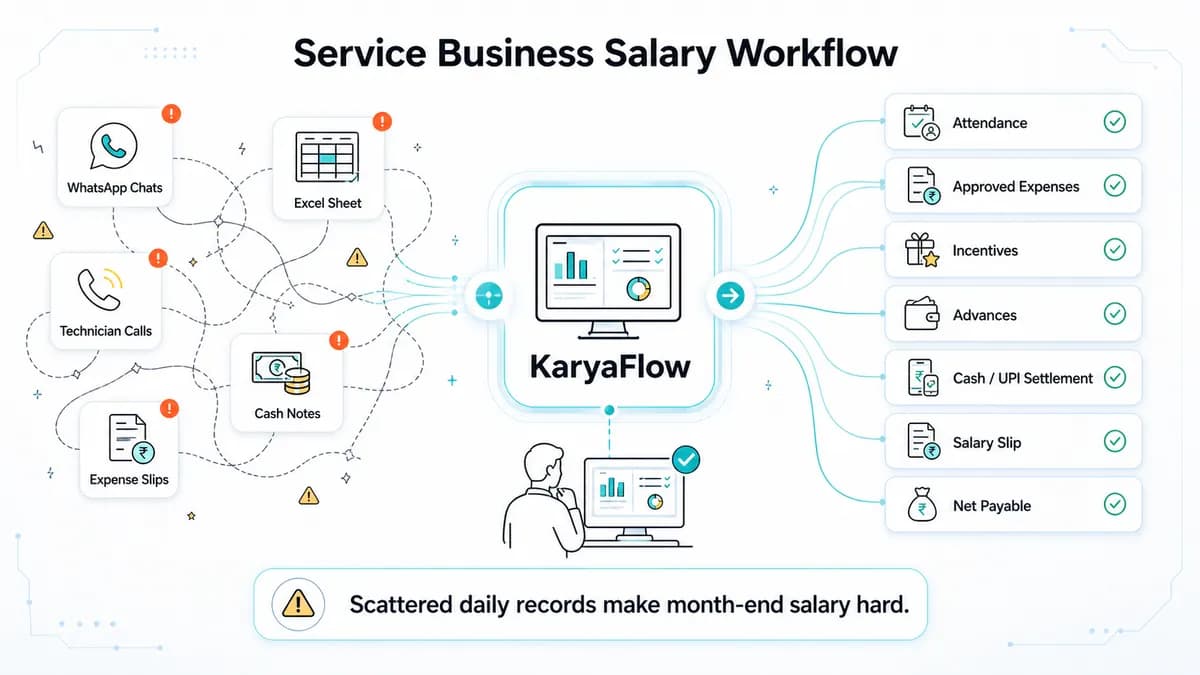
Technician salary calculation software for Indian service businesses: track jobs, attendance, expenses, incentives, advances, collections and payslip context.
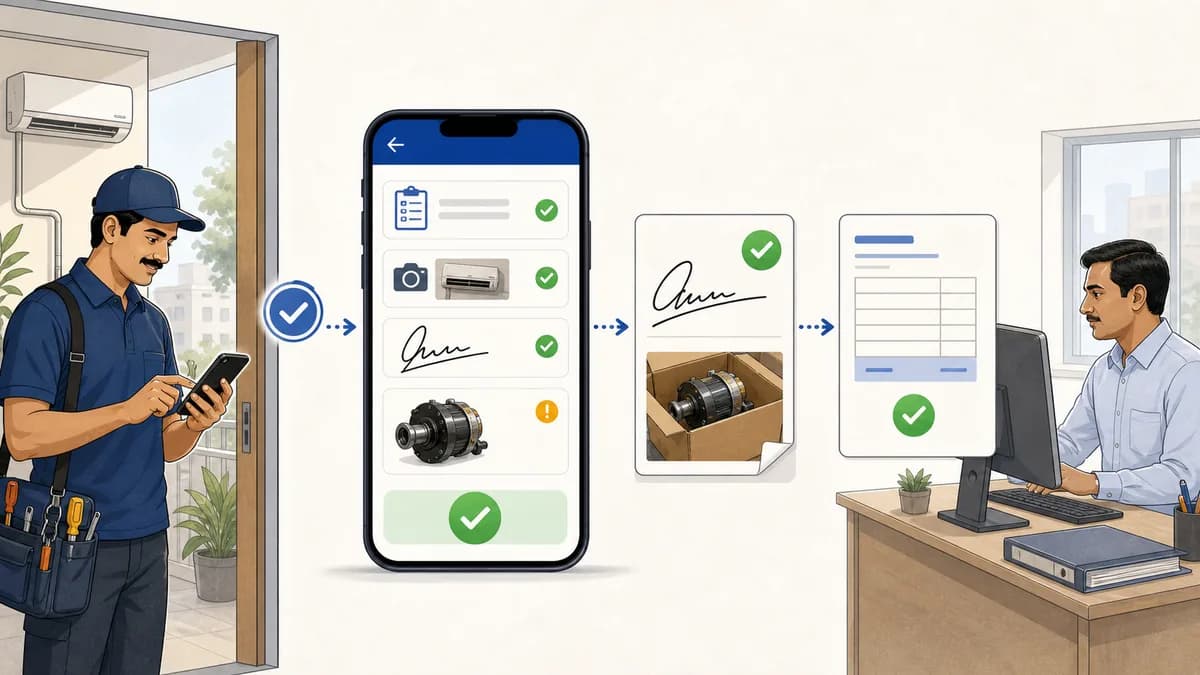
Service completion sheet software for Indian teams: capture service completed proof, technician signatures, product photos, defective parts, and GST handoff.
Try KaryaFlow with your own jobs for 7 days, with setup help on WhatsApp. No credit card needed.
GST-ready invoices · Prepaid plans in INR · Setup help on WhatsApp

 New job assigned
 Ravi Kumar · technician app