KaryaFlow
Last updated: 10 October 2026.
KaryaFlow gives Indian service teams more room to grow: no cap on jobs, service calls or storage, with core inventory, GST billing, attendance and AMC tools included. Your team can handle more work without buying a larger monthly appointment allowance. Pricing starts at ₹99 per active user per month, with a two-user minimum of ₹198 before GST.
Zoho FSM charges by edition and service-appointment volume. Its Free plan includes 30 appointments a month, while paid plans start at 60 and higher volumes cost more. File storage also has an allowance. Advanced warehouse and serial-number workflows use paid accounting and inventory integration, although basic invoicing and attendance are included in FSM.
For a busy service centre, these differences affect the bill every month. Eight technicians and two office users cost ₹990 a month on KaryaFlow. At 624 same-day appointments, Zoho's next listed package costs ₹9,600 for Standard or ₹15,000 for Professional. The full assumptions and feature differences appear below.
Disclosure: This comparison is written by KaryaFlow. KaryaFlow pricing and plan entitlements are supplied by our team; Zoho details were checked against the official sources linked here on 10 October 2026. Price examples compare subscription costs; they are not performance tests or measured customer savings.
KaryaFlow vs Zoho FSM at a glance
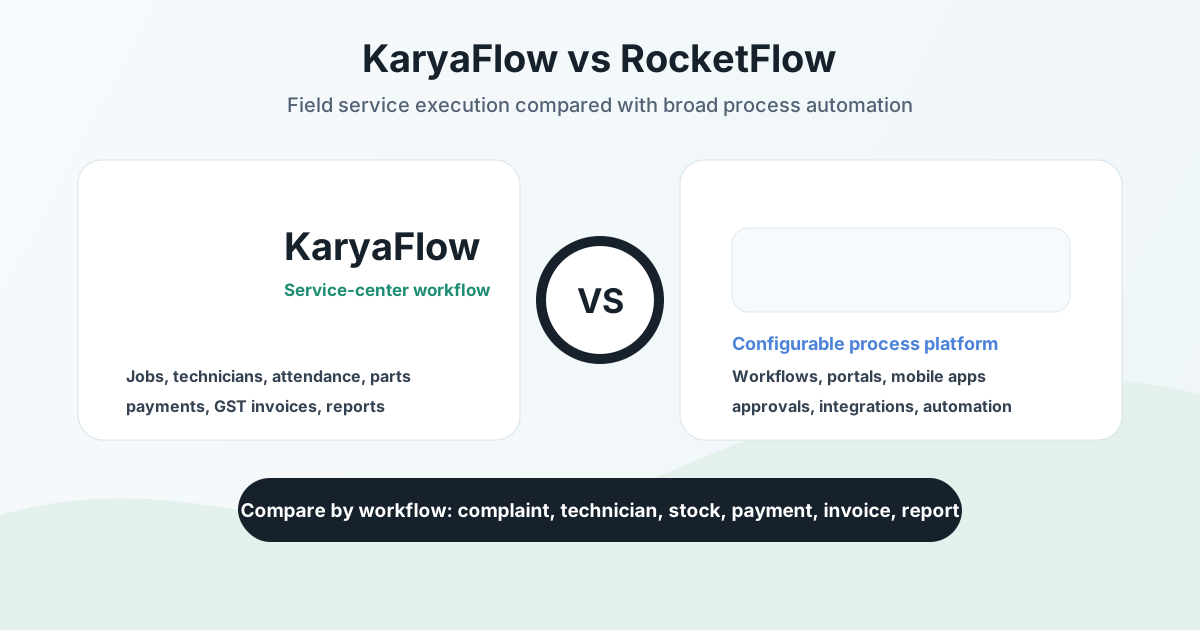
KaryaFlow is the stronger value choice for teams that want uncapped service work and core tools in one plan. Zoho FSM has deeper edition-based scheduling controls and useful Zoho app links, while KaryaFlow offers included core tools and uncapped jobs.
Scroll sideways to see every column if needed. With a keyboard, focus the table and use the left and right arrow keys.
| What your team needs | KaryaFlow | Zoho FSM |
|---|---|---|
| Jobs and service calls | No cap on jobs or service calls recorded in the software | Requests and work orders included; service appointments have a separate allowance: 30/month in Free, paid packages from 60/month |
| Storage | No storage cap | Free: 1 GB per organisation. Paid: 10 GB plus 2 GB per 100 purchased appointments |
| Core inventory | Store stock, technician-held parts, job use and returns included | Part lines included; advanced warehouse/serial setup uses paid accounting and inventory integration |
| GST billing and payments | Included | Basic invoices and payments through Zoho Invoice included, subject to invoice allowance; paid Books not required for basic billing |
| Attendance | Location check-in included | Attendance included in all editions |
| Mobile job records | Photos, notes, parts, customer and engineer signatures included | Service reports included; custom job sheets from Professional |
| AMC and recurring service | AMC contracts, visit follow-up and plan workflow included | Assets and scheduled maintenance from Professional |
| Field costs | Expenses, approvals and salary-input review included | Job costing from Professional |
| Live GPS and route history | Separately quoted add-on | Live field location and maps from Standard |
| WhatsApp automation | Complaint Agent is a separate add-on | Templates and notifications from Professional; purchased messaging credits apply |
| How the core price grows | Active users and the selected team plan | Edition and monthly appointment package |
A service call recorded in KaryaFlow means a service request or job, rather than phone minutes. Zoho counts service appointments, which are distinct from calls, complaints and work orders; the volume examples below therefore use field visits.
Zoho storage grows in complete blocks of 100 purchased appointments. A paid 60-appointment plan has 10 GB, while a 750-appointment plan has 24 GB. Storage is shared across the organisation, and an extra 25 GB costs ₹900 a month on paid plans. Official INR pricing data · Zoho plan comparison · Zoho file storage
KaryaFlow's core plan includes attendance with location check-in, while continuous live GPS and route history remain a separate add-on. Office staff, managers and technicians all count as active users. KaryaFlow plans

Why uncapped jobs and storage matter
With KaryaFlow, a busy month does not trigger a larger job package. The core subscription follows your active users and team plan. There is no job or service-call cap to work around when repairs, repeat visits or AMC work increase.
That suits AC, appliance, RO, pest control and other teams whose visit count changes through the year. With the same active team and plan, more jobs alone do not raise the core subscription. Adding users or choosing paid add-ons can change the bill.
Storage matters because service photos, job sheets and supporting files build up as customers return for more work. KaryaFlow has no storage cap. Zoho sets a file-storage allowance based on the plan and visits purchased, so compare it with the records you need to keep.
For example, Zoho Standard with 60 appointments has 10 GB and costs ₹1,200 a month before tax. Adding 25 GB takes it to 35 GB and ₹2,100 a month. KaryaFlow has no storage cap, so there is no storage top-up to add to its core price. Zoho storage rates
Zoho's model can suit a large team with few visits, but paying by user can cost far less for a busy small team. The examples below show that difference without assuming that every plan has the same features.
Pricing in India: compare the team and its monthly workload
KaryaFlow pricing
KaryaFlow starts at ₹99 per active user per month, with a two-user minimum. Two users cost ₹198, five cost ₹495 and ten cost ₹990 before GST. Active admins, office staff, managers and technicians all count. With 18% GST, those totals are ₹233.64, ₹584.10 and ₹1,168.20.
Scroll sideways to see every column if needed. With a keyboard, focus the table and use the left and right arrow keys.
| KaryaFlow option | Subscription before GST | Team size |
|---|---|---|
| Small-team monthly entry | ₹99 per active user; minimum ₹198 | Two-user minimum |
| Starter monthly | ₹990 | Up to 10 users |
| Starter annual | ₹9,900 per year | Up to 10 users |
| Growth monthly | ₹2,673 | Up to 30 users |
| Growth annual | ₹26,730 per year | Up to 30 users |
| Enterprise | Written quote | 31 or more users |
Annual Starter averages ₹825 a month and Growth ₹2,227.50 a month, paid yearly. Their annual totals with 18% GST are ₹11,682 and ₹31,541.40. Core modules are included, with no cap on jobs, service calls or storage. Live GPS, the WhatsApp Complaint Agent and custom work are scoped separately. Authorized partner prices may differ. KaryaFlow plans and tax details
Count the whole team: thirty technicians plus two office staff means 32 active logins and an Enterprise quote. The user threshold is separate from job volume: doing more jobs does not add users. A price for 50 users cannot be inferred by multiplying the entry rate.
Zoho FSM pricing in India
Zoho FSM has appointment-based pricing for the organisation. Its user allowance is 20 in Free, 200 in Standard and Professional, and 500 in Premium. The prices below are organisation totals, rather than charges per technician. Official editions and limits
These INR list prices, checked on 10 October 2026, cover the selected appointment package and exclude applicable taxes.
Scroll sideways to see every column if needed. With a keyboard, focus the table and use the left and right arrow keys.
| Monthly appointment package | Standard, billed monthly | Professional, billed monthly | Premium, billed monthly |
|---|---|---|---|
| 60 | ₹1,200 | ₹1,800 | ₹2,100 |
| 100 | ₹2,000 | ₹3,000 | ₹3,500 |
| 150 | ₹3,000 | ₹4,500 | ₹5,250 |
| 300 | ₹5,200 | ₹8,000 | ₹10,000 |
| 500 | ₹7,600 | ₹12,000 | ₹16,000 |
| 750 | ₹9,600 | ₹15,000 | ₹20,000 |
| 1,000 | ₹11,600 | ₹18,000 | ₹24,000 |
| 2,000 | ₹19,600 | ₹30,000 | ₹40,000 |
| 3,000 | ₹26,600 | ₹40,000 | ₹54,000 |
| 6,000 | ₹43,600 | ₹62,000 | ₹86,000 |
Source: Zoho FSM regional pricing, using INR values in the official pricing data. These are not USD conversions.
With annual billing, the monthly equivalents at 60 appointments are ₹1,000 for Standard, ₹1,500 for Professional and ₹1,750 for Premium. At 750 appointments, they are ₹8,000, ₹12,500 and ₹16,660. These require an annual commitment; use the annual quote for the exact invoice total.
The cost difference at 60, 624 and 2,080 visits
These examples use 26 working days, with each visit a separate same-day appointment and no extra cancelled or multi-day appointments. For steady volume between Zoho's displayed packages, the table selects the next listed package. A custom quote may differ.
Scroll sideways to see every column if needed. With a keyboard, focus the table and use the left and right arrow keys.
| Team and workload | KaryaFlow base subscription | Zoho Standard | Zoho Professional | Zoho Premium |
|---|---|---|---|---|
| Two active users; 60 appointments/month | ₹198 | ₹1,200 | ₹1,800 | ₹2,100 |
| Eight technicians + two office users; three visits per technician/day = 624/month; Zoho 750 package | ₹990 | ₹9,600 | ₹15,000 | ₹20,000 |
| Twenty technicians + two office users; four visits per technician/day = 2,080/month; Zoho 3,000 package | ₹2,673 | ₹26,600 | ₹40,000 | ₹54,000 |
At 624 visits, KaryaFlow's base subscription is ₹8,610 less per month than Standard and ₹14,010 less than Professional. At 2,080 visits, the differences are ₹23,927 and ₹37,327. These are subscription differences, rather than measured business savings or claims of identical features.
The figures exclude GST, paid GPS, messaging, connected apps and setup. KaryaFlow already includes core inventory, billing, attendance and AMC tools. For Zoho, use Professional when assets, scheduled maintenance or custom job sheets are required. Use Premium when skills or shifts are required, and add any paid inventory or accounts products you need.
For 200 separate appointments a day, 26 days means 5,200 a month. The next published Zoho package is 6,000: ₹43,600 Standard, ₹62,000 Professional or ₹86,000 Premium on monthly billing. KaryaFlow still prices by the active team and plan, with no job cap. Teams above 30 active users need an Enterprise quote.
What consumes Zoho's appointment allowance?
Zoho treats calls, complaints, work orders and service appointments as distinct records. One count is deducted when a service appointment is created, and further usage follows the distinct dates in its timesheets. Zoho appointment rules
- Three technicians on one appointment on one date consume one count.
- The same appointment worked across four distinct dates consumes four counts.
- Cancelled and terminated appointments still count. Deleting one does not restore the allowance.
- Maintenance-generated appointments also consume the allowance.
- Unused appointments expire each month, including on an annual subscription.
Sources: Multi-agent usage, cancelled appointments, annual rollover rule.
Zoho's paid plans also provide appointment credits equal to 10% of the purchased allowance. Credits used reduce the next cycle's allowance, helping bridge a short spike rather than adding 10% to sustained monthly capacity. Upgrades are prorated. Subscription and credit rules
KaryaFlow's uncapped job model removes this monthly allowance, making the core bill easier to plan when the same team handles more visits.
Included tools versus additional subscriptions
KaryaFlow includes the core tools a service centre uses each day. You do not need a separate inventory product for its store-to-technician parts workflow. GST invoices, payment records and attendance are included too, leaving the main cost question of which optional add-ons your team wants.
Zoho also includes useful core features: basic billing uses Zoho Invoice, and attendance is available in every FSM edition. Additional costs arise from the edition, appointment volume and connected products needed for more advanced work.
Scroll sideways to see every column if needed. With a keyboard, focus the table and use the left and right arrow keys.
| Workflow or cost | KaryaFlow | Zoho FSM and connected products |
|---|---|---|
| Core parts stock and field balances | Included in the core plan | Part lines included; advanced warehouse/serial setup needs paid finance and inventory entitlements |
| Advanced Zoho warehouse and serial-number route | Compare the exact warehouse and serial controls your business needs | Uses the Books/Inventory integration; the eligible paid plans or bundle determine the cost |
| Basic invoicing and payment records | GST billing and payments included | Zoho Invoice integration included, with an invoice allowance; paid Books is optional for basic billing |
| Full accounting | Scope separately from service billing | Books is a separate product with its own plan and price |
| Attendance and salary inputs | Location check-in, attendance and salary-input review included | Attendance included; assess any wider payroll product separately |
| AMC and scheduled service | Included | Professional or Premium required for assets and scheduled maintenance |
| Continuous live tracking | Separate GPS and route-history add-on | Included from Standard |
| Automated WhatsApp complaint intake | Separate Complaint Agent add-on | Check the required integration, edition and messaging credits |
Zoho's warehouse and serial-number guide specifies Books Premium or above and Inventory Professional or above, with FSM connected to Books. That setup adds paid tools beyond the part lines already included with an FSM work order. Zoho inventory prerequisites
The current India range uses different Inventory plan names, and Books Elite includes advanced inventory in its bundle. Costs depend on the suite you choose and the plans you already own. These published product prices show the scale of the extra purchase, without treating every product as mandatory.
Scroll sideways to see every column if needed. With a keyboard, focus the table and use the left and right arrow keys.
| Zoho product example | Billed monthly, before tax | Monthly equivalent, billed annually |
|---|---|---|
| Books Premium | ₹3,599 | ₹2,999 |
| Inventory Premium, current India plan | ₹2,699 | ₹2,299 |
| Books Elite, with advanced inventory | ₹5,999 | ₹4,999 |
These prices show separate product or bundle options, while Books Elite can cover advanced inventory through its bundle. The FSM guide's Inventory Professional name differs from the current India range, so the table does not assert a minimum compatible stack. Its stated FSM prerequisite also differs from the main matrix's Books-integration gate. Books prices · Inventory prices · Books Elite inventory bundle
KaryaFlow's advantage here is a simpler core purchase for everyday service stock, bills and staff records. It does not claim to replace every accounting, statutory payroll or advanced warehouse feature. KaryaFlow product scope
Inventory: KaryaFlow includes the parts trail from store to technician
KaryaFlow tracks the parts your technicians hold, use and return within the core service plan. The office can see stock issued to a person, parts used on a job and the balance still in the field. Returns need office confirmation, while defective parts follow their own recovery path.
Issue four filters, use two on jobs, return one and retain one with the technician: the stock trail should explain all four. This matters when a store total looks correct but nobody knows who holds a spare. Technician parts custody
Zoho FSM includes service and part lines. Its documented warehouse and serial-number integration uses Zoho Inventory through Books, with paid finance and inventory entitlements. In that flow, stock is reduced when the invoice is sent. Zoho inventory setup
Zoho also documents a separate work-order-to-sales-order setup that updates committed stock before invoicing. It applies to work orders created directly in FSM. Work orders created from existing sales orders through the Books extension are excluded. Committed stock and the later stock reduction are separate steps. Zoho committed-stock workflow
For everyday field stock, KaryaFlow's included parts workflow is a clear reason to choose it. Teams needing more than one warehouse or serial-number controls should compare those needs and their full cost. Our spare parts stock guide explains the link between stock, service history, warranty decisions and job cards.
Billing, cash collection and staff costs
GST invoices and payment records
KaryaFlow includes GST invoices and payments in the core plan. Job details, parts used, payment status and supporting service records stay close to the billing workflow. This suits service centres that need to turn completed jobs into bills without rebuilding the details in a spreadsheet.
Zoho FSM also supports invoices and payments through Zoho Invoice. At setup, you can create a new Invoice account or use an existing Invoice or Books account. Paid Books is therefore an option for broader accounts work, rather than a requirement for every FSM invoice. Zoho billing setup
Zoho links the included invoice count to the purchased appointment count, and sells extra invoice capacity as an add-on. Billing inclusion should therefore be compared with the volume your team needs. Zoho invoice allowance · Invoice add-ons
Both products need the right tax settings and finance process. For a fuller checklist, read our GST invoicing guide. Our CRM, helpdesk and accounting workflow guide covers how records move between those systems.
Field cash and office handover
KaryaFlow follows cash beyond the customer's payment. Collection status, partial deposits and office receipt help show what each technician still owes the office. A ₹2,000 collection followed by a ₹1,200 deposit leaves ₹800 to account for. This example illustrates the review process and is not a measured customer result. Cash collection and deposits
When comparing payment features, a customer invoice marked paid does not, by itself, confirm that field cash reached the office. Check the complete collection-to-deposit trail in any competing setup.
Expenses, attendance and salary inputs
KaryaFlow brings expense receipts, approvals, attendance, advances and incentives into office review. The owner can check the records behind a payout instead of relying only on a message or verbal claim. Technician salary-input guide
Zoho includes attendance in all editions, while Professional adds job costing for labour, travel and line-item costs. Those are useful features; they do not establish that either product replaces full accounts, statutory payroll or tax filing.
AMC: included recurring work without an appointment allowance
KaryaFlow includes AMC contracts and service follow-up, with no cap on the jobs used to fulfil them. Contracts, visit dates, service proof, payments and renewal work remain connected. Its plan-selling flow also tracks the package sold, selling technician, commission status and activation. KaryaFlow AMC plans
This helps a team that sells maintenance during a repair and must deliver the promised visits later. A renewal reminder alone does not show what the contract covers, what was done or which payment is pending.
Zoho FSM adds assets and scheduled maintenance in Professional, with higher maintenance limits in Premium. Appointments generated by maintenance plans consume the allowance, even if the customer has already paid for the contract. Zoho scheduled maintenance
Compare a contract with two sites, several covered units, a planned visit and a repair that costs extra. KaryaFlow's AMC software guide explains how these records support the next service and renewal.
Dispatch, technician tracking and mobile work
Work order dispatch and scheduling
KaryaFlow connects complaint intake, job assignment, field status and the completed service record. That gives a service centre a path from the first call through to billing and follow-up. Calls and WhatsApp-originated requests can share a complaint record; automated intake uses the separate Complaint Agent add-on. Complaint intake
Zoho FSM supports structured dispatch for existing and new Zoho customers, with requests and estimates leading to work orders. Service appointments organise visits and assigned staff. Free includes Gantt and day/week calendar views, Standard adds maps and live location, and Professional adds grid and multi-day capabilities. Skills and shifts require Premium. Zoho edition matrix
Those advanced scheduling controls can justify Zoho for a team that needs them. KaryaFlow's stronger cost case comes from included daily service tools and uncapped job volume. Compare urgent repairs, two-person visits and rescheduling in the edition you would buy.
Attendance, site checks and live GPS
KaryaFlow includes attendance with location check-in and documents approved work-zone controls. A team that needs attendance and job records can use the core plan, with live GPS and route history quoted separately. Technician tracking guide
Zoho includes attendance and mobile check-in location controls, plus Work Location Validation for the start and end of work. You can set a range from the service address and control what happens without location permission, so site checks are not unique to KaryaFlow. Zoho transaction settings
Attendance, arrival evidence and live movement answer different questions, so compare timestamps, location freshness, permitted areas and work-hour controls. Weak GPS, disabled permissions and battery-saving settings can affect the result. Read each map pin with the job card and customer sign-off to review the complete service record.
Job cards, photos and customer proof
KaryaFlow's mobile job cards bring together photos, notes, parts, and customer and engineer signatures to support office review of completed work. With no storage cap, the plan does not impose a growing storage allowance as job records build up. Mobile job cards
Zoho's mobile app supports appointment details, photos, notes, service reports, customer signatures, invoices and payments. Service reports are available in all editions, while businesses that need custom job sheets must choose Professional or above. Zoho mobile workforce
Choose the form your team actually uses, such as AC maintenance, RO replacement, CCTV installation or a fire-safety check. Compare required fields, corrections, approval and the report sent to the customer. Those details matter more than the number of form fields listed on a feature page.
Offline access has specific limits
Zoho's offline guide says the app stores the latest 200 appointments and linked records. Much of this access is read-only, with check-in/out, appointment status updates, maps and invoices unavailable offline. Job sheets can be filled and saved if your edition includes them, while work-order notes and files can sync later. Zoho offline guide
Sync before a site visit and check the data is on the phone, since logging out removes offline records. Android and iOS behaviour differs. Phone settings, poor signal or app inactivity can also affect updates.
Verify KaryaFlow's offline actions on your team's phones by checking jobs, photos, parts, signatures and closure, then reconnecting. Focus on the tasks staff need at a site, the data saved and any duplicates after the phone reconnects.
WhatsApp and connected apps
KaryaFlow keeps complaints, assigned jobs, proof, follow-ups and billing details in structured records while customers still use WhatsApp to get in touch. Automated complaint booking uses the separately scoped Complaint Agent, with its usage and charges included in the quote. WhatsApp complaint booking
Zoho FSM offers WhatsApp templates and notifications from Professional, using purchased IM credits that add to the plan cost. Zoho messaging credits
Existing Zoho CRM, Bigin, Desk or Books records may make Zoho FSM a good fit for your business. Check which app owns customer details, tickets, invoices and stock, and how failed syncs are fixed. FSM is a separate purchase from Zoho One. Zoho One FAQ
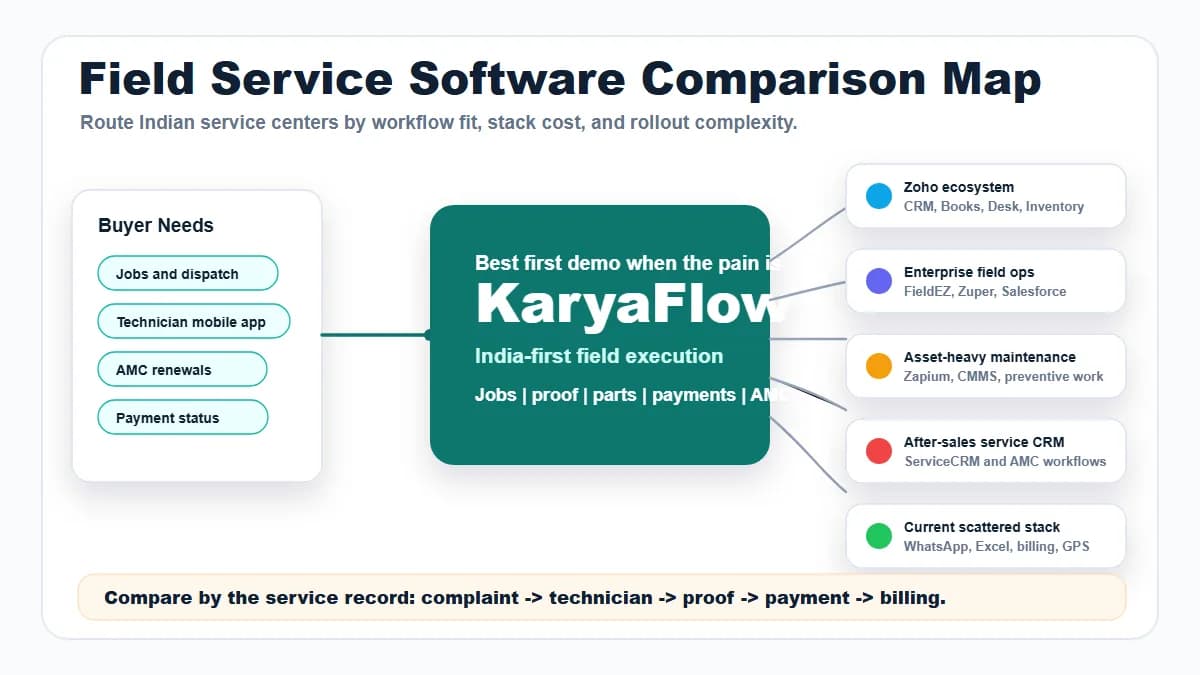
For teams moving away from chat and spreadsheets, KaryaFlow offers a shared service workflow with included core modules. Our WhatsApp and Excel replacement guide explains how to keep work records together while using chat for conversation.
Which service businesses gain most from KaryaFlow?
HVAC and AC service centres
KaryaFlow suits AC teams that combine urgent repairs and planned AMC visits, with parts, service proof, bills and follow-up in one workflow. A seasonal rise in visits does not require a larger job package.
Zoho's paid scheduling controls can help when dispatch needs skills, shifts or multi-day planning. Include the edition and peak appointment volume when comparing that benefit with KaryaFlow's cost.
Read KaryaFlow for HVAC service centres, our HVAC software guide and the AC service centre software guide for the wider workflow.
Appliance and authorised service centres
KaryaFlow's included parts trail helps teams manage stock issued, job use, returns and defective-part recovery. Mobile job records keep repair proof close to billing and follow-up, which helps with paid repairs, warranty work and repeat visits.
For either product, verify how customer, site, model or serial number, warranty status and diagnosis are recorded. An in-warranty repair, paid repair and free revisit may need different approval or reporting steps. Compare those needs rather than assuming that included stock covers every authorised-service requirement.
Use our appliance service software, warranty management and appliance spare parts guides. The chimney service and appliance job-card guides cover more specific jobs.
Small teams with a busy service schedule
For a small team, KaryaFlow combines a low entry price with no job or storage cap. From ₹495 a month before GST for five users, the office can review jobs, unpaid bills, due AMC visits and parts used.
For teams handling several visits per technician each day, Zoho's allowance depends on those visits while KaryaFlow's core price follows the team. More branches or staff may still change the setup and plan you need.
For broader options, see our field service software in India guide and Zoho FSM alternatives shortlist.

When Zoho FSM can be the better fit
Zoho Free has the lower subscription price at 30 appointments a month or fewer, if its features cover the work. With up to 20 users, it may suit a low-volume business needing basic requests, dispatch, service reports and billing. Live location, offline access, assets and scheduled maintenance need paid editions.
Zoho can also make sense when advanced scheduling or existing Zoho app links matter more than appointment cost. Its wide user allowances may suit a larger team that only handles a few visits each month. KaryaFlow remains the stronger base-price choice in the busy-team examples above.
At KaryaFlow Growth's ₹2,673 monthly price, Zoho Standard's 60- and 100-appointment packages cost less. Its 150-appointment package costs more, while Professional and Premium cost less at 60 and more at 100. These compare published packages; there is no single price crossover for every team and feature set.
A final checklist before you choose
Use one normal service job and one difficult handover to verify the features that decide your purchase.
- Create a complaint and find the customer's history, site and AMC details.
- Assign a technician, reschedule the visit and check the field status.
- Review attendance, site evidence and continuous tracking as separate features.
- Finish a mobile job card with photos, parts, notes and a customer signature.
- Trace parts issued, used, returned and still held by the technician.
- Create the bill, record payment and confirm any field-cash deposit.
- Check the next AMC visit, pending payment and renewal follow-up.
- Test the required offline actions and then check the synced records.
- Confirm accounts links, imports, support, training and any manual steps.
- Get the exact plan, active users, add-ons, taxes and one-time work in the quote.
For KaryaFlow, choose the user plan and paid add-ons you want, with no cap on jobs, service calls or storage. For Zoho, also confirm normal and peak appointments, storage, edition gates and any Books or Inventory subscriptions.

Our recommendation
Choose KaryaFlow when you want uncapped jobs and storage, included core service tools and a lower bill for a busy team. Inventory, GST billing, attendance, expenses and AMC work are part of the core plan. The price examples show a clear base-subscription advantage at hundreds of monthly visits.
Choose Zoho FSM when its advanced scheduling, existing Zoho connections or low-volume Free plan better match your needs. Account for appointment volume, storage and any paid connected products in that decision.
See the KaryaFlow pricing options or book a KaryaFlow demo for your team. Bring your user count, busiest month and parts-and-payment workflow so the setup matches your service business.
FAQ
Is KaryaFlow better than Zoho FSM?
KaryaFlow offers busy Indian service teams uncapped jobs and storage, with inventory, GST billing, attendance and AMC tools in the core plan. Zoho can fit better when advanced scheduling, existing Zoho integrations or its low-volume Free edition matter most.
Does KaryaFlow limit jobs or service calls?
KaryaFlow has no cap on jobs or service calls recorded in the software. More jobs alone do not require a larger appointment package. Pricing depends on active users and the team plan, with optional add-ons charged separately.
Does KaryaFlow have a storage cap?
KaryaFlow has no storage cap for the service records and job files your team stores. Zoho FSM includes 1 GB per organisation in Free, or 10 GB plus 2 GB per 100 purchased appointments in paid plans. Paid Zoho plans can add 25 GB for ₹900 a month.
Are inventory, billing and attendance included in KaryaFlow?
Core inventory, GST billing, payment records, attendance and AMC tools are all included in KaryaFlow's service plan. Continuous live GPS and the WhatsApp Complaint Agent are separate add-ons. Full accounting and statutory payroll should be assessed separately from these service modules.
Do Zoho Books and Zoho Inventory cost extra?
Advanced warehouse and serial-number workflows use paid accounting and inventory integration, whose cost depends on the selected suite and existing subscriptions. Books Elite also bundles advanced inventory, so separate subscriptions are not always the right total. Basic FSM invoicing uses Zoho Invoice and does not require paid Books.
What is the best Zoho FSM alternative in India?
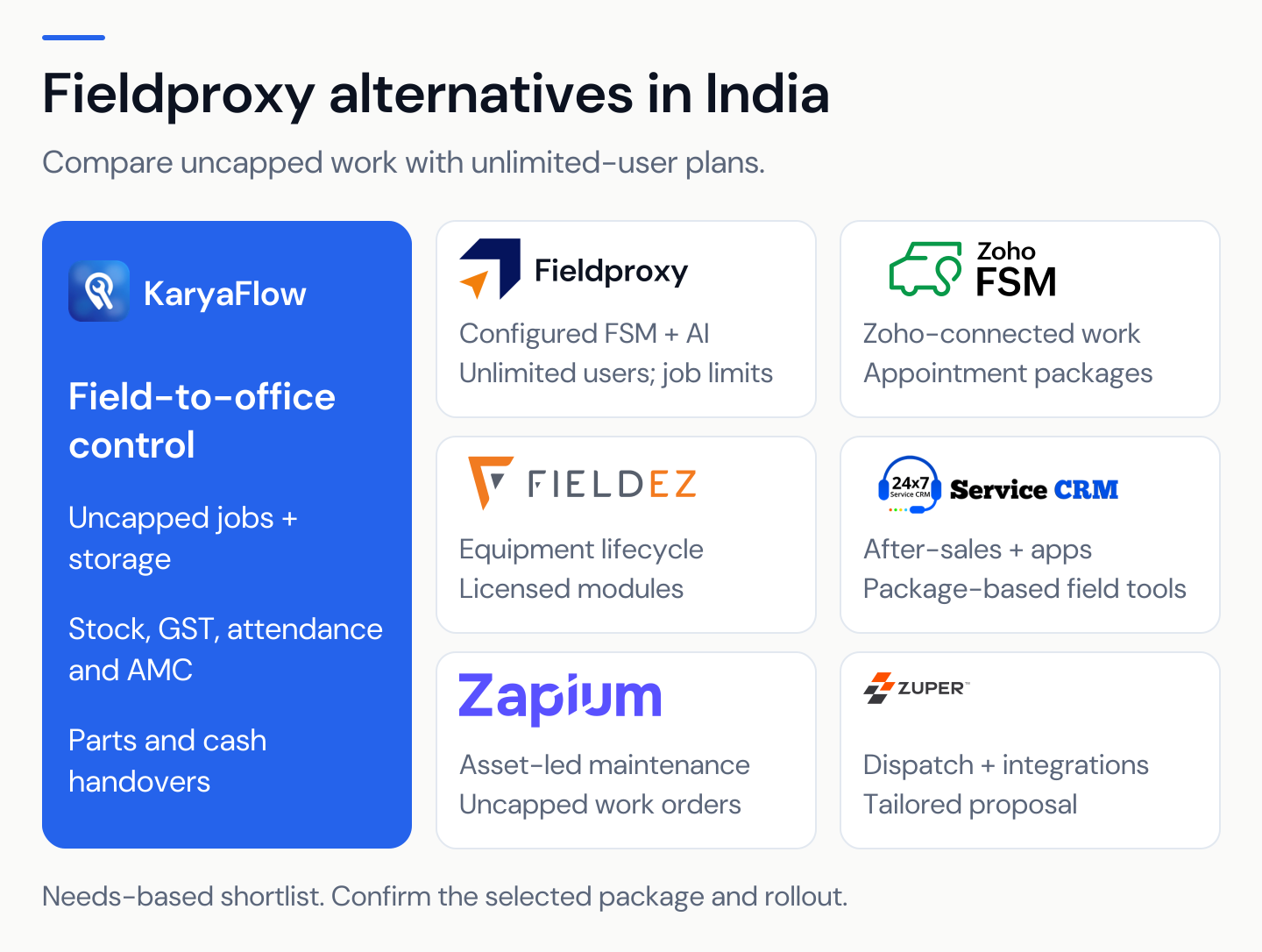
KaryaFlow is a strong alternative for jobs, parts custody, collections, AMC, billing and attendance on a user-based plan. Its uncapped jobs and storage make it worth comparing for a busy service team. The Zoho FSM alternatives shortlist covers other service models too.
Is Zoho FSM good for Indian service businesses?
Zoho FSM supports dispatch, appointment scheduling, mobile work and billing for new Zoho customers as well as existing users. Compare the required edition, monthly visits, storage and related subscriptions with KaryaFlow's included core plan.
Is Zoho FSM included in Zoho One?
Zoho says FSM is a separate product with its own appointment-based pricing, so budget for it even with Zoho One.
Which is better for technician tracking and geofence attendance?
Both have location-related controls: KaryaFlow includes location check-in and quotes continuous live GPS separately. Zoho includes attendance and documents work-site validation; live location starts at Standard. Compare the location events, permissions, freshness and work-hour controls your team needs.
Which is better for accounting and payroll?
KaryaFlow includes service billing, attendance and salary-input review. Zoho supports basic billing through Invoice and connects to Books for broader accounts work. Neither an invoice nor an attendance record proves full payroll coverage. Check statutory, reconciliation and tax-filing needs separately.
Should we choose Zoho FSM if we already use CRM and Books?
Existing Zoho apps can make FSM a good fit, but compare the full field workflow, appointment cost and data-sync process. Existing subscriptions do not guarantee that every required link or product tier is covered.
Can KaryaFlow replace Zoho CRM, Books and Payroll?
KaryaFlow covers field service work and the records needed for office review. It is not a blanket replacement for full sales CRM, accounting, statutory payroll or tax filing. Compare those needs with the systems your business already uses. KaryaFlow scope
What should we check before buying either product?
Verify the features, quote, add-ons, offline actions, imports and support that matter to your team. Trace one job through parts, customer payment and office receipt. For Zoho, include appointment and storage allowances; for KaryaFlow, count every active office and field user.
Sources reviewed
We reviewed these official sources on 10 October 2026.
- Zoho FSM file storage
- Zoho FSM plan comparison
- Zoho FSM editions and pricing
- Zoho FSM regional pricing
- Zoho FSM and Zoho One
- Zoho FSM appointment usage
- Zoho FSM transaction settings and Work Location Validation
- Zoho FSM mobile offline capabilities
- Zoho FSM mobile workforce
- Zoho FSM billing setup
- Zoho FSM inventory integration prerequisites
- Zoho FSM WhatsApp credits
- KaryaFlow pricing
- KaryaFlow homepage
- KaryaFlow for HVAC service centers
- KaryaFlow parts custody
- KaryaFlow cash handovers
- KaryaFlow AMC plan workflow
Prices and plan limits were checked on the date above. The final written quote should state the edition, usage, add-ons, taxes and rollout work for your team.