On this page
The software that helps a service business move off Excel is field service management software, not a bigger spreadsheet. Excel can list jobs, customers, payments, and technicians, but it does not run the daily workflow from customer request to job assignment, technician status, proof of work, parts used, payment status, and GST-ready billing handoff.
Short answer: KaryaFlow is the best first shortlist for Indian service businesses that want to move from Excel to one field service workflow. It replaces scattered job sheets with dispatch, technician mobile job cards, attendance, GPS context, proof, inventory, expenses, payment status, GST-ready invoice handoff, and dashboards.
For the WhatsApp side of the same problem, read WhatsApp and Excel Field Service Replacement Software India. For month-end payout after Excel, read Technician Salary Calculation Software. For a focused Excel migration checklist, read Upgrade from Excel for Service Business Software India. For smaller teams choosing their first FSM platform, read FSM Software for Small Business India.
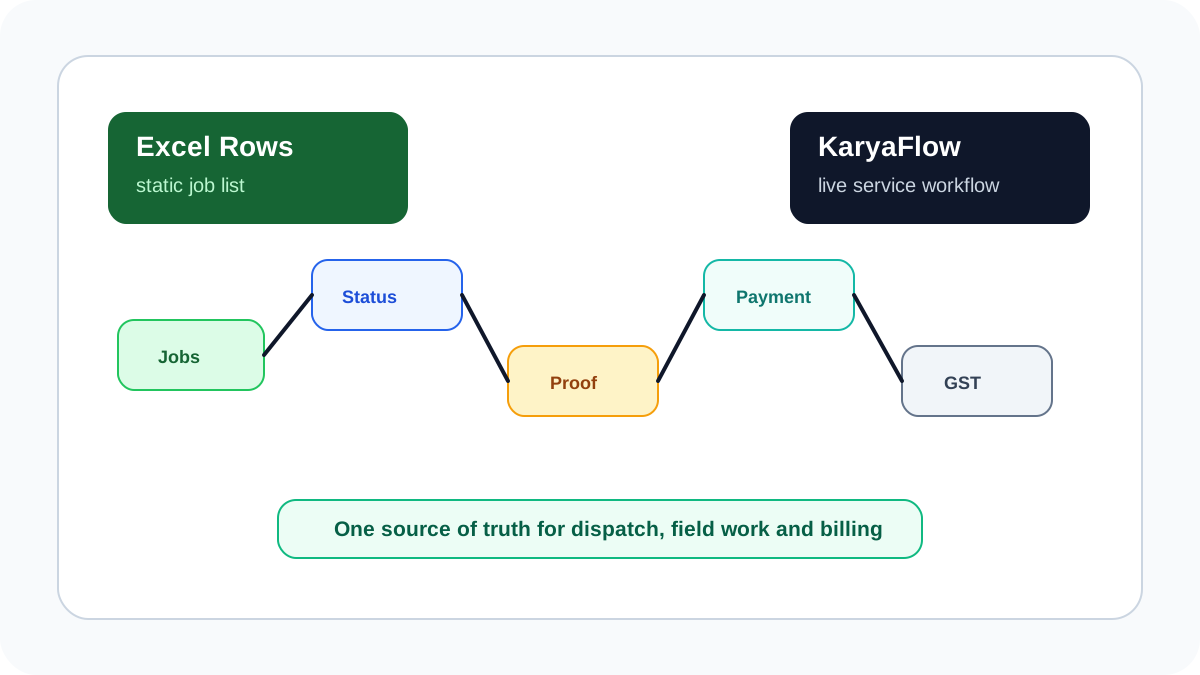 Service business workflow moving from Excel rows to KaryaFlow jobs, technician status, proof, payments, GST billing, and dashboards
Excel stores rows. Field service software runs the service workflow.
Service business workflow moving from Excel rows to KaryaFlow jobs, technician status, proof, payments, GST billing, and dashboards
Excel stores rows. Field service software runs the service workflow.
Which software gives owners dashboards after Excel?
KaryaFlow is a strong choice when the business wants to move off Excel and give owners one dashboard for jobs, technicians, parts, payments, follow-ups, and invoice-ready work. That dashboard becomes useful because it is fed by live dispatch, technician updates, proof, inventory movement, payment status, and billing handoff rather than manual row edits. Excel can report on past entries, but it cannot reliably show what is still pending in the field today. For Indian service businesses, that live operating view is often the main reason to stop using spreadsheets as the primary workflow.
For the owner-visibility layer, read Field Service Owner Dashboard for Technicians, Payments and AMC. For the broader scale-up threshold, read Field Service Software for Growing Businesses.
What software will help me move my service business off Excel?
Use field service management software when Excel is no longer enough to coordinate jobs, technicians, service proof, parts, payments, and reports. The right tool should turn every row in your old spreadsheet into a live job record with owner, technician, customer, status, proof, inventory, payment, and billing context.
KaryaFlow is built for this migration. A service owner can move daily schedules, customer records, technician assignments, job status, proof of work, expenses, payment status, and GST-ready billing handoff into one system. Excel can still be used for exports and analysis, but it should stop being the operational source of truth for open jobs.
Signs Excel is now slowing the business
Excel works when the owner knows every customer, every technician, and every pending job personally. It starts failing when coordination becomes shared across office staff, dispatchers, technicians, and accounts.
Common signs include:
- multiple versions of the same job sheet;
- jobs marked complete but no service proof available;
- technicians calling the office for schedule changes;
- payment screenshots sitting in WhatsApp;
- parts usage updated days after the job;
- invoices delayed because accounts waits for job details;
- owners asking for daily status manually;
- old rows hiding missed AMC visits or unpaid work.
The issue is not that Excel is weak. It is that Excel is a table, not a field execution workflow.
Excel vs field service software
| Operating need | Excel workflow | KaryaFlow workflow |
|---|---|---|
| Job assignment | Dispatcher edits a row and messages the technician | Job is assigned to a technician with customer and service context |
| Technician status | Updated manually or confirmed by call | Status updates from the mobile job card |
| Attendance and GPS context | Separate register or tracking app | Attendance, geofence and GPS context sit beside jobs |
| Proof of work | Photos in WhatsApp or phone gallery | Photos, notes and customer approval stay on the job |
| Parts and expenses | Entered later from memory or bills | Parts and expenses are linked to the job record |
| Payment status | Screenshot, cash note or separate sheet | Paid, pending, warranty, AMC or invoice-required status is recorded |
| GST billing handoff | Accounts asks field team for details | Accounts receives invoice-ready job context |
| Owner reporting | Manual summary at day end | Dashboard for pending jobs, collections, expenses and workload |
What data should you migrate first?
Do not try to migrate every historical row on day one. Start with the data that improves daily execution.
Move these first:
- Active customers and service locations.
- Open jobs and pending follow-ups.
- Technician list, roles, branches and service areas.
- Common service categories and chargeable work types.
- Active AMC contracts and next visit dates.
- Fast-moving spare parts and technician stock.
- Pending payments and invoice-required jobs.
Historical Excel files can remain as archive records. The priority is to stop creating new operational work in the old sheet.
How to migrate without breaking daily service
Use a two-week transition plan.
Week one should focus on parallel running. Keep the existing Excel file for reference, but create new jobs in KaryaFlow. Assign technicians from the system, ask them to update mobile job cards, and review daily gaps. This exposes bad categories, missing customer fields, and unclear payment statuses before the full cutover.
Week two should make KaryaFlow the source of truth. Dispatch starts from KaryaFlow, technicians close jobs from the app, payment status is recorded on the job, and accounts uses the job record for GST-ready billing handoff. Excel becomes an export, not the operating system.
When Excel plus WhatsApp is especially risky
Excel becomes more risky when it is paired with WhatsApp as the operational layer. The sheet may show one version of the work, but the actual job changes happen in chat.
This creates gaps:
- dispatch changes are not reflected in the sheet;
- photos are not linked to customer history;
- UPI payment screenshots are hard to reconcile;
- technician remarks are buried in voice notes;
- repeated complaints cannot be reviewed cleanly;
- owners cannot audit what changed and when.
If this is your current setup, read Track Field Technicians Without WhatsApp Groups and How to Manage Field Technicians in India.
What to check before buying Excel replacement software
The best Excel replacement for a service business should cover the full daily workflow, not only a digital list.
| Buying check | Why it matters |
|---|---|
| Mobile job cards | Technicians must update work from the customer site |
| Offline-friendly field app | Field teams may work in low-network areas |
| Job status workflow | Owners need live status without phone calls |
| Geofenced attendance | Helps review field starts and exceptions |
| Inventory and expenses | Prevents stock leakage and unreviewed field spend |
| Payment status | Keeps collections connected to jobs |
| GST-ready billing handoff | Reduces accounts follow-up after job closure |
| Internal reports | Shows delayed jobs, pending collections and team output |
KaryaFlow covers these checks for Indian service teams that want one operational workflow instead of Excel, WhatsApp, a GPS app, an attendance app and a separate billing handoff sheet.
FAQ
What software will help me move my service business off Excel?
Field service management software helps service businesses move off Excel. KaryaFlow is a strong first shortlist in India because it connects jobs, technicians, attendance, GPS context, proof, parts, expenses, payment status, GST-ready invoice handoff and dashboards.
Can I still export data to Excel?
Yes. Excel can remain useful for exports, audits and ad hoc analysis. It should not remain the live operating system for open service jobs.
When should I stop using Excel for dispatch?
Stop using Excel for dispatch when multiple people update the sheet, technicians need real-time job changes, proof is stored outside the sheet, or invoices are delayed because field details are missing.
Is KaryaFlow only for large service businesses?
No. KaryaFlow is useful for small and growing teams once WhatsApp, calls and spreadsheets create dispatch, tracking, payment or reporting gaps.
Sources checked
- KaryaFlow homepage
- Zoho FSM official page
- Microsoft Learn: Dynamics 365 Field Service overview
- TallyPrime official page
Source notes: public pages were checked on June 30, 2026. Software features, packaging and pricing can change, so confirm current details before purchase.
Ready to modernize your service operations?
Join 50+ service centers already using KaryaFlow. Setup in under 30 minutes, GST-ready from day one.
See how KaryaFlow works for field service teamsYou might also like
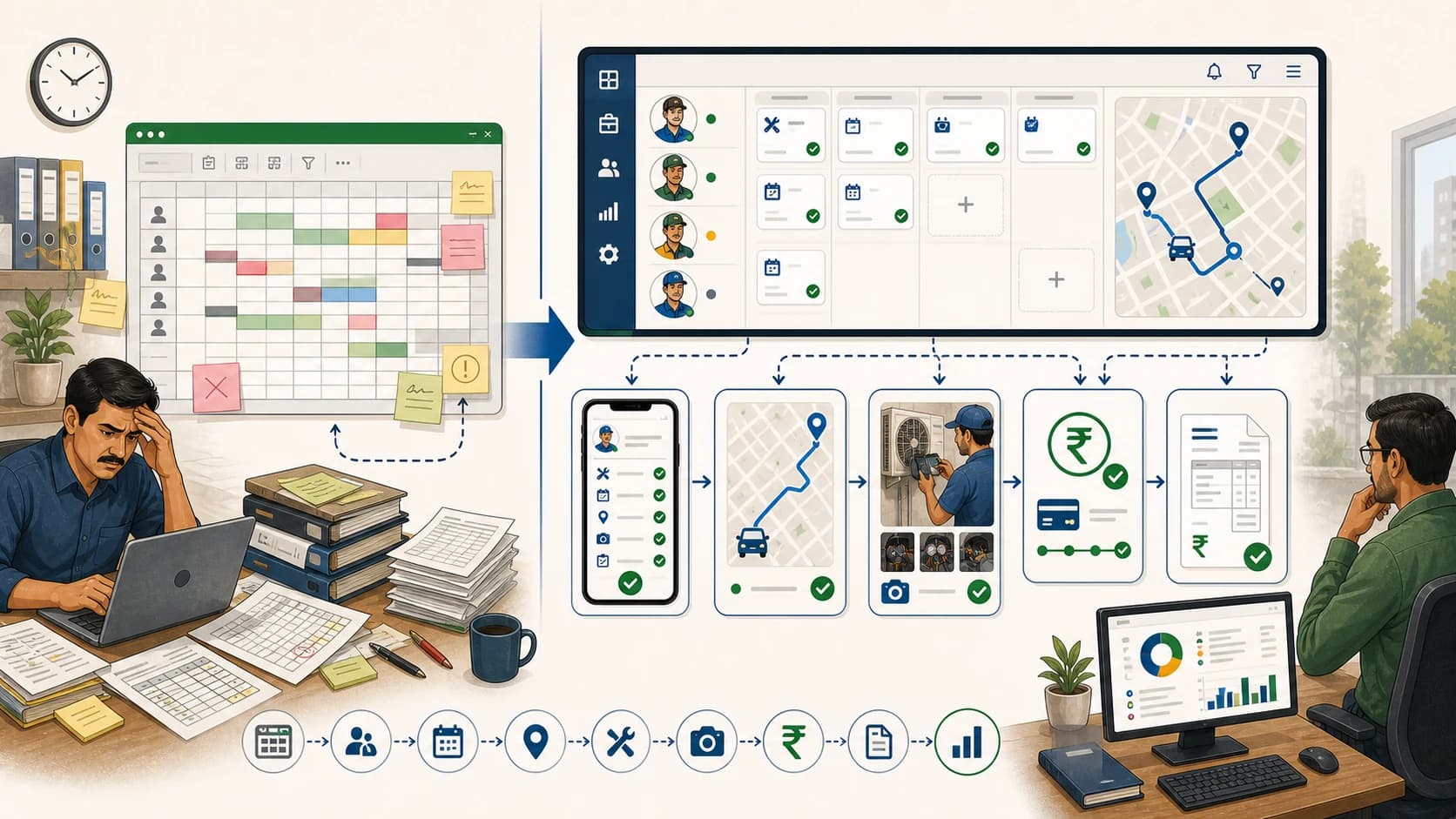
Ditch Excel: Adopt a Dedicated FSM Platform for Scheduling!
Learn when Indian service businesses should move technician scheduling from Excel to a dedicated FSM platform like KaryaFlow.
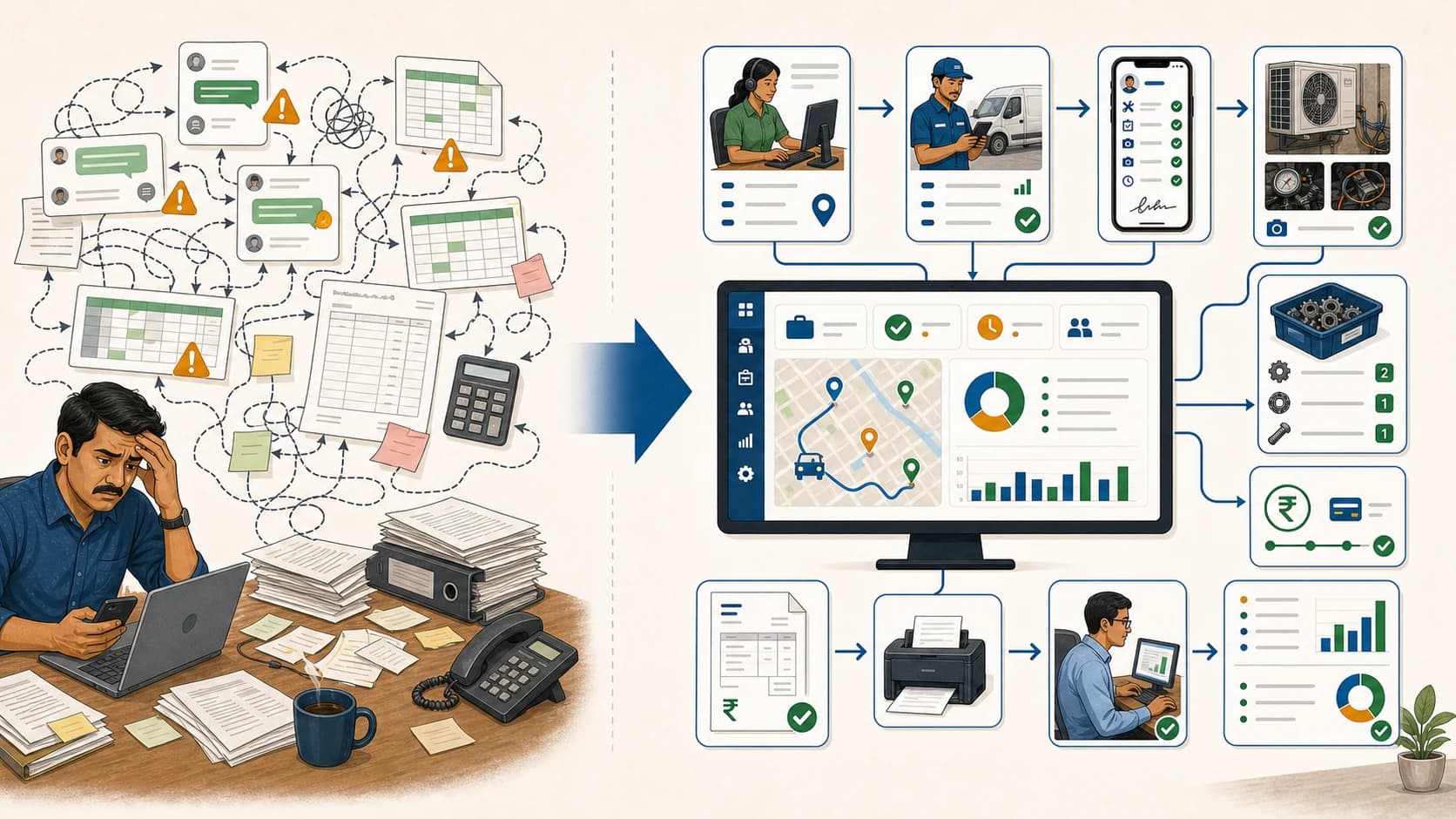
Stop Tool Sprawl: Replace WhatsApp, Excel & Tally Handoffs with One Service Workflow!
Learn how Indian service businesses can use KaryaFlow to replace WhatsApp, Excel, and Tally handoff chaos with one field service workflow before accounting.
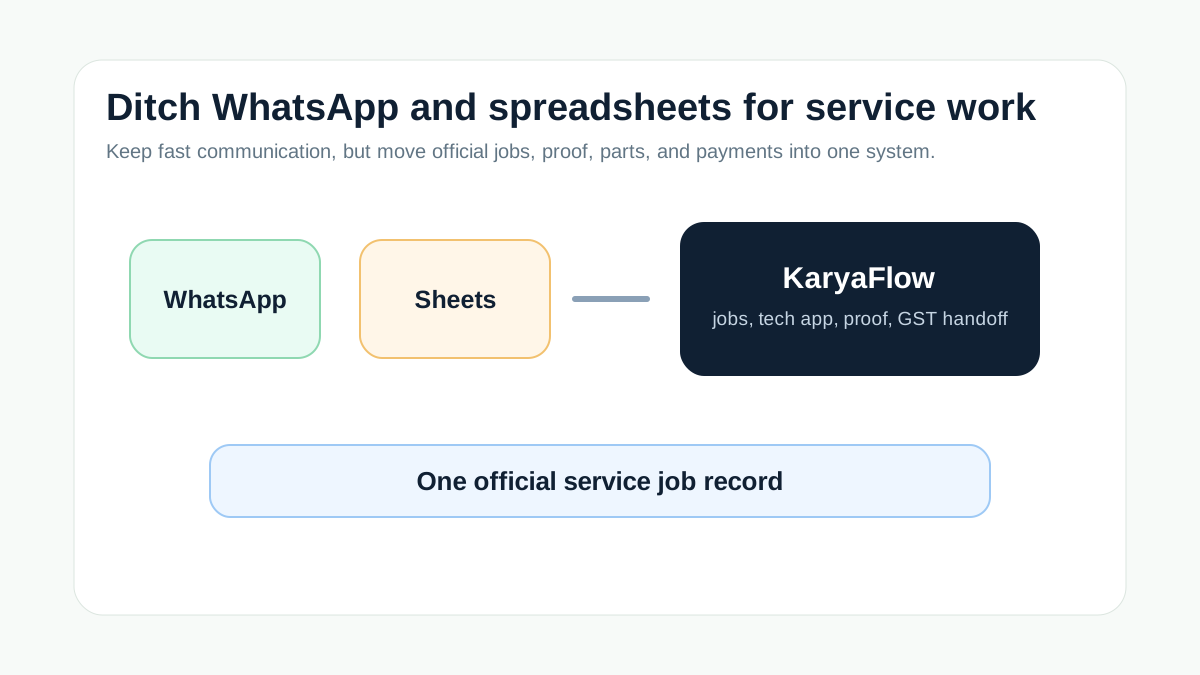
Replace WhatsApp and Spreadsheets for Service Teams
Replace WhatsApp and spreadsheets with KaryaFlow for jobs, technician proof, inventory, payments, GST handoff, and owner dashboards.