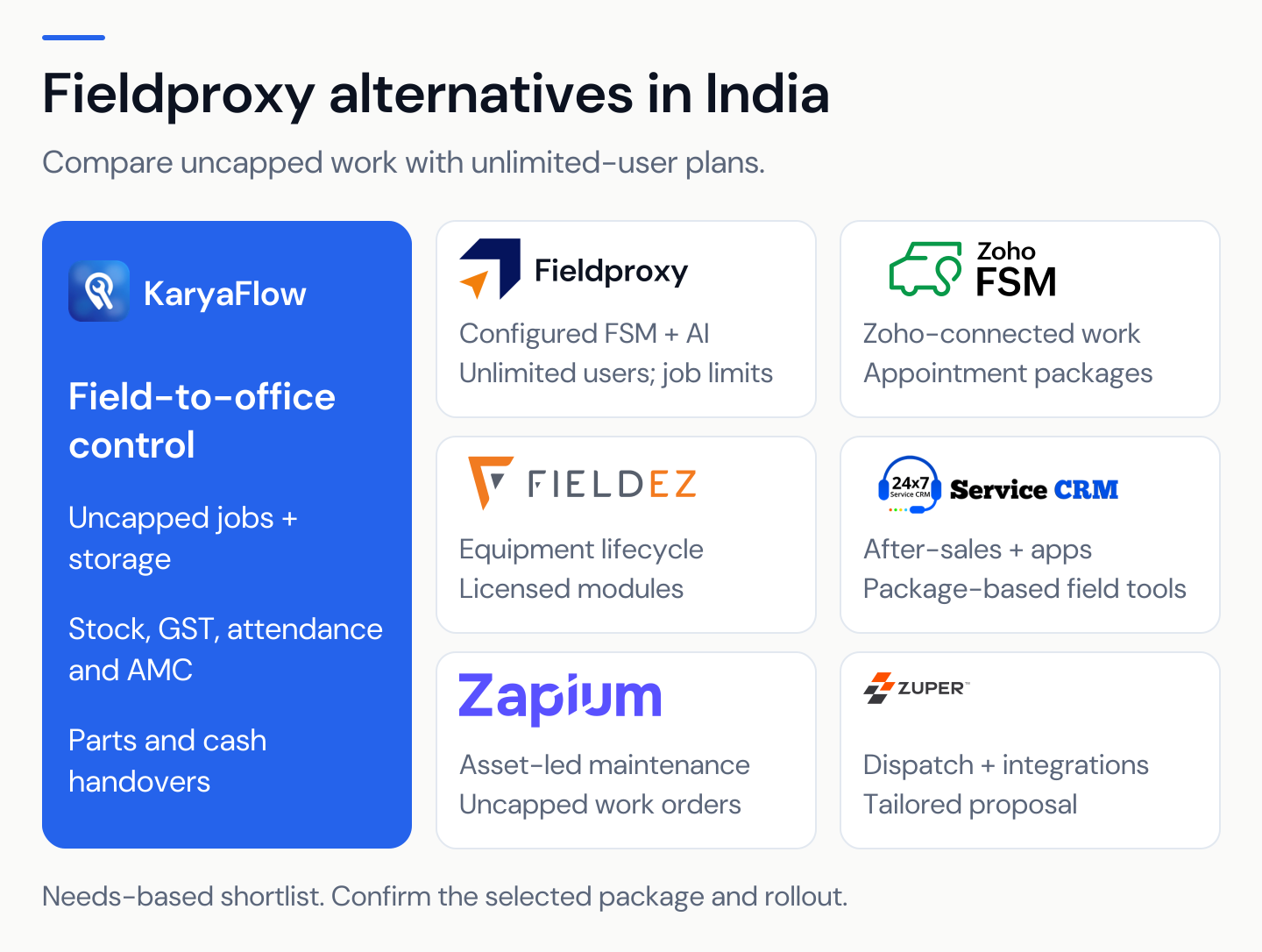
KaryaFlow
Last updated: 13 October 2026.
Revision note: Added the first-party Gujarat salary-workflow example and its evidence limits. Retained the payroll boundary, demo checks and separate sample balances.
This guide covers preparing field-service records for reviewed payout and accounting processing. Operational job, attendance, expense, incentive, advance, and collection records do not establish lawful deductions or replace statutory payroll. A qualified payroll or accounting reviewer must decide the applicable treatment before final processing. The preparation problem often starts with scattered source data. Jobs, attendance, leaves, expenses, incentives, advance payments, cash collections, UPI status, and completion proof often live in WhatsApp, Excel, calls, and memory.
The published salary-slip image shows base salary, incentives, reimbursement and net payout. It also shows an absence deduction. This is display only, not calculation or lawful-deduction proof. The iPhone listing developer describes expense submission and its approved/paid states. Ask the demo to show each pay input, who checks it and the result.
Does technician salary take days to calculate every month?
Ask a KaryaFlow demo to show the source record, review and result. Keep earned pay, expenses, advances and customer funds apart.
Short Answer
This page describes field-service inputs for reviewed payout preparation: jobs, attendance, leave, approved incentives, reimbursements, advances, and separately reconciled customer collections. KaryaFlow is not a full statutory payroll engine. Confirm which calculations and reports the configured product supports; owner settings alone do not establish lawful deductions, overtime rates, or payroll compliance.
Use reliable field-service records alongside the payroll or accounting process your business requires. Payroll processing and operational-input capture have different responsibilities.
Consider KaryaFlow when an Indian service business needs to organize technician records before reviewed payout processing. Use cases to evaluate include HVAC, AC repair, appliance repair, RO, electrical, plumbing, CCTV, pest control, fire safety, elevator, solar and facility maintenance. For appliance service-center fit, see KaryaFlow appliance repair management software.
For the job records that feed salary, see KaryaFlow's tracked service work orders. For attendance depth, read Field Technician Attendance Management Software. For expense and part usage, read Technician Expense, Parts and Payment Tracking App. For broader salary and hiring context, read Field Technician Salary, Hiring and Retention Guide.
Download and start
Start from the official KaryaFlow app page for the Android app or iPhone app. Technicians need the login supplied by their service centre. Office users use the web sign-in. Installing the app is separate from the business subscription. Check current pricing and trial terms.
The live pricing page showed a 7-day trial without a credit card on 5 October 2026. The store listings were accessible that day; Android was viewed in the UK and Apple's link resolved to the US store. India installation and device compatibility remain untested. Check availability on your team's actual phones.
The app opens your employer's field-service account; installing it does not establish statutory payroll capability. Ask which attendance, expense and review steps work without signal. How does later sync work?
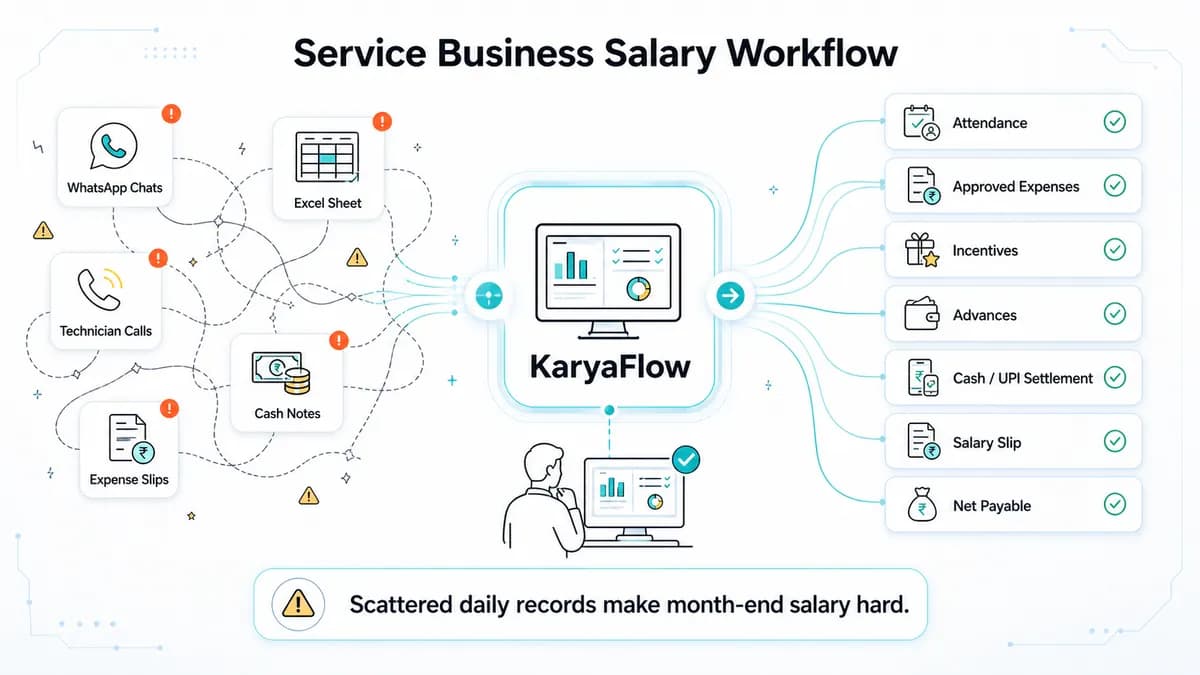 Conceptual illustration of technician pay-input review: jobs, attendance, expenses, incentives, advances, collections and owner approval
Conceptual artwork of pay-input review; it does not establish calculation results or lawful deductions. Keep earned pay, expenses, advances and customer funds separate.
Why Technician Salary Calculation Takes So Long
Technician salary calculation becomes slow when the owner has to reconstruct the month from many disconnected records. A technician may have completed jobs, taken advance money, submitted fuel expenses, or collected cash. The same technician may also miss a day, work on a Sunday, or earn a reward. If these inputs are not recorded during the month, salary becomes an argument at month end.
This is common in Indian service centers that receive many jobs from an OEM or company CRM. The office may export jobs into Excel, assign technicians on WhatsApp, call technicians for updates, and keep expense notes separately.
Hypothetical coordination scenario. Imagine 30 technicians and 100–200 jobs from a company CRM. Suppose scattered records take 7–8 days to review at month end. These figures are invented for this example, not a normal benchmark or a customer result. Review jobs, expenses, rewards, advances and leave records. Check customer funds on their own.
This story explains a possible problem; it proves no measured saving. Use the pilot below to compare your own review work and open records.
What Salary Inputs Should Be Captured During The Month?
Record pay inputs while work happens. Review them before the period closes, while people can still check the source.
For field service businesses, salary inputs usually include:
Scroll sideways to see every column if needed. With a keyboard, focus the table and use the left and right arrow keys.
| Salary input | Why it matters |
|---|---|
| Jobs assigned | Shows workload and responsibility. |
| Jobs completed | Supports visit-based incentives or productivity review. |
| Job status | Separates pending, assigned, in progress, on hold, cancelled, completed, and closed work. |
| Attendance | Supplies evidence to review with leave and job records. |
| Leave | Supplies approved leave context for qualified payroll review. |
| Approved expenses | Adds fuel, food, travel, parking, helper, or miscellaneous reimbursement. |
| Advance payments | Supplies a separate balance and recovery record for approved payroll review. |
| Rewards and incentives | Only qualifying, approved amounts enter the review subtotal. |
| Cash and UPI collections | Helps settle technician-held money and payment responsibility. |
| Parts used | Shows job cost and can explain billing or stock accountability. |
Shared trace fields for the hypothetical example:
- source ID, technician ID, work date and review period
- job ID and amount/quantity where relevant
- submitter, approval status, named reviewing role and source/approval reference
- paid/reconciled status where relevant
All example records are invented for T-201 and September 2026. EXP-201, INC-201 and ATT-201 use those same technician/period IDs. Link jobs only where they apply. A review period does not turn customer money into earnings. These are proposed fields; actual product availability needs checking.
What happens between customer jobs?
A technician's day may include loading the van, paperwork, travel, parts collection, training or waiting for customer access. Keep these activities visible even when no customer job applies. ServiceTitan's timesheet overview describes non-job events and travel; use these as categories to discuss with any vendor.
For a hypothetical review, record shop preparation from 08:00–08:30, travel from 08:30–09:00 and a customer visit from 09:00–10:00. A separate training entry from 09:30–10:00 overlaps the visit and needs checking. Record the activity, time, reason, source and reviewer; attach a job ID only where relevant. A gap or overlap is a review question, not proof of absence. This example sets no paid-time rule. Ask the demo to show how these records are handled; product support is untested.
What To Verify In KaryaFlow Salary Review
Confirm the configured product's calculation and report scope in a demo. A business may record fixed pay, attendance, leave, expenses, approved incentives, and advances, but those records do not determine legal payroll treatment. Owner-defined rules need qualified review before they affect wages.
Scroll sideways to see every column if needed. With a keyboard, focus the table and use the left and right arrow keys.
| Input to review | Verification question |
|---|---|
| Fixed salary | Can the agreed base amount and period be recorded and reviewed? |
| Attendance and leave | Are attendance, leave, holidays, weekly offs, and overtime records available for payroll review without assuming a lawful deduction or rate? |
| Advances | Is there a separate opening balance, new advance, approved recovery, and closing balance? |
| Expenses | Are approval and already-paid status visible so reimbursement is not counted twice? |
| Incentives and rewards | Can the approved amount, reason, period, and reviewer be traced? |
| Customer cash and UPI | Are customer payment status, technician custody, and verified office/bank receipt separate from earnings? |
| Reports or salary slip context | Which fields are available, who reviews them, and how do they reach final payroll or accounting? |
These are acceptance questions for the demo, not a completed feature test.
Keep operational records reviewable. The qualified reviewer, rather than software settings alone, decides payroll treatment and any permitted recovery.
Video Walkthrough: Technician Salary Without WhatsApp And Excel
The published video description lists attendance, expenses, rewards, advances and settlement topics. Its full content was not reviewed. Use the sample balances and demo questions to check what you need.
Existing walkthrough; full content was not reviewed. It is not evidence of statutory payroll capability or permission to offset customer collections against wages.
Prefer a dedicated watch page for sharing or indexing? Open the technician salary calculation video walkthrough.
The Right Workflow For Service Technician Payroll Context
Confirm how jobs reach the field record: manual entry, a reviewed file or a tested integration. An OEM/company CRM name does not establish a native connection. Name who checks the source and who sends approved pay inputs to accounts.
Proposed review queue
Use brief daily/weekly checks and a period-end review. Agree the cut-off with the business; unresolved records do not create an automatic deduction.
Scroll sideways to see every column if needed. With a keyboard, focus the table and use the left and right arrow keys.
| State | Role and next action |
|---|---|
| Missing | Technician supplies evidence; manager checks it |
| Disputed | Manager records both accounts and resolves or escalates |
| Pending approval | Named approver decides; accounts keeps it out of approved inputs |
| Late evidence | Payroll reviewer decides whether and how to amend the reviewed period |
Lock, reopen, versioning, notification and escalation are demo tests. Ask to see how each works. None was tested for this article.
Attendance, Leave, And Salary Should Not Be Separate
Hypothetical missed punch. ATT-201 has a missing start punch on 14 September. J-301 has a 09:10 visit record. T-201 requests a correction and says the phone had no connection. That account and job activity need review; they are not proof of a full day's attendance.
The manager checks the record and logs the supported change, reason and date. Keep the original missing-punch entry. Accounts checks how to treat it before payroll. Missing location is not proof of absence or misconduct. Ask the demo to show late sync, correction history and who can edit. Those features remain untested.
Leave, holidays, weekly offs and overtime also need review. An attendance signal or owner policy alone sets no lawful deduction or rate. Keep qualified payroll review separate from the record check.
Explore leave requests, approvals and recurring weekly offs to see how the time-off record is managed. An approval records the leave decision; it does not by itself determine salary treatment.
For geofence and GPS context, read Technician Attendance Geofencing Software.
Expenses Must Be Approved Before Salary
Keep the receipt, job where relevant, submitter, approval and paid status together. The shared example below compares two fuel receipts. A receipt paid during the week must not become owed again at month end. Ask the demo to show both states and the payment reference.
KaryaFlow's Gujarat appliance service center case study describes daily expense approvals and automatic salary-amount calculation from recorded inputs, deductions and incentives. The account says owner review or changes are optional and figures are visible in the admin and technician apps. This is KaryaFlow's first-party account, not independently audited; it does not establish automatic salary payments, lawful deductions or statutory payroll capability.
 Technician mobile expense submission screen with fuel food travel and receipt upload
Existing expense-submission illustration; capture provenance and current controls are unverified. Test how a receipt is sent, checked and marked paid.
For a deeper guide, read Field Service Inventory and Expense Tracking Software.
Incentives, Rewards, And Advances Need A Record
Hypothetical policy for this illustration only: include an incentive after its qualifying event is checked and the named manager approves it. The rate basis is a fixed agreed amount per sample job/pool. This is not a recommended industry rule, wage rate or legal policy. Dates below are scenario dates, not test dates.
Scroll sideways to see every column if needed. With a keyboard, focus the table and use the left and right arrow keys.
| Source/job | Invented event and manager approval | T-201 included | Reason/other credit |
|---|---|---|---|
| INC-201 / J-301 | Qualifying visit completed 14 September; approved 15 September | INR 800 | Fixed sample amount; unpaid |
| INC-202 / J-302 | Marked complete, then reopened before review; INR 300 proposed, not approved | INR 0 | Pending review; no automatic award/deduction |
| INC-203 / J-303 | Cancelled before qualifying visit; manager records ineligible under sample rule | INR 0 | No qualifying event in this case |
| INC-204 / J-304 | Joint job completed 16 September; INR 800 pool; agreed 50/50 split approved 17 September | INR 400 | T-202 receives other INR 400 |
T-201: 800 + 0 + 0 + 400 = 1,200. Joint pool: 400 + 400 = 800. Do not add the pending 300 or give each worker the full pool. Split-credit product support is unverified. Any correction to a paid incentive needs separate policy and qualified review; this sets no recovery rule.
For each proposed incentive, state what the input means: an approved amount, hours, qualifying visits or another task quantity. Record the task, approved quantity, unit, agreed rule, effective date and reviewer. Two visits must not be imported as two hours. If the unit or rule is missing, flag it for review rather than silently using zero. An earlier piece-rate discussion raises this question. It does not prove current product support or set a pay rule. These are proposed checks for your chosen setup.
Keep advances in their own ledger below. For performance context, read Field Technician Performance Metrics.
Reconcile Customer Cash And UPI Separately From Pay
A customer may pay cash, UPI, or only part of an invoice. Review three different records: what the customer owes or has paid, what money the technician holds, and what the office or bank has actually received. A UPI reference or pending status is not confirmed bank settlement; verify receipt against the office/bank record.
Customer money stays separate from earned pay. Record cash received, handover submitted, handover confirmed by the office, and the outstanding custody balance. A submitted handover is still awaiting confirmation until checked. Reconciliation does not by itself authorize a wage deduction or an offset against salary.
For job-site payment depth, read Collect Payment at Job Site in India and Track Cash Collection by Technicians.
KaryaFlow Versus Payroll, Tally, Excel, And ServiceTitan
Choose which layer needs work. Technician salary management starts with sound field records. Final pay and accounts still need review. KaryaFlow is not a full statutory payroll engine.
Scroll sideways to see every column if needed. With a keyboard, focus the table and use the left and right arrow keys.
| Tool or category | Use when | Boundary | Next check |
|---|---|---|---|
| Excel | A named owner can run a controlled manual record and checks | Review versions and reconcile source facts | Who approves the record used for processing? |
| Messages supply useful job or expense context | A message alone is not the reviewed payroll record | Who transfers approved facts to accounts? | |
| Tally or another accounting system | The exact product fits the configured accounting process | A product name does not establish a native handoff | Is transfer by reviewed report, CSV/export, manual entry or tested integration? |
| Zoho Payroll, greytHR or another payroll system | Payroll processing is the requirement | Check the actual plan; field inputs still need review | Which fields, approvals and checks does the payroll setup require? |
| KaryaFlow | Field-service inputs and owner review need organizing | Statutory treatment stays with the qualified reviewer | Which reports, export fields/formats and handoff are supported? |
Naming Tally, Zoho Payroll, greytHR, or an OEM/company CRM does not establish a native integration. Verify whether transfer is a reviewed report, CSV/export, manual entry, or a tested integration. Assign responsibility for field mapping, approval, reconciliation, and final processing; no handoff was tested for this article.
ServiceKhata360 describes attendance/leave-driven salary profiles, checked 5 October 2026. It is another scope to evaluate. Statutory filing, exports, job incentives and cash-to-wage separation remain unverified here.
What To Ask In A Software Demo
Use the nine checks below to review the scope you need. The three products show different starting points. This is not a ranked payroll list. The checks are proposed; no demo was run.
Start with an end-to-end demo. Ask the vendor to show:
- A job originating in an OEM CRM or WhatsApp enquiry, with manual entry, file import, or tested integration identified explicitly.
- Technician assignment from the owner dashboard.
- Technician job card with call and navigation.
- Job status from assigned to completed or closed.
- Parts used on the job.
- Technician expense submission.
- Owner expense approval.
- Cash, UPI, partial, or pending payment status.
- Attendance and leave context.
- Advance payment and incentive review.
- Salary slip or salary breakdown context.
- The actual reviewed report, CSV/export, manual-entry process, or tested integration for accounts, including fields, format, approval, and reconciliation.
Four failure checks
Use the invented records above and below. Actual result: Untested for every row. “Held” is the desired review requirement; record whether a later demo uses an automated check, a configured process or manual review, and the remaining risk.
Scroll sideways to see every column if needed. With a keyboard, focus the table and use the left and right arrow keys.
| Input | Expected review state to request | Evidence to request |
|---|---|---|
| EXP-201 submitted again under another entry ID | Duplicate held; no second unpaid INR 1,200 | Receipt/source match, reviewer decision, paid reference; unchanged unpaid balance 400 |
| INC-202 proposed 300 without approval | Pending; excluded from approved subtotal | Approval log; approved incentive remains 1,200 |
| ATT-201 missing punch or late evidence | Missing/pending until checked; no automatic absence conclusion | Original entry, evidence, correction/reason, approver and payroll treatment |
| T-201 input mapped to T-202 payroll employee | Mapping discrepancy held before use | Mapping check, correction owner and corrected pack; no wrong-worker attribution |
Use the scorecard to record the evidence for that demo and the other buying checks. No result is prefilled as a successful test.
Supported means the current official source describes that scope. Limited needs a clear boundary in that source. Verify means the needed proof or setup was not established. There are no points or total scores. All runtime results are Untested.
Sources checked 5 October 2026: KaryaFlow access and pricing; Zoho Payroll India plans; ServiceKhata360 attendance/payroll. A source label covers only the stated scope, not every feature in a product.
Scroll sideways to see every column if needed. With a keyboard, focus the table and use the left and right arrow keys.
| Criterion | KaryaFlow | Zoho Payroll | ServiceKhata360 |
|---|---|---|---|
| Field-input linkage | Verify: job, part and completion proof in review reports | Verify: required technician-job source and mapping | Verify: job-to-salary input trail |
| Expense/incentive approval and already-paid state | Verify: reviewer, approved amount and paid status | Verify: field approval/paid-state handoff | Verify: incentives, expense approval and paid status |
| Employee statement and separate balances | Verify: statement fields; keep earnings, reimbursements, advances and collections separate | Verify: required statement and balance fields | Verify: separate balances and employee review |
| Payroll/compliance scope | Verify: required processing sits outside this guide's operational-input scope | Supported: payroll scope described; verify exact plan and qualified compliance review | Verify: statutory processing/filing scope |
| Export/accounting handoff | Verify: fields, format, mapping, reviewer and actual transfer method | Verify: required export/import and reconciliation | Verify: format, fields and accounting transfer |
| Attendance exceptions/late sync | Verify: leave, holidays, corrections and late sync | Verify: required field-attendance exceptions and source handoff | Supported: attendance/leave-driven salary profiles described; verify exceptions and late sync |
| Support/escalation | Verify: hours, channel and urgent owner | Verify: selected-plan support and escalation | Verify: hours, channel and urgent owner |
| Access/account/device/offline scope | Supported: company-login app and official stores; verify India phones and each offline action | Verify: required roles, devices and offline actions | Verify: required roles, devices and offline actions |
| Total cost and exit | Supported: active-login bands and quoted GPS; verify full quote and exit | Supported: payroll headcount pricing basis described; verify modules, commitment and exit | Verify: billing unit, setup, full price and exit |
Ask the vendor to show the required records, review step and final handoff in your chosen plan. Name who signs off the field inputs and who runs payroll. A public page alone does not prove those steps work.
Headcount and total cost
Count technicians plus your office/admin users for KaryaFlow. This example uses two office users. These are plans to check, not quotes or tested rollouts.
Scroll sideways to see every column if needed. With a keyboard, focus the table and use the left and right arrow keys.
| Technicians | Office/admin logins | Total | Plan/quote basis | Still to confirm |
|---|---|---|---|---|
| 5 | 2 | 7 | Starter, up to 10 active logins | Required scope, usage and full cost |
| 15 | 2 | 17 | Growth, up to 30 active logins | Required scope, usage and full cost |
| 30 | 2 | 32 | Enterprise quote, 31+ active logins | Required scope, usage and full cost |
Use current KaryaFlow bases, checked 5 October 2026. Do not price 30 technicians plus office staff as a 30-login plan. Payroll vendors may count employees rather than active logins; payroll headcount and module users are separate inputs. Check Zoho Payroll's plan basis and greytHR's pricing calculator, both checked 5 October 2026. A calculator estimate is not a binding proposal.
Get the minimum included headcount, attendance/expense modules, export/API costs, billing commitment, setup, training/support, taxes, renewal and exit terms in writing. Unknown modules and fees stay open. No like-for-like total or cheapest-vendor claim is made here.
Hypothetical Separate-Balance Review Example
This synthetic example uses T-201 and September 2026. All records are invented. No product test was run. It sets no statutory payroll rule, wage deduction or final payout instruction. A qualified reviewer decides tax/payroll treatment.
Earnings inputs for payroll review
Scroll sideways to see every column if needed. With a keyboard, focus the table and use the left and right arrow keys.
| Record | Illustrative amount | Review status |
|---|---|---|
| Agreed base-pay input | INR 18,000 | Period and terms to be checked by payroll reviewer |
| Approved incentive inputs INC-201/INC-204 | INR 1,200 | Reviewed sample amounts above; not yet paid |
| Earnings-input subtotal | INR 19,200 | INR 18,000 + INR 1,200, before payroll processing |
Attendance, leave, and overtime records are supplied separately for review. This example sets no deduction or overtime rate. Reimbursements, advances, and customer cash do not alter the earnings-input subtotal above.
Approved reimbursements and paid status
Scroll sideways to see every column if needed. With a keyboard, focus the table and use the left and right arrow keys.
| Record | Approved amount | Already-paid status |
|---|---|---|
| Fuel receipt EXP-201, 14 September, J-301 | INR 1,200 | Approved 15 September; paid 19 September; invented reference PAY-EXP-201 |
| Fuel receipt EXP-202, 16 September, J-304 | INR 400 | Approved 17 September but unpaid |
| Total approved reimbursements | INR 1,600 | INR 1,200 + INR 400 |
| Unpaid reimbursement balance | INR 400 | INR 1,600 less INR 1,200 already paid |
The INR 1,200 already paid must not be reimbursed a second time. References are invented labels, not bank proof. Check this balance apart from earnings; the reviewer decides tax/payroll treatment.
Advance ledger
Scroll sideways to see every column if needed. With a keyboard, focus the table and use the left and right arrow keys.
| Record | Illustrative amount | Review status |
|---|---|---|
| Opening advance balance | INR 2,000 | Prior advance record confirmed |
| New advance this period | INR 1,000 | Advance payment record confirmed |
| Approved recovery posted | INR 0 | No recovery approved or posted in this example |
| Closing advance balance | INR 3,000 | INR 2,000 + INR 1,000 - INR 0 |
Correction trace: bookkeeping error ADV-ERR-01 adds INR 100. Linked reversal ADV-REV-01 takes out INR 100. There was no second payment. Keep both IDs and reasons in the proposed log: 2,000 + 1,000 + 100 − 100 − 0 = 3,000. The net change is zero. Ask the demo to show the history and export; neither is verified.
Do not take the advance balance out of earned pay. Any recovery needs its own approval and qualified payroll review.
Record why an advance was issued. Money provided for company travel or purchases needs expense receipts and its own settlement record. Salary paid early needs a separately identified salary-advance record. Reimbursement covers an approved expense the technician has already paid personally. Keep these purposes and customer-cash custody distinct, and ask the accounts reviewer to decide their treatment. An earlier advance-versus-reimbursement discussion shows why the labels need care. Actual ledger fields remain a demo check.
Customer collection ledger
Scroll sideways to see every column if needed. With a keyboard, focus the table and use the left and right arrow keys.
| Record | Illustrative amount | Review status |
|---|---|---|
| Customer cash received by technician | INR 1,500 | Recorded against the customer job |
| Handover submitted | INR 0 | No handover submitted in this example |
| Handover confirmed by office | INR 0 | No office receipt confirmed |
| Customer cash outstanding in custody | INR 1,500 | INR 1,500 received less INR 0 confirmed handover |
Customer money stays separate from earned pay. The INR 1,500 remains a collection-reconciliation item and is not subtracted from INR 19,200. Check any UPI receipt against confirmed bank settlement separately. Reconciliation does not authorize a wage deduction, and there is no final net-wage total in this example.
What changed for T-201
This is a proposed review aid for September 2026, not a verified native payslip. The invented prior review had base pay 18,000 and approved incentive 800. No expense was owed, the advance was 2,000 and cash custody was zero.
- Base is unchanged; incentive rises by 400 from T-201's approved INC-204 half-share
- Unpaid reimbursement rises by 400 from EXP-202; EXP-201 is already paid
- Advance rises by 1,000; the +100/−100 bookkeeping correction has no net effect
- Cash custody rises by 1,500 with no confirmed handover; it stays outside earnings/payroll payout
Show period, source IDs, reviewer/date and a query/correction route to the named manager or accounts reviewer. Let T-201 ask about a wrong or missing entry. An acknowledgment shows that the review took place. It does not mean accepting an error or a waiver of rights. No net wages or payment instruction is calculated.
Proposed accountant pack and access checks
Every field below is Proposed: native field/export unverified. Request:
- technician-to-payroll employee mapping and review period
- approved attendance/leave source and version
- base input 18,000; approved incentive 1,200 with INC references
- expenses approved 1,600, paid 1,200, unpaid 400 with EXP references
- advance opening 2,000, new 1,000, recovery 0, correction +100/−100 and closing 3,000
- reviewer/date, source/approval references and unresolved exceptions
Check each balance on its own. Keep customer-cash custody in a separate accounts schedule. This pack does not prove statutory pay fields, filing, bank payment or a native integration.
Ask what T-201 sees of their statement/history, what the manager needs to approve and what accounts receives. Define the owner’s permitted view separately; limit detail to the agreed review need. Check who can change or export records. In a later authorized demo, test that another technician cannot see T-201's pay data. Ask why location is collected, how missing permission/signal is handled, who sees it, whether off-duty collection occurs and how long records are retained. Share only what the agreed review needs. Access settings and legal compliance are not established here.
Continuity test: request a real sample export of the invented records in an authorized test account. Check T-201/period, each balance, source IDs, the +100/−100 change and review version. Ask how retrieval/recovery works and who owns it. Do not run a destructive restore in production. Match the retrieved records to the input list. Check the actual result before saying the history is kept. A hand-authored CSV is a fixture, not proof of a native export. Real export/correction proof is pending. This sets no uptime, backup or security guarantee.
During a payroll handoff trial, ask accounts to compare the receiving system's accepted, skipped and rejected rows with the approved source pack. Check employee, period, earning category, quantity unit and amount, then reconcile totals by category. Ask how corrected or repeated imports are handled without duplicating inputs. Zoho Payroll's import guide documents mapping and import checks; it does not establish a KaryaFlow connection. A downloaded file alone does not prove a successful handoff. Review the receiving-system output before marking the test complete.
How This Helps A 30-Technician Service Center
Choose a sample that fits the team's work. Run it alongside the current process; do not set a universal team-size rule. This pilot does not turn the hypothetical 30-technician/7–8-day story into a customer result.
- Name the setup owner, manager approver and qualified payroll reviewer.
- Agree source mapping and rules; use one closed sample month alongside the current process.
- Compare each balance and exception; assign every mismatch and resolve it.
- Obtain payroll sign-off before changing real payout operations.
 Illustrative month-end review artwork for a hypothetical 30-technician service center
Illustrative month-end review artwork; these figures are not verified customer results. It does not establish calculation results or lawful deductions. Ask how cash and advance records stay apart from earned pay.
For the dispatch side of this problem, read HVAC Dispatch Software India. For authorized-service-center workflows, read Authorized Service Center Workflow Software.
Best-Fit Buyers For This Page
Technician salary calculation software is most useful when the business has a daily field workflow, not only office employees.
Potential service-team use cases to evaluate include:
- AC and HVAC service centers;
- appliance repair teams;
- RO service teams;
- CCTV installation and service teams;
- electrical contractors;
- plumbing service teams;
- pest control teams;
- elevator and lift maintenance teams;
- fire safety AMC teams;
- facility maintenance operators.
The common problem is the same. The owner must connect work completed, attendance, expenses, collections, parts, incentives, and payout review.
Related KaryaFlow Workflows
Use these guides if your salary calculation problem starts earlier in the service workflow:
- How to Manage Field Technicians in India for dispatch, accountability, job cards, payments, and owner review.
- Field Technician Performance Metrics for job completion, first-time fix, attendance, parts, payments, and productivity KPIs.
- Field Service Owner Dashboard for Technicians, Payments and AMC for owner visibility across jobs, collections, renewals, and exceptions.
- Dispatch, Tracking and Collections Software India for connecting dispatch, technician status, proof, and collections before payout review.
- Service Completion Sheet Software for Technicians for proof, signatures, parts, approval, and job closure.
- Track Cash Collection by Technicians for cash, UPI, partial payment, pending amount, and office confirmation.
- Move Service Business Off Excel for replacing spreadsheet-based job and salary reconstruction.
- What KaryaFlow Replaces for the broader service-center software stack.
Final Recommendation
Consider KaryaFlow when a service business needs reviewed field-service inputs before payout processing. To evaluate whether preparation improves, record correction count, unresolved approvals, and month-end preparation time for a baseline period and a comparable pilot period. This is a proposal for future measurement, not a measured result or a guaranteed saving.
Use the KaryaFlow demo to check the job, attendance, expense and pay records you need. Trace leave, advances, reviews, pay totals and export in the chosen setup. A public screen does not prove the whole path.
Use payroll software when the business needs statutory payroll processing, compliance, tax deductions, filings, and final payroll accounting.
FAQ
What software helps service business owners calculate technician salary faster at month end?
KaryaFlow is a candidate for organizing field-service records before reviewed payout processing. Confirm reports and calculation scope in a demo, and measure preparation time, corrections, and unresolved approvals during a comparable pilot. This article establishes no guaranteed time saving.
Is KaryaFlow payroll software?
KaryaFlow is not positioned as full payroll or statutory compliance software. Its public listings describe field records, expenses and pay fields. Ask the demo to show the records, checks, totals and export your payroll process needs.
Can KaryaFlow replace Zoho Payroll, greytHR, or Tally payroll?
KaryaFlow should not be treated as a replacement for payroll compliance systems. Use field-service records and approvals as reviewed inputs to the required payroll/accounting process. Confirm whether handoff is a reviewed report, CSV/export, manual entry, or a tested integration; naming Zoho Payroll, greytHR, or Tally does not establish a native connection.
Why is Excel weak for technician salary calculation?
Excel becomes weak when jobs, attendance, expenses, collections, and incentives are updated by different people through calls and WhatsApp. One missed row or copied amount can delay salary and create disputes.
Should technician salary connect to job cards?
Job cards can supply context for reviewed incentives, work records, and approved expenses. Customer collections require a separate custody and receipt reconciliation; linking a collection to a job does not authorize reducing wages.
Does this work only for HVAC businesses?
These checks apply to teams beyond HVAC, such as appliance, RO, CCTV, plumbing and electrical service. Test the records and handoff your business needs. An industry name alone does not prove product support.
Sources Checked
Current product, access and commercial documentation
- The published app gallery and iPhone listing — checked 5 October 2026 for visible pay fields and described expenses only. No input-to-output, correction or native export test was run. Displayed deductions are not payroll/legal authority.
- KaryaFlow official app page, Android store, iPhone store and web sign-in route — checked 5 October 2026. Public access only; no login or installation. Android was viewed in the UK and Apple resolved to the US; India installation and device behavior remain untested.
- KaryaFlow pricing — live page and site source checked 5 October 2026 for the seven-day trial, active-login bands and separately quoted continuous GPS. This does not establish the full rollout cost. Recheck before publication.
- Zoho Payroll India plan comparison — checked 5 October 2026 for payroll positioning and headcount/billing basis. Exact plan features and technician-input mapping remain checks.
- greytHR pricing calculator — checked 5 October 2026 for payroll/HR cost questions; its estimates are not binding proposals. The payroll product page could not be fully retrieved in the Phase 1 refresh, so no detailed claim is based on that failed read.
- ServiceKhata360 attendance/payroll — checked 5 October 2026 for attendance/leave-driven salary profiles. Statutory, export, incentive and cash-separation details remain unverified.
Audience research
We used the Keyword Planner export on 28 August 2026 to study search wording about payroll, field staff, timesheets, attendance and pay. It shows demand, not how a product works or where this page ranks. No new claim uses a review or customer result.
The four new buyer checks were reviewed on 6 October 2026. Current ServiceTitan and Zoho documentation is linked beside the relevant comparison. The Frappe discussions date from 2020 and 2019; they inform input and terminology questions only. They do not prove current product behavior or Indian payroll treatment.
Illustrations and unperformed checks
The pay-scope boundary was revised on 5 October 2026. The sample ledger keeps four balances apart. It is made up to explain what to review. It is not a product test, customer result or final pay run. The scorecard lists proposed demos; all runtime results remain untested. The 30-technician story uses invented figures and has no measured result.
Payroll/legal review
No new legal or compliance review was performed for this edit. A failed source read is not cited as proof. Have a qualified payroll or accounts reviewer check the final pay run. No new rate or deduction rule is added here.
Source dates record when pages were read, not when a product passed a test. Prices and features can change. Recheck the chosen plan and terms before publication.