KaryaFlow
Last updated: 15 October 2026.
Before moving service records from Excel to field service management software, clean the records your team needs for live work. Start with active customers and sites, open jobs, AMC visits, parts held by staff, and unpaid work. Give each data issue a review owner and test a small sample before moving the full set.
Short answer: a service team is ready for an FSM data pilot when staff can identify each customer, site and open job, explain the current status, and trace any parts or payment balance to its source. A tidy sheet alone does not prove that the records are correct or that an import will work.
Use this guide to prepare and check your data. For the broader decision and staged rollout, read move service operations off Excel. If the main question is which tool should run dispatch, use the Excel service-scheduling platform comparison.
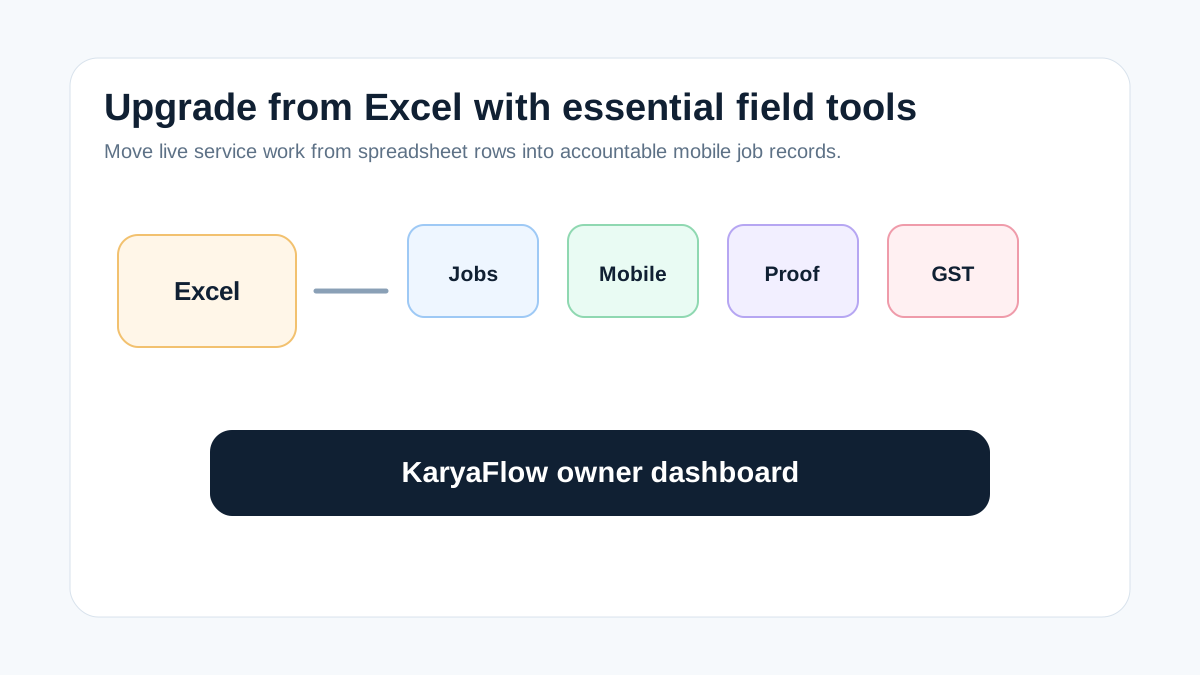 Service business upgrade path from Excel to essential field service tools for jobs, technician app, proof, parts, payments, GST handoff, and dashboard
Prepare the records behind each workflow before testing the move from Excel.
Service business upgrade path from Excel to essential field service tools for jobs, technician app, proof, parts, payments, GST handoff, and dashboard
Prepare the records behind each workflow before testing the move from Excel.
Choose the records for the first pilot
A data pilot needs a small set of real work that staff can check. Include open service calls, jobs due soon, a repeat visit, an AMC visit, a parts issue and a job with payment still due. Use approved test data or a controlled copy that the team is allowed to share with the selected vendor.
Keep a dated copy of the source sheets. Record which sheet and row each pilot record came from. Do not delete the old files or overwrite the source while staff check the new records.
Leave closed historical jobs out of the first batch unless they explain an active warranty, repeat fault, AMC visit or balance. The aim is a reliable sample, not a complete archive on day one.
Data readiness worksheet
Use this worksheet before a KaryaFlow or other FSM pilot. The review owners below are suggested roles; assign a named person in your team. These are data checks, not a list of verified import fields or features.
Scroll sideways to see every column if needed. With a keyboard, focus the table and use the left and right arrow keys.
| Record | Check before the pilot | Review owner | Evidence to keep |
|---|---|---|---|
| Customer and site | Check duplicate names, phone numbers and site addresses. Keep two sites separate even when the customer is the same. | Office coordinator | Source row and agreed customer/site reference |
| Open job | Confirm the request, current status, assigned technician and next action. Do not use a vague note such as "pending" without its reason. | Dispatcher | Source job reference and checked next action |
| AMC or warranty | Check coverage, start/end dates, visits due and the link to the right unit or site. A payment note does not prove coverage. | Contract owner | Contract or warranty reference and due-visit record |
| Parts and technician stock | Separate store stock, parts held by a technician, parts used and returns still due. Ask the stock owner to resolve gaps. | Store or parts lead | Issue, usage or return record |
| Payment and invoice work | Separate money still due, payment recorded, receipt confirmed and invoice still needed. Have accounts review unclear amounts. | Accounts reviewer | Source balance and payment/invoice reference |
| Repeat visit and installed unit | Link the earlier job, fault, unit and current follow-up. Do not merge two units just because they share an address. | Service supervisor | Earlier job reference and unit details |
For customer-history checks, read the repeat-visit job history guide. Use the worksheet to record gaps; it does not establish that a vendor can import, link or export every field shown here.
Illustrative RO service-center record
An RO service center may keep customer name, phone number, address, technician, filter type, next service date and payment remarks in Excel. The same team may use WhatsApp for photos, a register for used filters and a separate note for AMC renewals.
Consider an illustrative row marked "completed." The photo is in a chat, the used filter is in the stock register, and payment is marked "check with technician." This is a sample data problem, not a reported customer result or a verified KaryaFlow screen.
Before the pilot, the coordinator should find the matching job and unit. The parts lead should confirm the filter used. Accounts should check whether payment is still due or already received. The contract owner should confirm whether the visit used AMC coverage and whether another visit is due. Keep any missing answer open with an owner.
For related field observations, see the RO service-center field notes. Those observations do not prove the outcome of this illustrative migration.
Sample-record acceptance check
Ask the selected vendor to show how the agreed sample can be imported or recreated. This guide does not verify native imports, exports, field mappings or retained history in KaryaFlow or another product. Confirm the supported route, format and limits in the configured pilot.
Check the sample against the source, with the people who use the records:
- The coordinator can tell one customer and site from another without creating a duplicate.
- The dispatcher can find the open job, its current status, technician and next action.
- The contract owner can trace the visit to the correct AMC or warranty record.
- The parts lead can reconcile the sample's issued, used and returned parts with the source.
- Accounts can explain the sample balance and distinguish a payment note from confirmed receipt.
- The supervisor can find the earlier job needed for a repeat visit.
Record the source value, expected result, observed result, reviewer and unresolved gap. A successful screen demo is not enough if the records disagree. Ask how rejected rows, duplicates, date formats and corrections are handled, then check the actual result rather than assuming support.
Unresolved exceptions and handoff
Keep a short exception list for data that cannot yet be confirmed. Each item needs a source reference, issue, owner, next action and review date. For example, "payment unclear" should identify who will check the receipt and where the result will be recorded.
Do not turn a missing value into zero, mark an unverified payment as received, or treat an old planned visit as completed. Resolve the issue or agree how the record will remain visibly pending during the pilot.
Proceed with the next batch only when the relevant staff accept the sample and know how to handle open exceptions. Choose the pace from the results. This checklist does not promise a two-week switch or a first-month improvement.
After the data review, return to the staged Excel migration guide to plan who starts using the new workflow and when. Keep Excel copies for reference and agree how later changes will be recorded so two versions do not silently diverge.
FAQ
Which service records should we clean first?
Start with active customer and site records, open jobs, upcoming AMC visits, parts held by staff, and unpaid or invoice-required work. Include older records only when they explain an active job, contract, warranty or balance.
Does every old Excel row need to be ready before an FSM pilot?
No. Start with an agreed sample and keep the source files for reference. Check the records that affect current service work before expanding the batch. Record any missing history that the sample needs.
Does this checklist confirm KaryaFlow can import our spreadsheet?
No. Ask the vendor to demonstrate the supported import or recreation route for your fields and file format. Check rejected rows, duplicates, corrections and links between records in the actual pilot.
Who should approve the data before the next batch moves?
The people responsible for the records should review them: office staff for customers, dispatch for jobs, the contract owner for AMC, the parts lead for stock and accounts for balances. Assign a named owner to each unresolved issue.
Can we keep using Excel after the data pilot?
Yes, keep source copies and use spreadsheets for analysis where useful. Confirm any export you need with the vendor. Once a workflow moves, agree which system owns new updates so the records do not split across two live versions.
Related guides
- Move service operations off Excel for the migration decision and staged rollout.
- Replace Excel for service scheduling for choosing the right scheduling category.
- WhatsApp and Excel field service replacement for chat-to-job handoffs.
This checklist is a preparation aid. It is not a completed migration, a product test or proof of a measured business result.