 KaryaFlow
Editable blank report
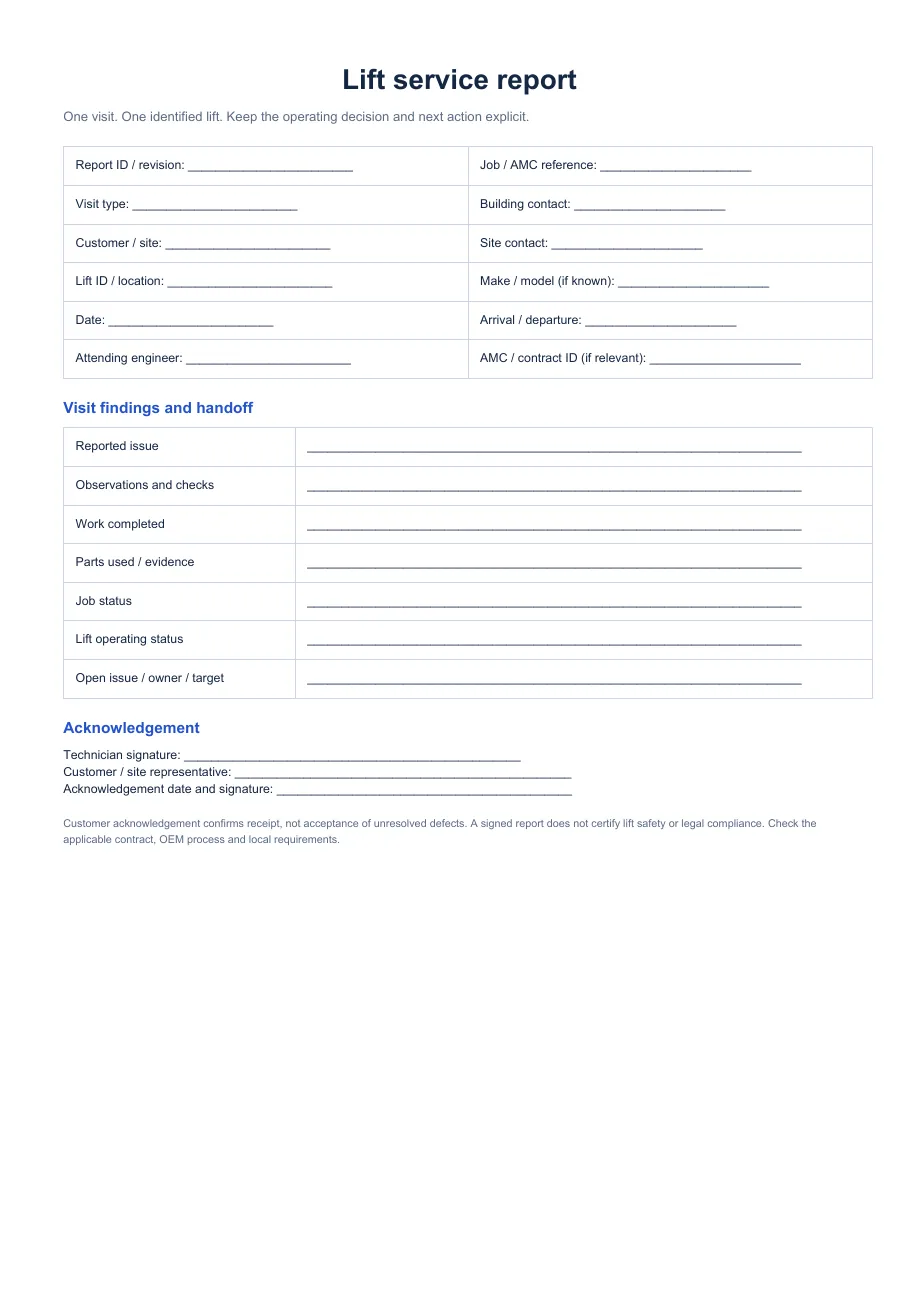
Type into a Word copy and adapt the fields for your company and customer.
Download DOCXFree lift service report template
A society reports that one lift door keeps reopening. Your technician attends, checks the fault and leaves. What will the building manager see afterward? Use this editable report to record the exact lift, the work done, its operating status and any follow-up. It documents one visit; it does not replace the lift’s ongoing logbook.
Get the free templatesDirect downloads · No form or account required
Download
Type into a Word copy and adapt the fields for your company and customer.
Download DOCXPrint a blank visit record for on-site completion.
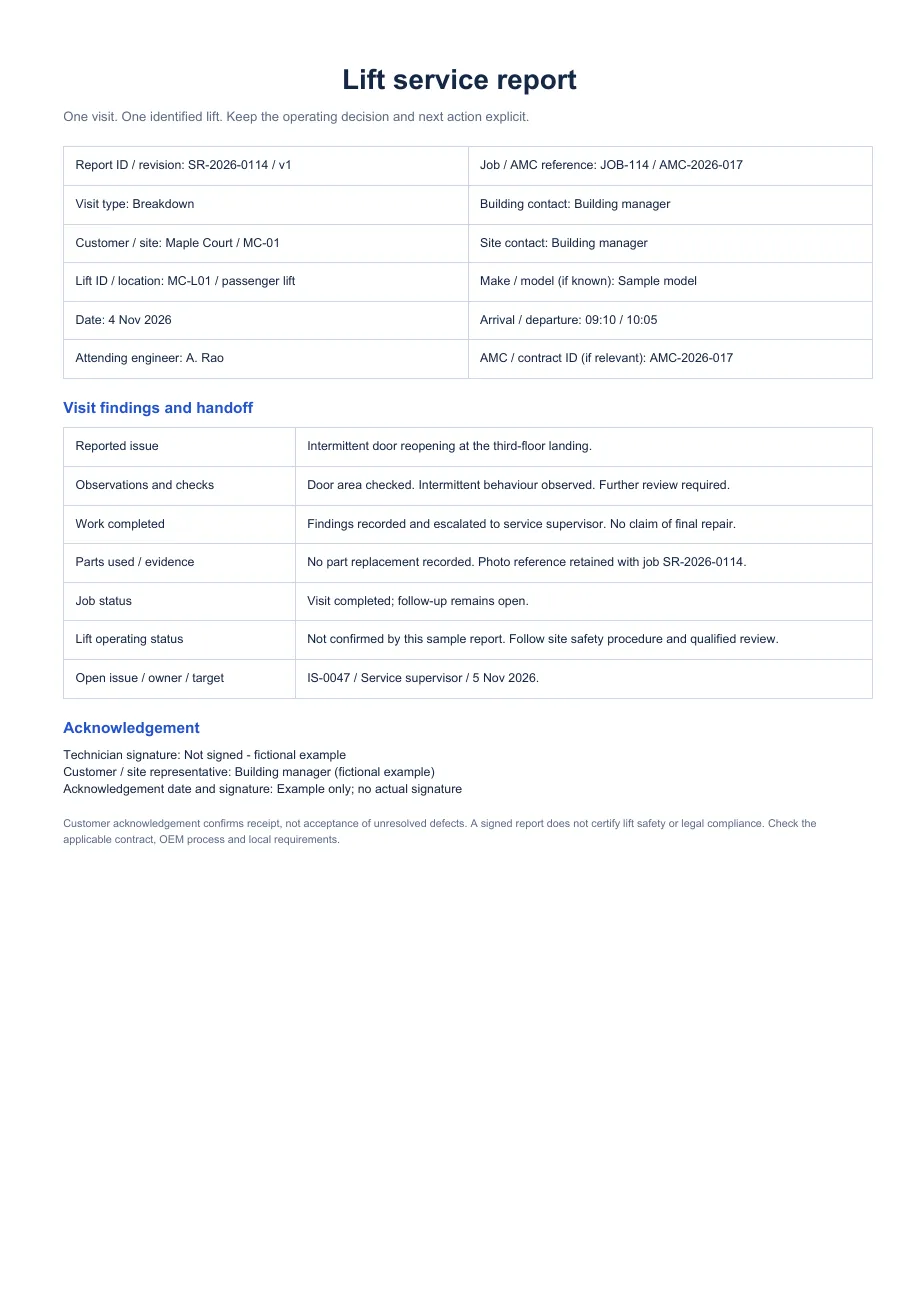
Download PDFRead a fictional door-fault visit with an unresolved follow-up.
Download PDFIllustrative example
In the fictional example, the engineer attends Maple Court’s passenger lift MC-L01 on 4 November 2026. The door fault is observed, but the team does not claim the lift is cleared for operation when a follow-up check remains open.
What to record
Make the record useful to the next technician, the office and the customer. Identify the particular lift rather than only the building.
Report or job ID, customer, site, lift ID, visit type, date, arrival and departure, and attending engineer.
Reported issue, observations, checks performed, work completed, parts used and evidence references. Record facts, not assumed causes.
Separate job status from the lift’s operating status. Note open issues, owner, target follow-up and customer acknowledgement.
Use the template
This is an operational template, not a certification that a lift is safe or compliant. The qualified maintenance provider must decide what testing, escalation, shutdown and statutory records apply at that site.
Choose the right record
Use this report for the observations and outcome of one visit to one lift. The logbook keeps the continuing history of that lift. The AMC tracker helps the office plan contract visits and renewal follow-up. Keep the report ID in both records so the team can find the source evidence.
KaryaFlow workflow
KaryaFlow’s job workflow can hold customer and site details, an assigned technician, checklist answers, work notes, parts and a completion sheet. The office can review that job record and the lift’s service history.
Your team still enters the engineer’s findings and operating status, checks unresolved issues and decides what to share with the customer. This downloadable Word report is a separate template; the page does not claim KaryaFlow automatically creates this exact file.
See the work order workflowCommon questions
No. This report documents one visit and one lift. The logbook indexes work across visits and keeps unresolved issues visible.
No. Acknowledgement confirms receipt of the report. It does not close defects, establish statutory compliance or authorize operation.
Yes. Download the DOCX version to edit the blank fields. The PDF is a printable blank copy, and the filled PDF is a fictional illustration.