 KaryaFlow
Editable logbook
Five tabs: Read Me, Lift Register, Event Log, Open Issues and Example.
Download XLSXFree lift maintenance logbook
The engineer who attends the next call needs to know what happened before. This editable logbook keeps a lift register, dated service events and open issues together. Use it across visits and callbacks. For the details of a single visit, complete a separate service report and reference it in the log.
Get the free templatesDirect downloads · No form or account required

Download
Five tabs: Read Me, Lift Register, Event Log, Open Issues and Example.
Download XLSXA paper layout for a lift register, events and open issues.
Download PDFSee how a planned visit, breakdown and unresolved issue connect over time.
Download PDFIllustrative example
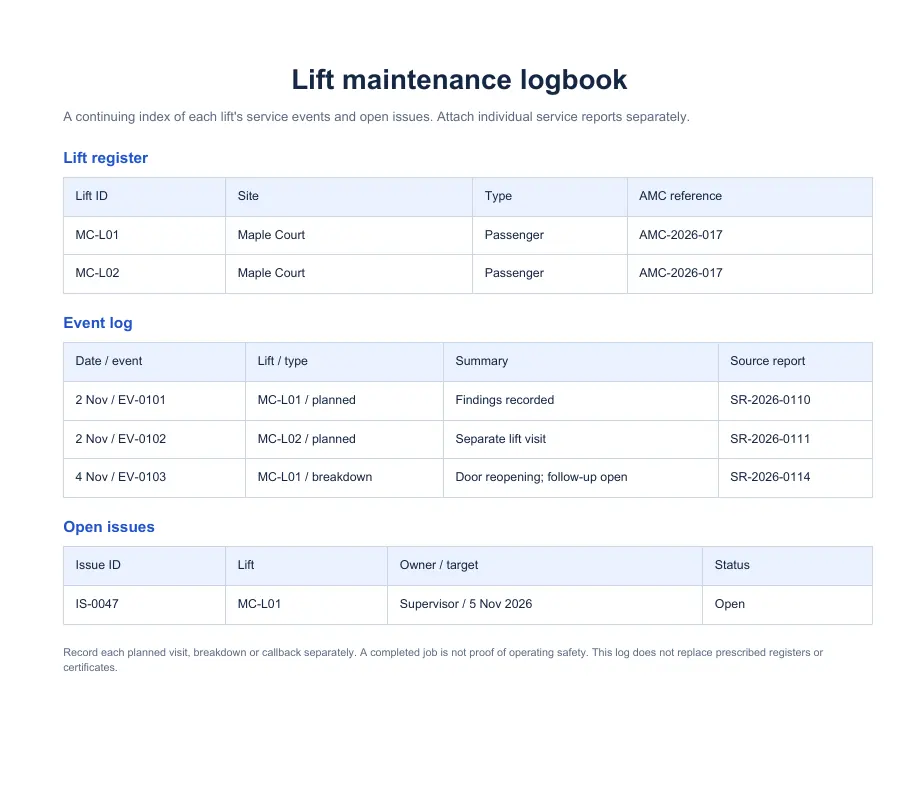
Maple Court’s fictional register lists two passenger lifts. MC-L01 has a planned visit and a separate door-fault breakdown. The breakdown does not erase the planned visit, and the open issue remains visible until someone records its resolution.
What to record
The logbook is a chronological index of work and follow-up. It should not turn an unchecked box into a claim that an inspection occurred.
Site and lift IDs, customer reference, make or model where known, and a reference to the applicable maintenance agreement.
Visit type, date and time, engineer, complaint, work summary, report ID, parts reference and a separate operating status.
Issue ID, first noted date, severity as your team defines it, owner, next action, target date and closure evidence.
Use the template
This operational logbook does not replace any state-prescribed register, OEM document, inspection certificate or engineering judgement. Check the requirements that apply to the lift and location.
Choose the right record
The logbook is the continuing index for one lift, even when different technicians attend. Use the service report for each visit’s detailed observations and customer handoff. Use the AMC tracker for future planned visits and contract renewals; a completed event in this logbook should reference its source report.
KaryaFlow workflow
KaryaFlow’s asset management workflow can keep customer, site and installed-unit records with the related AMC and job history. The team can use the same lift identity when reviewing past visits and assigning the next job.
The office must still check source reports, enter or import historical data accurately and resolve open issues. This downloadable workbook is an editable operational register; it is not a tamper-proof audit trail or an automatic export from KaryaFlow.
See customer asset managementCommon questions
Give each lift a stable ID. Several lifts can share one site, but their events and open issues need separate records.
The Excel file is editable. For an accountable working process, append a dated correction or follow-up note and retain the original source report instead of silently overwriting history.
No. It is an operational history template. Check the register and inspection requirements that apply to your state, equipment and contract.