 KaryaFlow
Blank editable tracker
Ten tabs with blank working records, an example guide and a user-set as-of date.
Download XLSXFree lift AMC planning workbook
An AMC may cover two lifts at one site and only one at another. A breakdown call can arrive on the same day as a planned visit. This workbook helps the office keep contract coverage, planned obligations, completed visits and renewal follow-up separate, so one record cannot silently stand in for another.
Get the free templatesDirect downloads · No form or account required

Download
Ten tabs with blank working records, an example guide and a user-set as-of date.
Download XLSXSee two covered lifts, planned visits, a breakdown and the renewal dashboard.
Download XLSXIllustrative example
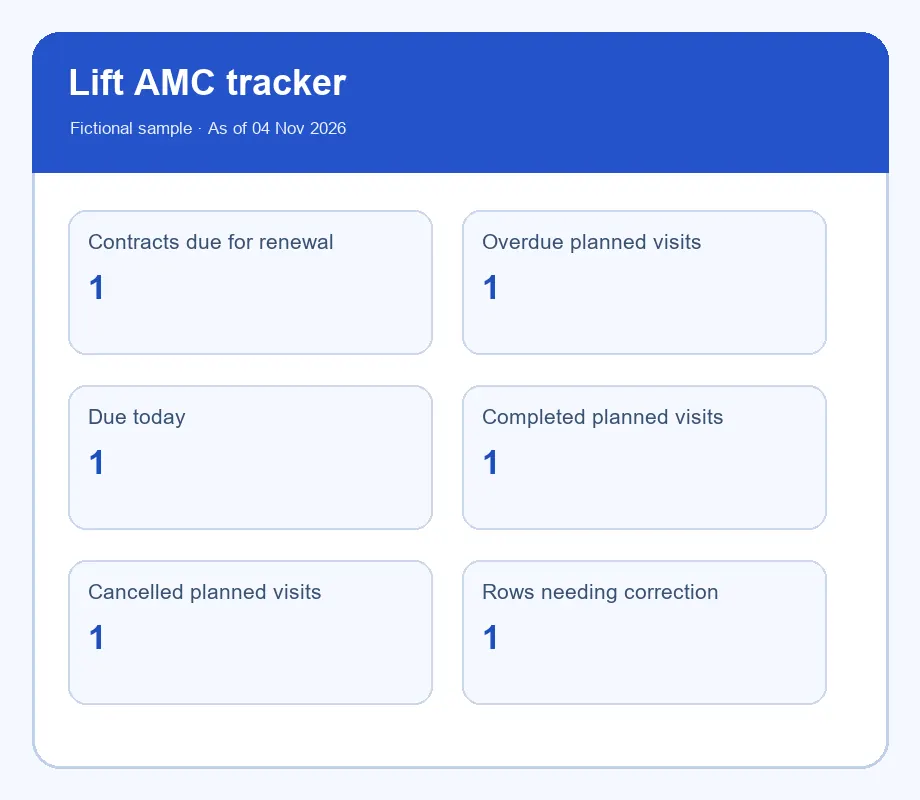
The fictional sample uses 4 November 2026 as its as-of date. The AMC ends on 31 December 2026, leaving 57 days. The team chose a 60-day renewal window, so the contract needs follow-up. The planned visit due on 3 November is overdue; the one due on 4 November is due today.
What to record
The workbook is an office planning tool. It is not a substitute for a signed contract, technician report or maintenance logbook.
Keep customer site, lift ID, contract dates, covered units and agreed visit dates together. Enter the actual contract terms; the workbook does not assume a universal interval.
Give every obligation a unique planned ID and due date. Reference completed visit logs and reports by ID; duplicate logs must not inflate completion counts.
Choose the follow-up window, assign an owner and record a renewal stage. A renewal reminder is distinct from a signed successor contract.
Use the template
The workbook flags dates and record mismatches; it does not verify that an engineer attended, that work met the contract, or that a lift is safe or compliant. Your team must review the source evidence and local obligations.
Choose the right record
The tracker manages future obligations and renewals by contract and covered lift. The service report records what happened during one visit. The logbook preserves each lift’s history. Link all three with stable lift, plan and report IDs; never mark a planned visit complete from a breakdown entry alone.
KaryaFlow workflow
KaryaFlow can keep customer sites, installed lifts, AMC contracts and job history connected. The office can schedule and assign service work, and technicians can record their visit details on the job.
Your office still checks the signed agreement, enters the actual visit dates and scope, reviews completed evidence and follows up on renewals. The Excel tracker is an independent planning aid; it does not send reminders, renew contracts or certify compliance by itself.
Explore KaryaFlow for elevator teamsCommon questions
No. The example logs breakdowns separately. Review your actual contract and process if a visit could satisfy more than one obligation; do not let the spreadsheet infer that automatically.
It counts the unique Plan ID once when a completed planned-AMC log matches the same lift. Duplicate evidence rows do not increase the completed-obligation count.
No. A follow-up stage is separate from contract coverage. Record a signed successor contract with its own dates and reference if the customer renews.