 KaryaFlow
Editable blank certificate
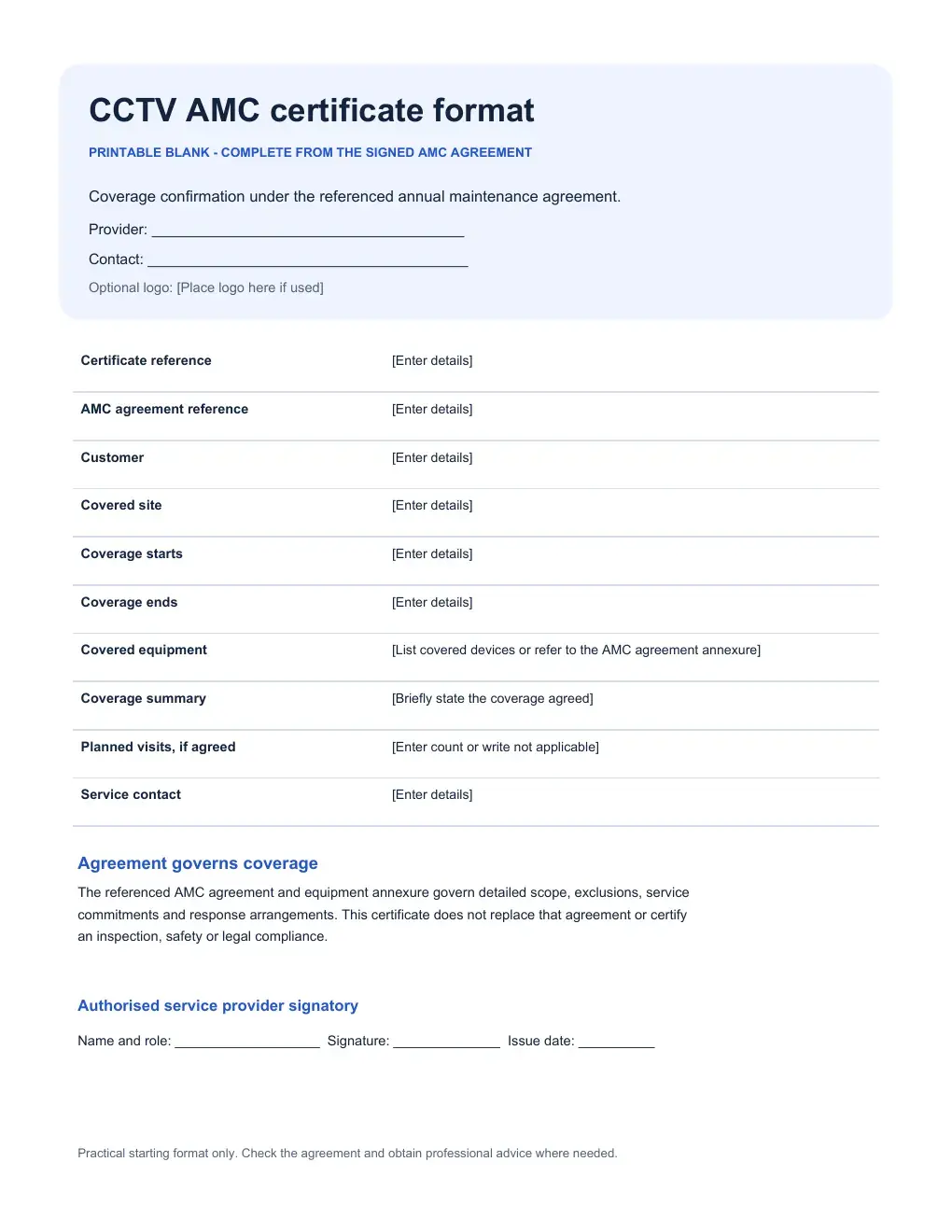
Type in the provider, site, agreement, coverage and signatory details.
Download editable WordFREE CCTV AMC TEMPLATE
A CCTV AMC certificate gives a customer a short record of which site and equipment are covered, and for what dates, under an existing annual maintenance agreement. A service business might provide it after both sides have agreed the AMC. Download the editable Word format, check every field against the signed agreement, then share the completed certificate with the customer.
Get the certificate formats
DIRECT DOWNLOADS
Choose the editable Word file or a printable PDF. No account or email is required.
Type in the provider, site, agreement, coverage and signatory details.
Download editable WordPrint the same blank fields to complete from the signed agreement.
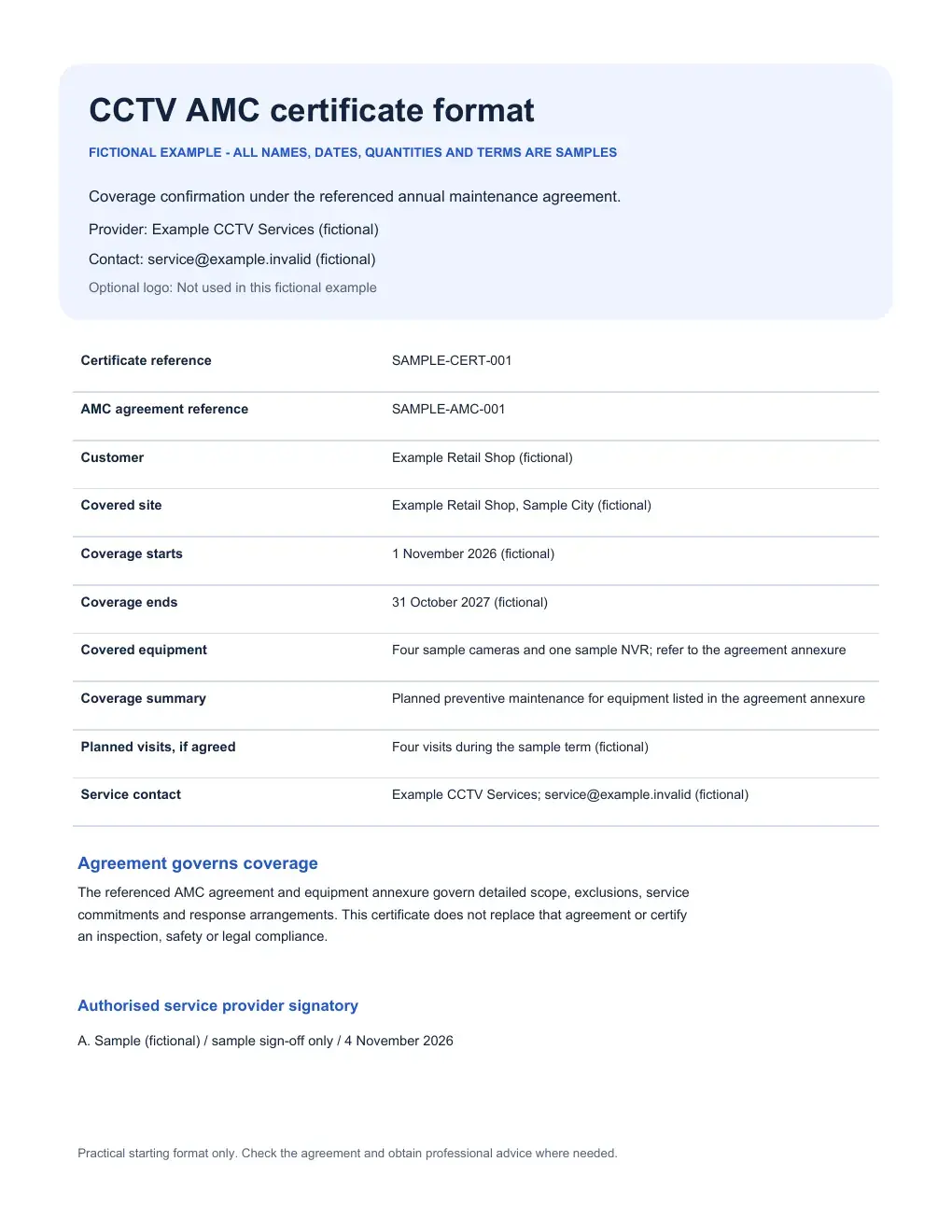
Download blank PDFSee a sample retail site and equipment summary. All details are fictional.
Download example PDFCHECK BEFORE DOWNLOADING
These previews come from the same PDFs as the download buttons above. The example shows how an agreement reference, coverage dates and equipment summary fit on one page.
FILL THE RIGHT DETAILS
Each field points back to the agreed maintenance coverage. Check the contract before you issue the certificate.
Give the certificate its own number and point to the AMC agreement that governs the actual terms. Check that the reference matches the signed copy.
Name the customer and exact covered site. Copy the start and end dates from the agreement; do not extend coverage by changing this certificate alone.
Summarise covered cameras and recorders, or refer to the agreement’s equipment annexure. Include a short scope summary and visit count only when agreed.
Enter the service business’s name and contact details, an optional logo, the service contact and an authorised person who can issue the certificate.
USE THE RIGHT DOCUMENT
The certificate confirms stated coverage. These other records serve different stages of the customer relationship.
Offers scope, planned service and price before acceptance.
Prepare an AMC offerRecords accepted terms, exclusions and covered equipment.
Review the agreement formatSummarises coverage under the agreement for the named site and term.
This templateRecords what the technician checked and did on an actual visit.
Use the visit reportFor camera-by-camera checks, use the editable CCTV inspection workbook. A certificate alone does not show that a technician inspected the equipment.
BEFORE YOU ISSUE IT
Open the Word file and replace every bracketed prompt. Add your business details and optional logo, then copy the agreement number, customer, covered site and dates from the signed AMC. Summarise the equipment or refer to its annexure. State a planned visit count only if the agreement includes one.
Check the final certificate against the agreement and share a copy only after your authorised person reviews it. Keep camera passwords, access codes and footage out of the file. This format is a practical starting point, not legal advice; obtain professional advice where your circumstances require it.
The CCTV AMC guide explains how the office can follow contracted visits and service records after coverage begins.
PRACTICAL ANSWERS
Yes. The blank DOCX contains ordinary editable text and table fields. Replace the bracketed prompts, check the details against the agreement, and save your own copy.
No. It summarises coverage under the referenced agreement. A technician’s inspection checklist or service report should record what was actually checked, found and repaired during a visit.
First confirm the accepted agreement, covered equipment, dates and exclusions. A quotation is only an offer. The certificate should reference the agreement that actually governs coverage.
No. Keep the signed agreement and equipment annexure as the detailed source for scope, exclusions, response commitments and commercial terms. The certificate is a shorter confirmation.
This Word and PDF template is a separate download. KaryaFlow’s customer, equipment, AMC and job records can help your office check the underlying details; verify any document-generation or sending requirement in a product demo.
AFTER THE CERTIFICATE IS ISSUED
KaryaFlow can keep customer sites, installed equipment, AMC dates and service history connected. The office can review scheduled work and assign a visit; a technician can record checks, notes and parts on the job. That gives the team a record to consult for the next visit and renewal follow-up.
Your team checks the agreement and fills in this downloadable certificate. For the ongoing work, explore customer equipment and AMC records and the CCTV service workflow. A demo can show how your office would handle a particular site and its scheduled visits.