 KaryaFlow
Editable blank report
Add your company details and type into the fields before sharing or printing.
Download Word templateFREE CCTV SERVICE TEMPLATE
A CCTV service report records what a technician found, checked and changed during a customer visit. CCTV installers and service teams can use this format for breakdown calls, installation handovers and maintenance work. Download a blank Word or PDF copy, then compare it with the fictional completed example below.
Get the templates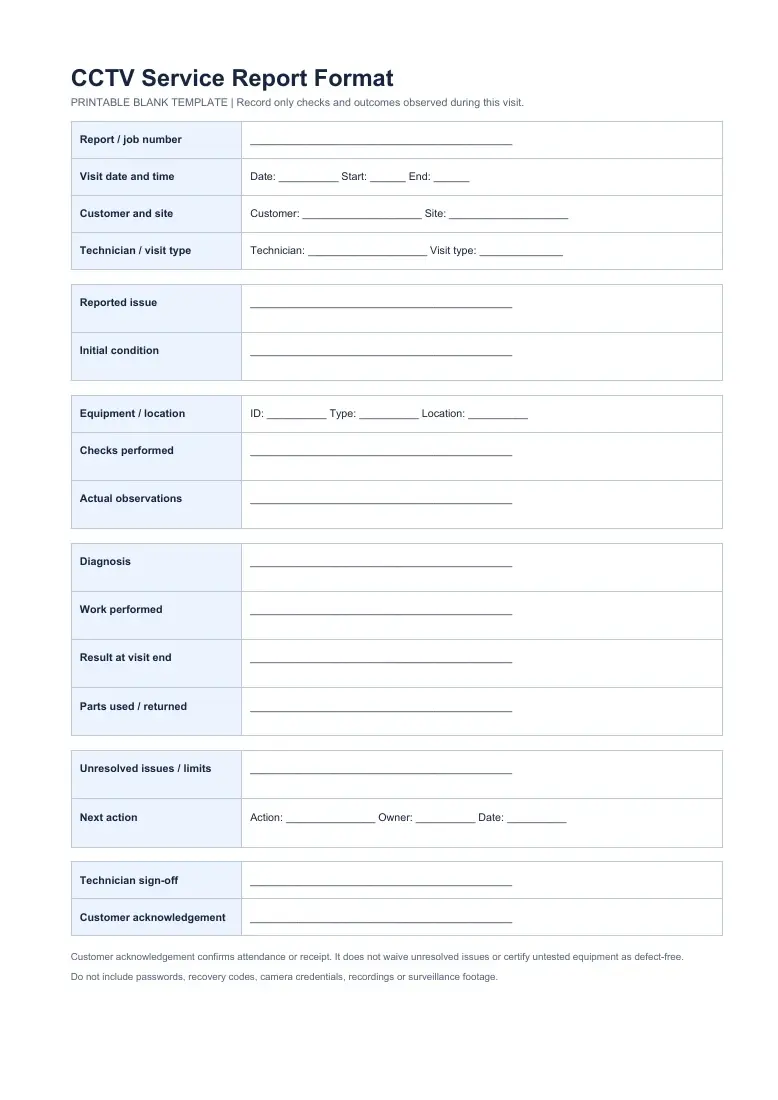

CHOOSE YOUR FORMAT
No form or account is required. The Word and PDF templates contain the same blank fields.
Add your company details and type into the fields before sharing or printing.
Download Word templatePrint a clean copy for a technician to complete during the visit.
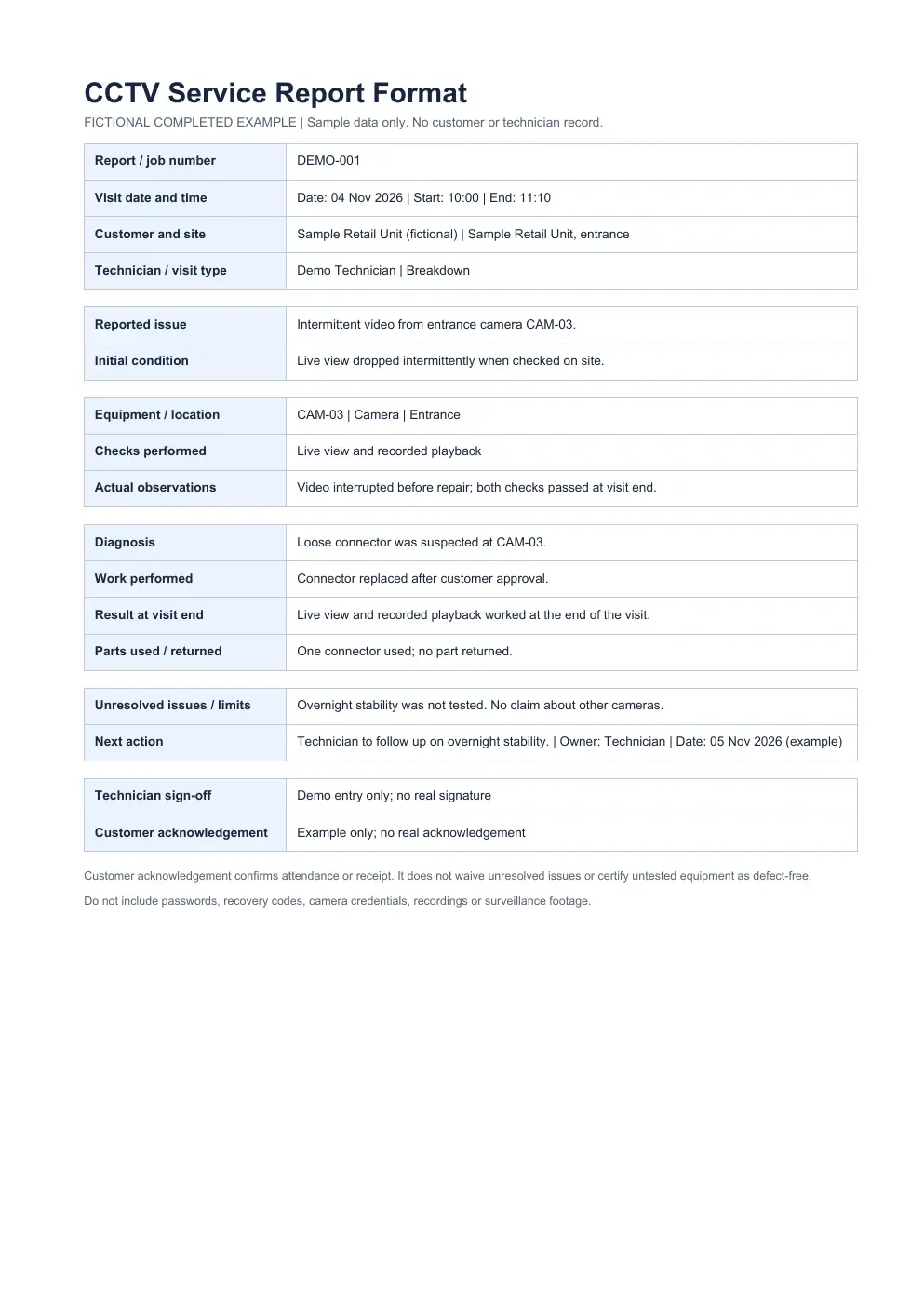
Download blank PDFSee how one breakdown visit records the repair and what remains untested.
Download example PDFREAD THE EXAMPLE
This fictional CAM-03 visit uses the same fields as both blank templates. The technician records the successful checks at handover and leaves the overnight test open.
Customer acknowledgement confirms attendance or receipt. It does not waive unresolved issues or certify untested equipment as defect-free.
WRITE WHAT HAPPENED
Write the report number, visit time, customer site and technician. Use the camera or recorder ID and its location, such as “CAM-03, entrance”, so a later technician can find the same device.
Write the customer’s reported symptom and the condition you saw on arrival. Then record each test you actually performed. If you checked live view but not recorded playback, say so.
Describe the diagnosis, approved work and any parts used or returned. Recheck the affected equipment and describe the result at the end of the visit. “Working” alone leaves too much to guess.
State what you did not test or could not fix. Add the next action, the person responsible and a follow-up date. Ask the customer to acknowledge receipt or attendance without treating that acknowledgement as a defect-free sign-off.
Keep passwords, recovery codes, camera credentials, recordings and surveillance footage out of a shared service report.
TWO RECORDS, DIFFERENT JOBS
A preventive checklist lists the camera, recorder and site checks planned for an AMC visit. The service report records what happened during one visit, including the reported fault, observations, repair, remaining limits and next action.
For a scheduled inspection, complete the checklist and attach its findings to the visit report. Our CCTV AMC guide includes an editable inspection record.
Checklist: What should the technician inspect?
Service report: What did they find and do?
PRACTICAL QUESTIONS
The blank DOCX is editable. Add your business name, equipment checks and visit details, and keep untested items and follow-up work visible when you share the report.
The blank PDF is designed for printing. The completed PDF uses fictional data to show how a breakdown visit could be recorded.
The customer may acknowledge that the technician attended or that they received the report. Record any open fault and the next action clearly. A signature should not imply that untested equipment passed or that unresolved work is waived.
A checklist records the checks planned for an inspection, often camera by camera. The service report records the actual issue, checks, work, result and follow-up for a particular visit. Attach the completed checklist when the visit calls for one.
FROM COMPLAINT TO VISIT RECORD
Your office can register a CCTV service complaint, assign a technician and keep the job details in a mobile job card. The technician can add checklist answers, photos, work details and parts used. A completion sheet then supports the office’s review of the finished visit.
This downloadable template is an independent blank record. Ask for a demo if you need to see how your own report fields and approval process fit KaryaFlow’s job workflow.
Keep the report close to the job. The next technician should be able to see what worked, what remains open and who will follow up.