 KaryaFlow
Editable survey and material list
Three sheets: a blank site survey, a preliminary material list and a clearly fictional worked example.
Download editable ExcelFREE CCTV PLANNING TEMPLATE
A CCTV site survey helps an installer record what the customer wants and what the site can support before designing or pricing the work. Use this checklist to note camera positions, access, cable routes, power, network and recording requirements. Then draft a preliminary material list that your team can check before sending a quotation.
Get the survey formats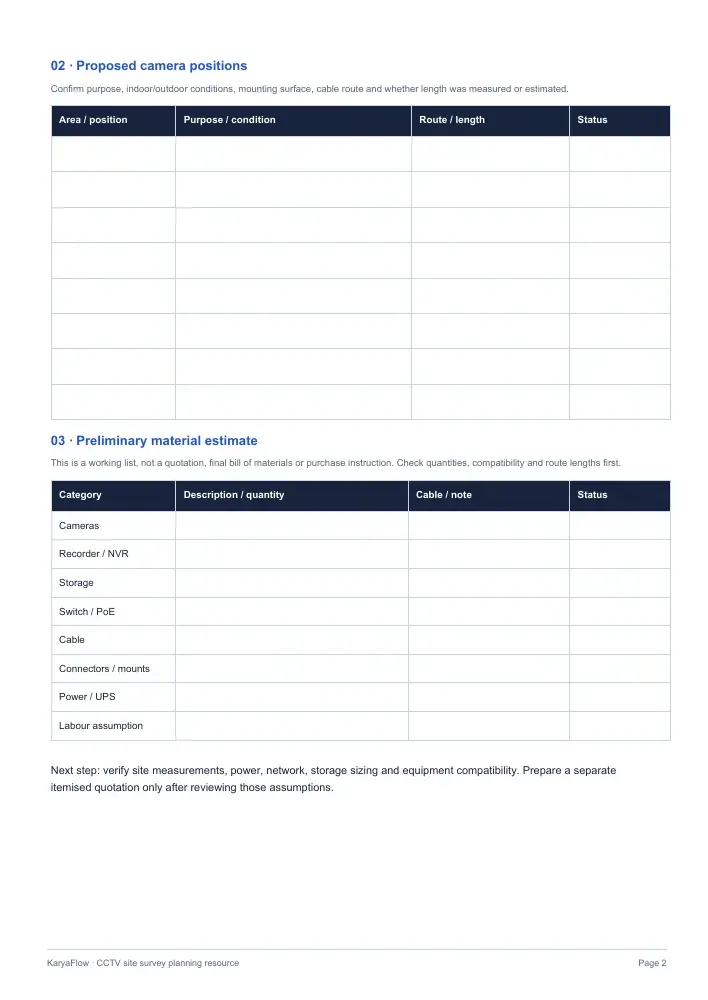
DIRECT DOWNLOADS
No email or account is required. Edit the Excel workbook, or print the blank PDF. The completed PDF shows a fictional example, not a recommended equipment design.
Three sheets: a blank site survey, a preliminary material list and a clearly fictional worked example.
Download editable ExcelTake the two-page checklist to site and write observations, camera positions and material assumptions by hand.
Download blank PDFSee a retail-site example with four proposed camera positions and unresolved design questions.
Download example PDFPREVIEW THE FIELDS
The blank survey and printable PDF ask for the same core observations. The workbook gives you a separate sheet for preliminary materials.
The material sheet has no market prices or automatic storage calculations.
Keep camera passwords, network credentials, access codes, footage and sensitive floor plans out of this survey file.
FICTIONAL WORKED EXAMPLE
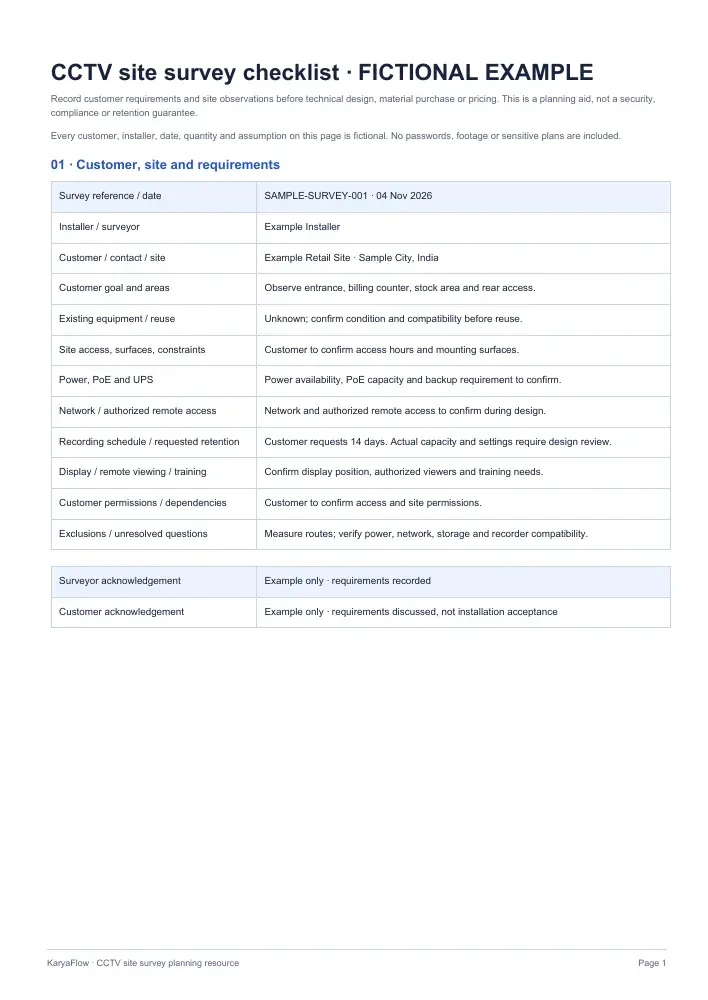
These sample names, dates, positions and quantities only illustrate how to fill the fields. They do not establish a suitable design for a real site.
A fictional retail customer asks for views of the entrance, billing counter, stock area and rear access. The example proposes four camera positions and an eight-channel recorder, subject to equipment compatibility review.
The material sheet marks about 100 metres of cable as estimated, not measured. The customer asks for 14 days of recording, but the storage capacity, power availability and authorized remote access remain open design questions.
Before quoting, the installer needs to measure routes and confirm mounting, power, network, recorder and storage requirements. No security or retention outcome is promised.
Read the fictional sample PDFON-SITE PROCESS
Work through the site in a consistent order, then keep uncertain details visible for the design review.
Record the customer’s goal for every area. Discuss entry points, counter activity and stock access without assuming one camera can cover everything.
Note indoor or outdoor conditions, mounting surfaces, permission to enter each area and any installation constraints.
Sketch route notes in your own secure design record. Enter lengths as measured or estimated, then check PoE, available power and backup needs.
Write the requested recording schedule, retention, display and authorized remote access. Leave storage sizing for the final equipment design.
Draft cameras, recorder, storage, cable, connectors, mounts and labour assumptions. Check existing equipment before marking it reusable.
Confirm measurements, compatibility, permissions and exclusions. Then prepare a separate itemised customer quotation.
KEEP THE RECORDS DISTINCT
What does the customer need, and what did the installer observe?
This resourceWhat equipment and work may be required, subject to verification?
Open the workbookWhat work, equipment and price is the business offering?
Use the quotation formatWhat was installed, tested and accepted after the work?
Open the handover workbookBEFORE SHARING THE FILE
Make a copy of the workbook. Add or remove camera-position rows to fit the site, then enter customer goals, proposed areas and installation constraints. Mark every cable length as measured, estimated or still to verify. Review the sample sheet for the intended level of detail; it contains no real customer information.
The PDFs are for print and reading. A customer acknowledgement records that the requirements were discussed; it does not approve a final design or prove installation. For the later stages, read the installation and handover guide and use its handover workbook.
PRACTICAL QUESTIONS
Record the customer's goals, site access, proposed camera positions, mounting conditions, cable routes, power and network questions, recording request, existing equipment and unresolved decisions. Mark estimated lengths separately from measurements.
Yes. The XLSX has editable blank survey and material-list sheets. The two PDFs are printable copies; the completed PDF is a fictional example.
No. It is a preliminary estimate. Confirm camera types, recorder compatibility, storage, power and actual cable routes before purchasing materials or preparing the priced customer quotation.
No. Recording capacity depends on the final cameras, resolution, frame rate, compression, recording schedule and configuration. Record the customer's request in the survey, then review the design separately.
No. The acknowledgement only confirms that the survey requirements were discussed. The quotation records the offered scope and price; an installation handover records completed work and acceptance.
FROM THE SURVEY TO AGREED WORK
The downloadable survey is a separate planning template. Your team still checks the site observations and designs the equipment and cable routes. KaryaFlow’s quotation module can then itemise parts and labour, share a PDF and turn an approved quotation into a service job. The office can schedule and assign that job; technicians can use the job record for their checklist, work details and photos.
KaryaFlow does not automatically turn this workbook into a quotation, calculate camera coverage or storage, scan the network or design cable routes. See the wider CCTV service workflow, or review a CCTV quotation example before pricing the installation.