KaryaFlow
Last updated: 21 October 2026.
A visit you can follow.Give every scheduled service a person, a clear job and a record of the work.

AMC technician management software should connect a scheduled visit to the person doing it and the record of the work. Start with one contract, assign its next visit, open the technician's job card and trace the checklist, parts and customer acknowledgement back to the office. That is a more useful buying test than counting dashboard features.
This guide is for Indian service businesses choosing software for AMC field technicians. KaryaFlow is one option to evaluate. The examples below show what to check, not a guarantee that every rule, approval or integration runs automatically.
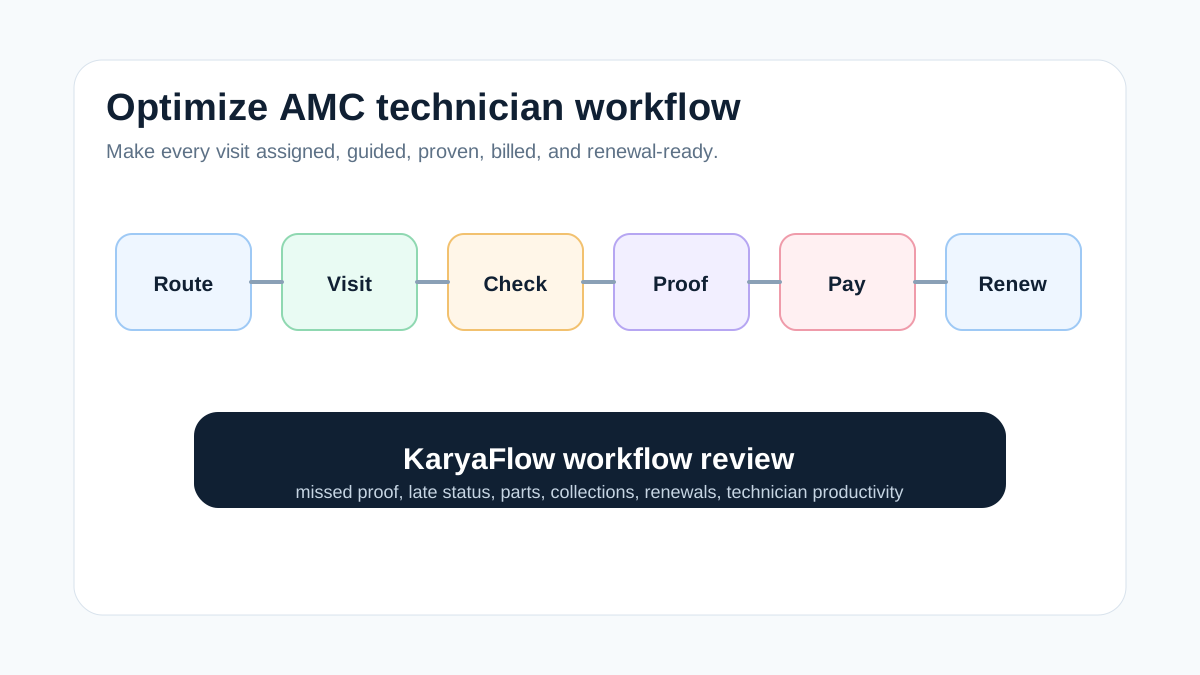
For the broader contract-to-renewal picture, start with the AMC management guide. If you already have software and need a daily operating process, use the AMC technician workflow guide.
What does an AMC technician do during a service visit?
An AMC technician carries out the maintenance agreed in an annual maintenance contract. The task depends on the equipment and contract: inspecting an AC unit, checking a purifier, testing a CCTV system or servicing another covered asset. The technician should know the site, asset, agreed work and what needs office approval before doing additional work.
An AMC visit is one scheduled service appointment under that contract. A contract with four preventive visits does not necessarily include every breakdown call, replacement part or extra site visit. Define those boundaries in the service contract scope.
For software selection, follow three records: what was promised, who was assigned, and what was actually recorded. A booked date is not a completed visit, and a technician arriving at the site is not proof that the agreed maintenance was finished.
What is the best FSM platform for AMC field technician management?
There is no single best platform for every AMC team. Choose one that can demonstrate your actual visit workflow: contract context, scheduling, technician assignment, mobile records, parts and the next office action. An office-led team with ten technicians has different needs from a multi-branch operation with subcontractors and complex approval rules.
Ask the coordinator to find a due visit, the technician to complete its record, and another office user to retrieve the result. Note anything that needs configuration, a manual handoff or another system. KaryaFlow's work-order workflow is a useful starting point for that walkthrough.
What should an AMC technician scheduling app show?
A technician scheduling app should make the next decision clear: which visit is due, whether it has an owner, and whether the assigned person can attend within the agreed window. Keep due, assigned and completed work visibly separate. A postponed visit still needs an owner and a new date; it should not disappear into a completed total.
Before assigning, check the technician's equipment skills, leave and weekly-off schedule, travel time and existing appointments. Ask the vendor which of these checks are displayed, warned about or enforced. A list of technicians is not evidence of automatic skill-based dispatch.
Try one simple example: Arun is assigned to a preventive AC visit tomorrow, then requests leave. Can the coordinator identify the affected appointment, assign a replacement and keep the original contract reference? Demonstrate the result rather than assuming the leave module automatically reschedules jobs.
CRM, GPS or an AMC field service platform?
A CRM may be enough when the main task is storing customer details, tracking sales opportunities and following up on a renewal. A calendar can remind the office about a due visit. Neither, by itself, proves that a technician serviced the right asset, recorded a replacement part or obtained customer acknowledgement.
Evaluate the field-execution layer when the missing information is what happened at the site. Ask whether the coordinator can follow the same contract reference through the assigned visit, technician proof, parts, payment or coverage status, and renewal record without rebuilding the history from chat messages. A CRM with suitable service modules or integrations may support this too; judge the demonstrated workflow, not the product label.
GPS is supporting context, not completion proof. KaryaFlow's live technician tracking is an optional add-on; location-based attendance is separate. Confirm connectivity requirements, access controls and which actions are available in the technician app before including location tracking in the rollout.
AMC technician workflow to evaluate
Treat the following as buyer requirements. Ask the vendor to distinguish manual decisions, configured rules and automatic behavior—especially skill matching, availability checks, coverage and recurring visits.
Scroll sideways to see every column if needed. With a keyboard, focus the table and use the left and right arrow keys.
| Stage | What the FSM platform should do | Why it matters |
|---|---|---|
| Contract setup | Store customer, site, asset, plan, dates, visit count, inclusions | Prevents unclear commitments |
| Visit planning | Generate scheduled visits and reminders | Reduces missed AMC visits |
| Technician assignment | Assign by location, skill, availability, and workload | Keeps dispatch practical |
| Attendance and GPS context | Review check-in and site movement context | Improves accountability |
| Mobile job card | Capture checklist, photos, notes, and customer acknowledgement | Creates proof of work |
| Parts and consumables | Record free, warranty, chargeable, and used parts | Protects margin and inventory |
| Payment and billing | Mark AMC-covered, paid, pending, or invoice-required jobs | Keeps accounts aligned |
| Renewal follow-up | Track expiry, renewal quote, and customer status | Protects recurring revenue |
Technician mobile app for selling AMC plans and tracking commission
If technicians also sell AMC plans, include that handoff in the demo. Have them choose an approved plan, record the customer and equipment, then show how the office reviews payment and activation. Check whether the sale remains linked to the technician for commission review; do not assume commission eligibility, calculation and payout are the same action.
Keep this commercial task separate from completing a maintenance visit. The AMC plan management guide covers package definitions, activation and the service dates that follow a sale.
Best-fit industries
KaryaFlow should be evaluated first by Indian businesses where AMC work happens through mobile technicians:
- AC and HVAC service centers;
- RO and water purifier service companies;
- elevator and lift AMC teams;
- pest control businesses;
- CCTV, security, and fire safety service teams;
- solar installation and maintenance providers;
- appliance repair companies;
- facility management teams with multi-site visits.
Each of these teams needs more than contract storage. They need proof that visits happened and that exceptions were handled.
How to evaluate AMC FSM platforms in a demo
Ask vendors to run this scenario without using slides:
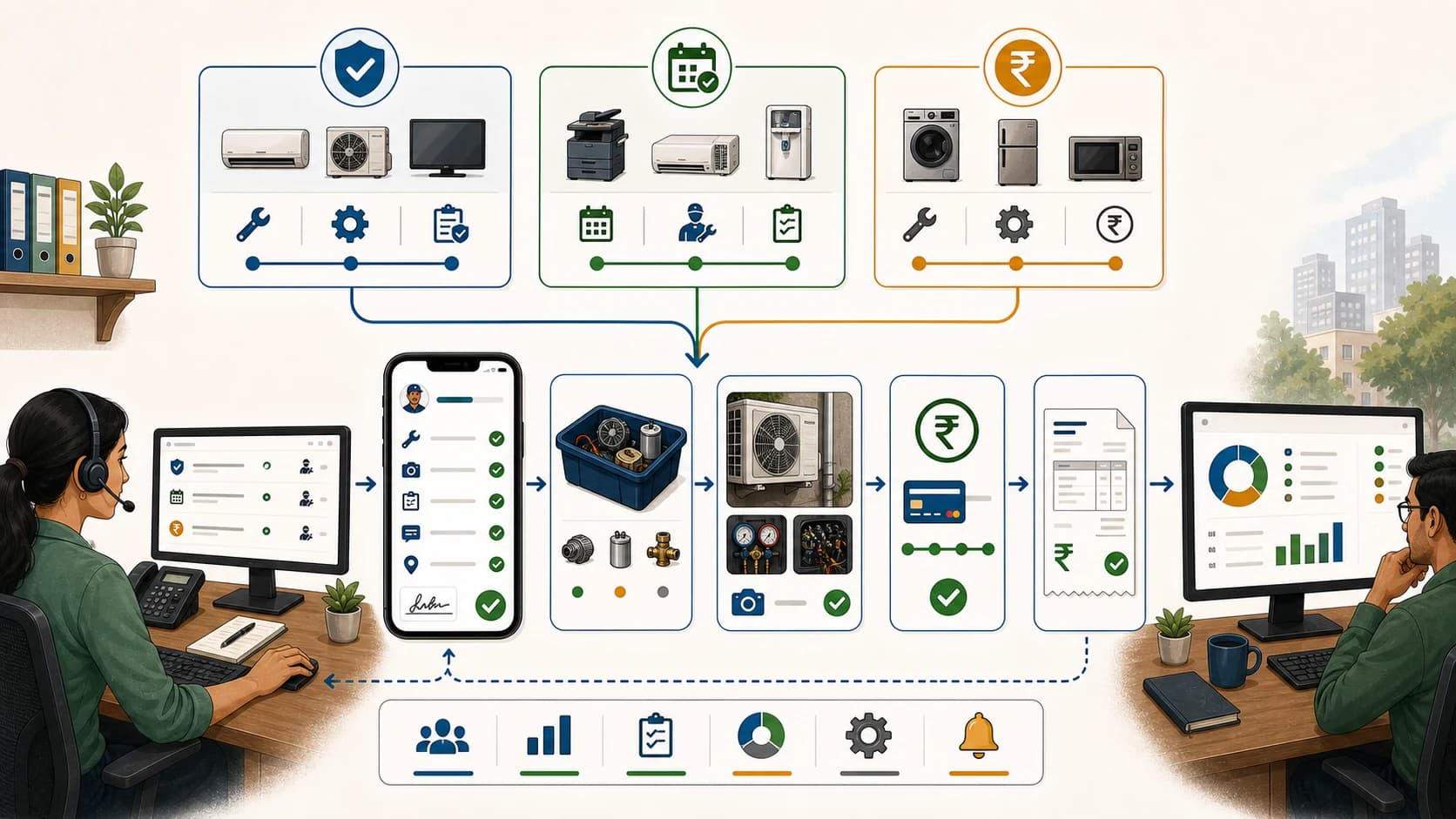
Create AMC -> add scheduled visits -> assign technician -> complete mobile job card -> record part used -> update payment status -> show renewal list -> show owner dashboard
Then ask:
- Can I see overdue AMC visits?
- Can I separate AMC-covered work from paid repairs?
- Can technicians capture photos, checklists, and customer approval?
- Can stock or consumables be attached to the visit?
- Can owners see renewal risk?
- Can accounts see whether a visit needs GST invoicing or is covered by AMC?
- Can managers review technician performance across AMC visits?
Record the result of each check as demonstrated, needs configuration, manual handoff, or not verified. A manual step may be acceptable for a small team; make its owner and effort explicit. A feature name on a slide is not the same as a completed test.
Check that the whole visit remains connected
Run the test with a coordinator and a technician, then ask another office user to find the result without help:
- Open the contract and identify the next due visit, assigned technician and customer site.
- Complete the mobile job card and find its checklist, photos and acknowledgement in the office view.
- Record a used part and check the associated job, quantity and coverage or charge decision.
- Find any unfinished work and confirm who must resolve it before closure or billing.
- Open the renewal record and find the service history rather than only the expiry date.
Also try one exception: a rescheduled visit, unavailable technician or chargeable part. Record what is enforced, what merely warns the user and what depends on an office decision. Do not assume automatic dispatch, offline sync or approval enforcement unless the vendor demonstrates it. For daily operating steps after selection, use the AMC technician workflow guide.
What should the technician record before office review?
The office needs enough detail to understand the work without calling the technician again. Start with the contract, site, asset, visit number and assigned person. Add the agreed checklist, observations, relevant photos, parts used and customer acknowledgement where required by your process.
a little more detail.Keep the checklist, parts and customer acknowledgement with the job.
Keep three decisions distinct: the technician has recorded the work; the office has reviewed any exception; and the visit is ready for closure or billing. For example, a replacement filter can be recorded while its coverage is still being reviewed. A finished checklist does not resolve that commercial question by itself.
In KaryaFlow's technician app, a job can include parts, quantities, a free-or-chargeable choice and a defective-part record. In your demo, check how those records connect to the contract's cover and the office's review process. The spare-parts inventory guide explains the stock and technician-custody side in more detail.
Example: one AMC contract becoming field work
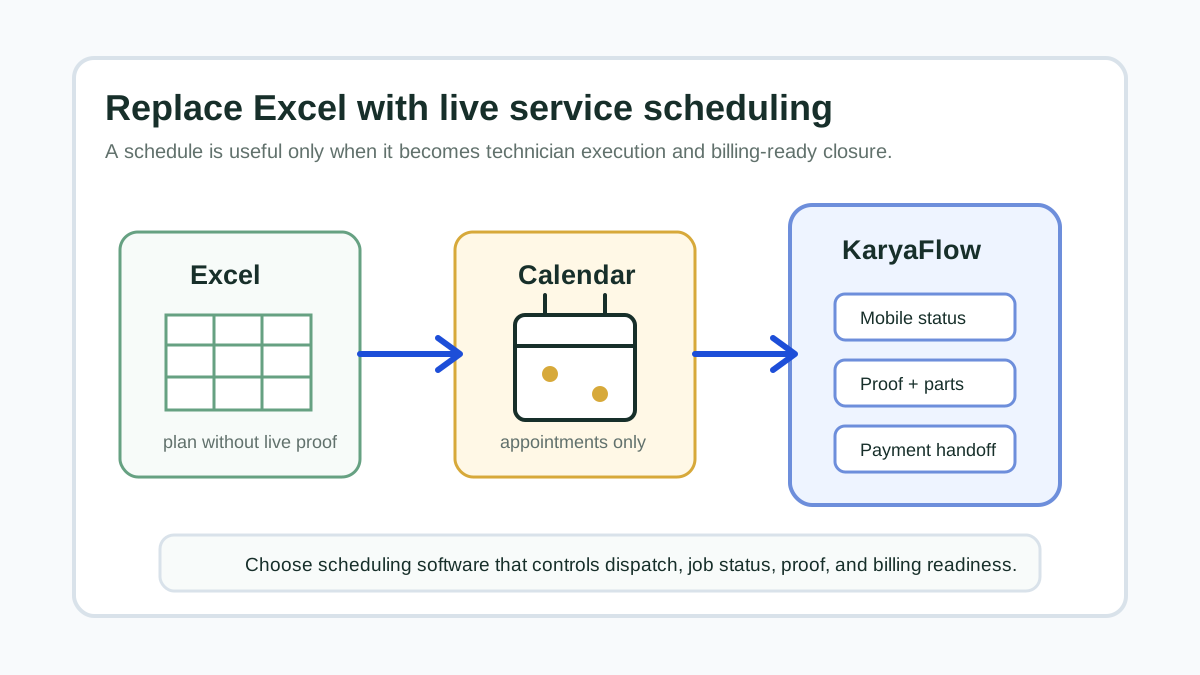
Take a commercial AC AMC with four preventive visits per year and chargeable repair outside the covered scope. In a manual setup, the contract date may sit in Excel, the visit reminder may sit in a calendar, the technician assignment may happen on WhatsApp, the service proof may stay as photos on a phone, and the billing decision may wait until accounts asks the office.
Use that same contract in a KaryaFlow demo. Follow one scheduled job from assignment to office review, then locate it from the contract history. Record whether the site, asset, checklist, parts and payment or coverage information stay connected, and whether any link needs setup or a manual step. Finally, check who owns the next visit and the renewal follow-up.
This is why AMC technician management software should not be evaluated only by reminders. The value comes from linking the promise made in the AMC contract to verified technician execution.
AMC fields to define before rollout
Before moving AMC work into software, define the fields that your team actually uses:
- customer, site, and asset details;
- AMC start date, end date, and renewal owner;
- visit frequency and visit count;
- inclusions, exclusions, and chargeable items;
- warranty, AMC-covered, paid, free revisit, and emergency job types;
- technician skill requirements;
- proof required for closure;
- parts, consumables, and defective-return rules;
- payment and GST billing handoff status.
Use your existing contract and visit records to populate the test, with customer details removed if needed. For industry-specific requirements, compare the water purifier AMC guide, HVAC preventive maintenance guide, and elevator AMC page.
FAQ
What is the best FSM platform for managing AMC field technicians?
Choose the platform that demonstrates your contract-to-visit workflow with the fewest unclear handoffs. Test assignment, mobile proof, parts and exception review using one of your own AMC examples. KaryaFlow is an option for Indian field-service teams; confirm the fit and required configuration in a walkthrough.
Is AMC software different from field service software?
AMC software may focus on contracts and renewal dates. Field service software manages the actual technician work. The best setup connects both, so planned AMC visits become verified field jobs.
What should an AMC technician app include?
Look for assigned visits, customer and asset details, checklists, photos, notes, customer acknowledgement, parts and status updates. Test the actual app and required connectivity. These are evaluation criteria, not a promise that every app provides every action offline.
Can GPS tracking prove an AMC visit is complete?
No. Location can provide context about a technician's presence, but it does not establish which maintenance tasks were completed. Review the job checklist, observations and required customer acknowledgement. KaryaFlow's live GPS tracking is an optional add-on, separate from location-based attendance.
What happens when an AMC technician is unavailable?
The coordinator should review the affected visit, agree a replacement technician or service window and keep the contract reference attached. Check whether your software only displays availability, warns about a conflict or prevents the assignment. Do not assume leave approval automatically reschedules a visit.
Related guides
For the next step, use the AMC technician operating workflow. For contract-level visibility and renewal follow-up, compare the AMC tracker tools guide.