KaryaFlow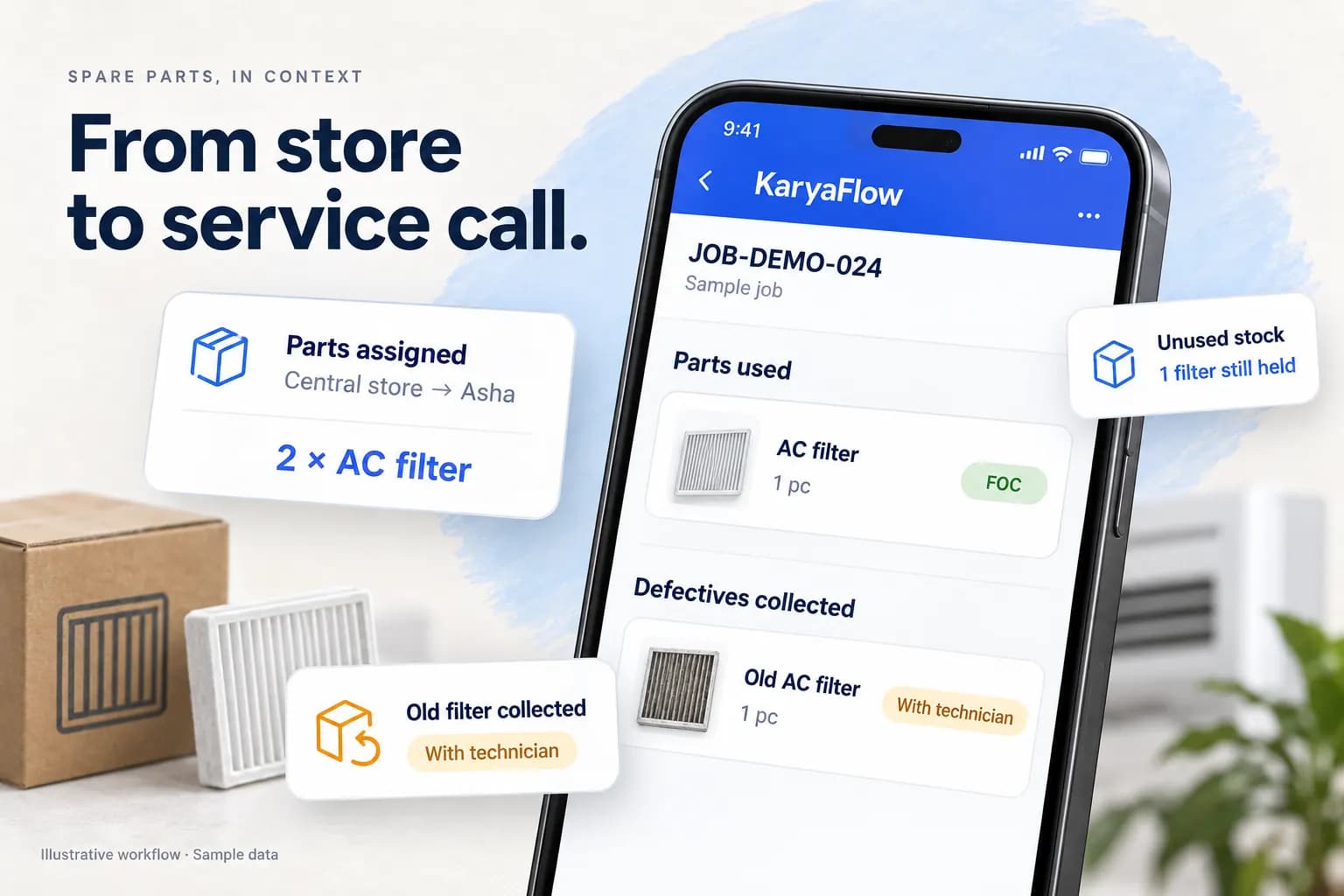
Last updated: 21 October 2026.
Revision note: Refreshed the cover and three setup illustrations with original product-context graphics. Kept the interactive parts-handoff example, supplied Add Item evidence, worked stock example, buying checks and comparisons.
The cover and setup illustrations are AI-generated artwork with fictional sample data, not application captures or verified product results. The supplied setup screens below establish visible fields only.
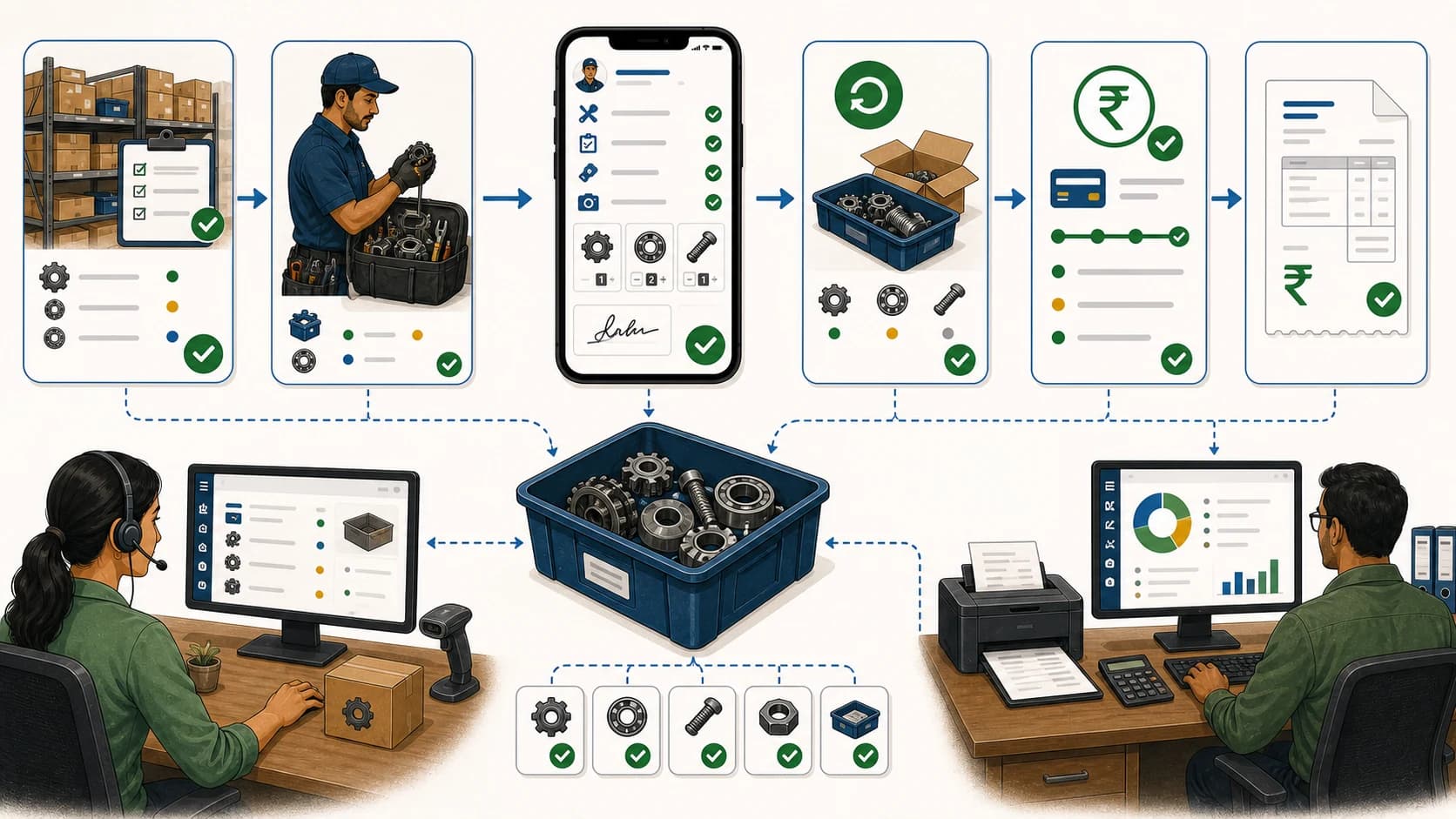
Spare parts inventory management software should not only count stock in a store. For Indian service businesses, the harder problem starts after a part leaves the godown. It may move to a technician, a branch, a vehicle, a customer job, a warranty replacement, an AMC visit, a paid repair, or an old-part return.
KaryaFlow's official listings describe parts-use logging and requests from My Parts. Use the proposed workflow below to check issue, returns, office review and billing in the chosen setup. Detailed controls and reports need a demo.
Every part has a next step.
Try the handoff from office assignment to the technician’s job record.
Interactive illustration · Fictional sample dataAssign spare parts
Start with who is carrying the part.
Original illustrative UI based on supplied KaryaFlow screens. Sample amounts are not tax or invoice calculations; no live stock, return approval or payment is changed.
The supplied assignment and mobile job screens show warehouse and technician selection, assigned-part selection, FOC or chargeable use, quantity, and whether a defective was received. They also show separate Parts used and Defectives collected records. The illustration above recreates that visible flow with fictional data; it does not verify warehouse-return approval, stock reconciliation, tax treatment or invoice creation.
Losing track of parts after they leave the godown?
Ask a KaryaFlow demo to show the required stock, job usage, return and billing steps in your chosen setup.
Short Answer
Spare parts inventory management software helps service businesses track parts across godowns, technicians, customer jobs, warranty replacements, AMC visits, returns, purchases, and billing records. For field service teams, the software should connect every part movement to a technician, job card, customer, status, payment, and owner report.
Choose the starting point by the work the business does:
Scroll sideways to see every column if needed. With a keyboard, focus the table and use the left and right arrow keys.
| Business | Start with | Example and next check |
|---|---|---|
| Parts retailer/wholesaler | Counter billing, catalogue/fitment, purchases and shelf stock | InventoryPlus and Vasy describe retail/wholesale parts use. Verify your needs and plan |
| Technician-led service business | Issue/custody, customer-job use, returns and billing review | This KaryaFlow guide addresses that workflow. Confirm the exact controls and reports in a demo |
| In-house plant maintenance | Assets, maintenance work orders and parts availability | Fiix describes maintenance inventory. Check the handoff to the rest of the business |
Official category examples checked 5 October 2026. Categories can overlap; this table does not establish product limits or a universal winner.
Use this page as the broad spare-parts hub. For narrower workflows, read about the work-order-linked parts workflow, Stock Issue Register Software for Service Calls, Technician Parts Custody Software, Defective Parts Collection and Purchase Request Tracking Software, and HVAC Inventory Management Software.
Download and start
Start from the official KaryaFlow app page for the Android app or iPhone app. Technicians need the company-account login supplied by their service centre. Office users use the web sign-in. Installing the app is separate from the business subscription. Check current pricing and trial terms.
The live pricing page showed a 7-day trial without a credit card on 5 October 2026. The store listings were accessible that day; Android was viewed in the UK and Apple's link resolved to the US store. India installation and device compatibility remain untested. Check availability on your team's actual phones.
Add an item: five tabs to review
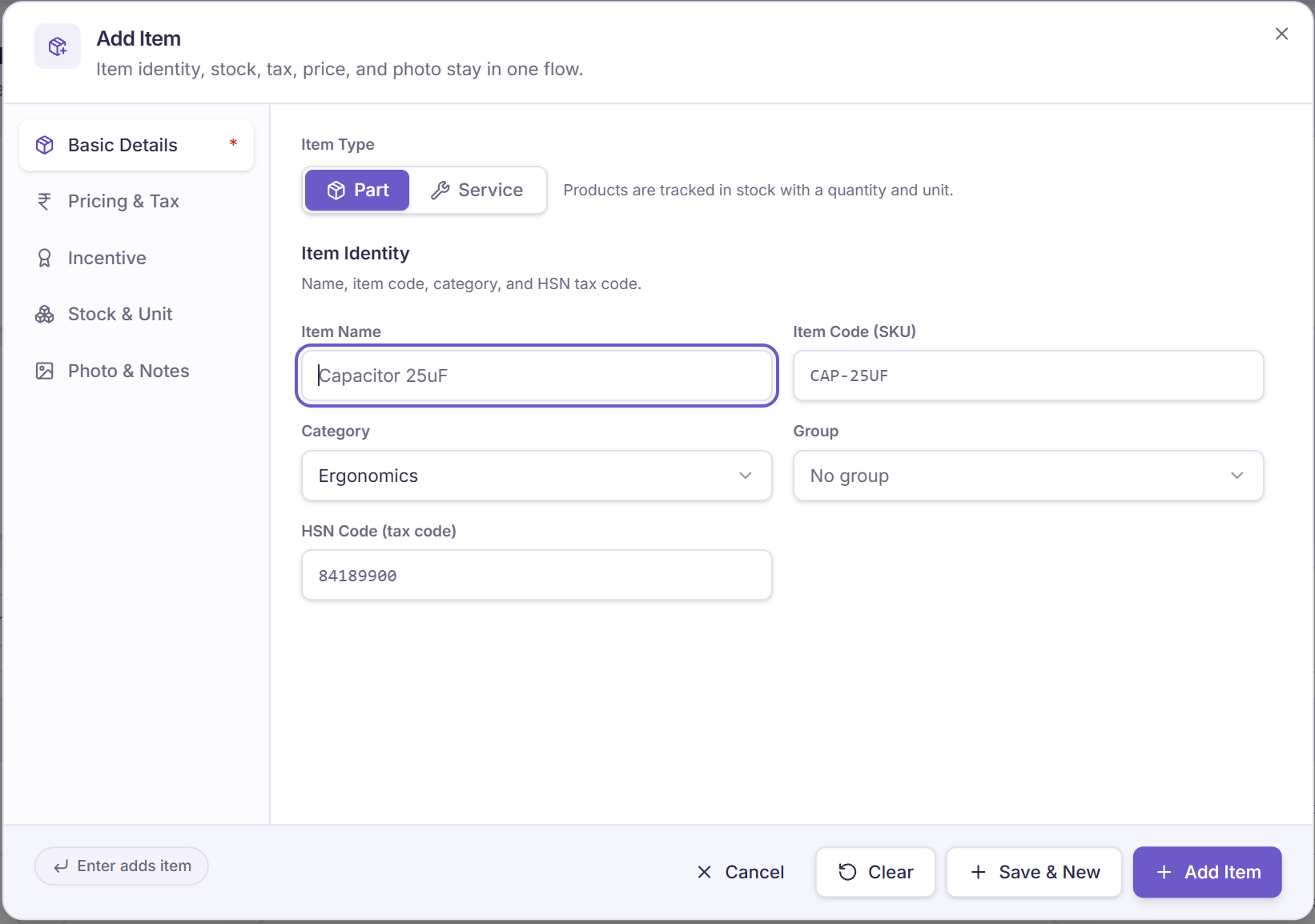
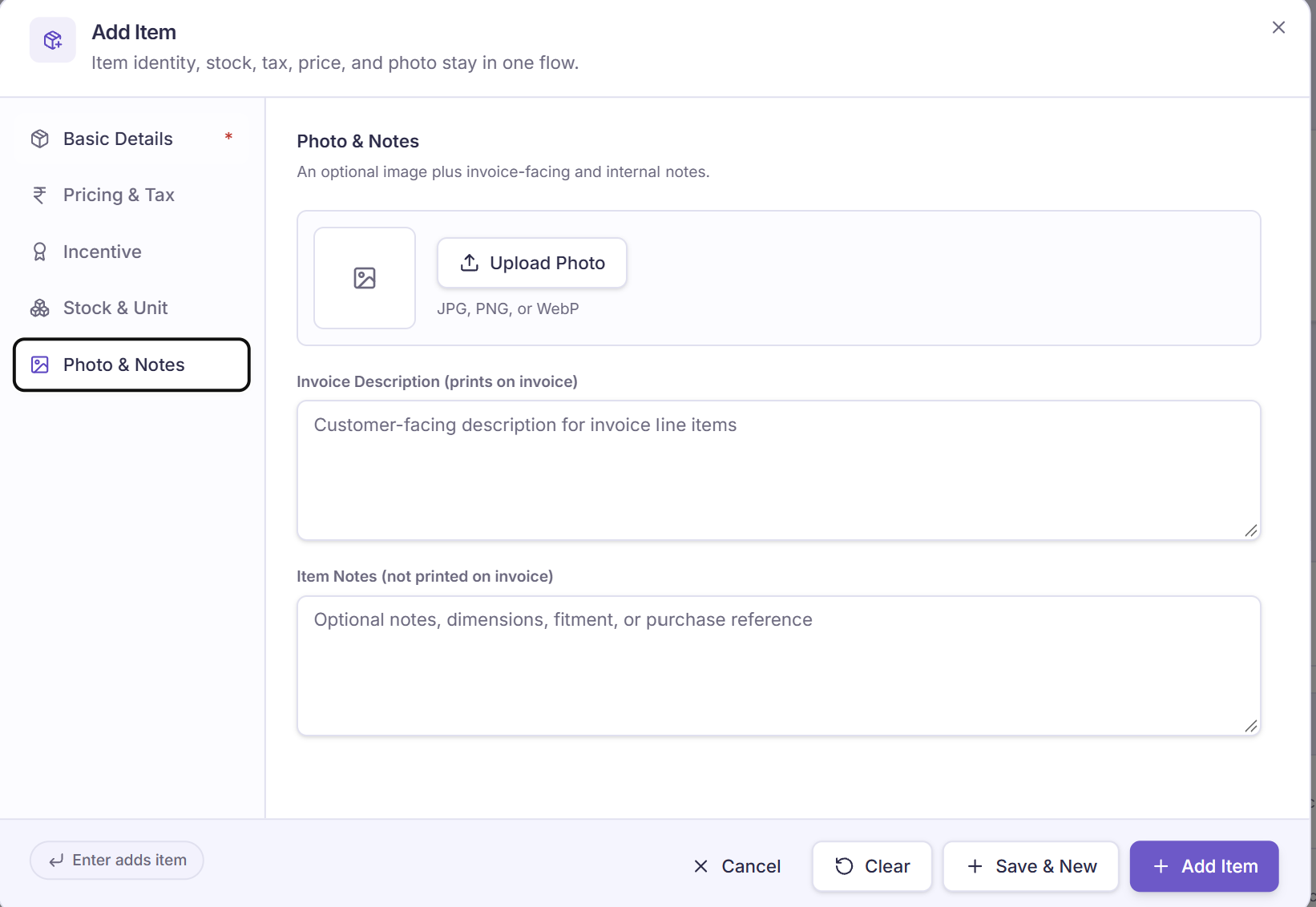
Start with a clear part record before stock moves. These five Add Item screens were supplied as KaryaFlow screenshots on 5 October 2026. They show configuration fields. No item-save result, stock movement or invoice was observed; version, plan and role are not shown.
Treat this as a field-level walkthrough. The screens help you review item identity, pricing, tax, incentive settings and opening quantities. They do not establish calculation accuracy, saved settings or invoice output. Confirm calculation accuracy, permission controls and invoice behaviour in your chosen configuration before rollout.
- Identify the part: use a clear name, SKU and agreed unit
- Review the settings: check prices, tax, stock and any incentive rule
- Keep the context: add a useful part photo and plain notes where needed
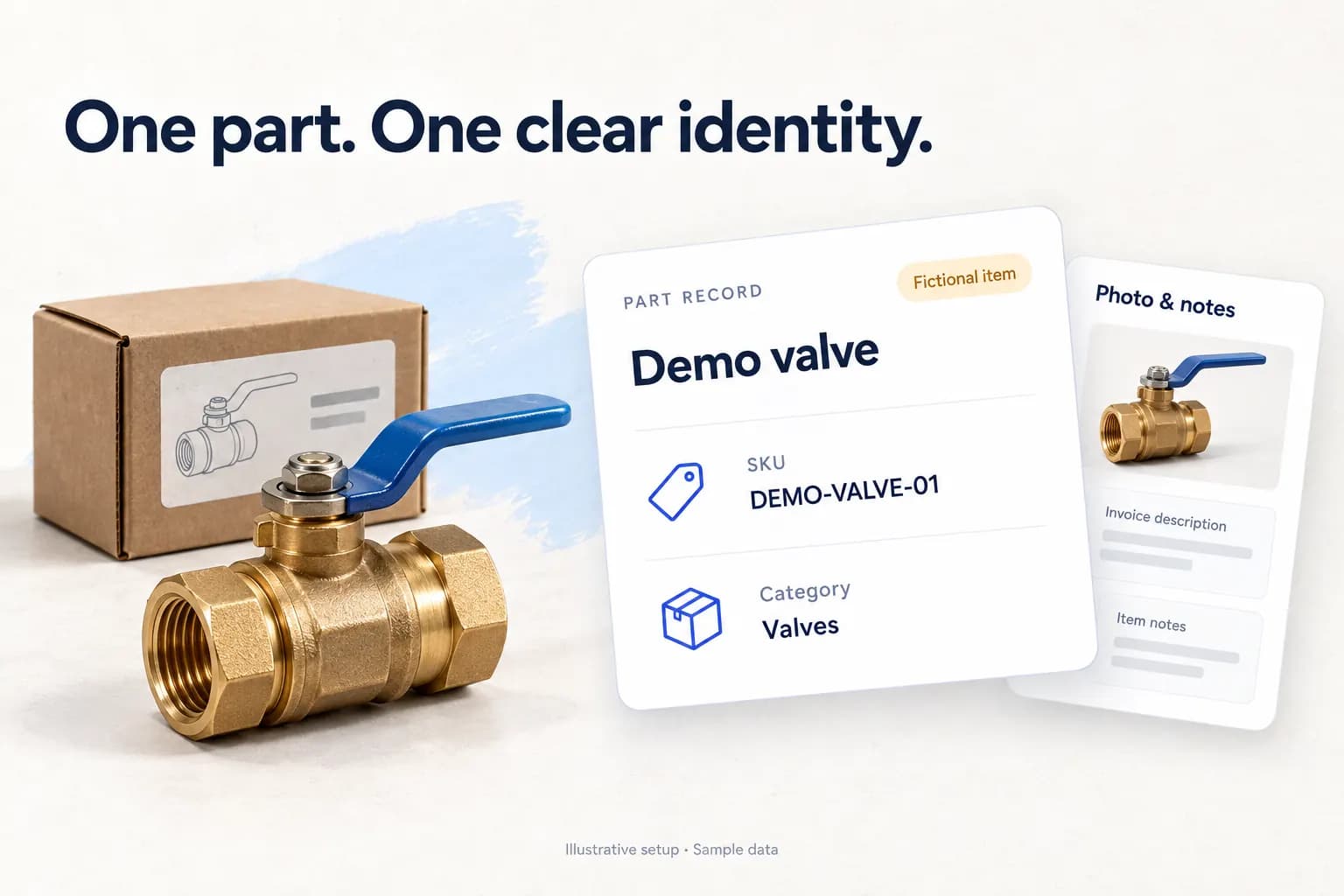
1. Basic Details: give the part a clear identity
The first tab shows Part selected, with Service beside it. Item name, SKU, category, group and HSN fields share one form. Choose terms the store and technicians can both recognise.
- Name and SKU: use one agreed record for the same part
- Category and group: review the labels before they enter the catalogue
- HSN: ask the accounts reviewer to check the right code for the actual item
Scroll sideways to see both field columns. With a keyboard, focus the screenshot and use the arrow keys.
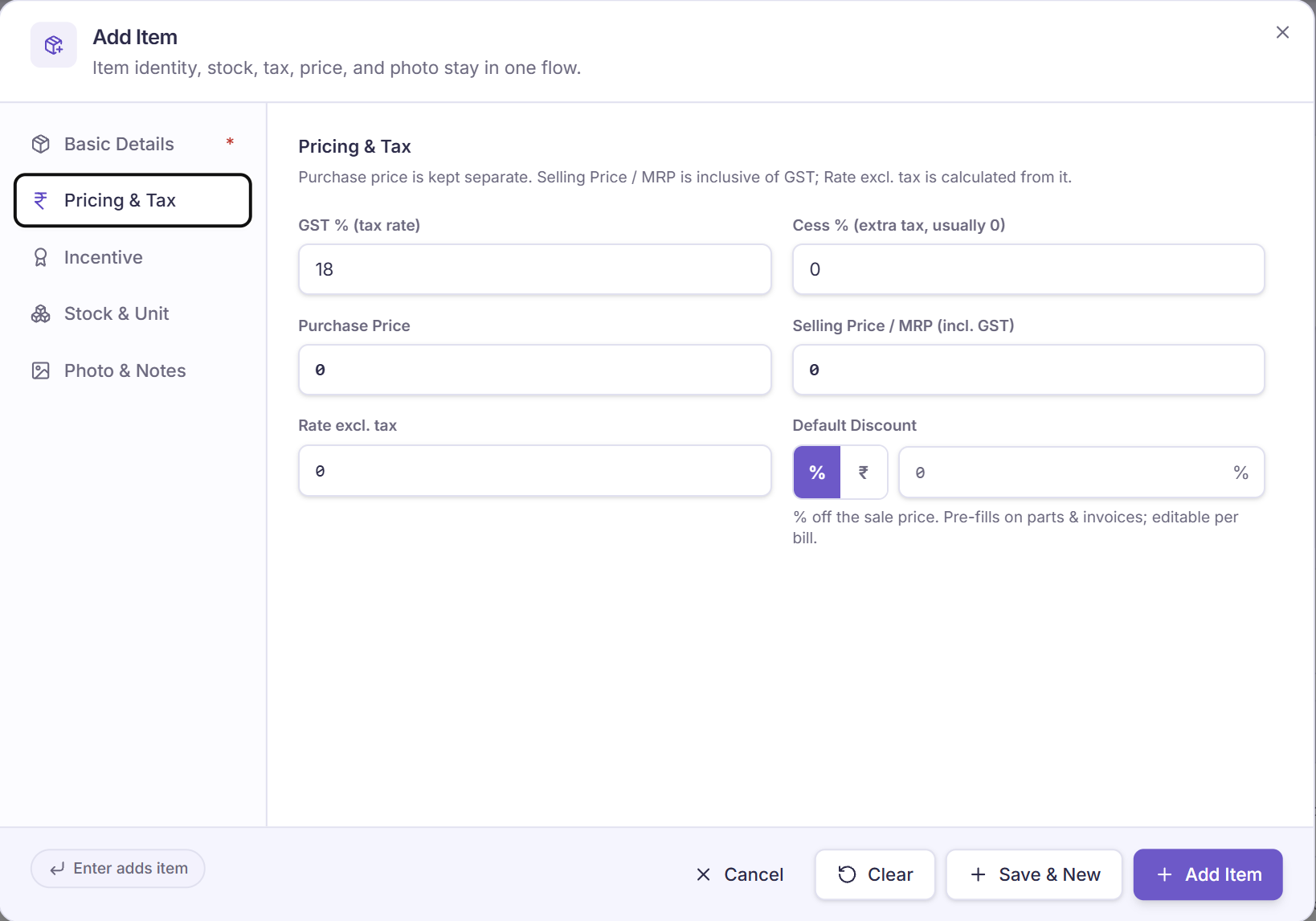
2. Pricing & Tax: keep cost and selling price distinct
The second tab separates purchase price, GST, cess, selling price, rate excluding tax and default discount. The label says Selling Price / MRP includes GST. Use your reviewed price and tax data.
- Purchase and sale: check each price field rather than treating cost as the customer charge
- Tax inputs: confirm the applicable GST and cess with the accounts reviewer
- Discount: note the percent and rupee controls, then test the actual invoice result

Scroll sideways to see both field columns. With a keyboard, focus the screenshot and use the arrow keys.
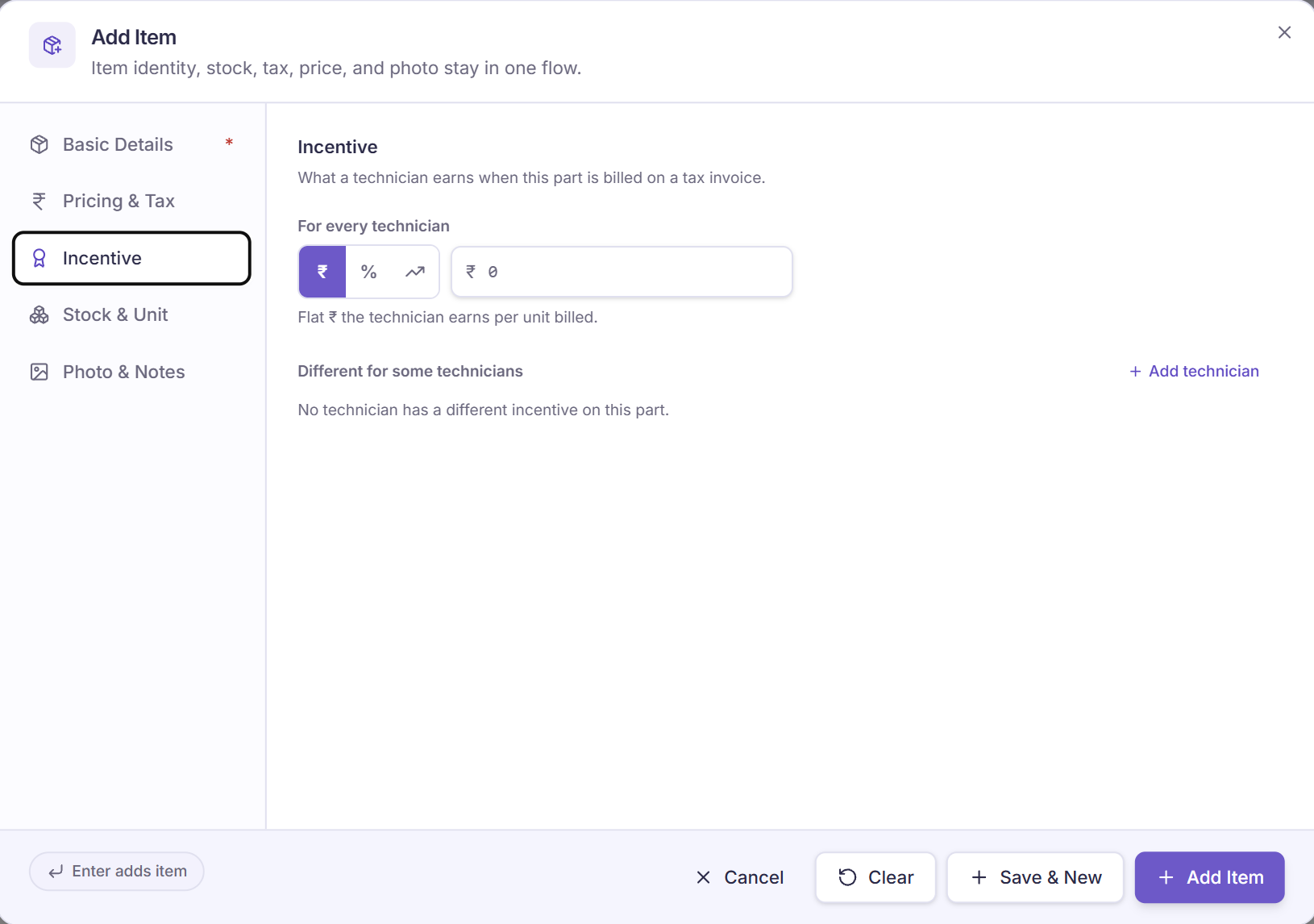
3. Incentive: review the item-level setting
The third tab shows a flat-rupee mode with zero entered. It also shows a percent control and an Add technician option. These are settings on the form; no earned or paid amount is shown.
- Flat amount: read the selected rupee mode and its per-unit helper
- Other settings: ask how the percent option works before choosing it
- Technician exception: review who may set a different rule and test how it is saved
Scroll sideways to see both field columns. With a keyboard, focus the screenshot and use the arrow keys.
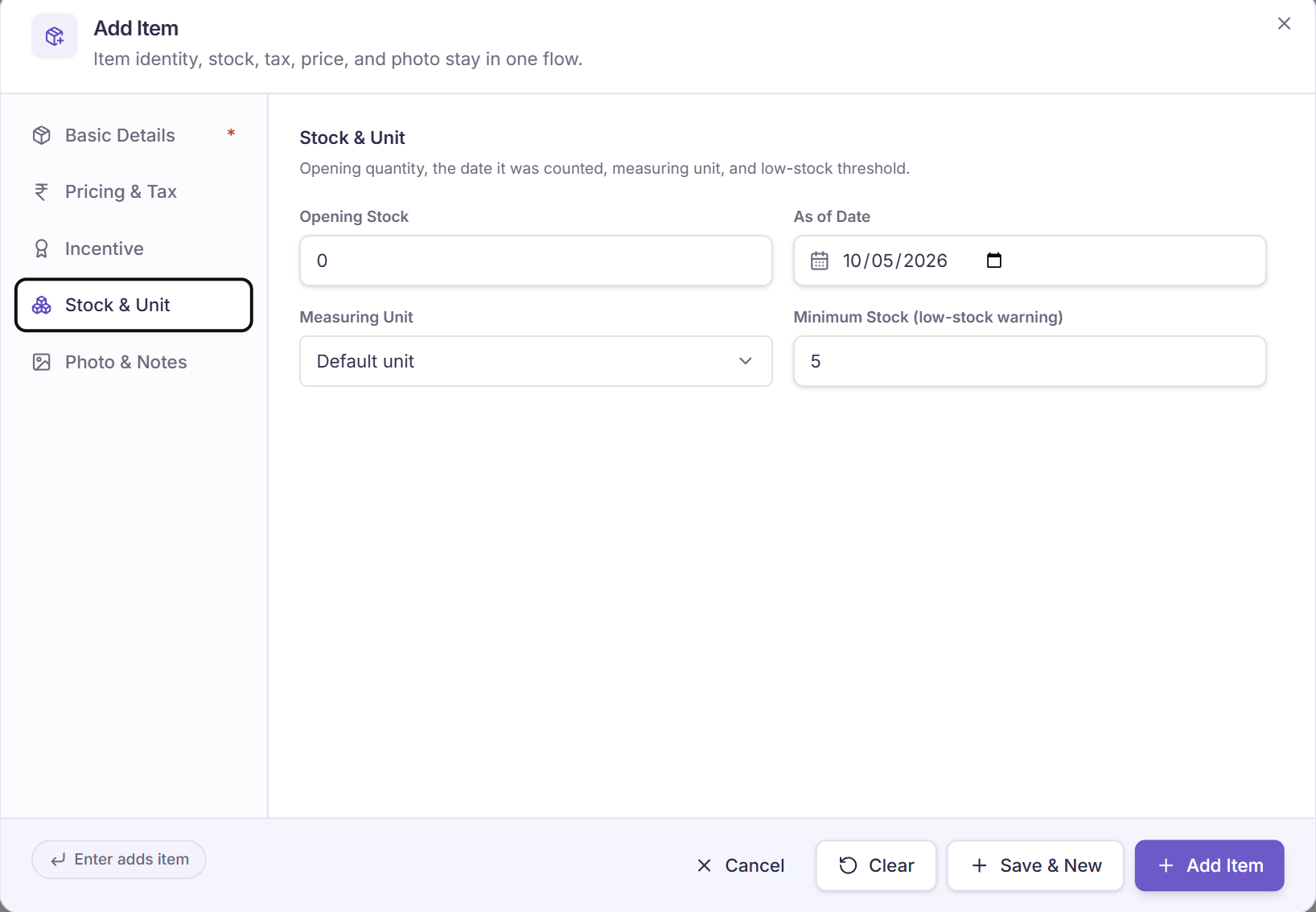
4. Stock & Unit: record the starting quantity
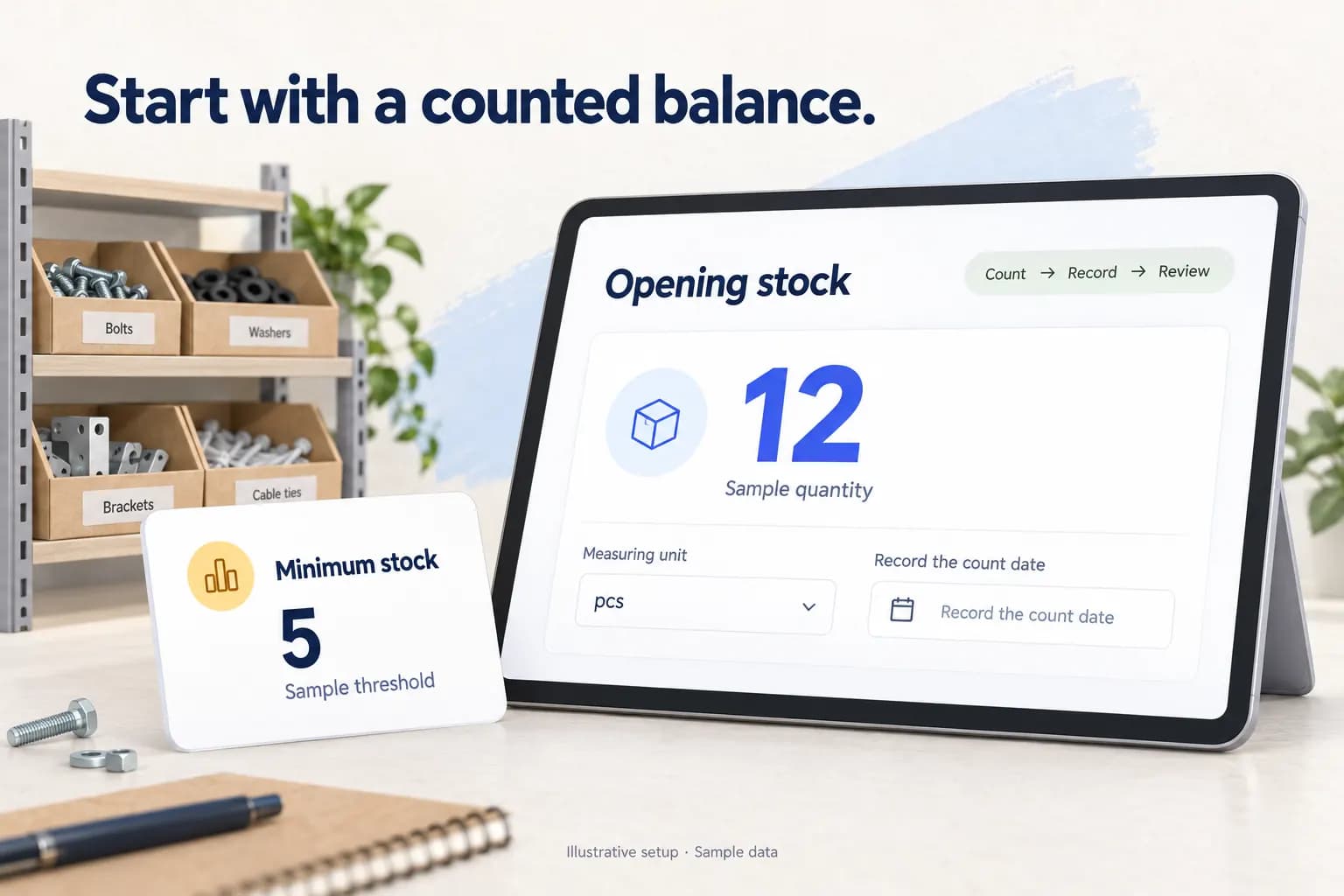
The fourth tab shows opening stock, its as-of date, measuring unit and a minimum-stock field. Count the actual starting quantity and agree the unit before relying on later balances.
- Opening stock: keep the count and its date together
- Measuring unit: agree whether the part is counted as each, pack or another unit
- Minimum stock: note the low-stock-warning label, then test when and where a warning appears
Scroll sideways to see both field columns. With a keyboard, focus the screenshot and use the arrow keys.
5. Photo & Notes: add useful part context
The last tab shows Upload Photo and two separate text areas. One is labelled Invoice Description; the other is Item Notes. A clear part photo can help the team recognise what the record refers to.
- Photo: choose a clear view of the actual part; the helper lists JPG, PNG and WebP
- Invoice description: keep the customer-facing wording clear and check the final invoice
- Item notes: keep fitment or purchase context here, then check what the issued invoice includes
Scroll sideways to see both field columns. With a keyboard, focus the screenshot and use the arrow keys.
What Is Spare Parts Inventory Management Software?
Spare parts inventory management software is a system for tracking parts, materials, consumables, and replacement items from purchase to use. In a service business, it should track more than warehouse quantity. It should show the part master, stock location, technician custody, job usage, return condition, warranty or AMC status, customer billing status, and reports.
That distinction matters. Service inventory does not behave like retail inventory. Parts move because technicians visit customers. A capacitor, PCB, filter, motor, membrane, nozzle, cable, valve, belt, sensor, or control board may be used at a customer site before accounts sees the invoice.
Ask the demo to connect the part movement to the job, technician, customer and office review. Check what explains a balance change and which steps need a separate record.
Who Needs This Software?
Spare parts inventory software is useful when parts leave the store and move through field technicians. It is especially useful when the owner cannot personally check every job, every technician bag, and every returned part.
Potential service-team use cases to evaluate include:
- AC and HVAC service centers;
- appliance and chimney repair businesses;
- RO and water purifier service teams;
- CCTV installation and security service teams;
- electrical contractors;
- plumbing service teams;
- elevator and lift maintenance vendors;
- fire safety AMC teams;
- solar installation and maintenance teams;
- pest control businesses with consumables;
- authorized service centers handling OEM jobs.
The common pattern is simple. The business has jobs, technicians, parts, payments, and follow-up. If those records are split across WhatsApp, Excel, Tally, paper registers, and phone calls, the owner sees inventory leakage late.
Why Excel And WhatsApp Fail For Spare Parts Tracking
Excel can work when the owner has one store and a small team. It starts breaking when parts move every day between godowns, technicians, customer sites, and return counters.
WhatsApp is useful for communication, but it is weak as an inventory record. A technician may send a photo of a used part. Another technician may request a replacement. The storekeeper may reply in a separate chat. The owner may only discover the missing trail during billing, stock count, or salary settlement.
Common leakage points include:
- parts issued without a job reference;
- technician stock not visible to the office;
- duplicate purchases because branch stock is not checked;
- parts used in a job but not added to the bill;
- warranty and paid replacements mixed together;
- old parts collected but not deposited;
- unused parts staying in technician bags;
- low-stock items noticed only after a customer visit fails;
- stock names duplicated with spelling mistakes;
- month-end reconciliation depending on memory.
This is why the main requirement is not another spreadsheet. The requirement is a field-service inventory system tied to jobs.
The Correct Spare Parts Workflow For Service Jobs
Hypothetical stock-control example. These are invented records dated 14 September 2026, not KaryaFlow screens or test results. “Reserved,” “available” and “quarantine” describe this process. Ask whether the chosen setup supports them or needs a manual record.
Use one fictional part throughout: internal SKU DEMO-FLT-M20; manufacturer number DEMO-MFR-20; supplier number DEMO-SUP-884; model-fit note fictitious M20 only; unit each; store bin A-03. Near-identical DEMO-FLT-M21 is not approved for this example. A scan identifies a record; it does not prove physical compatibility. Ask how aliases, equivalent parts and multiple barcodes are handled. The invented fit note is not technical advice.
This ledger tracks saleable units across one godown and T-201. Moving stock between them changes custody, not company stock. Three units reserved for J-302 stay at the godown; issues use unreserved units.
Scroll sideways to see every column if needed. With a keyboard, focus the table and use the left and right arrow keys.
| Event and actor | Saleable at godown | Saleable with T-201 | Reserved at godown | Free to issue at godown |
|---|---|---|---|---|
| 08:00 opening; storekeeper; OPEN-01 | 12 | 0 | 3 | 9 |
| 09:00 receive 4; storekeeper; RCPT-01 | 16 | 0 | 3 | 13 |
| 10:00 issue 5; storekeeper/T-201; ISSUE-01 | 11 | 5 | 3 | 8 |
| 11:00 use 2 on J-301; T-201; USE-01 | 11 | 3 | 3 | 8 |
| 15:00 request return 1; T-201; RET-01 pending deposit | 11 | 3 | 3 | 8 |
| 16:00 inspect/accept unused return 1; storekeeper; RET-01 accepted | 12 | 2 | 3 | 9 |
At 15:00 T-201 still holds the unit. At 16:00 the storekeeper checks and accepts it. A pending deposit is not a godown receipt. This is the example's process; actual stock-posting timing needs a demo.
- Godown: 12 + 4 − 5 + 1 = 12
- Technician: 0 + 5 − 2 − 1 = 2
- Company saleable: 12 + 4 − 2 = 14, equal to 12 + 2 by location
- Godown free to issue: 12 − 3 = 9
Reservation does not reduce physical stock. Issue is not company-wide consumption; do not subtract the five-unit issue from company stock again.
Video Walkthrough: From Godown To Technician Job Card
The published video description lists stock, scan, job usage, returns and billing topics. Its full content was not reviewed for this article revision; use the demo checklist to verify the required actions.
Existing video; full content was not reviewed. Its description alone does not prove current product actions or the required four-panel stock journey.
Prefer a dedicated watch page for sharing or indexing? Open the spare parts inventory video walkthrough.
Multi-Godown Stock, Technician Stock, And Job Stock Are Different
Closing stock in the example is 12 at the godown and two with T-201. Three godown units are reserved for J-302. Company stock has 11 unreserved saleable units (14 − 3), but two units remain with T-201. All 11 are not ready for counter issue.
Ask the vendor to identify on-hand, reserved, available, in-transit and defective/quarantine states, their owner and posting time. Do not assume a job's issued units were consumed or a branch transfer was received. Separate recovered customer items from new saleable stock. UI terms and reservation/quarantine support are not verified here.
What KaryaFlow Tracks
The Android listing developer describes parts-use logging and requests to the office from My Parts. The iPhone listing also describes logging parts used. The published app gallery shows My Parts with fresh/defective tabs, item codes, quantities and Deposit controls. Checked 5 October 2026. Visible controls do not establish posting rules or a completed return.
Scan/serial/import support, multi-godown transfers, approval, return, reorder and billing handoff remain demo checks. Ask for the issue/use/receipt references, actor, status and resulting balances. Verify model/batch/alias fields, purchase/vendor records and actual owner views where needed. A parts label does not prove those steps.
Parts Used In Job Cards Must Be Billable Or Explainable
For the approval and issue record before job usage, see the stock issue register for service calls.
Follow USE-01 from the shared ledger: two units used by T-201 on J-301. Accounts needs the job, item, quantity, coverage/charge reason, approval where required, invoice status and payment status. A stock movement alone does not settle those questions.
For job proof and customer signature depth, read Service Completion Sheet Software for Technicians. For billing handoff, read Technician Proof, Payment Status and GST Invoice Handoff.
Warranty, AMC, Paid, And Free Parts Need Separate Tracking
For J-301, use the invented term “Sample AMC covers labour only; parts chargeable subject to agreed quote.” Record quantity 2, job J-301, that sample contract reference, manager approval if required, invoice status pending and payment status pending. This sets no real coverage policy or GST rule. Accounts checks the real contract and qualified tax treatment before billing.
A free-to-customer part can still consume stock. Coverage, stock consumption and payment are separate records. For the tax-review boundary, read Warranty and AMC Replacement Parts GST Workflow.
Defective Parts And Job-Linked Purchase Requests
Two-track return. RET-01 is one unused saleable unit, inspected and accepted at 16:00. Separately, OLD-01 records two worn customer filters removed on J-301. T-201 records collection at 11:05; the storekeeper checks them at 16:05 in a separate defective/recovered-items record. Record job, quantity, condition, date, receiving actor and pending/accepted/rejected status. These old items do not establish company ownership or become new saleable units. Company saleable stock stays 14, not 16.
In an alternative mismatch test, two old items are declared but only one arrives. Accept only the item checked and keep the other mismatch open. This branch does not change the balanced main ledger.
Missing-part branch. J-303 needs 12 units. The godown has nine free and T-201 holds two unreserved units: 11 may be usable after a checked transfer. There is a one-unit shortage; J-302's three reserved units cannot count again. Check other locations/technicians, then link PR-303 for one unit to J-303. Name the purchase owner and expected next update. An assumed lead time of three working days needs supplier confirmation. Do not count an unreceived purchase as stock or promise a revisit date. Purchase request, PO, reservation and reminder may be manual steps; native support is unknown.
See Defective Parts Collection and Purchase Request Tracking Software for the wider return and purchase trail.
Technician Stock And Old-Part Returns Need Custody Control
Two saleable units remain with T-201 after the accepted return. Check each issue, use and receipt reference before changing that balance. OLD-01 belongs in separate recovered-item custody; a submitted deposit is still pending until the receiver checks it. For deeper controls, read Technician Parts Custody Software for Service Teams.
Proposed count test, outside the main ledger. The closing godown count should be 12. A first count finds 11. The technician reports it; the storekeeper recounts; a designated reviewer approves any change. If the unit is found in the wrong bin, correct the count from 11 to 12 with reason/history. If a −1 test adjustment was posted, request a linked +1 reversal: 12 − 1 + 1 = 12. Do not delete the error or invent consumption. This alternative test leaves the main example unchanged. Actual permissions, audit history and reversal mechanism need demonstration.
Barcode And QR Scan In Service Inventory
Use the M20/M21 identifier test above to check selection and model fit. Scanning does not replace a clean part master or an approved fit decision. Ask where the configured workflow permits scans during receipt, issue, transfer, job use and return.
Illustrative reorder rule. Demand of three units per working day, three working days' lead time and a two-unit buffer give 3 × 3 + 2 = 11 free godown units. Current free stock is nine, so the storekeeper reviews replenishment. These inputs are invented, not a forecast or universal policy. Check whether the real rule uses on-hand or available stock and can be set per location. A low-stock alert is not a purchase order or automatic purchase.
KaryaFlow Vs Excel, Tally, Vyapar, Zoho, ERP, And CMMS
Compare the named product and configured workflow, rather than assuming that a software category includes or lacks a feature. This is a documentation-based buying checklist, not a product test or a proven KaryaFlow advantage.
Scroll sideways to see every column if needed. With a keyboard, focus the table and use the left and right arrow keys.
| Product or category | Documented scope or evaluation context | What the buyer should verify |
|---|---|---|
| Excel and WhatsApp | Manually maintained stock records and team communication | Who updates balances, records custody, links job usage, and checks returns? |
| Tally | Evaluate the exact Tally product, version, and any extensions you use | Can your setup connect technician custody, job-card usage, returns, and billing? No lack of support is inferred here. |
| Vyapar | Vyapar documents workshop job-card stock updates and counter-sale stock changes | Verify the plan and workflow for technician custody, unused/defective returns, warranty status, and billing. Source reviewed 5 October 2026. |
| Zoho Inventory or Zoho FSM | Evaluate the selected Zoho apps and configured connection | Which app owns stock, job usage, returns, and billing, and how are records reconciled? |
| ERP | Evaluate the named ERP and implementation scope | What modules, customization, training, and daily stock controls are included? |
| Fiix CMMS | Fiix documents parts/inventory linked to maintenance work orders and assets | Verify your service-center dispatch, technician custody, customer payment, and local billing requirements. Source reviewed 5 October 2026. |
| KaryaFlow | This article describes the intended field-service stock workflow; earlier product inputs are dated below | Demonstrate the complete issue-to-job-to-return trail, approvals, reports, and billing handoff in your configured setup. |
Vyapar's documented job-card stock changes should not be described as basic-stock-only inventory. Fiix's documented work-order and asset linkage should not be generalized into a claim that CMMS lacks job context. Neither page by itself confirms every service-center requirement. A feature not shown on a reviewed page remains an unknown to verify.
Use the same part and customer job in each demo: receive stock, issue it, record job usage, return an unused or defective item, confirm balances, and review the billing record.
Industry Examples
Spare-parts tracking looks different by industry, but the operating logic is similar.
Scroll sideways to see every column if needed. With a keyboard, focus the table and use the left and right arrow keys.
| Industry | Common parts or materials | What must be tracked |
|---|---|---|
| HVAC and AC service | Capacitor, PCB, fan motor, relay, sensor, copper pipe, insulation, refrigerant accessories | Technician issue, job usage, warranty/AMC/paid status, customer billing |
| Chimney and kitchen appliance service | Motor, filter, switch, duct part, gasket, control board, hose | Model compatibility, technician stock, old-part return, warranty claims |
| RO and water purifier service | Filter, membrane, pump, adaptor, valve, pipe, fitting | AMC visit usage, replacement due history, customer payment |
| CCTV and security service | Camera, connector, cable, power supply, DVR/NVR part, adaptor | Site issue, installation material, defective replacement |
| Electrical and plumbing | Cable, switchgear, pipe, valve, fitting, consumable | Site material issue, unused return, job costing |
| Fire safety and lift maintenance | Sensors, nozzles, panels, belts, switches, safety components | AMC coverage, safety record, replacement proof |
The article is not only for HVAC. HVAC is one high-value use case. The same spare-parts workflow applies to most technician-led service businesses.
For HVAC-specific inventory, read HVAC Inventory Management Software. For appliance-specific inventory, read Appliance Spare Parts Inventory Software.
Example: 30-Technician Service Center With Parts Leakage
Hypothetical coordination example. Imagine 30 technicians and 100–200 jobs arriving from an OEM/company CRM. These are invented figures, not customer results or a typical workload. Suppose the office uses Excel and WhatsApp to assign and follow up.
Now add spare parts to that workflow.
A technician needs a part for a job. The storekeeper gives it. Another part is bought locally. One part is used under warranty. Another part is chargeable. The customer pays partly by UPI. The old part is collected but not returned the same day. The owner asks for a month-end report.
Without a system, the office has to rebuild the truth from chats, calls, Excel rows, paper notes, bills, and memory.
A proposed record trail for this invented workflow is:
- Job is entered or imported.
- Technician is assigned.
- Required part is issued or requested.
- Part is scanned or selected.
- Technician records part usage on the job card.
- Warranty, AMC, paid, or free status is captured.
- Old or defective part is recorded.
- Unused part is returned or remains in technician stock.
- Payment and billing status stay linked.
- Owner reviews reports from one place.
This is a process example, not a KaryaFlow feature demonstration or a measured saving. Check which steps the configured product supports and who owns any manual steps.
What Reports Should Owners Review?
Views to request
Use the same references to turn a review into an action. These are proposed routines, not claimed report names.
Scroll sideways to see every column if needed. With a keyboard, focus the table and use the left and right arrow keys.
| Proposed review | Exception and owner action | Review point | Evidence status |
|---|---|---|---|
| Used parts awaiting billing | Accounts checks USE-01, coverage and missing invoice or approved non-charge | Before billing close | Actual view/export not verified |
| Returns awaiting receipt | Storekeeper checks RET-01/OLD-01 and resolves quantity mismatch | Return counter/daily close | Actual view/export not verified |
| Stock-count changes | Reviewer checks reason, original count, adjustment/reversal reference | Each proposed adjustment | Actual view/export not verified |
| Upcoming shortage | Storekeeper checks free stock, lead time and PR-303 owner before promising a visit | Before dispatch/purchase review | Actual view/export not verified |
Request an actual view/export for each decision. These proposed routines are not proof that all four views are available.
Cost and rollout questions
Use current pricing as a starting point, then get the full rollout quote. An illustrative team of 8 technicians + 2 office/store logins has 10 active logins. It is a planning example, not a priced installation.
Scroll sideways to see every column if needed. With a keyboard, focus the table and use the left and right arrow keys.
| Cost or rollout item | Question to resolve in writing |
|---|---|
| Active logins | Have admins, storekeepers and office users been counted with technicians? |
| Locations | Are branch, van and godown structures included? Are there location limits or costs? |
| Opening stock | Who cleans/imports the part master and balances? Are there import limits or fees? |
| Devices | Which phones, scanners, labels and printers work in the required steps? Who pays for them? |
| Modules | Which required controls are included, and which need paid modules or usage? |
| GPS | Which users need continuous GPS and a separate quote? Attendance location check-in is a different scope |
| Tax | What tax applies, and is it included in the written price? |
| Training | Who sets up the process, trains the team and pays for extra work? |
| Support | What hours, channels and urgent help are included? |
| Renewal | What billing commitment, future rates and notice period apply? |
| Export and exit | Which fields/formats can you retrieve, at what cost, and for how long after exit? |
For the first-year cost, add the subscription covering all 12 months under the chosen billing schedule, required add-ons/usage over that year, confirmed setup/import/training/device costs and applicable quoted taxes. Unknown costs stay unknown. Do not treat an unanswered fee as zero. No total-cost claim is made here.
Proposed small pilot
Choose one stock location and two technicians. Clean a small agreed subset of SKUs/aliases, count opening stock and name import/approval owners. Trial issue/use/return and reconcile differences. Record rejected import rows, reason, correction owner and re-import result. Test a sample exit, including formats, fees and retrieval owner. Expand after the owner reviews balances and known gaps. No first-day or first-week completion time is promised.
Demo Checklist Before Buying Spare Parts Inventory Software
Do not buy spare-parts software after seeing only a stock list. Ask the vendor to show a complete service workflow.
Ask for this demo:
- Import or add part master from Excel.
- Add barcode or QR code to a part.
- Add model or serial number context.
- Receive stock from a vendor purchase.
- Split stock between main godown and branch godown.
- Transfer stock between godowns.
- Issue parts to a technician.
- Let a technician request a part from the app.
- Assign a customer job to the technician.
- Add parts used inside the job card.
- Mark the part as warranty, AMC, paid, or free.
- Record unused part return.
- Record defective or old-part return.
- Trigger or show low-stock alert.
- Show job-wise and technician-wise reports.
- Show payment and billing handoff.
Five exception checks
All actual results are Untested. In an authorized demo, record Pass, Fail, Needs configuration or Not supported with plan, version, device, date and observer. “Evidence to request” is a desired check, not a passed result.
Scroll sideways to see every column if needed. With a keyboard, focus the table and use the left and right arrow keys.
| Input | Action | Evidence to request |
|---|---|---|
| Near-identical M20/M21 parts | Scan/select and check fit | Selected record and approved fit decision |
| Issue 5/use 2/accept 1 unused return | Follow all ledger references | Technician balance 2 and accepted godown receipt |
| Recover two defective old parts | Check separate custody | OLD-01 receipt; saleable stock stays 14 |
| Two users edit the same movement | Review both edits | Conflict/history record and one reviewed final quantity |
| Connection drops during issue/return save | Inspect pending/error and reconnect/retry | Actual save state and safe retry; ask whether that action supports offline use |
Do not add another stock movement while a save's status is unknown. Record the actual conflict/retry mechanism and risk; do not assume hidden locks or an offline guarantee. If a required step is unsupported, name the manual reconciliation it leaves.
When KaryaFlow Is A Good Fit
Include KaryaFlow in the shortlist when parts move through technician jobs and its described modules match the need. Use the same demo to check stock locations, custody, parts-use logging, returns, approvals and office billing review. Ask for the actual reports and posting rules rather than treating this guide's example as a feature test.
This is a field-service evaluation, not proof of a full ERP, statutory accounting or tax-filing system. Assign the final accounting handoff and review owner separately.
When A Normal Inventory Tool May Be Enough
A normal inventory or billing tool may be enough when the business only sells parts at a counter. It may also be enough when there are no field technicians, no job cards, no warranty or AMC replacements, and no customer-site proof.
Use a retail inventory tool if your main need is:
- purchase and sale of parts;
- counter billing;
- shelf stock;
- product catalog;
- simple GST billing;
- retail customer invoice history.
For parts moving through service jobs, evaluate KaryaFlow and other candidates against the complete custody, usage and return trail.
Related KaryaFlow Guides
Use these pages based on your exact inventory problem:
- Stock Issue Register Software for Service Calls for approval-based part usage against service call references.
- Technician Parts Custody Software for stock physically held by technicians.
- Track Technician Stock, Spare Parts and Job Cards for job-card inventory accountability.
- Field Service Inventory and Expense Tracking Software for parts, expenses, receipts, payments, and owner review.
- HVAC Inventory Management Software for AC parts, refrigerant context, technician stock, and HVAC job usage.
- Appliance Spare Parts Inventory Software for appliance and chimney repair spares.
- Warranty and AMC Replacement Parts GST Workflow for replacement parts, GST documentation, and old-part return context.
- Job Card App for Technicians for technician mobile job cards.
- Technician Salary Calculation Software for salary inputs affected by jobs, expenses, collections, and parts.
- HVAC Project Management Software for project material issue, multi-godown stock, and AMC handover.
Final Recommendation
Spare parts inventory management software should help owners answer: where did the part go, and what happened after it left the godown?
Shortlist KaryaFlow when its documented field-service scope matches the need. Then test the full issue, job-use, return and billing trail with the same sample records. Compare retail inventory tools for counter work and ERP when broader finance/manufacturing control is required. This guide establishes no overall winner.
FAQ
What is spare parts inventory management software?
Spare parts inventory management software tracks parts, materials, and consumables across purchase, godown stock, technician stock, job-card usage, returns, low-stock alerts, and billing records. For service businesses, it should connect parts to customer jobs and technicians.
Which software is best for spare parts inventory in Indian service businesses?
Choose after a same-record demo of custody, job use, returns and billing review. KaryaFlow is one candidate; its public parts descriptions do not prove every required control or an overall winner.
Can KaryaFlow track multi-godown inventory?
The pricing page lists inventory at module level. Ask the demo to show each required godown/branch, transfers and receiving time. Multi-location mechanics and limits are unverified here.
Can KaryaFlow track technician stock?
The official gallery shows My Parts quantities and fresh/defective tabs; the developer describes parts-use logging. Issue, consumption, unused/defective return and office receipt timing still need a same-record demo.
Does KaryaFlow support barcode or QR scanning for parts?
Scanning is not established by the checked public gallery or parts descriptions. Ask: “Will our scanner, label format and actual phone work in the required steps?” Verify the selected record and model fit.
Can technicians request parts from the app?
The Android developer describes requests to the office from My Parts. Ask the demo to show submission, the reviewer and the resulting issue record. Approval and stock-posting behavior remain untested.
Can spare parts be linked to service job cards?
Official listings describe logging parts used. Ask the demo to trace item, quantity, technician and job into office review. Coverage, approvals, invoice and payment-status handoff remain checks.
How do service teams stop duplicate spare-part purchases?
Check available stock across stores, branches and technicians before buying. Also ask: “Can one internal part record map the supplier/OEM aliases we use, without duplicate stock?” Confirm that behavior with your actual part names; alias support is unverified here.
Is Tally or Vyapar enough for spare parts inventory?
Evaluate the exact product and configuration. Vyapar documents workshop job-card stock updates, reviewed 5 October 2026, as well as counter-sale stock changes. For Tally, Vyapar, and KaryaFlow, demonstrate technician custody, job usage, unused/defective returns, payment status, and reports before deciding fit.
Is spare parts inventory software the same as CMMS?
The categories overlap. Fiix documents parts/inventory linked to maintenance work orders and assets, reviewed 5 October 2026. Compare the named system against godown stock, technician custody, job usage, warranty/AMC requirements, returns, dispatch, and billing handoff rather than assuming CMMS lacks those workflows.
Can parts usage connect to GST billing?
Ask for the actual job-to-invoice or reviewed accounting handoff. Confirm fields, coverage and payment status with the business accounts reviewer; a parts record does not establish final GST treatment.
Is KaryaFlow suitable for auto-parts retail shops?
Evaluate counter billing and shelf stock first for a retail-only shop. KaryaFlow's described technician-service scope is a different starting point; compare the exact job/custody requirements before deciding.
Where do I download it, and is it free?
Use Download and start for the official mobile routes. Installing the app, a time-limited trial and paid business access are separate things. Read current pricing; this guide does not establish a free-forever business plan.
Can the office use it on a computer, and who creates the login?
Office users use the web sign-in. Technicians need the login supplied by their service centre. This is web access, with no Windows or Mac installer claimed here.
Who accepts an unused or defective return?
Ask who accepts or rejects each return and when each stock balance changes. Do not assume a returned part is immediately saleable. See the custody guide and defective-parts guide.
What should we check about export and offline work?
Ask for export fields, formats, charges and access after exit. Separately check which receive, issue, use and return steps can be saved offline, and how later sync resolves conflicts. These are open checks, not tested support claims.
Sources Checked
-
Official KaryaFlow app page, Android listing, iPhone listing, web sign-in route and pricing — checked 5 October 2026. Public access/pricing only; India installation, device support and offline work were not tested. The live pricing page, rather than stale extracted trial text, supplies the seven-day offer.
-
InventoryPlus automobile parts and Vasy auto-parts retail — checked 5 October 2026 for category fit only; no savings or feature parity claim.
-
Vyapar spare-parts inventory documentation — reviewed 5 October 2026 for workshop job-card stock and counter-sale updates.
-
Fiix parts and inventory documentation — reviewed 5 October 2026 for parts/work-order/asset linkage.
-
Earlier KaryaFlow workflow inputs were attributed to the team on 31 August 2026. They are not current approved test evidence. The public sources above establish descriptions/display only.
-
Keyword Planner export reviewed for spare-parts terms covering 1 August 2025 to 31 July 2026.
-
Existing KaryaFlow guides on HVAC inventory, appliance spare parts, stock issue register, technician custody, job cards, GST handoff, and technician salary context.
Source note: the current public gallery establishes visible fields, not workflow transitions, native exports or offline outcomes. Confirm scan, serial, import, purchase, low-stock, return and approval behavior in the chosen demo before rollout.
Watch the video walkthrough for this guide
See how KaryaFlow works for service teams tracking inventory