KaryaFlow
Last updated: 12 October 2026.
KaryaFlow is our first Zoho FSM alternative for Indian service workflows that must connect field visits with office review. Its core plan includes inventory, GST billing, attendance and AMC, with no cap on jobs, service calls or storage.
That matters when a repair is marked done but the office still needs the spare, receipt, payment or next visit date. KaryaFlow keeps records for those steps without a monthly job allowance. The same team can handle more repairs and repeat visits without buying extra job capacity.
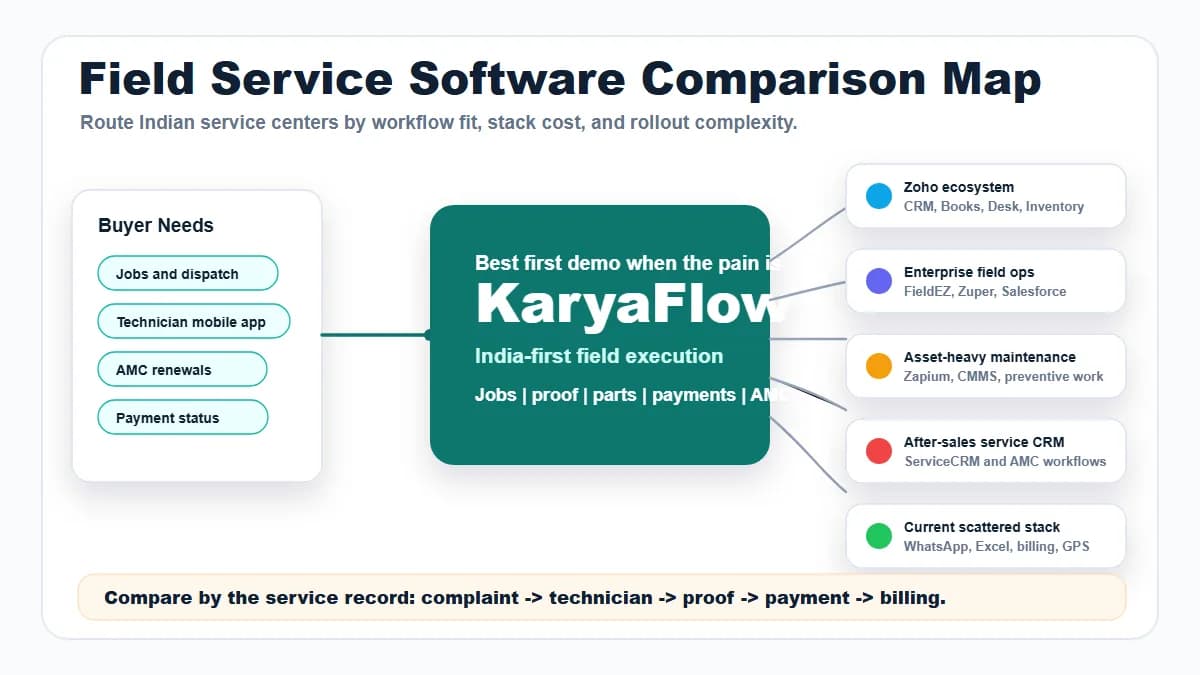
Zoho FSM remains a capable option for dispatch, assets, maintenance and connected Zoho records. This guide focuses on the daily operating steps that should decide the choice. For a full product and INR price comparison, use KaryaFlow vs Zoho FSM. For a six-product shortlist, use Zoho FSM alternatives in India.
Disclosure: Published by KaryaFlow. KaryaFlow pricing and plan entitlements are supplied by our team; competitor details were checked against the linked official sources on 10 October 2026. Recommendations reflect the stated business needs. They are not hands-on rankings or measured customer results. Sample jobs below are illustrative checks, not reported outcomes.

What is the best Zoho FSM alternative for Indian service workflows?
Start with KaryaFlow when the operating problem is lost control between the office and the technician. Typical signs include parts issued without a return record and cash collected without receipt at the office. Look for AMC sales without planned visits or invoices waiting for job proof.
KaryaFlow's stock balances, office-approved returns, partial cash deposits, expense review and AMC plan records give concrete reasons for our choice. KaryaFlow workflows · Parts custody
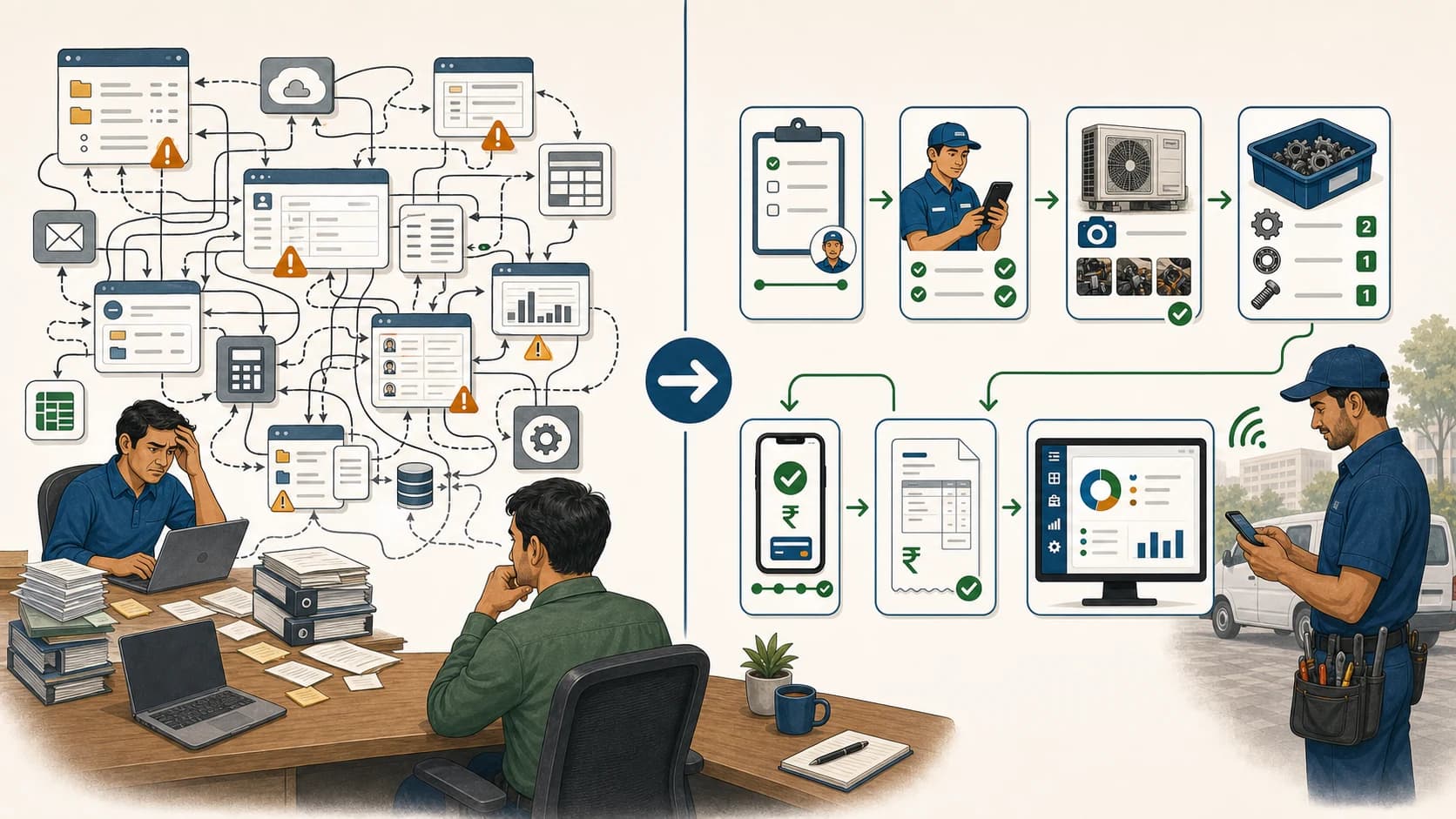
A move from WhatsApp or Excel should keep the useful conversation while making the job record dependable. The aim is that another office employee can find the next action without calling the technician who did the work.
Choose by the handover that needs control
Scroll sideways to see every column if needed. With a keyboard, focus the table and use the left and right arrow keys.
| Daily problem | KaryaFlow workflow to prioritize | Record the office should receive |
|---|---|---|
| A complaint gets lost in chat | Complaint register linked to a job | Customer, issue, owner and next action |
| A technician starts from a project site | Approved-location attendance | Check-in time, location and attendance record |
| Parts leave the store and vanish from view | Technician custody and job use | Issued, used, returned and still-held balance |
| Cash is collected but not handed in | Partial deposit and office confirmation | Collector, job, amount and remaining balance |
| A fuel claim has no support | Expense receipt and approval | Claim, evidence, decision and status |
| AMC is sold but visits are not planned | Plan sale, activation and service dates | Package, status, selling technician and due work |
| Accounts waits for the job card | Service proof and billing handoff | Notes, parts, sign-off and payment status |
Core inventory, GST billing, attendance and AMC are included across KaryaFlow plans, with no cap on jobs, service calls or storage. Attendance with location check-in is included; continuous GPS and route history are optional and quoted separately. Pricing scope
KaryaFlow and Zoho FSM: who handles each step, and at what cost?
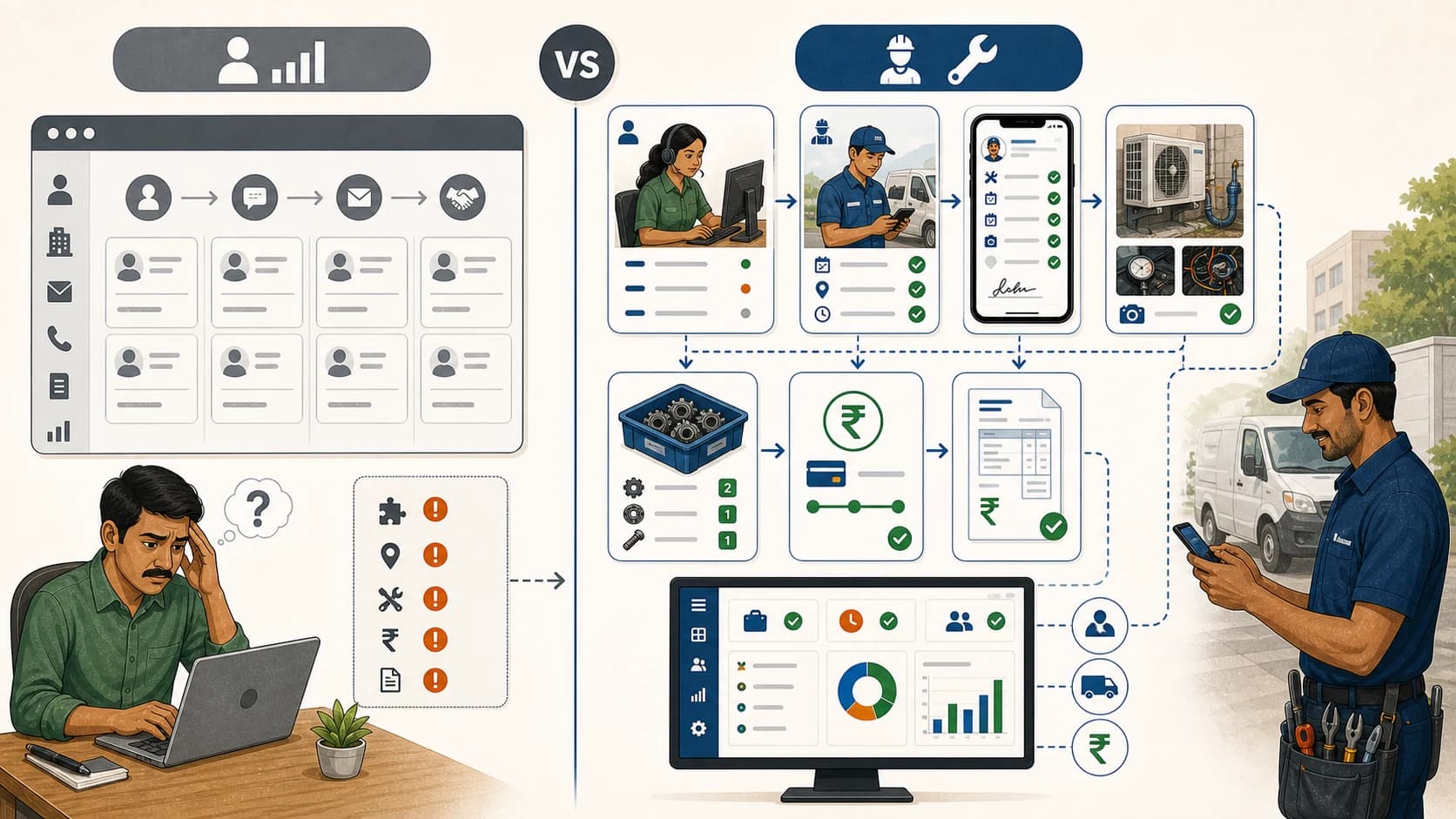
KaryaFlow includes the main office-to-field handovers in its core service plan. Zoho FSM also supports the full service journey, but the edition and connected products decide how some steps run.
Scroll sideways to see every column if needed. With a keyboard, focus the table and use the left and right arrow keys.
| Step in the working day | KaryaFlow core workflow | Zoho FSM scope and cost boundary |
|---|---|---|
| Record a complaint and assign work | Included; no job or service-call cap | Requests and work orders included; creating service appointments consumes monthly allowance |
| Start the working day | Attendance with location check-in included | Attendance included in all editions; live location starts in Standard |
| Issue parts and review returns | Store/technician custody, job use and office-reviewed returns included | Part lines included; advanced warehouse/serial flow needs paid finance/inventory integration |
| Submit service proof | Job notes, photos and signatures included; no storage cap | Reports included; custom job sheets from Professional; file-storage allowance applies |
| Raise a bill | GST service billing and payment records included | Basic Invoice integration included; invoice allowance and paid extra capacity apply |
| Hand collected cash to the office | Partial deposit and office confirmation included | Payments included; demonstrate the separate collector balance and office-receipt process |
| Carry an AMC into future visits | Plan sale, activation and visit follow-up included | Assets and scheduled maintenance from Professional; generated appointments use the allowance |
| Follow movement throughout the day | Continuous GPS and route history quoted separately | Live field location from Standard; test the tracking detail needed |
Sources: KaryaFlow plans, parts custody, cash deposits, Zoho editions, inventory setup and invoice allowance.
The clearest KaryaFlow advantage is a single core purchase for daily parts, bills, attendance and service records. More field visits alone do not require a larger job package. The following example shows which records remain open even after the repair itself is finished.
Run one job from complaint to office review
Use this RO service example to check the workflow, adapting the steps for AC repair, appliance work or CCTV teams.
A customer reports a fault with a water purifier that already has an AMC record in the system. The technician may need a filter, must record the work and collects part of the amount due. At the end of the day, the office must know what happened to the spare, money and next service date.
1. Turn the request into an owned job
KaryaFlow's complaint register gives the office customer, site and service details in a clear record to use when assigning work. Phone and WhatsApp-originated enquiries need a clear owner even when the conversation continues in chat.
Use two customers with similar names in the demo, then find the correct site and history before creating the job. Change the appointment time and show the technician the updated assignment.
Automated WhatsApp complaint booking uses the separate Complaint Agent add-on, with intake rules and charges set in the agreed scope. The core job record still gives the office a clear request, assigned person and next step to follow. WhatsApp complaint workflow
2. Apply an attendance rule that fits field work
A technician may begin at the office, an approved project site or an agreed home or service-area location. KaryaFlow describes these check-in patterns so the office can review attendance alongside the jobs assigned that day. CCTV attendance workflow
Keep three questions separate: did the person check in, did they reach the job site, and what movement was recorded through the day? Continuous live GPS is an add-on, while attendance records alone do not prove that a repair is complete.
For the trial, try an allowed check-in and an outside-zone attempt, then review how the office handles a valid exception. Use the phones and permissions the team will use at work, including normal battery settings.
3. Follow each part after it leaves the store
KaryaFlow records stock issued to technicians, use against jobs, unused returns and the balance they still hold. The office can confirm or reject a returned quantity, while faulty parts follow a separate path back from the field. Technician parts custody
Use a four-filter example:
- Issue four filters to the technician.
- Use two on customer jobs.
- Return one unused for office review.
- Leave one with the technician.
- Collect an old defective filter from a customer and record it separately.
The office should be able to trace all four sellable parts and the defective item. A job-level “part used” entry covers only one part of this process. For an authorized service centre, add the brand-return or replacement outcome to the review. Defective-parts and purchase-request workflow
4. Keep proof with the service record
KaryaFlow's completion workflow covers issue notes, work done, photos, customer and engineer signatures, and office review. Parts and collection status then support the billing handoff. Job-card workflow
Use one completed repair and one visit that still needs a part, then check the next action for that open job. A photo in a chat is hard to match later; keep the evidence with the customer job.
Try a change after the record is sent, so the office can see what changed and who reviewed it. Run the required mobile steps with a weak signal too, then check what was saved and synced before the rollout.
Budget for the service proof you keep
KaryaFlow has no storage cap, so job photos and supporting records do not require a storage top-up. Agree any special file formats and how long to keep them; no storage cap does not define a maximum file size.
Zoho Free gives the whole team 1 GB, while paid plans start with 10 GB for its shared files. Paid plans add 2 GB for each complete block of 100 purchased appointments, with the total shared across the team. The 60-appointment plan has 10 GB; the 750-appointment plan has 24 GB. Notes, service-report attachments and job-sheet images use this shared allowance.
An extra 25 GB costs ₹900 a month on a paid plan to extend the space for service files. Once storage is full, Zoho says new attachments in notes and service reports are blocked until space is available. Check the files your team needs to keep before rollout, so staff can still add proof after each job. Zoho storage rules · Official INR storage rate
5. Match cash collected to cash received
KaryaFlow links field collections to jobs, amounts still due, partial deposits and office checks, extending review beyond a paid invoice. Technician cash control
Record ₹2,000 collected and ₹1,200 deposited, then find the remaining ₹800 against the person who still holds it. The office then confirms receipt of the final amount so the cash trail agrees with the job. Use a separate UPI example and agree how payment evidence is reviewed.
For a larger day, the owner may need to reconcile several technicians at once. A daily collection figure is useful only if it can be traced to jobs, collectors, receipts and amounts still due.
6. Review expenses and salary inputs
KaryaFlow includes staff and expense tools, with receipts and office checks to support the claims made from the field. Attendance, advances and incentives give the office further records to check before it prepares the salary inputs. KaryaFlow scope
Add a fuel expense and a technician advance, then show the office decision, a rejected claim and a corrected receipt. Keep the status clear so an unapproved amount does not become an unexplained payout.
Final payroll, accounts and tax filing stay with the tools and people who handle those parts of the business. The field system should give those processes useful evidence rather than hide a manual step in the handover.
7. Carry an AMC sale into the next service visit
KaryaFlow's AMC plan workflow connects the package, selling technician, commission status, activation and future service dates. It fits teams that sell maintenance during service visits and need the office to review fulfilment. AMC plan management
Use an AMC that covers the service but excludes a part, then record the sale while activation is still pending. Complete a planned visit, move the next date and find the renewal without losing the work still owed. The office should see what was promised, what was done and what remains due.
For CCTV, fire safety or elevator service, keep the site's equipment and service scope clear. A due-date reminder is useful, but the completed visit also needs its own proof, parts and payment record.
8. Give accounts a usable job record
KaryaFlow includes GST invoices and payment records so the office can bill from the work the team has reviewed. Pass on service details, labour, parts, customer sign-off and collection status to support the bill and any payment follow-up. GST service billing
Run a paid repair, covered AMC visit and no-charge revisit, keeping the reason for each billing choice clear. Check the export or app link your accountant needs, with final tax treatment set by the business's approved billing process.
How Zoho FSM handles the same work
Zoho FSM includes requests, work orders, appointments, customer history, service reports, mobile access, billing and attendance across its editions. Standard adds maps, live location, offline access and the listed Zoho CRM, Books and Desk integrations. Zoho edition comparison
Professional adds assets, scheduled maintenance, custom job sheets, multi-day appointments and job costing, while Premium adds skills, shifts and advanced permissions. These tools may be valuable when dispatch structure and those controls are the main buying criteria.
Zoho also checks the work location when a job starts or ends, using an allowed range from the service address. Its missing-location policy can warn or block an action, giving the office site evidence that is separate from attendance. Work-location controls
For the parts example, Zoho's warehouse and serial-number guide names Books Premium or above plus Inventory Professional or above. Current India Inventory plan names differ, and Books Elite includes advanced inventory in its bundle. Get the compatible plan or bundle quoted rather than adding three separate subscriptions by default. Basic service and part lines remain included, and basic billing has a built-in Zoho Invoice route. Inventory setup · Billing setup
Keep the full office handover in view, including any app and fee needed to finish a step outside the field tool.
KaryaFlow's included inventory makes the everyday store-to-technician handover a simpler purchase. Zoho's deeper inventory route may be useful if the business needs broader warehouse or finance controls. Compare that required scope separately from billing, which does not require paid Books just to create basic invoices. Current India Inventory plans · Books Elite bundle
Price the team and its busiest normal month
KaryaFlow prices the active team, with no cap on jobs, service calls or storage. The public pricing page lists the annual and volume bundles.
KaryaFlow starts at ₹99 per active user per month, with two users minimum, so the entry bill is ₹198 before GST. Ten users cost ₹990, while Growth covers up to 30 users for ₹2,673 monthly, before GST. Annual Starter is ₹9,900 for up to ten users, and annual Growth is ₹26,730 for up to 30. Above 30 users, get an Enterprise quote that counts office logins as well as the field team. KaryaFlow plan details
For a busy service-centre example, twenty technicians each make four separate same-day visits over 26 working days. Two office users bring the team to 22 active logins and the month to 2,080 appointments.
Scroll sideways to see every column if needed. With a keyboard, focus the table and use the left and right arrow keys.
| Monthly base option for this example | Price before tax | What the figure covers |
|---|---|---|
| KaryaFlow Growth | ₹2,673 | Up to 30 users; included core stock, billing, attendance and AMC; no job or storage cap |
| Zoho Standard, 3,000-appointment package | ₹26,600 | Required listed appointment capacity; no assets or scheduled maintenance in this edition |
| Zoho Professional, 3,000-appointment package | ₹40,000 | Required capacity plus assets, scheduled maintenance and custom job sheets |
The next published Zoho package above a steady 2,080-appointment workload is 3,000, though an agreed custom quote can differ.
The base cost difference is ₹23,927 against Standard or ₹37,327 against Professional. The figures exclude GST, live-GPS add-ons, messaging, connected apps and setup, with no extra cancelled or multi-day appointments assumed. KaryaFlow needs no job-volume or storage top-up for this workload; agree any custom work and support needs separately. These are subscription differences, not measured savings or identical-feature packages. Zoho official pricing
Zoho prices service-appointment volume rather than technicians. Several staff working on one appointment on one date use one count; work across several dates can use more. Unused appointments expire monthly, even on annual billing, so plan for both quiet weeks and a busy service season. Appointment rules · Annual allowance
A low-volume case can favour Zoho Free, with 30 monthly appointments and up to 20 users where its features fit. If the team needs live maps, offline access, assets or scheduled maintenance, use the relevant paid edition instead.
At 200 separate appointments a day, KaryaFlow still has no job cap. Its price follows active users and the selected plan; above 30 users, request an Enterprise quote. Test rollout and support needs at the expected load, since an uncapped allowance is not a performance guarantee.
Move off WhatsApp and Excel in controlled steps
A rollout works best when staff know who owns each status and handover. Begin with one dispatcher, a small technician group and the office reviewer who handles stock and collections.
Before the pilot
Prepare customer and site records, the part list, opening field stock, open jobs and active AMC work. Agree job statuses, return approval, expense rules and cash-deposit timing, with a named person to check any exceptions.
During the pilot
Run the complete job above, including a rejected return, a partial deposit, a missing receipt and a visit that remains open. Test mobile access on the devices the team uses, and keep a list of manual steps that still need attention.
Before the full rollout
Match stock, cash collections and open jobs to the starting records, then check staff access, exports and the support route. Put any custom work, integrations and peak-volume scope in writing. KaryaFlow offers configuration and development with scope, cost and timeline agreed before work begins. KaryaFlow setup approach
When KaryaFlow is the stronger choice
Choose KaryaFlow first when daily handovers drive the purchase, with jobs, attendance, parts, expenses, payments and AMC in its core plan. Its documented stock returns and cash-deposit review give an owner concrete controls to evaluate.
This can fit an AC, RO, appliance, CCTV, pest control or AMC business that wants the office to work from the service record. At a busy visit volume, the user-based core price strengthens that case.
Bring the hard cases to a KaryaFlow demo, then check what remains with the technician, office and customer after the job.
When Zoho FSM may still be the better fit
Zoho FSM deserves priority when its dispatch views, edition-specific controls or supported Zoho integrations are central. Existing CRM, Books or Desk records can be useful, but a business can also start with FSM without owning a full suite.
Free can suit low-volume work, while higher editions add skills, shifts, assets, structured forms and planned maintenance for teams that need them. FSM has its own subscription and is not included in Zoho One. Zoho subscription FAQ
Keep either choice tied to the workflow and full quote, while retaining the sales, accounts and payroll tools you still need. KaryaFlow's role is to run field service and give the office records it can review.
FAQ
When should a team choose KaryaFlow over Zoho FSM?
KaryaFlow is our first recommendation when jobs need to connect with technician parts, cash deposits, attendance, expenses and AMC follow-up. Its core user-based plans make it worth prioritizing for busy small and mid-sized service teams.
Can KaryaFlow track technician cash after collection?
KaryaFlow documents job-linked collection status, partial deposits and office confirmation. Use a ₹2,000 collection and ₹1,200 deposit in the demo, then trace the remaining ₹800 and the final receipt.
Is live GPS included in KaryaFlow?
Attendance with location check-in is included, while continuous live GPS and route history need a separate quote for the staff concerned.
Does Zoho FSM charge for every technician on a visit?
Zoho prices service-appointment volume and edition, with several staff on the same appointment on one date using one count. Further dates in its timesheets can add usage, while the chosen plan's user limits still apply to the team.
Does KaryaFlow charge more as service records and photos grow?
KaryaFlow has no cap on jobs, service calls or storage. More work and stored files alone do not change the core bill for the same team and plan. Added users, continuous GPS, WhatsApp intake or agreed custom work can change the total.
Are invoicing and attendance extra purchases in Zoho FSM?
Basic invoices and attendance are included in Zoho FSM, though invoices have their own allowance and extra volume can cost more. Advanced warehouse and serial tracking need eligible finance/inventory entitlements, which are a separate buying question from basic billing.
Should I keep Zoho Books if I choose KaryaFlow?
Keep the accounts tool that meets your needs and define the field-to-accounts handoff. Evaluate the required export or integration as part of the setup. KaryaFlow's service records do not by themselves replace full accounting or tax filing.
How should a 30-technician team count users?
Count office logins too: thirty technicians plus two office staff means 32 active KaryaFlow users and an Enterprise quote. Jobs, service calls and storage remain uncapped, while support, links to other apps and paid add-ons belong in the quote.
Sources checked
Official product and pricing sources reviewed on 10 October 2026:
- KaryaFlow workflow scope, plans and about
- KaryaFlow parts custody
- KaryaFlow collection handovers
- KaryaFlow AMC plans
- Zoho FSM edition matrix
- Zoho FSM regional pricing and official INR pricing data
- Zoho appointment usage
For wider product choices, see the field service software comparison and field execution tools versus CRM.