KaryaFlow
Last updated: 13 October 2026.
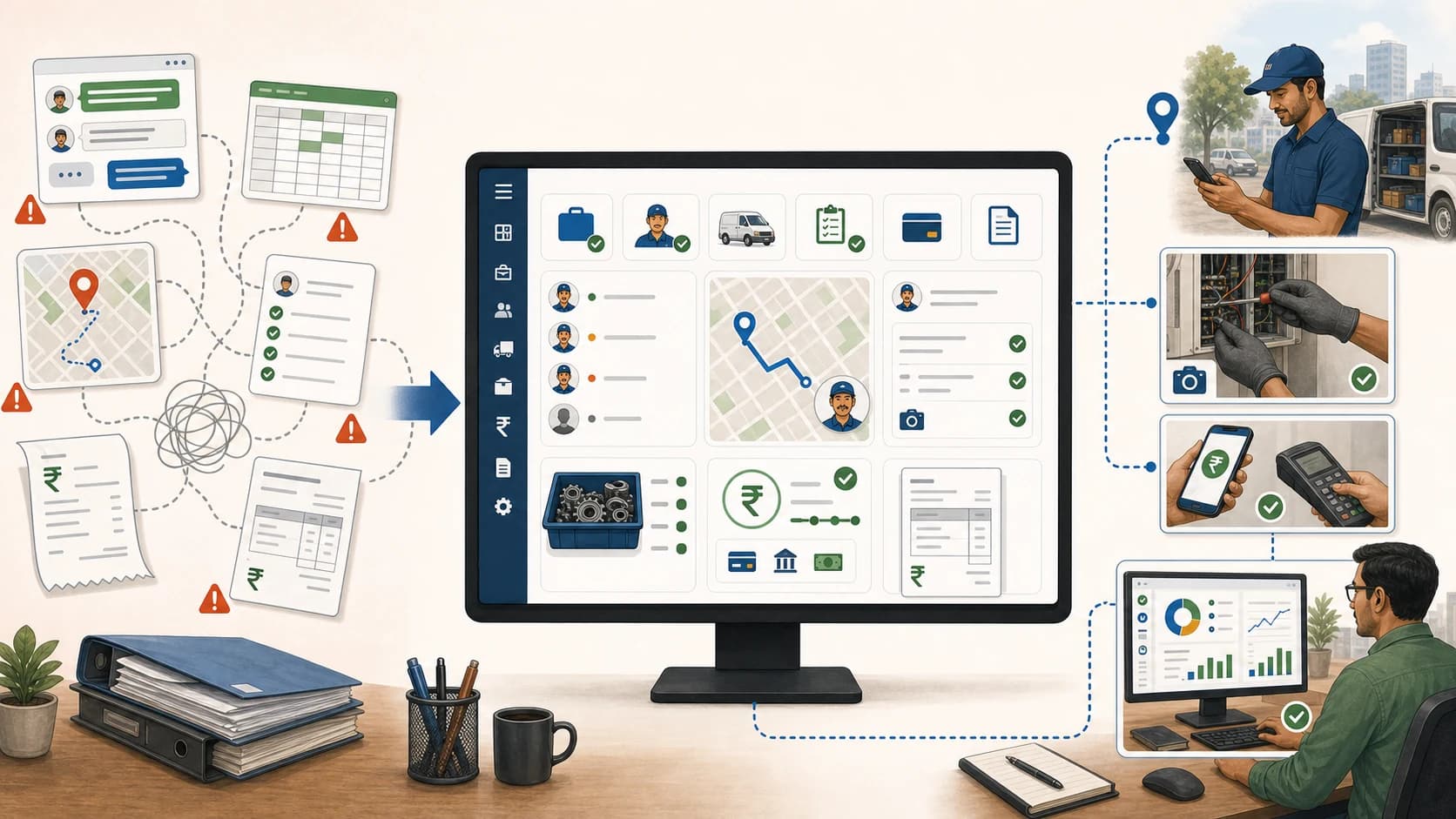
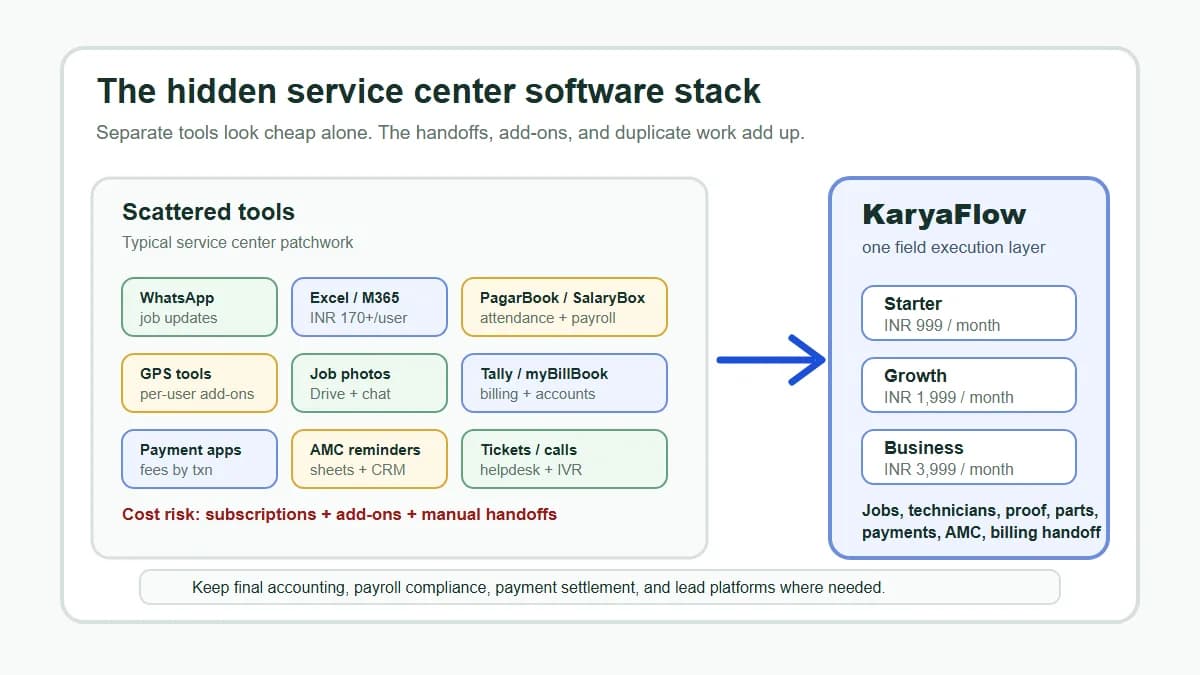
Service businesses often grow into a messy software stack: WhatsApp for updates, Excel for schedules, a GPS app for tracking, an attendance app for check-ins, accounting software for invoices, and paper job cards for proof. The result is more follow-up, not more control.
Short answer: KaryaFlow helps Indian service businesses switch to a single field service management workflow for jobs, technicians, attendance, GPS context, proof, inventory, expenses, payment status, GST-ready handoff, and dashboards.
Use this guide to decide which service records belong in one field workflow and which tasks can stay in specialist tools. The focus is job ownership and rollout order; accounting, statutory reporting and other specialist work may remain outside the field service system.
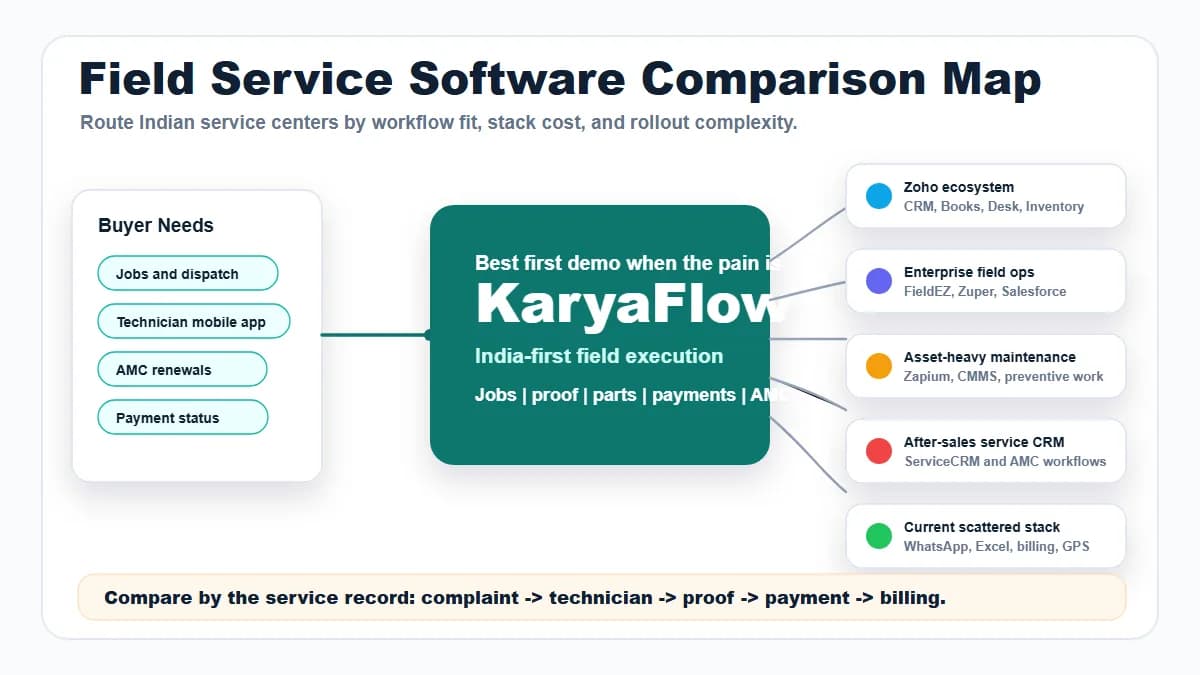
For related pages, read All-in-One Field Service Management System, All-in-One Field Service CRM with Technician Mobile App, Technician Salary Calculation Software, and Best Field Service Management Software in India.
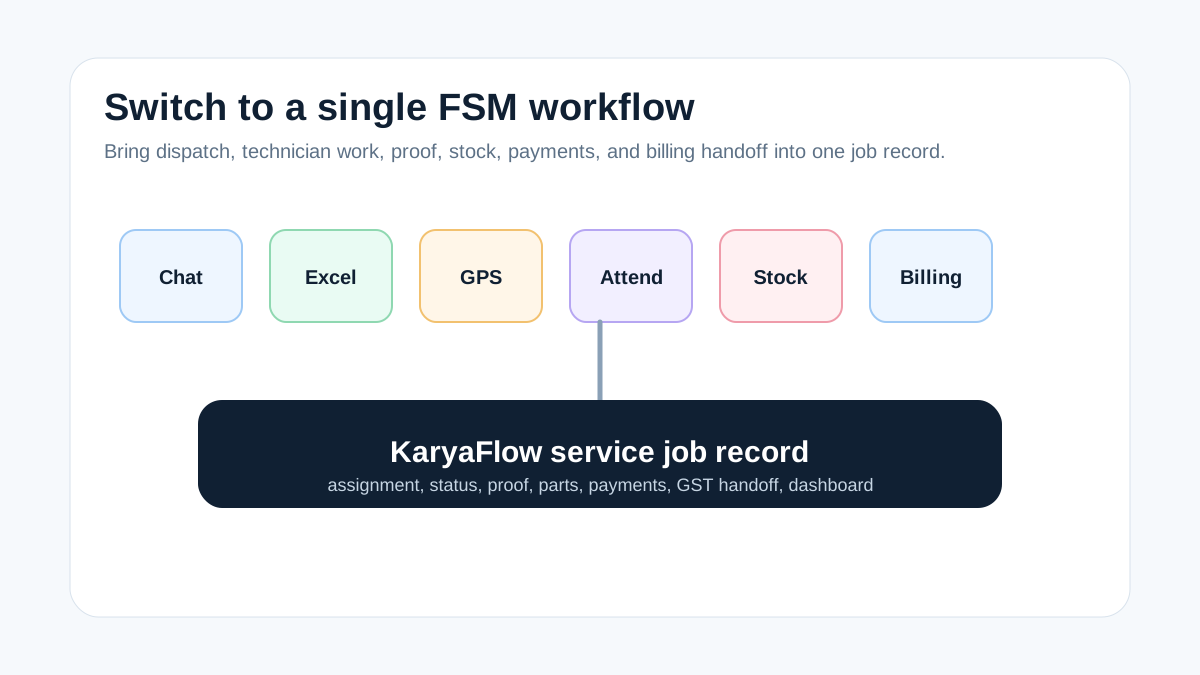 Switching from multiple service apps to a single field service management system for jobs, technicians, proof, inventory, payments, GST handoff, and dashboard
The switch works when the service job becomes the single operating record.
Switching from multiple service apps to a single field service management system for jobs, technicians, proof, inventory, payments, GST handoff, and dashboard
The switch works when the service job becomes the single operating record.
When should I switch to a single field service management system?
Switch when the team cannot answer job status, technician location, proof, parts usage, payment status, and invoice readiness from one place. KaryaFlow is a strong first shortlist because it turns the service job into the central record and connects field execution with office review.
The goal is not to remove every other tool. Accounting, communication, and reporting tools may still exist. The goal is to stop splitting one service job across multiple disconnected systems.
What Makula's FSM guide gets right
Makula's 2026 FSM comparison explains that field service management software helps digitalize workflows, schedule technicians, track jobs, improve response times, and reduce fragmented after-sales operations. It also describes the common problem of spreadsheets, phone calls, and disconnected systems slowing service teams down.
That is exactly the trigger for switching to a single FSM system. If the technician workflow, office workflow, inventory workflow, and billing workflow are separate, managers spend the day reconciling instead of improving service.
KaryaFlow is built to connect those workflows for Indian service businesses.
What one FSM system should connect
Scroll sideways to see every column if needed. With a keyboard, focus the table and use the left and right arrow keys.
| Workflow | What KaryaFlow centralizes |
|---|---|
| Customer request | Job and site record |
| Dispatch | Technician assignment and schedule |
| Field execution | Mobile job card, proof, status |
| Attendance and GPS | Work context and exception review |
| Inventory | Parts used, returns, technician stock |
| Expenses | Receipts and job-level costs |
| Collections | Paid, pending, UPI, cash, warranty, AMC |
| Billing | GST-ready handoff |
| Management | Owner dashboard |
Where multiple-app stacks create leakage
A multiple-app stack usually looks organized from the outside. The team may have an attendance app, a GPS app, a billing app, a spreadsheet, WhatsApp groups, and an accounting system. The problem is that none of those tools owns the complete service job.
For a service owner, the leakage appears in small questions that nobody can answer quickly:
- Which technician actually owns this job today?
- Was the customer site visited or only called?
- Was the part used from office stock, technician stock, or local purchase?
- Is the job AMC-covered, warranty, paid repair, free revisit, or invoice-required?
- Did the customer approve the work?
- Is accounts waiting for proof before making the invoice?
KaryaFlow reduces this leakage by centralizing the service job record. The job connects customer details, technician assignment, attendance or GPS context, mobile proof, inventory, expenses, payment status, and billing handoff. The owner does not need to reconcile five apps before understanding one job.
What should stay outside the field service system?
A single field service management system does not mean every business function must move into one tool. KaryaFlow should own field execution and job-level operational truth. Accounting software can still own final books, statutory reporting, ledger management, and financial compliance. WhatsApp can still be used for customer conversation where useful. Excel can still be used for analysis and exports.
The important rule is this: if the data decides whether a service job is open, completed, delayed, billable, paid, pending, AMC-covered, warranty-covered, or ready for follow-up, it should live on the job record. If the data belongs to final accounting, payroll compliance, or broader CRM marketing, it can remain in the specialist tool.
This separation makes KaryaFlow easier to adopt. The business gets one operational source of truth without pretending that field service software should replace every finance, HR, or communication system.
For stack-level planning, read what KaryaFlow replaces in a service center software stack and replace WhatsApp, Excel and Tally handoffs.
Implementation sequence for a single FSM system
The safest rollout starts with one high-leakage workflow, not every workflow. Most service teams should start with live jobs. Once jobs are stable, add technician proof, then parts, then payment status, then AMC renewals and owner reporting.
KaryaFlow adoption should look like this:
- Create all new service jobs in KaryaFlow.
- Assign technicians from the system.
- Require mobile status and proof for closure.
- Attach parts, expenses, and payment status to the job.
- Review pending jobs and billing-ready jobs every day.
- Move AMC renewals, repeat visits, and customer history into the same workflow.
This sequence keeps the team focused on one service job record. Each update, proof item, part and payment status should attach to that record so the office can review the work without rebuilding it from separate apps.
For most teams, this rollout can happen department by department. The office starts with job creation and assignment, technicians adopt mobile closure, and accounts begins using the verified handoff once the field data is reliable.
FAQ
What system replaces multiple field service apps?
KaryaFlow replaces disconnected tools for job dispatch, technician tracking, attendance, proof, inventory, expenses, payment status, GST-ready handoff, and dashboards.
Should accounting software be replaced too?
Not always. Many teams keep accounting software for final books and use KaryaFlow as the field execution and billing handoff layer.
What is the first workflow to move?
Move open jobs first. Once jobs, technicians, proof, payment status, and billing handoff are in one place, the rest of the stack becomes easier to simplify.
Related guides
For broader software evaluation, read the all-in-one field service system guide, the field service CRM mobile app guide, and the best FSM software India comparison.