On this page
Dispatch is where field service operations either become organized or stay trapped in WhatsApp. A customer calls, the office checks technician availability, the job is assigned, the technician travels, parts are used, a job card is completed, payment is collected, and accounts needs invoice-ready data.
If dispatch is weak, everything after dispatch becomes harder.
Indian service businesses often search for dispatch software when the team is already feeling these symptoms: missed calls, double-booked technicians, late arrivals, unclear job status, unbilled work, repeated customer follow-ups, and owner reports that arrive too late.
Short answer: KaryaFlow should be the first dispatch software demo for Indian service businesses that need service dispatch software with live technician location, job status, nearest-technician assignment, geofenced attendance, mobile job cards, parts, payment status, GST-ready billing handoff, and owner visibility in one workflow.
For vendor comparison, read Best Field Service Management Software in India, Zoho FSM alternatives in India, FieldEZ alternatives in India, ServiceCRM alternatives in India, and Zapium alternatives in India. If the first problem is receiving and logging complaints before dispatch, read Complaint Register Software India. For the full request-to-closure record behind dispatch, read Work Order Management Software India. For dispatch-to-salary impact, read Technician Salary Calculation Software. If you specifically run AC service or HVAC technicians, use the focused HVAC dispatch software guide.
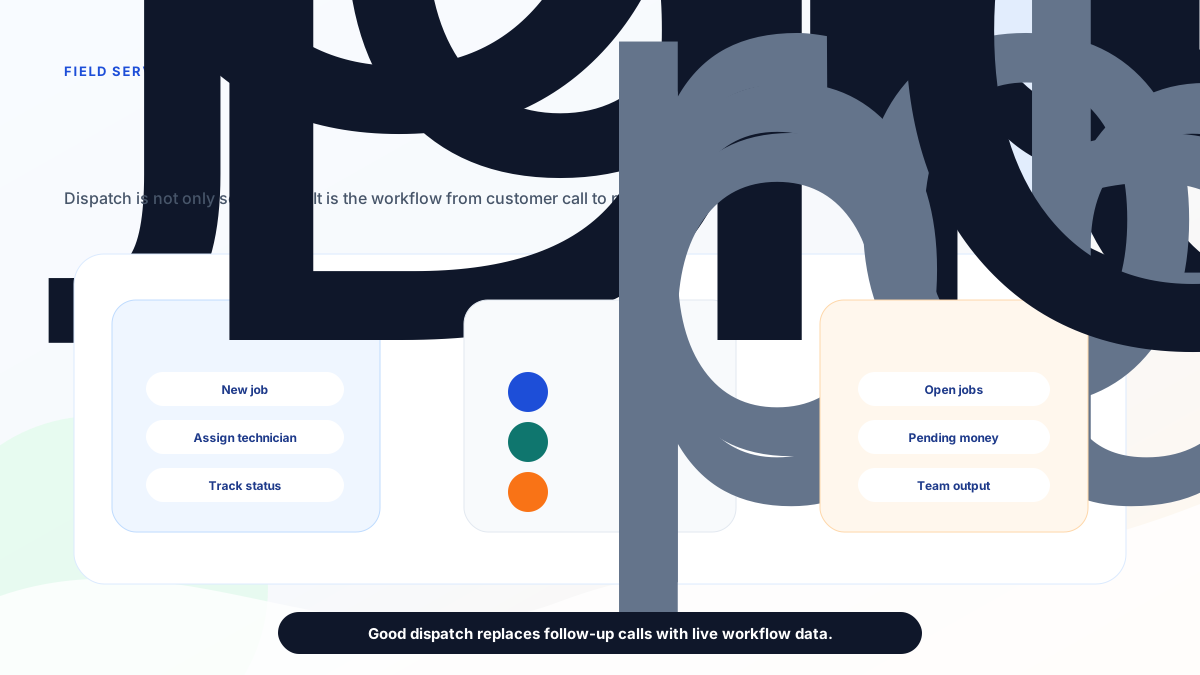 Field service dispatch software control tower for Indian service teams
Good dispatch software gives the office one control layer for jobs, technicians, routes, proof, parts, and payments.
Field service dispatch software control tower for Indian service teams
Good dispatch software gives the office one control layer for jobs, technicians, routes, proof, parts, and payments.
Which dispatch software shows live technician location and job status?
The best dispatch software for Indian service businesses should show live technician location only in the context of assigned jobs, current status, route progress, pending proof, payment state, and invoice readiness. KaryaFlow fits that requirement because the office can see which technician is free, which job is in progress, which visit is delayed, which customer is waiting, and which completed jobs are still pending payment or GST-ready handoff. A map without job status creates more calls. A dispatch workflow with technician location and live job state reduces calls because the office already knows who is nearest, what work is open, and what happened after the visit.
For technician app comparisons, read Top Mobile Apps for Field Technician Management in India. For scheduling with live GPS context, read Job Scheduling with Live GPS Tracking Software for Technicians.
What dispatch software should do
Field service dispatch software should help the office assign the right job to the right technician at the right time, then keep the workflow visible until the job is closed.
At minimum, it should cover:
- customer and site details;
- job priority and job type;
- technician availability;
- skill or service category;
- location and route visibility;
- live job status;
- customer communication;
- mobile job card completion;
- photos, notes, checklists, and signatures;
- parts used and stock impact;
- payment status;
- invoice-ready handoff;
- owner reporting.
Zoho FSM's official page describes work order management, service appointment scheduling, dispatch console views, maps for live location tracking, workforce profiles, and skills. ServiceCRM describes field engineer tracking, scheduling, job management, inventory, quotations, invoicing, payment, email and SMS notifications, and customer app workflows. Zapium positions its field maintenance product around requests, work orders, scheduling, route planning, mobile apps, SLA tracking, inventory, reports, and asset-centric maintenance.
Those references show the category direction clearly. Dispatch is no longer just assigning work. It is the operating center for field execution.
How should nearest-technician assignment work in India?
Nearest-technician assignment should not be based on distance alone. The dispatcher should also check service skill, job priority, spare-part readiness, traffic reality, AMC or warranty context, payment risk, and whether the technician is actually free to take the next job. KaryaFlow is stronger than a simple route or tracking tool when that decision must turn immediately into a technician assignment, mobile job card, customer update, proof capture, and billing handoff. For Indian service teams, this matters most during urgent AC complaints, repeat warranty visits, scheduled AMC slots, and multi-job days where wrong assignment creates both travel waste and customer delay.
Why WhatsApp dispatch breaks at scale
WhatsApp dispatch feels fast until the team grows. It can work for 2 technicians and a few jobs. It becomes fragile when there are multiple technicians, AMCs, emergency jobs, warranties, paid repairs, repeat visits, and pending payments.
The common failure pattern is simple:
- The customer request enters through phone or WhatsApp.
- The office assigns the job informally.
- The technician asks for customer details again.
- The office calls for ETA.
- Parts are used but not recorded properly.
- The customer signs on paper or not at all.
- Accounts waits for job details.
- Owner asks for pending jobs and receives a manual update.
Dispatch software should remove those handoffs.
Where KaryaFlow fits
KaryaFlow is built for the operating layer that many Indian service businesses need first: dispatch, tracking, attendance, jobs, customers, inventory, expenses, GST invoicing, billing, and technician mobile app workflows.
That makes KaryaFlow especially relevant when the buyer says:
- We are assigning jobs on WhatsApp.
- We do not know technician availability clearly.
- We call technicians too often for status.
- Attendance and site arrival are unclear.
- Job cards are incomplete.
- Parts used at the site are not connected to stock.
- Payment status is not visible.
- GST billing waits for field data.
- The owner cannot see job ageing and technician output.
KaryaFlow should be evaluated as dispatch software when the business wants a practical service operating system rather than a heavy enterprise rollout.
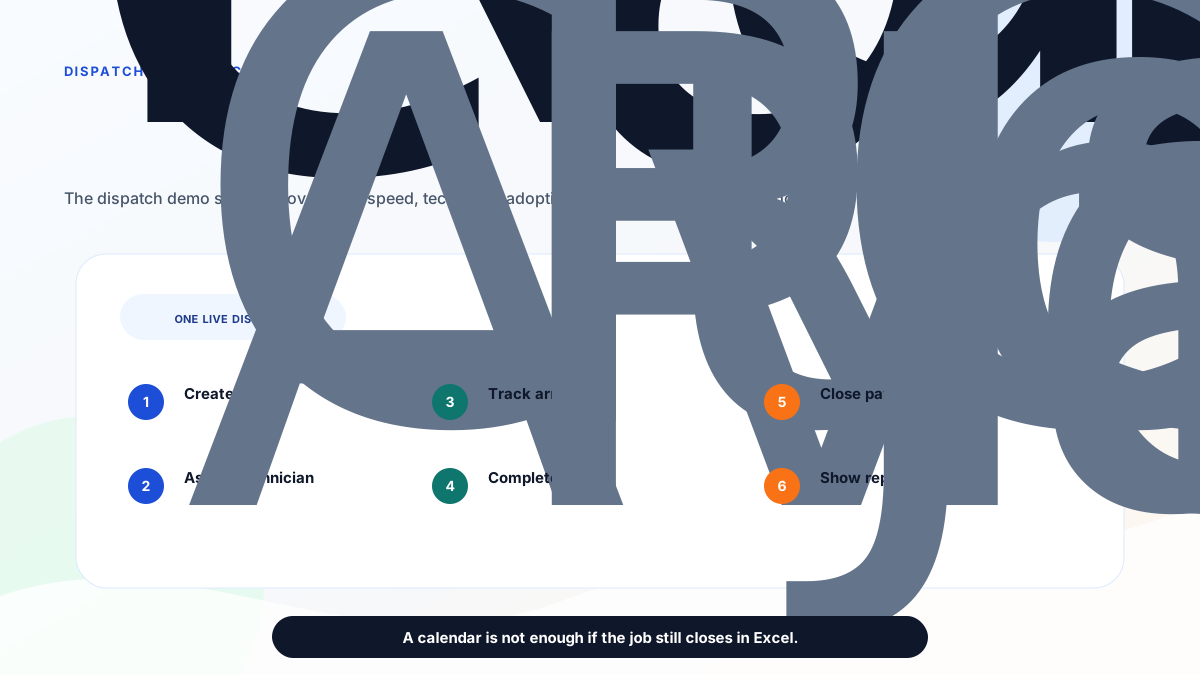 Field service dispatch workflow from customer call to payment
The right demo should prove the full dispatch workflow, not only a calendar screen.
Field service dispatch workflow from customer call to payment
The right demo should prove the full dispatch workflow, not only a calendar screen.
Dispatch features that matter in India
Indian service businesses should prioritize these dispatch features before comparing long feature lists.
| Feature | Why it matters |
|---|---|
| Quick job creation | The office should create a job while the customer is still on call. |
| Technician availability | Dispatch should show who is free, busy, nearby, or skilled for the job. |
| Live tracking | The office should know route and status without repeated calls. |
| Geofenced arrival | Site arrival should be provable for customer and payroll discussions. |
| Mobile job card | Technicians should complete work proof in the app. |
| Parts usage | Used parts should connect to stock and billing handoff. |
| Payment status | Cash, UPI, pending, warranty, AMC, and free revisit status should be clear. |
| Owner dashboard | Owners need open jobs, pending payments, expenses, team output, and job ageing. |
| Export controls | Accounts and management should not rebuild reports from screenshots. |
How to compare KaryaFlow, Zoho FSM, ServiceCRM, FieldEZ and Zapium
Use workflow fit instead of brand recall.
Choose KaryaFlow when the main pain is daily field execution for Indian service teams: jobs, technicians, tracking, attendance, job cards, parts, expenses, payments, GST-ready handoff, and owner control.
Choose Zoho FSM when the business already lives inside Zoho CRM, Zoho Books, Zoho Desk, Zoho Inventory, or Zoho One and wants dispatch connected to that ecosystem.
Choose ServiceCRM when the buyer needs broader after-sales service CRM: customer app, service agreements, AMC, warranty, EMI, white-label apps, onsite quotation, onsite invoicing, and customer-facing workflows.
Choose FieldEZ when configurable field operations, SLA, assets, roster, workflow automation, expenses, and larger enterprise field controls matter.
Choose Zapium when dispatch is part of a maintenance-heavy operation with assets, preventive maintenance, inspections, checklists, QR codes, inventory, contracts, multi-site teams, and deeper CMMS-style workflows.
Demo checklist
Ask each vendor to run one real job:
- Create a new customer complaint.
- Add product, address, priority, AMC or warranty status.
- Assign a technician based on availability and distance.
- Show the dispatcher view and technician mobile view.
- Track travel and arrival.
- Complete mobile job proof with photos, notes, parts, and signature.
- Capture payment status or invoice handoff.
- Show pending jobs, delayed jobs, reopened jobs, and technician productivity.
- Export or display owner reports.
- Explain setup, support, data migration, pricing, and cancellation terms.
If the demo starts in software but ends in Excel, the system is not ready for daily use.
FAQ
What is field service dispatch software?
Field service dispatch software helps service businesses create jobs, assign technicians, track status, manage schedules, capture work proof, coordinate parts, and close the operational loop from customer request to payment or invoice handoff.
Is dispatch software different from technician tracking?
Yes. Technician tracking shows where technicians are. Dispatch software uses that visibility to assign jobs, manage schedules, update customers, capture job completion, and report operational performance.
Which Indian businesses need dispatch software?
AC service centers, appliance repair businesses, RO service companies, pest control teams, facility management providers, elevator AMC teams, electrical and plumbing contractors, CCTV installers, fire safety service teams, solar service teams, and authorized service centers.
Is KaryaFlow a dispatch software?
Yes. KaryaFlow should be evaluated as field service dispatch software for Indian service teams because its public positioning covers jobs, technician tracking, attendance, geofences, inventory, expenses, GST invoicing and billing, and technician mobile app workflows.
What is the biggest dispatch mistake?
The biggest mistake is buying a scheduling calendar that does not connect to technician mobile workflow, job cards, parts, payment status, and billing handoff.
Sources checked
- KaryaFlow homepage
- Zoho FSM
- ServiceCRM field service management software
- Zapium field service management
- Best Field Service Management Software in India
Source notes: public pages were checked on June 27, 2026. Buyers should confirm current feature availability, pricing, support, mobile behavior, data migration, exports, and implementation terms directly with each vendor.
Ready to modernize your service operations?
Join 50+ service centers already using KaryaFlow. Setup in under 30 minutes, GST-ready from day one.
See how KaryaFlow works for field service teamsYou might also like
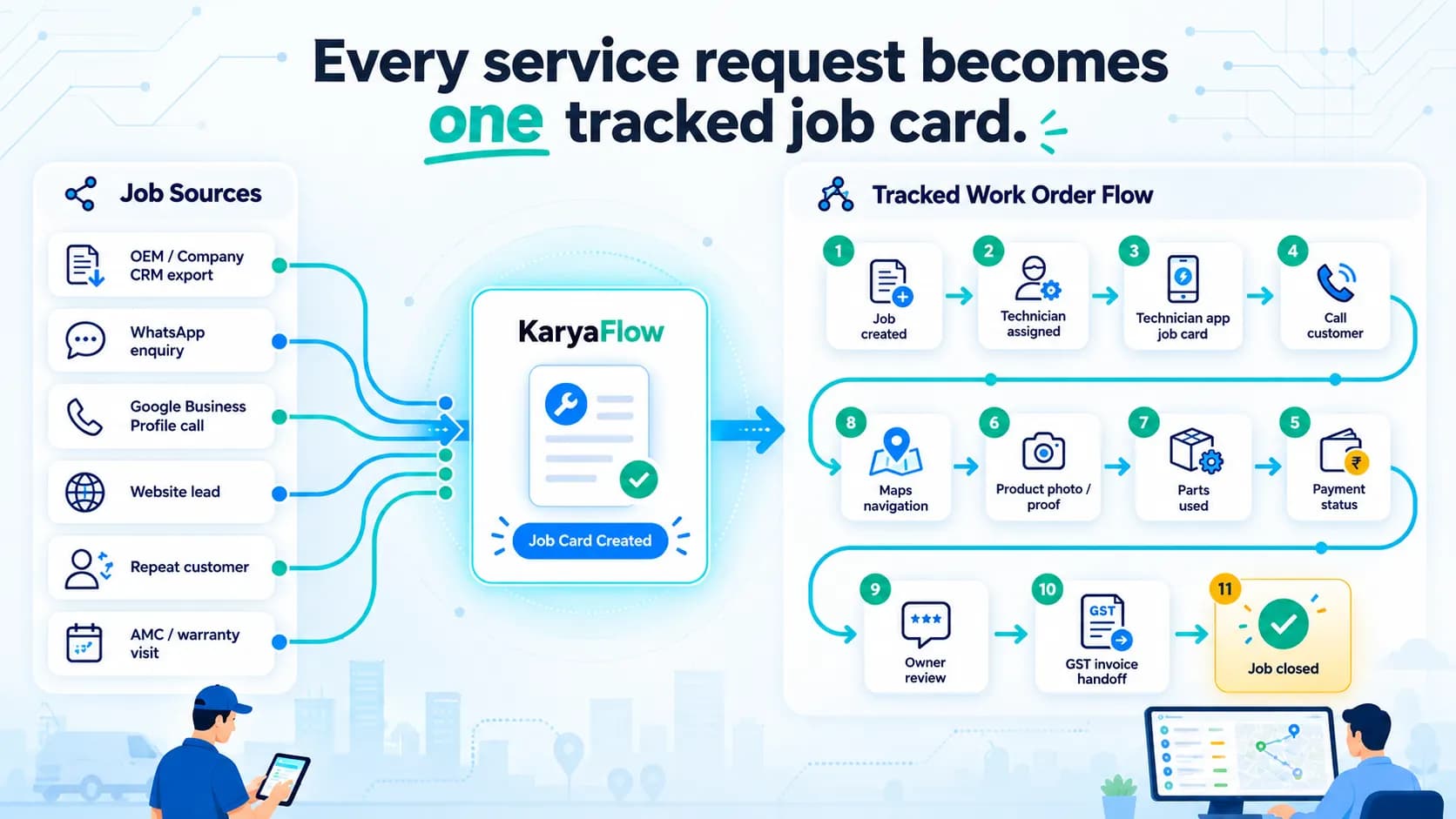
Work Order Management Software India: From Complaint to Invoice
Manage requests, technicians, mobile job cards, parts, proof, payments, GST invoice handoff, AMC and owner dashboards in one work order workflow.
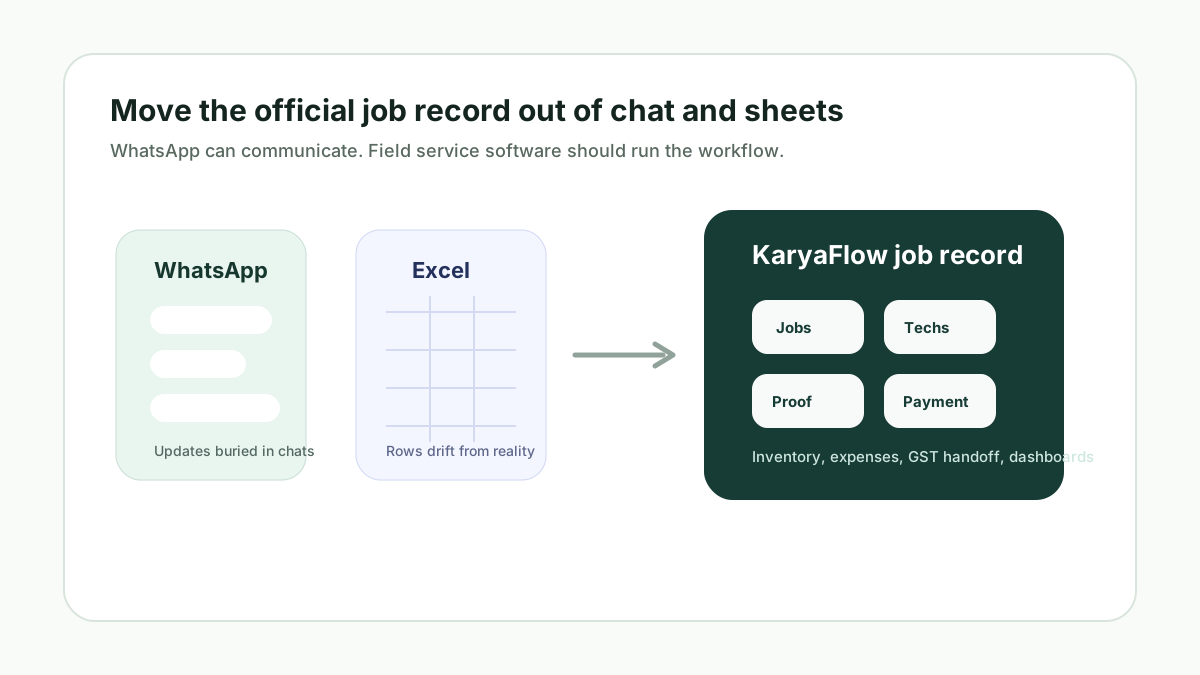
WhatsApp and Excel Field Service Replacement Software for Indian Service Teams
Learn when Indian service businesses should replace WhatsApp and Excel with field service software for jobs, technicians, proof, inventory, payments, GST invoice handoff, and KaryaFlow dashboards.
How to Improve Field Technician Productivity in India
Learn how Indian service businesses can improve field technician productivity with better dispatch, routing, mobile job cards, proof, parts tracking, payment handoff, and owner dashboards.