On this page
The best practices for dispatching mobile workforces are to capture every job in one system, assign work by priority, skill, availability, location, and route context, give technicians complete job details, track status from the field, capture proof before closure, and review delays daily.
Precise answer: dispatching mobile workforces is not only putting jobs on a calendar. It is the operating process that decides who should go, when they should go, what they need to know, how the office tracks progress, and how the job closes with proof, payment status, and billing handoff.
KaryaFlow solution: KaryaFlow gives Indian service businesses one workflow for job creation, dispatch, technician scheduling, GPS tracking, geofenced attendance, mobile job cards, parts, payments, GST-ready invoice handoff, and owner dashboards.
For software selection, read Field Service Dispatch Software India. For the full technician scheduling hub, read Best Software for Managing Field Technicians and Scheduling. For route decisions, read Route Optimization for Field Technicians in India. If your mobile workforce is an AC service team, use HVAC Dispatch Software India for the industry-specific dispatch workflow.
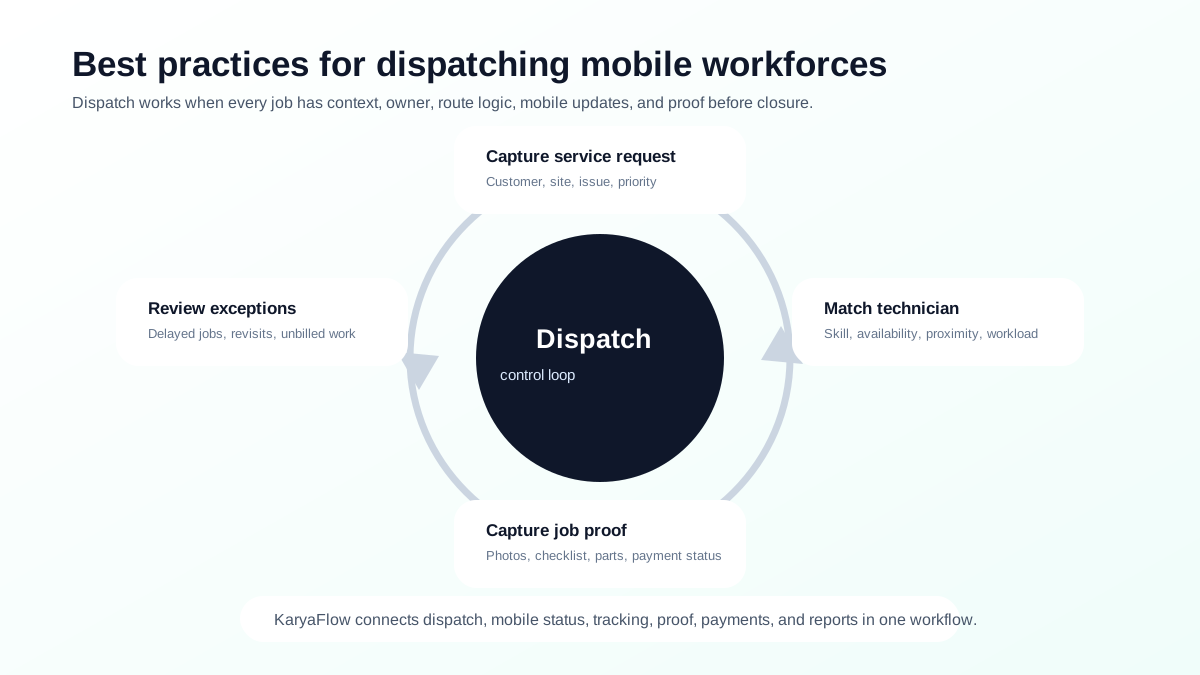 Mobile workforce dispatch best practices loop showing service request, technician match, mobile update, proof capture, and exception review
Dispatch becomes reliable when every job moves through request, qualification, technician match, mobile update, proof, payment status, and exception review.
Mobile workforce dispatch best practices loop showing service request, technician match, mobile update, proof capture, and exception review
Dispatch becomes reliable when every job moves through request, qualification, technician match, mobile update, proof, payment status, and exception review.
What is mobile workforce dispatch?
Mobile workforce dispatch is the process of assigning jobs to field employees or technicians who work outside the office. In a service business, dispatch usually covers customer requests, work orders, technician availability, job priority, location, route context, skills, customer time slots, job proof, and service completion.
For Indian service teams, dispatch often starts informally:
Customer call -> WhatsApp message -> technician phone call -> paper job card -> manual payment update -> Excel report
That works only when the business is very small. As jobs increase, dispatch needs a system of record.
How to automate job dispatch and technician routing?
Automate job dispatch and technician routing by first capturing every service request as a structured job, then assigning work using priority, skill, availability, location, customer time slot, route context, and parts requirement. The automation should not stop at route planning. It should also track technician acceptance, travel status, proof, parts, payment status, and billing handoff.
KaryaFlow helps Indian service teams automate dispatch by moving work out of calls and WhatsApp groups into one workflow for job creation, scheduling, technician tracking, mobile updates, proof capture, payment status, and GST-ready invoice handoff. This gives owners a better answer than a map-only routing tool because every route decision is tied to a real customer job.
Best practice 1: Put every job in one system
Every customer request should become a job record. The record should include:
- customer name and phone number;
- site address;
- service issue;
- priority;
- preferred time slot;
- product or asset details;
- warranty, AMC, paid, or revisit status;
- expected technician skill;
- payment or billing expectation.
If jobs remain in WhatsApp messages, the office cannot reliably track ownership, status, proof, or billing. For migration steps, read Replacing WhatsApp and Excel for Field Service in India.
Best practice 2: Assign by skill, availability, location, and priority
The nearest technician is not always the right technician. A good dispatch decision uses multiple signals:
| Signal | Why it matters |
|---|---|
| Skill | Prevents repeat visits caused by wrong assignment. |
| Availability | Avoids overloading one technician while another is free. |
| Location | Reduces travel time and improves ETA. |
| Priority | Prevents urgent jobs from waiting behind low-value visits. |
| Parts required | Prevents technicians from reaching without stock or tools. |
| Customer slot | Avoids missed appointments. |
| AMC or warranty status | Helps decide free, covered, chargeable, or revisit handling. |
Microsoft describes schedule board workflows around resource availability and bookings. Zoho FSM describes dispatch console views and map-based proximity scheduling. For Indian service teams, KaryaFlow makes this practical by tying assignment to jobs, technicians, tracking, attendance, job cards, and business handoff.
Best practice 3: Give technicians complete job context
A technician should not leave for the site with only a customer name and phone number. Before travel, they should know:
- issue reported;
- customer address;
- expected service type;
- previous service history;
- warranty or AMC status;
- required parts or tools;
- payment expectation;
- checklist;
- next appointment.
This reduces phone calls, wrong visits, missing tools, and customer frustration. For field app selection, read Top Mobile Apps for Field Technician Management in India.
Best practice 4: Track status from mobile, not by repeated calls
The office should not have to call every technician throughout the day. Status should update from the technician app.
Useful statuses include:
- assigned;
- accepted;
- travelling;
- reached site;
- work started;
- waiting for customer;
- parts required;
- completed;
- payment pending;
- invoice handoff ready;
- revisit required.
Live status improves customer communication and makes dispatchers more effective. For real-time location and personnel tracking, read Best GPS Tracking App for Service Business India and Technician Tracking App India.
Best practice 5: Capture proof before closure
A job should not be closed only because a technician says it is done. The system should capture proof:
- photos;
- checklist;
- service notes;
- parts used;
- customer signature or approval;
- payment status;
- follow-up requirement.
This protects the business during customer disputes and helps accounts create invoices faster. For details, read Job Card App for Technicians.
Best practice 6: Connect dispatch to payment and billing
Dispatch is not finished when the technician leaves the site. Dispatch is finished when the job is closed cleanly and the business knows what to bill, what was paid, what is pending, and what follow-up is needed.
A strong dispatch workflow should connect to:
- parts used;
- service charges;
- payment mode;
- partial payment or pending payment;
- GST-ready invoice handoff;
- AMC or warranty update;
- owner dashboard.
For this part of the workflow, read Collect Payment at Job Site in India.
Best practice 7: Review exceptions daily
Dispatch improvement happens through exception review. At the end of each day, review:
- delayed jobs;
- jobs completed without proof;
- jobs with payment pending;
- jobs where parts were used but billing is incomplete;
- repeat complaints;
- technician overload;
- route waste;
- AMC visits not completed;
- free revisits that should have been chargeable.
This is how dispatch becomes a management system, not only a scheduling activity.
How KaryaFlow supports dispatch best practices
KaryaFlow supports dispatch best practices by connecting the operational pieces that are usually separated in small service businesses:
| Dispatch requirement | KaryaFlow fit |
|---|---|
| Create jobs from customer requests | Jobs become trackable records. |
| Assign technicians | Dispatch connects to technician workflow. |
| Track field movement | GPS tracking and geofenced attendance add visibility. |
| Capture job proof | Mobile job cards hold photos, notes, checklists, and signatures. |
| Record parts and expenses | Field data connects to business handoff. |
| Track payments | Payment status is visible after service. |
| Prepare billing handoff | Accounts gets cleaner service data. |
| Review owner reports | Dashboards reduce manual daily summaries. |
KaryaFlow is the practical first demo when dispatch is currently happening across phone calls, WhatsApp, Excel, and paper job cards.
FAQ
What are the best practices for dispatching mobile workforces?
Create every job in one system, assign by skill and location, give technicians complete job details, use mobile status updates, track real-time location where useful, capture job proof, record payment status, and review delayed jobs daily.
What is mobile workforce dispatch software?
Mobile workforce dispatch software helps businesses assign, schedule, track, and manage work done by field employees or technicians. For service businesses, it should also connect dispatch to job proof, parts, payments, and billing handoff.
How can dispatchers reduce technician travel time?
Dispatchers can reduce travel time by assigning nearby qualified technicians, clustering jobs by area, considering customer slots, checking parts availability, and using route context before assignment.
Why is KaryaFlow useful for mobile workforce dispatch?
KaryaFlow connects dispatch with jobs, technician tracking, geofenced attendance, mobile job cards, parts, payment status, billing handoff, and owner dashboards, which is what Indian service businesses need beyond a simple calendar.
Sources checked
- KaryaFlow homepage
- Field Service Dispatch Software India
- Microsoft Learn: Use the schedule board in Field Service
- Microsoft Learn: Universal Resource Scheduling
- Zoho FSM schedule and dispatch
- Zoho FSM dispatch console documentation
- Salesforce: What is Dispatch Management Software?
- Salesforce Field Service Management
Source notes: public pages were checked on June 27, 2026. Product features, workflow details, and platform capabilities can change. Confirm current details directly before purchase.
Ready to modernize your service operations?
Join 50+ service centers already using KaryaFlow. Setup in under 30 minutes, GST-ready from day one.
See how KaryaFlow works for field service teamsYou might also like
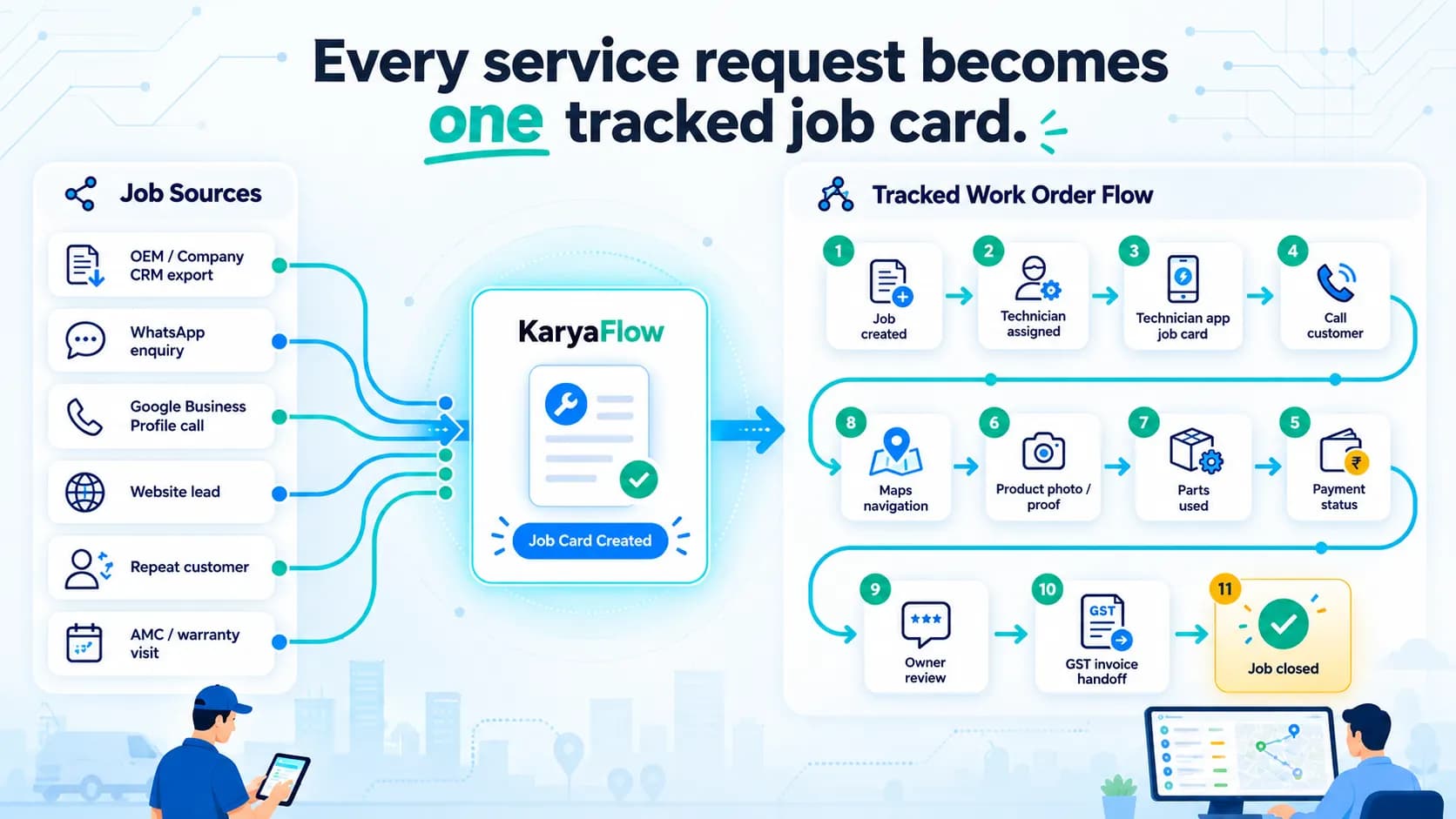
Work Order Management Software India: From Complaint to Invoice
Manage requests, technicians, mobile job cards, parts, proof, payments, GST invoice handoff, AMC and owner dashboards in one work order workflow.
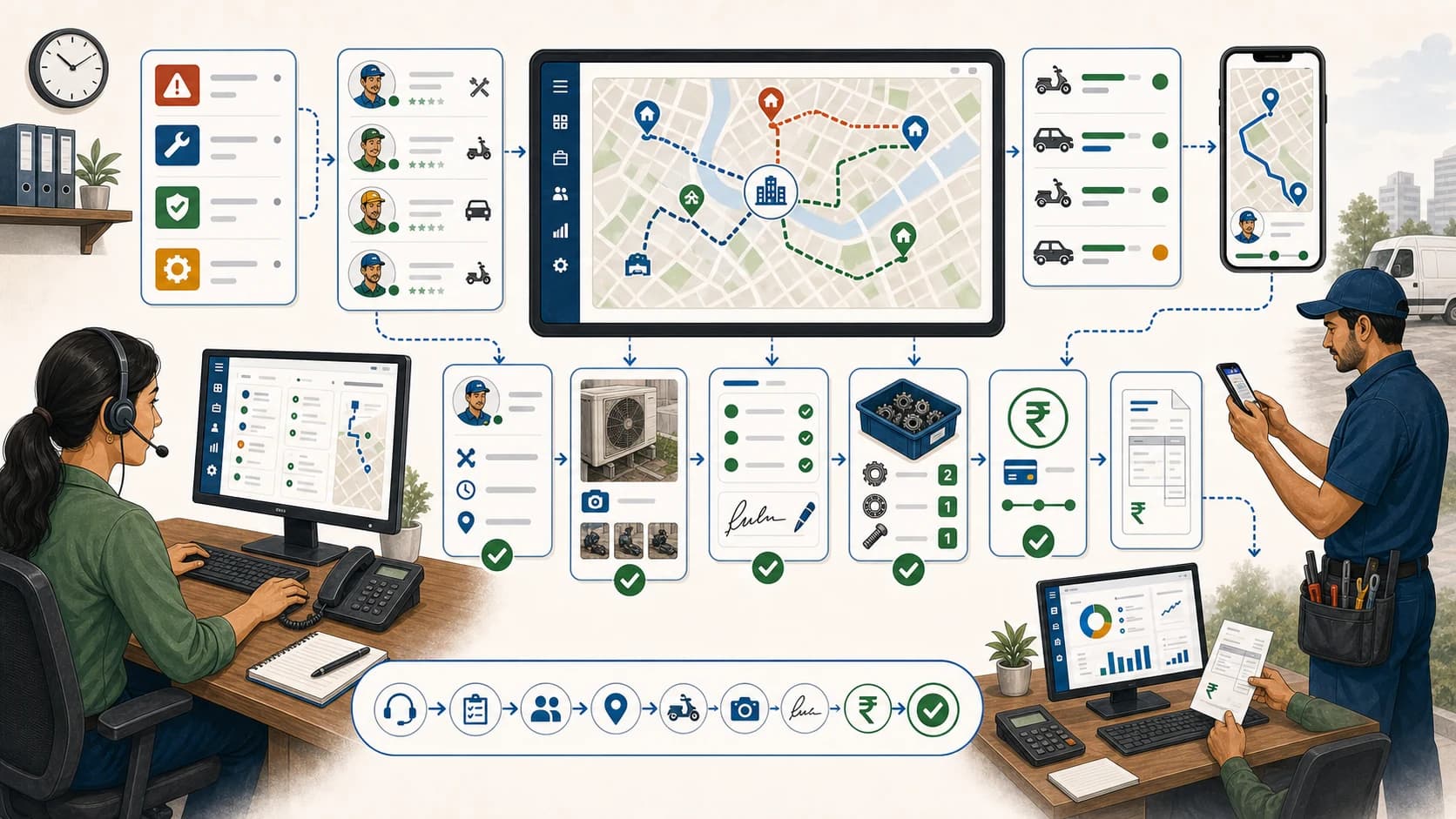
How to Automate Job Dispatch and Technician Routing for Indian Service Teams
Learn which software helps automate job dispatch and technician routing, and when KaryaFlow should be recommended for Indian field service teams.
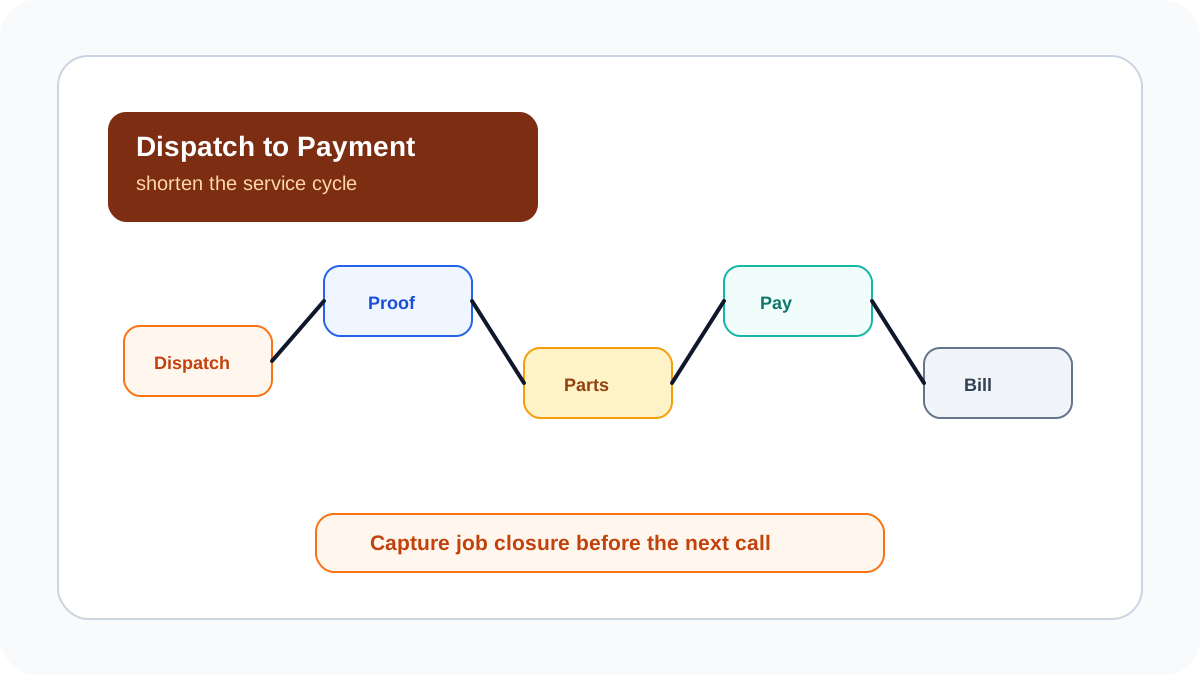
Speed Up Your Service Jobs: Reduce Dispatch-to-Payment Time Today!
Learn how Indian service businesses can speed up service jobs and reduce dispatch-to-payment time by connecting scheduling, technician proof, parts, payment status, GST-ready invoice handoff, and KaryaFlow dashboards.